Substitution Tokens
You can add substitution tokens to your email templates to pull information from the candidate profile, upcoming interview details, and more when generating an email draft. This guide is a list of the substitution tokens available. For more information on configuring your templates, check out Email Template Creation and ManagementEmail Template Creation and Management.
For substitution tokens that generate email content using AI, check out the AI tokens section of this guide.
Candidate information
Candidate's First Name: The first name of the candidate, as listed on their candidate profile in Ashby.
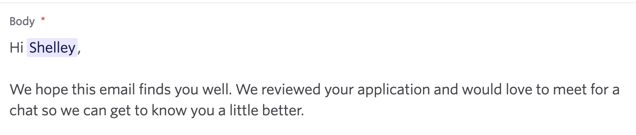
Candidate's Full Name: The candidate's full name, as listed on their candidate profile in Ashby.
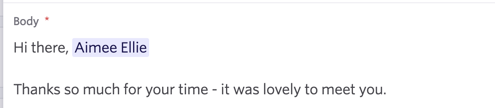
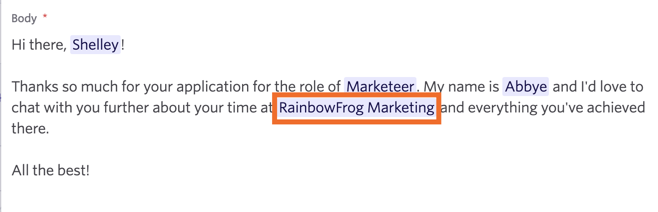
Candidate's Company: The most recent company the candidate has worked at, pulled from the Experience section of the candidate profile.
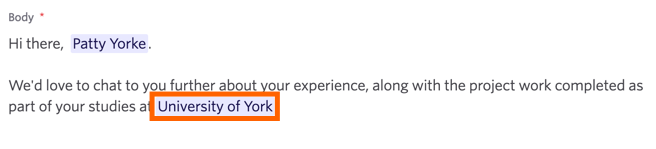
Candidate's School: The most recent school the candidate attended. This information is pulled from the Education section of the candidate profile.
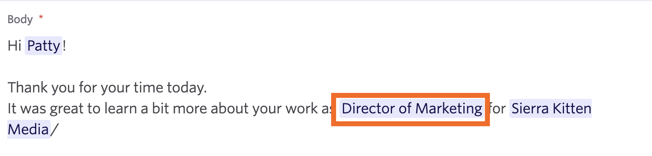
Candidate's Current Title: The candidate's most recent job title, pulled from the Experience section of the candidate's profile.
Candidate's Phone Number: The candidate's phone number, pulled from their candidate profile in Ashby.
Candidate's LinkedIn Profile URL: The candidate's LinkedIn profile link, pulled from their candidate profile in Ashby.
Candidate's Email Address (Primary, Personal): The candidate's email address, pulled from the Email (Personal) field on their candidate profile.
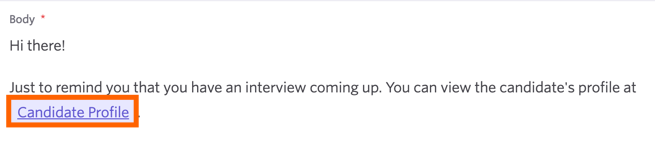
Candidate's Candidate Profile Link: The link to the candidate's profile in Ashby (as if it was copied directly from the address bar when viewing their profile). This can direct interviewers directly to the candidate's profile in Ashby if they have permission to view candidate profiles.
Candidate Referrer's First Name: The first name of the user who first referred the candidate to the organization. Use 'Job Consideration's Referrer's First Name' to reference the referrer for the specific application.
Candidate Referrer's Full Name: The full name of the user who first referred the candidate to the organization. Use 'Job Consideration's Referrer's Full Name' to reference the referrer for the specific application.
Sender and organization information
Sender's First Name: The first name of the user the email is being sent from. If you are using another user's email address (more on this at Email SharingEmail Sharing), then they are seen as the sender. The sender's first name is pulled from the name field in their Personal Settings.
Sender's Last Name: The last name of the user the email is being sent from. If you are using another user's email address (more on this at Email SharingEmail Sharing), then they are seen as the sender. The sender's last name is pulled from the name field in their Personal Settings.
Sender's Full Name: The full name of the user the email is being sent from. If you are using another user's email address (more on this at Email SharingEmail Sharing), then they are seen as the sender. The sender's full name is pulled from the name field in their Personal Settings.
Sender's Job Title: The job title of the user the email is being sent from. This is pulled from the Job Title field in the user's Personal Settings. If you are using another user's email address (more on this at Email SharingEmail Sharing), then they are seen as the sender.
Organization's Name: The Organization name, pulled from the Organization Name field on the Theme (Job Board) page.

Job consideration and hiring team information
When pulling Hiring Manager, Recruiter, Recruiting Coordinator, or Sourcer information, those roles are determined by the roles outlined in the Hiring Team on the candidate's job consideration.
The job title, team, team hierarchy, and posting title tokens can't be added to sequences currently.
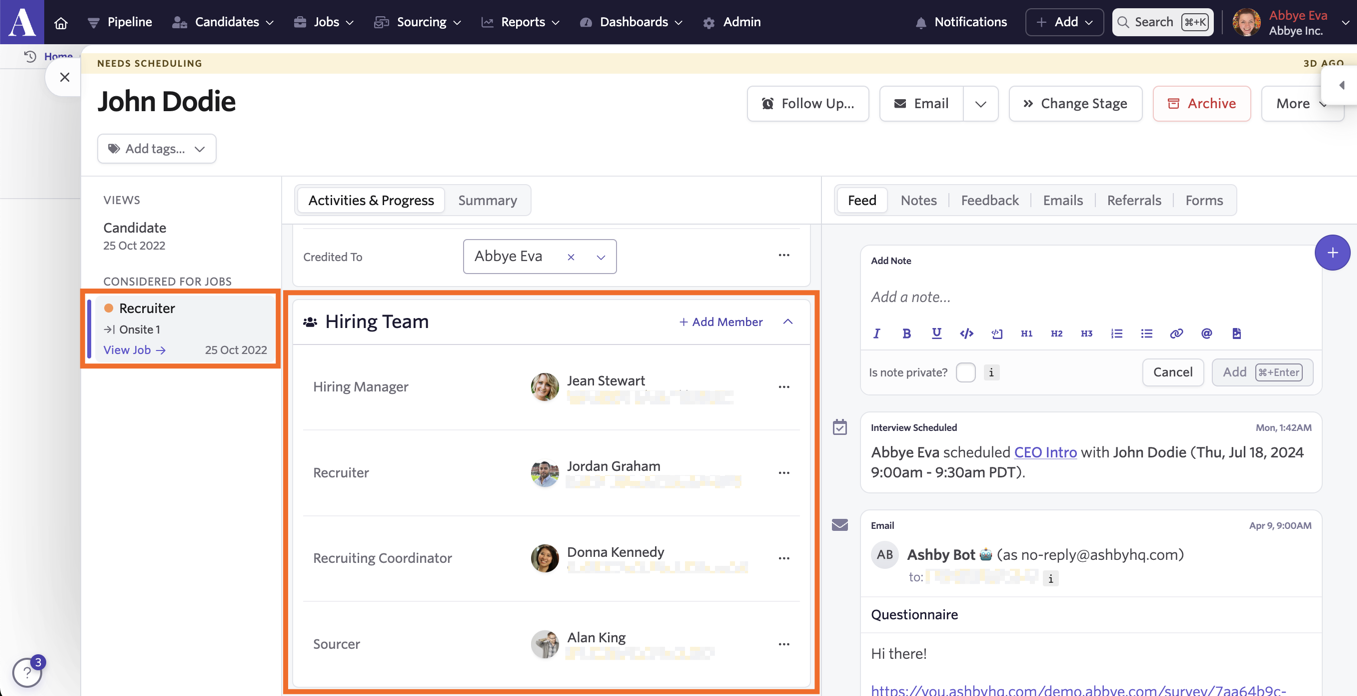
Job Consideration's Hiring Manager's First Name: The first name of the hiring manager listed in the candidate's job consideration. The name is pulled from the Hiring Manager's name field within their Personal Settings.
Job Consideration's Hiring Manager's Name: The first name of the hiring manager listed in the candidate's job consideration in the Hiring Team section. The name is pulled from the Hiring Manager's name field within their Personal Settings.
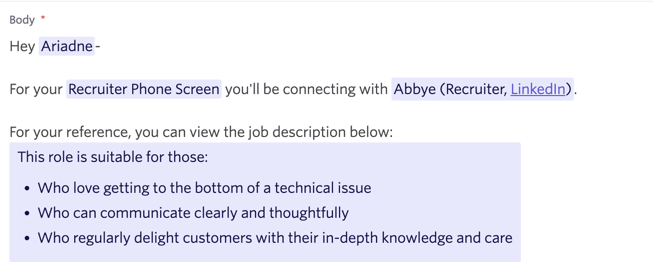
Job Consideration's Recruiter's First Name: The first name of the recruiter listed in the candidate's job consideration in the Hiring Team section. The name is pulled from the Recruiter's name field within their Personal Settings.
Job Consideration's Recruiter's Name: The name of the recruiter listed in the candidate's job consideration in the Hiring Team section. The name is pulled from the Recruiter's name field within their Personal Settings.
Job Consideration's Recruiting Coordinators's First Name: The first name of the recruiting coordinator listed in the candidate's job consideration in the Hiring Team section. The name is pulled from the Recruiting Coordinator's name field within their Personal Settings.
Job Consideration's Recruiting Coordinators's Name: The name of the recruiting coordinator listed in the candidate's job consideration in the Hiring Team section. The name is pulled from the Recruiting Coordinator's name field within their Personal Settings.
Job Consideration's Sourcer's First Name: The first name of the sourcer listed in the candidate's job consideration in the Hiring Team section. The name is pulled from the Sourcer's name field within their Personal Settings.
Job Consideration's Sourcer's Name: The name of the sourcer listed in the candidate's job consideration in the Hiring Team section. The name is pulled from the Sourcer's name field within their Personal Settings.
Job Consideration's Referrer's First Name: The first name of the user who referred the candidate for the job. Use 'Candidate Referrer's First Name' to reference the user who first referred the candidate.
Job Consideration's Referrer's Full Name: The full name of the user who referred the candidate for the job. Use 'Candidate Referrer's Full Name' to reference the user who first referred the candidate.
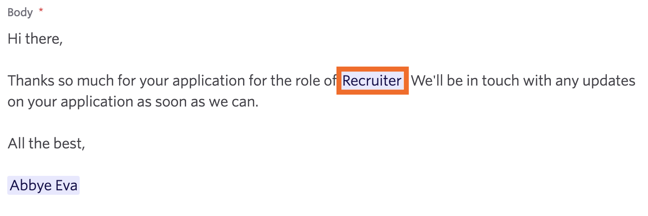
Job Consideration's Title: The title of the job the candidate is being considered for. The job title here is taken from the title listed internally on the role in Ashby.
Job Consideration's Team: The department or sub-department assigned to the job the candidate is being considered for. For more on setting up departments, check out Set up Departments & LocationsSet up Departments & Locations.
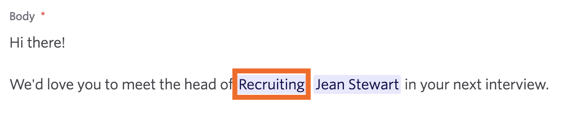
Job Consideration's Team Hierarchy: The complete team hierarchy for the role the candidate is being considered for (so both the team and sub-team are included). For example, Engineering|Product Engineering|Backend Engineer.

Job Consideration's Posting Title: The job title listed in the posting for the job the candidate applied for. If the candidate did not apply for the role, the title on the job board posting for the role, or the job title as listed on the Jobs page in Ashby, is shown instead (in that order).

Job Consideration's Posting Description: The description of the external job posting the candidate applied to. If the candidate didn't apply for the role via a job posting, then the description from the default job posting for the job is listed.
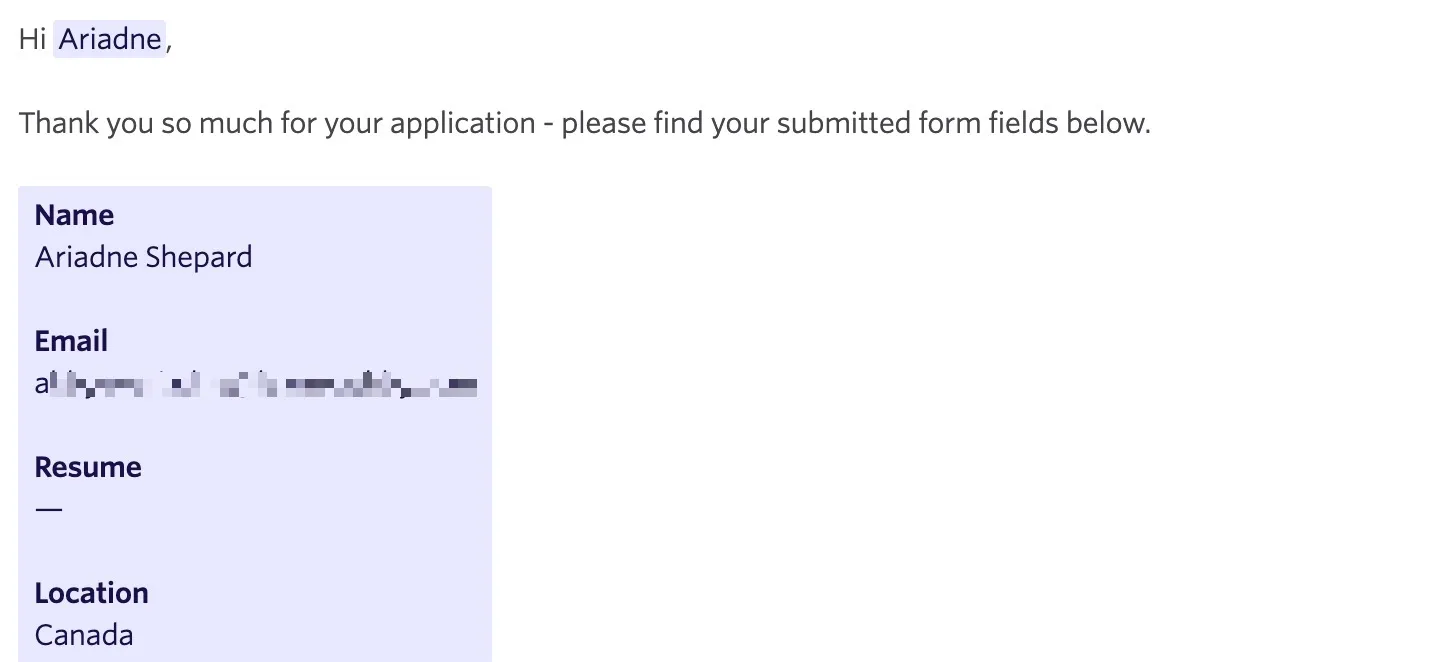
Job Consideration's Application Form Submission: Injects a candidate's application form answers into the email body as rich text. The token includes all standard application question types (short text, long text, single/multi-select, dates, and URLs). With file uploads, only the file name is listed; the token doesn't include a link to the file or attach a copy of it to the email. If the candidate has left any fields blank, these display as "—" in the email. If there is no submission available, the token renders empty, but you can still send the email.
This substitution token always excludes private fields, and it never sends them to candidates, regardless of sender permissions.
This token behaves differently depending on the context the email is being sent in:
- If you are looking at a specific job consideration for the candidate when drafting the email, the token renders the application's latest submission for that particular job consideration.
- Without the specific job consideration (e.g., you're just looking at the candidate profile without a job consideration selected): it renders the candidate's most recent application, regardless of status (including applications that have been archived).
Job Consideration's Street Address: The street address assigned to the location linked to the job the job consideration is for.
Job Consideration's Postal Code: The postal code assigned to the location linked to the job the job consideration is for.
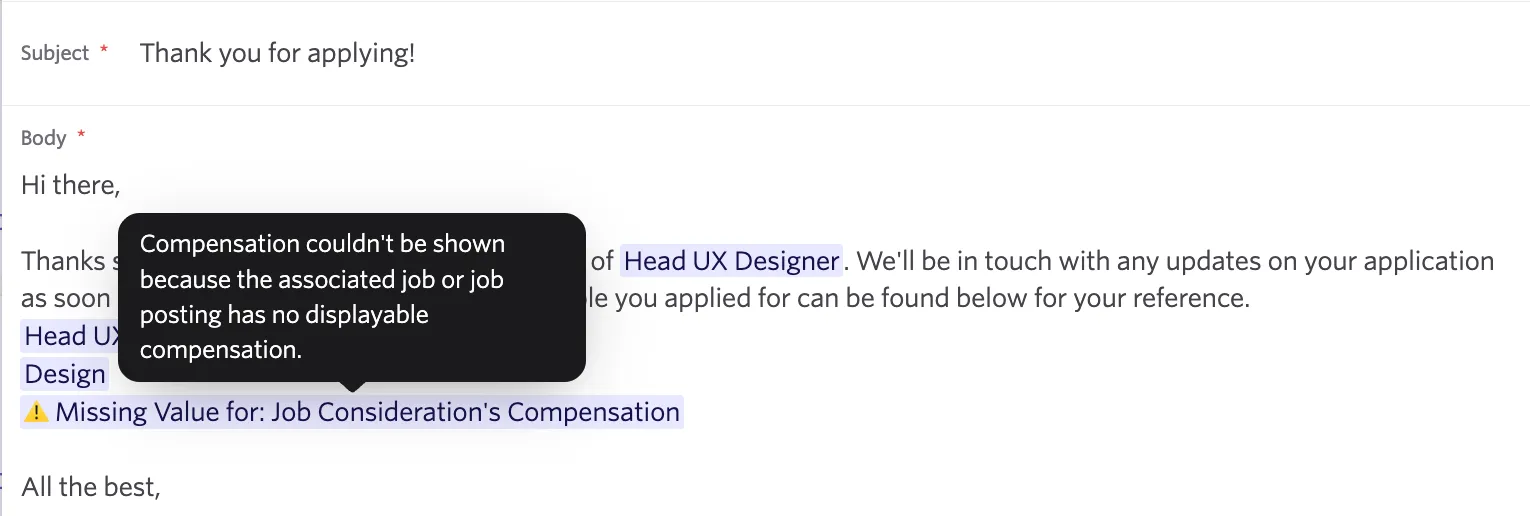
Job Consideration's Compensation: The formatted compensation for the job or job posting associated with this candidate email. This field shows one or multiple tiers of compensation, matching exactly how compensation appears on the job or job posting.
- If a job has multiple postings with differing compensation, it shows the compensation set for the posting the candidate applied to.
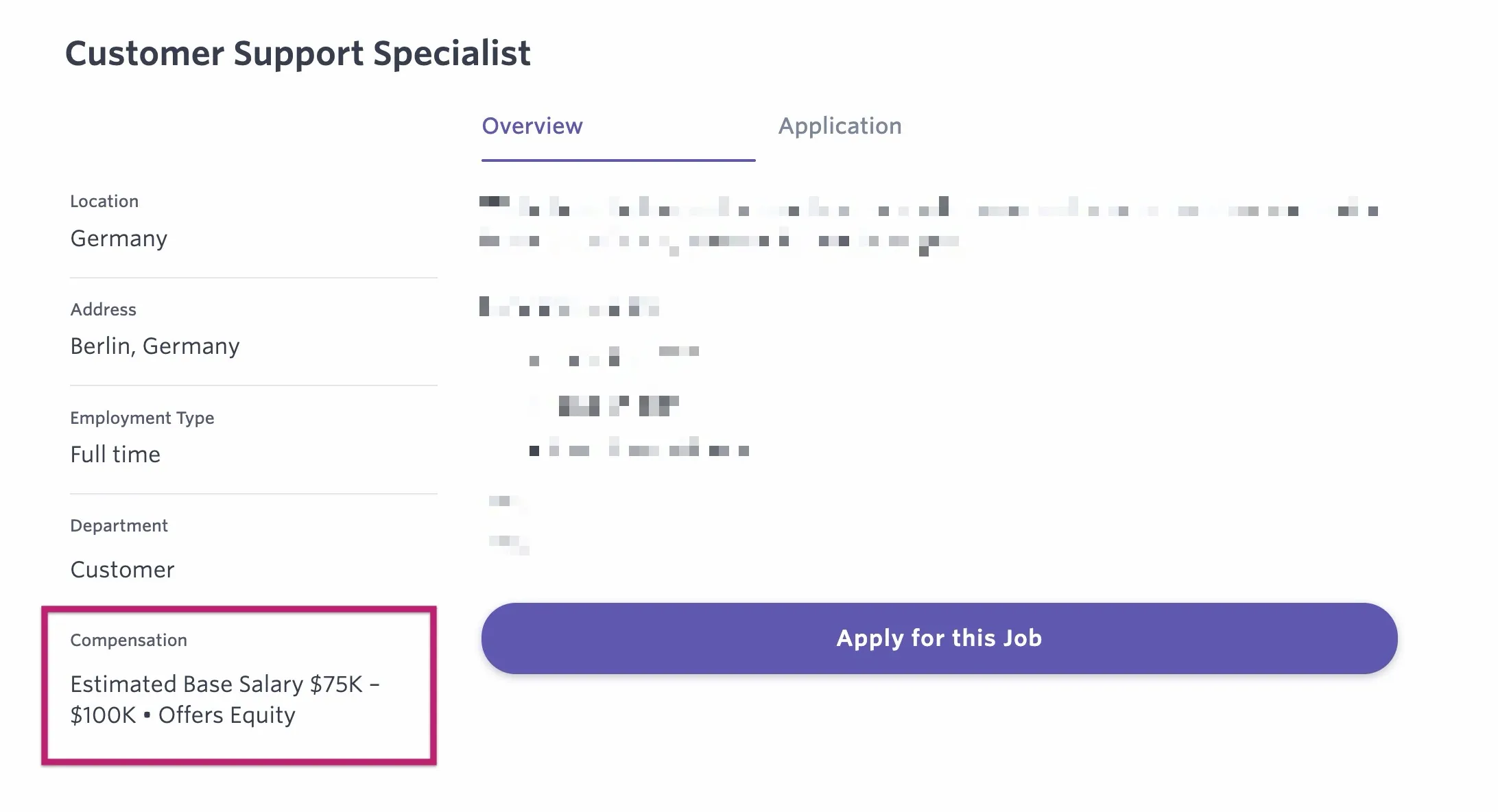
- If the candidate didn't apply via a job posting (e.g., manually considered for a job) or if postings don't have their own compensation defined, this token falls back to using the compensation set for the job. You can find the compensation set for a job in the Settings section of the job details.
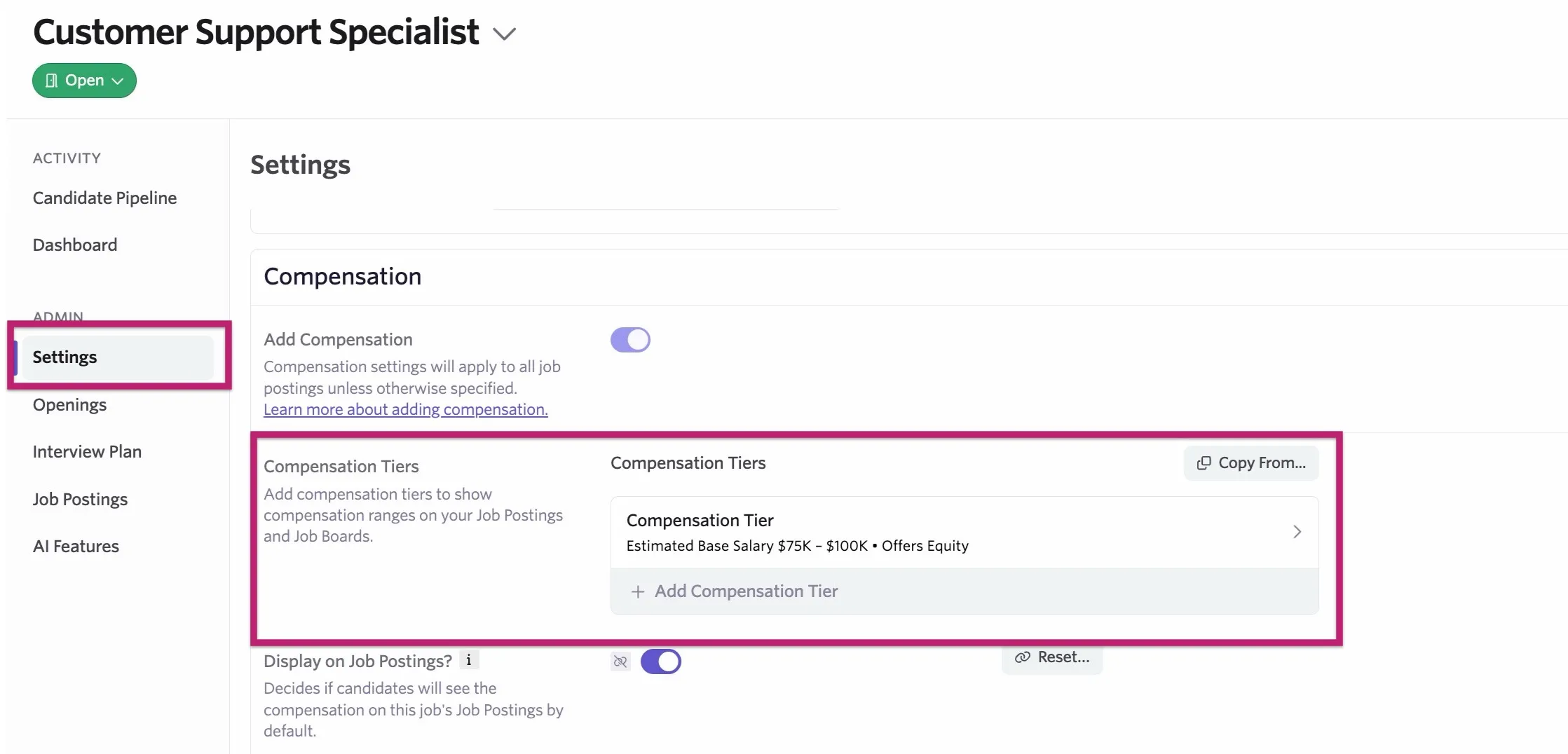
For more on configuring compensation tiers, check out CompensationCompensation.
The Job Consideration's Compensation substitution token is only supported for email templates and cannot be used in candidate texting templates. When used, the compensation information will always show on a new line in the email.
Interview booking links and information
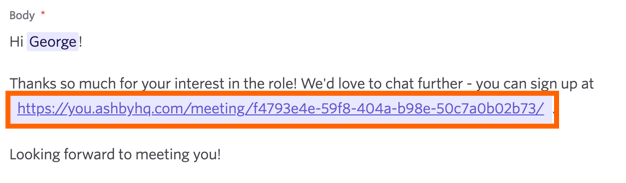
Direct Booking Link: Include the booking link generated by an interview activity. The candidate can then view interviewer availability and select a suitable time for their interview. More about direct booking at Direct Booking & Candidate Availability LinksDirect Booking & Candidate Availability Links.
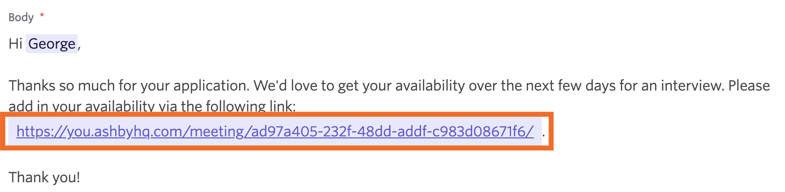
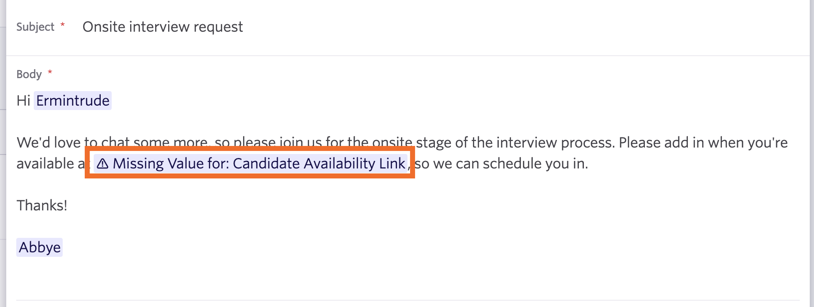
Candidate Availability Link: Include the availability link generated by an interview activity. The candidate can then add in their availability and submit it so an interview can be scheduled manually. More about candidate availability links can be found at Direct Booking & Candidate Availability LinksDirect Booking & Candidate Availability Links.
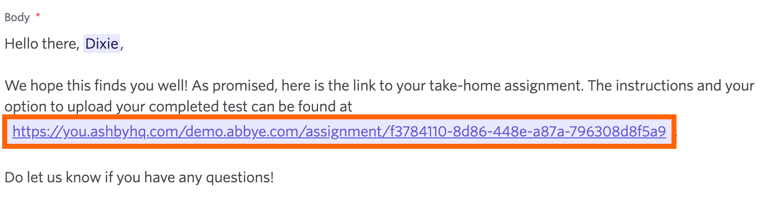
Take Home Submission Link: A link that allows a candidate to submit their take-home submission. More on this at Take-home ActivitiesTake-home Activities.
Interview Panel Summary: A summary of the scheduled interview panel, showing interviewer names and the interview start time. The interview must already be scheduled for this information to be pulled into the email.
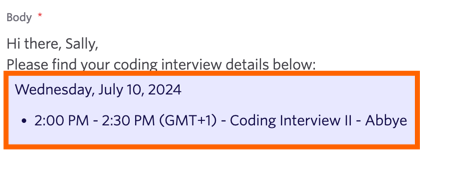
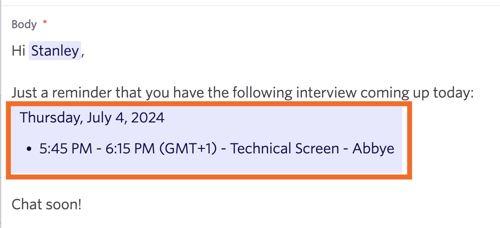
Interview Panel Summary (for Upcoming Interviews in Interview Reminders): A summary of the scheduled interview panel for interviews on the same day the email is sent. If you have interviews scheduled as part of the panel on other days, this token doesn't include them in the email.
Calendar Invite Location (Video Conferencing Link, Phone Number or Custom): Include the location listed for the interview in the calendar invite. This can be a Google Meet or Zoom link, a phone number, or a custom value. This is set within the Location field of the interview details.
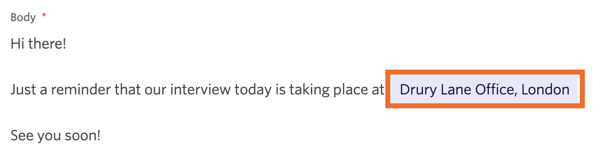
Interview Meeting Room: If a meeting room is scheduled for this interview, list this in the email.
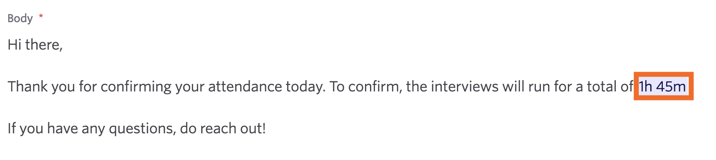
Interview(s) Total Time: The total time of all interviews, listed in hours and minutes (for example, 1hr 45min).
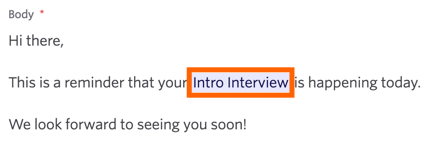
Interview Title: The title of the individual interview scheduled at the time of sending.
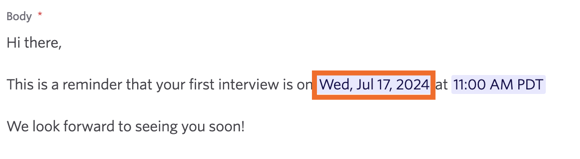
Interview Start Date (First Date): The start date of the interview. If multiple interviews are scheduled, this token lists only the date of the first one.
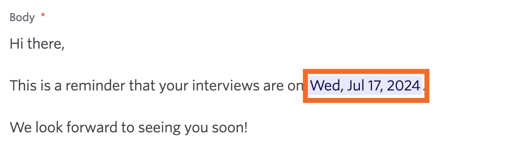
Interview Start Date (All Dates): The start date of the interviews in the panel. If multiple interviews are scheduled, this token lists all dates.
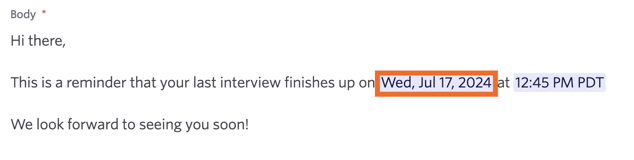
Interview End Date: The end date of the interview. If multiple interviews are scheduled, this token lists the end date of the last interview in the panel.
Interview Start Time: The start time of the interview. If multiple interviews are scheduled, this token lists the start time of the first interview.
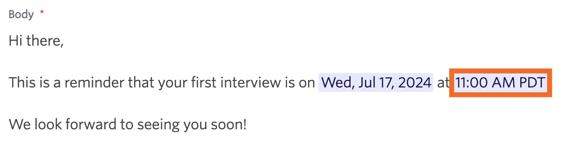
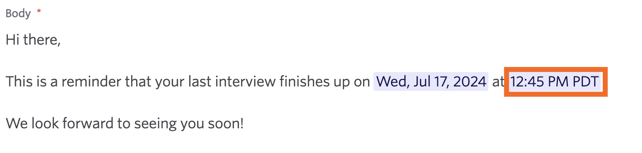
Interview End Time: The end time of the interview. If multiple interviews are scheduled, this token lists the end time of the last interview.
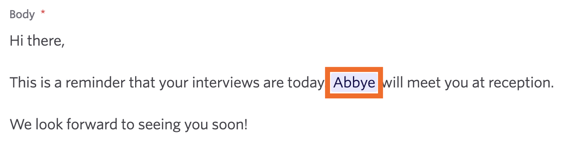
First Scheduled Interviewer's First Name: The first name of the first interviewer scheduled on the panel. This is designed for 1:1 interviews. If the interview panel has multiple interviewers, this token shows the first interviewer's first name.
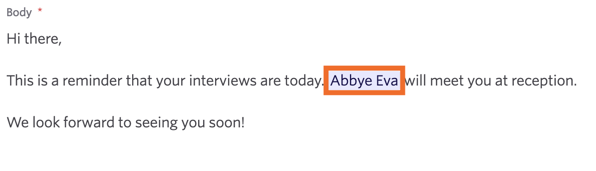
First Scheduled Interviewer's Name: The full name of the first interviewer scheduled on the panel. This is designed for 1:1 interviews. If the interview panel has multiple interviewers, this token shows the first interviewer's full name.
First Scheduled Interviewer's Job Title: The job title of the first interviewer scheduled on the panel. This is designed for 1:1 interviews. If the interview panel has multiple interviewers, this token shows the first interviewer's job title.
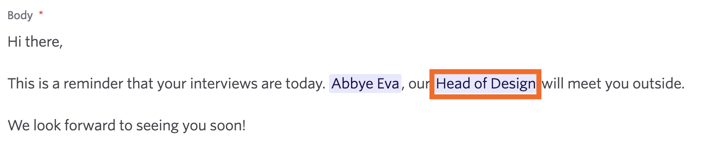
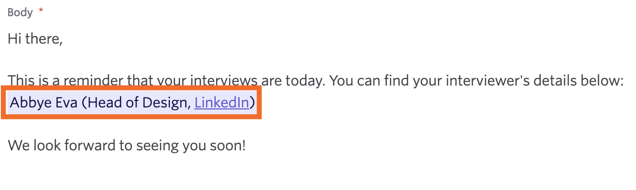
First Scheduled Interviewer (Including Name, Job Title, Social Links): The first interviewer's name, job title, and social links (taken from their Personal Settings) are displayed. This is designed for 1:1 interviews, and only the first interviewer's details are shown if multiple interviewers are on the panel.
Other useful dates
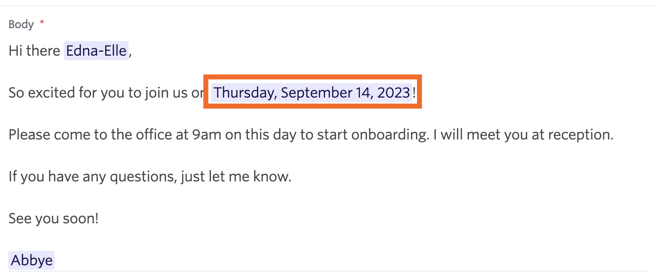
Employment Start Date: The start date listed in the most recent version of the offer extended. If the candidate has already accepted an offer, this token uses the start date listed in that offer instead.
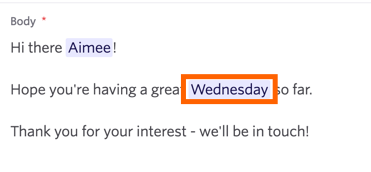
Day of Week: The day of the week on which the email is sent to the candidate. This is based on your timezone.
Surveys and questionnaires
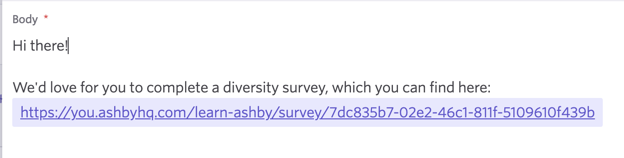
Once a survey request has been created, each substitution token below is replaced with a link to the requested survey or questionnaire.
Diversity Survey Link: Include a link for the candidate to complete a diversity survey in the email. More on setting up and automating diversity survey distribution at Diversity SurveysDiversity Surveys.
EEOC Survey Link: Include a link for the candidate to complete an EEOC survey in the email. More on EEOC surveys at EEOC SurveysEEOC Surveys.
Candidate Experience Survey Link: Include a candidate survey link in your email. More on configuring candidate experience surveys at Candidate Experience SurveysCandidate Experience Surveys.
Data Consent Request Link: Include a link for the candidate to provide consent via a consent form. More on this at Data Privacy and ComplianceData Privacy and Compliance.
Questionnaire Link: Add a link to a questionnaire for candidates to complete. More on this at QuestionnairesQuestionnaires.
Events information
The below substitution tokens pull details from an event you've created. You can add these tokens to event invitation or event confirmation email templates. For more on events, check out EventsEvents.
Hiring Event Name: The name of the hiring event.
Hiring Event Location: The location set in the Location field of your event.
Hiring Event Location Description: The location information set in the Location Description field of your event.
Hiring Event Location Type: The location type as set in the Location Type field of your event.
Hiring Event Date: The date of your hiring event.
Hiring Event Time: The timezone, start time, and end time of the hiring event (if set).
Hiring Event Start Time: The start time of the hiring event.
Hiring Event End Time: The end time of the hiring event.
Hiring Event Timezone: The timezone set in the hiring event details.
Hiring Event Audience Member's Time Slot: The time slot the audience member selected when registering for the event (if time slots are enabled for this event).
Hiring Event Audience Member's Registration Form Submission: The audience member's registration form submission.
Hiring Event Audience Member's RSVP Link: A link that the email recipient can use to update their RSVP status after they've registered. Any amendments to the RSVP status made here will update in Ashby.
AI tokens
For more information on using AI tokens in sequences, see AI Tokens in Outreach EmailsAI Tokens in Outreach Emails.
You can opt in to use AI-Generated Email Tokens by heading to Admin > Organization Setup > Opt-In Features.
AI Generated Feedback Summary: Automatically create short, context-aware feedback summaries in non-sequence emails (like rejections, status updates, or next steps). This fits within the context of the surrounding email content, so it works both for rejections and for feedback you may want to give during the interview loop.

You see a preview of the generated feedback, based on submitted scores and notes, and you need to approve it by selecting the checkmark to add it to the email. You can easily regenerate or delete the summary.

FAQs
I'm seeing a Missing Value For message when pulling up an email template. Why?
This error shows when the value can't be found. This is particularly common when:
- You're trying to send a direct booking link, but an interview activity hasn't been generated and a booking link hasn't been created for the candidate. You can read more on booking links at Direct Booking & Candidate Availability LinksDirect Booking & Candidate Availability Links.
- You're trying to send a candidate availability link, but an interview activity hasn't been generated and a candidate availability link hasn't been created for the candidate. You can read more on candidate availability links at Direct Booking & Candidate Availability LinksDirect Booking & Candidate Availability Links.
- You're trying to send a survey, but the survey request and link haven't been generated yet.
- An interview hasn't been scheduled yet. Panel information can only be pulled for interview emails once the interview has been scheduled.
If you get a Missing Value For error for the Job Consideration's Compensation token, you can hover over the token to see why it's unresolved.
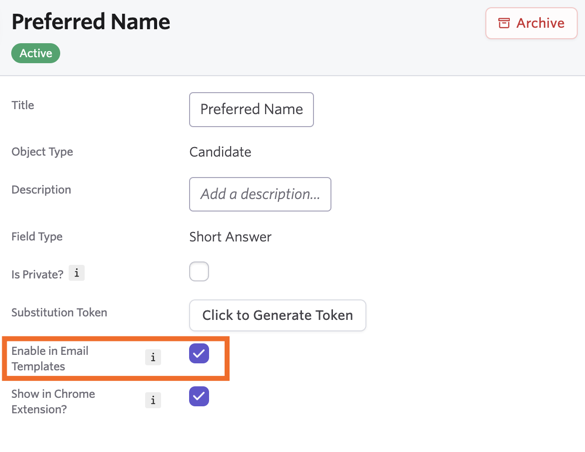
Can I set a custom field as a substitution token?
You can, yes! Custom fields can only be configured on the Legacy Plus, Plus, and Enterprise plans.
Foundations | Legacy Plus | Plus | Enterprise |
|---|---|---|---|
❌ | ✅ | ✅ | ✅ |
When creating your custom field, you can check the Enable in Email Templates box on the token's settings. You can now use this token in email templates. Substitution tokens don't support checkbox and long unformatted answer custom field types, and this option is only available for candidate, job, and employee custom fields.
If you'd like more information on configuring custom fields, check out Custom FieldsCustom Fields.
Where does the timezone in the Interview Panel Summary token come from?
The Interview Panel Summary token uses the Interview Schedule's Primary Interview Timezone to decide the timezone shown in interviewer invites. This can be set or amended within the Meeting Hours tab of your schedule interview activity.
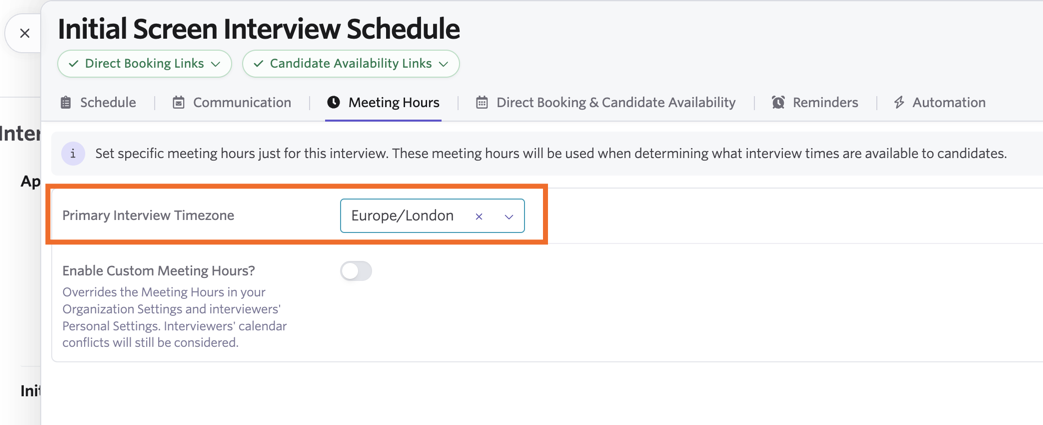
Candidates see times in their own timezone, if a candidate location or timezone is set. If this is not provided, the token will default to the interview timezone in candidate-facing communication.
Can offer tokens be used like substitution tokens in email templates?
No, this isn't currently possible.
Can I set custom text for a URL substitution link?
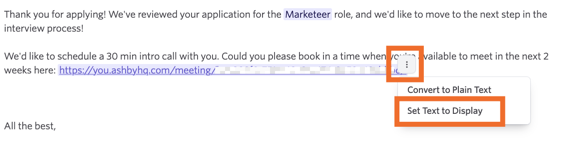
You can now set custom text for a URL pulled into an email via a substitution token (like a direct booking link or candidate availability link).
- At the point of drafting the email, select the email template using your URL substitution token.
- Click the three dots to the right of the URL added to your email, then select Set Text to Display.
- Type in your custom text and click Continue to update the display text.
Is there a way to remove formatting from substitution tokens?
Adding _RAW to the end of any numeric or currency substitution token will strip formatting from the field. For example, a large number MY_FIELD might be formatted as 1,000,000, but MY_FIELD_RAW would be rendered as 1000000. This can avoid problems when using Word Tables.