Candidate Experience Surveys
You can use Candidate Experience Surveys to capture feedback from your candidates at any point in the interview process. Candidate Experience Surveys support standard survey question types, as well as NPS Rating and Linear Rating question types.
Want a deeper walkthrough of the full Candidate Experience Surveys workflow? The Candidate Experience Surveys course in Ashby Academy walks through how to configure survey forms, settings, and automation, understand the candidate's experience completing the survey, review responses, and report on Candidate NPS and survey trends.
Permissions & access
Candidate Experience Surveys are available on all plans:
Foundations | Legacy Plus | Plus | Enterprise |
|---|---|---|---|
✅ | ✅ | ✅ | ✅ |
Only Organization Admins can configure Candidate Experience Surveys.
Organization Admins, or Elevated Access users with an Admin Private role, can view Candidate Experience Survey responses.
If your organization has custom access roles configured, users granted a role with the Can See Private Fields permission stripe can also see Candidate Experience Survey responses. For more on custom access roles, see Manage Access RolesManage Access Roles.
Overview
Ashby supports sending Candidate Experience Surveys to applicants at any stage of the hiring process. You can create and customize any number of surveys, and configure rules for how and when to collect them from candidates. You can then analyze the results of these surveys to make your recruitment process more effective.
Set up your survey
To set up a candidate survey:
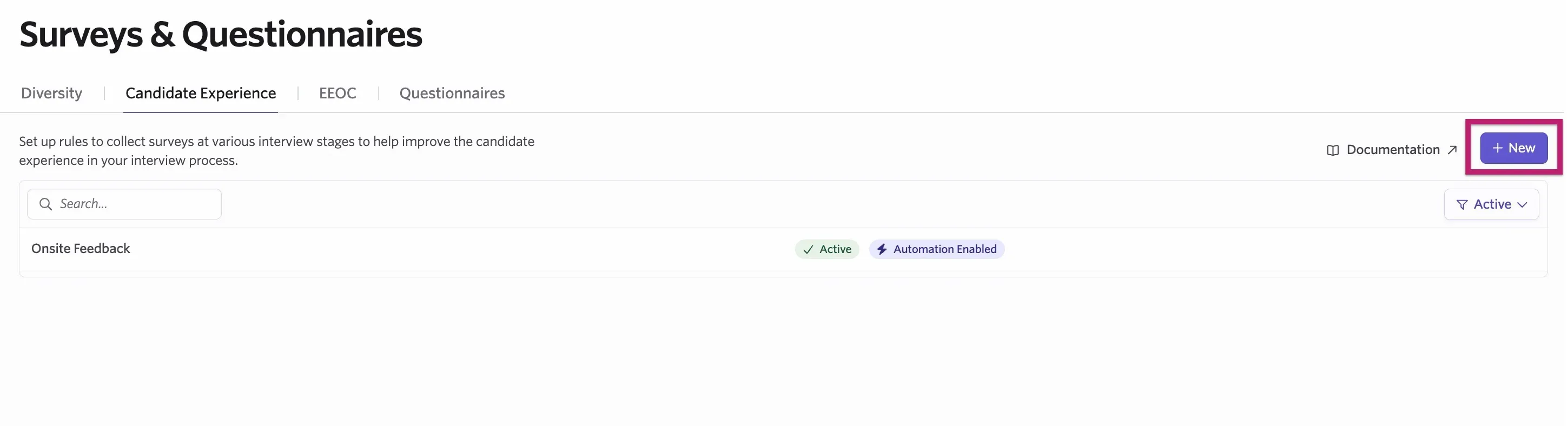
- Navigate to Admin > Jobs & Applications > Candidate Surveys.
- Click + New on the Candidate Experience tab.
Add questions to your survey
Candidate Experience Surveys can contain the following field types:
- Short Answer
- Long Formattable Answer
- Phone
- Multiple Choice
- Checkboxes
- Date
- Yes/No
- Number
- Other Location
- URL
Some additional field types are only available for Candidate Experience Surveys:
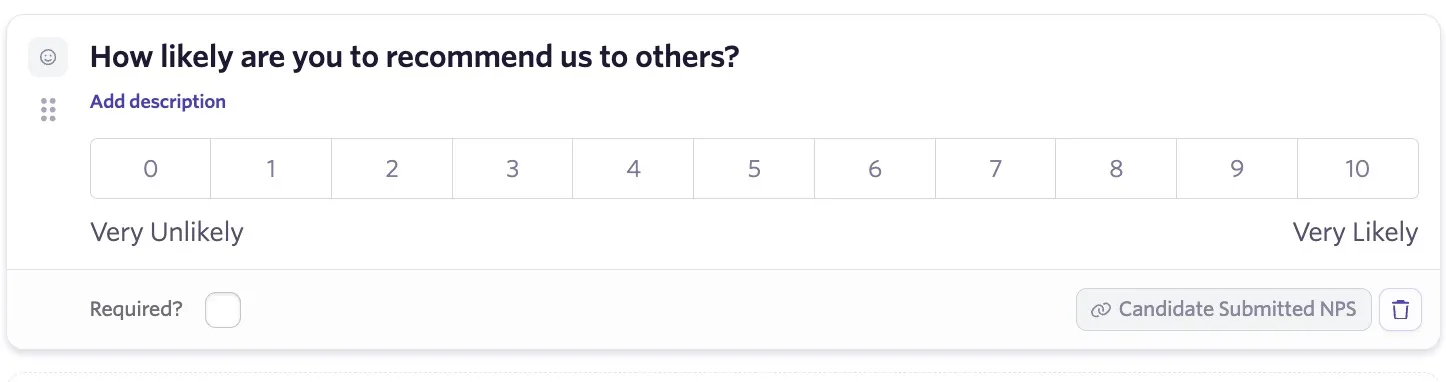
- NPS Rating: A survey can have only one NPS Rating question. This is a question on the standard NPS scale from 0 to 10. You can edit the question and the labels on the scale.
- Scores of 9 or 10 are considered promoters.
- Scores of 7 or 8 are considered passive.
- Scores of 6 or below are considered detractors.
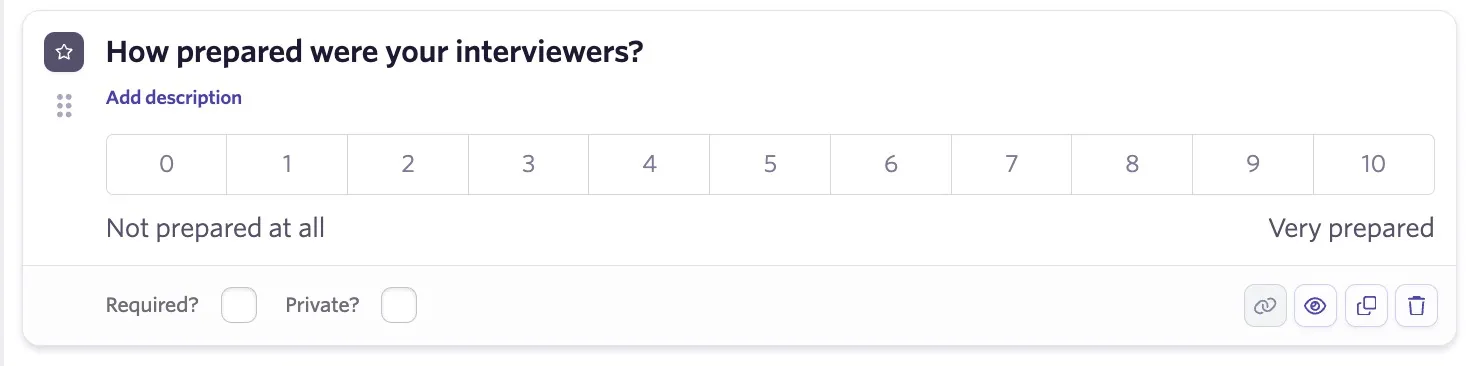
- Linear Rating: A survey can have any number of Linear Rating questions. This is also a question on a 0 to 10 scale, but is specific to this survey. Use these to ask more detailed rating-type questions of your candidates. You can edit the question and the labels on the scale for Linear Rating questions too.
Configure your survey submission mode
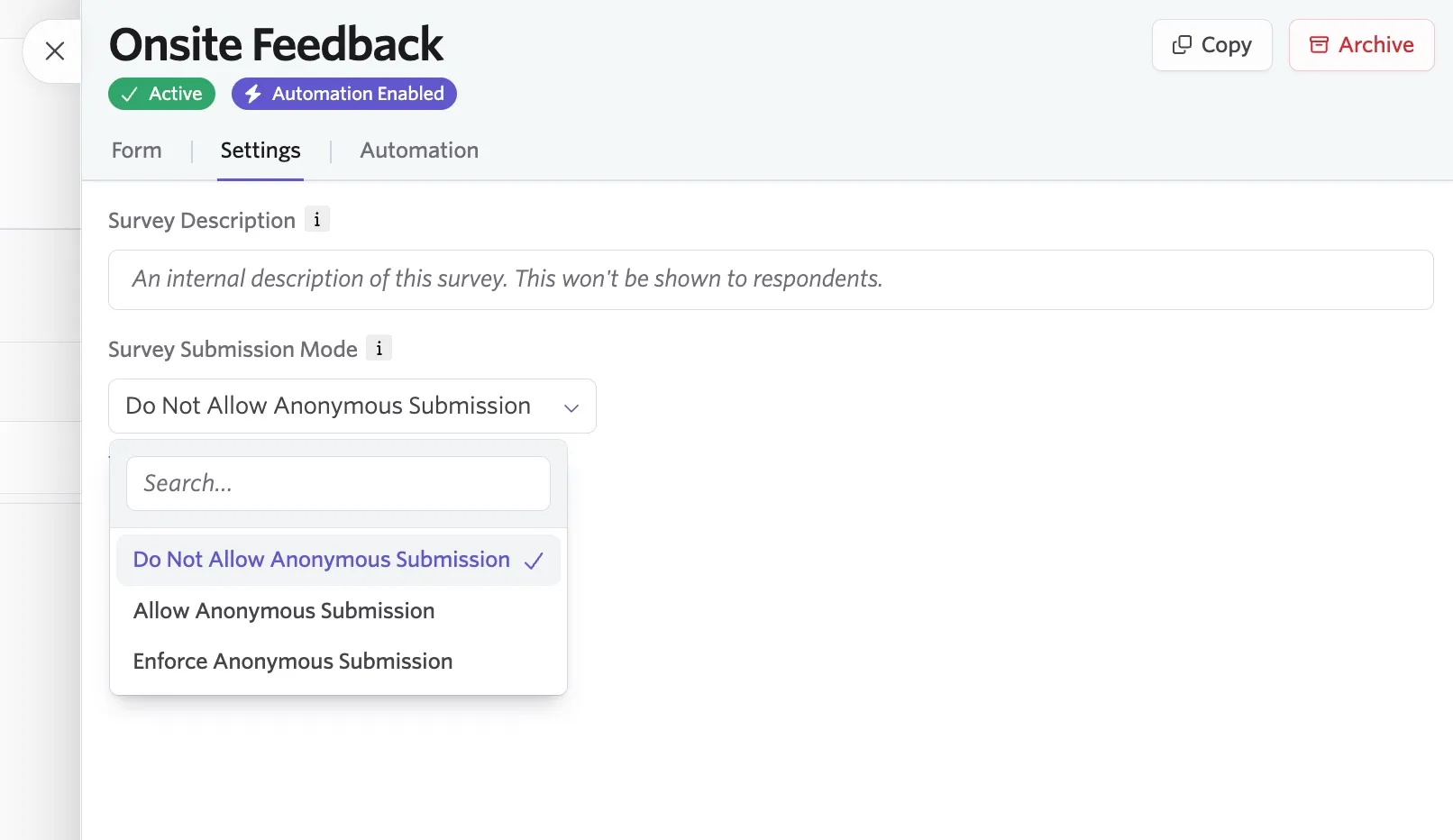
Go to the Settings section on any Candidate Experience Survey to update the Survey Submission Mode.
There are three different survey submission modes:
- Do Not Allow Anonymous Submission: All submissions are tied to the candidate and visible on their profile.
- Allow Anonymous Submission: The candidate can opt into an anonymous submission. When you select Allow Anonymous Submission, candidates see a final question at the end of the survey, letting them choose whether to submit their feedback anonymously.
- Enforce Anonymous Submission: All submissions are anonymous.
To view anonymized surveys, go to Reports > Candidate Experience Surveys in the top navigation bar. You can view submissions that aren't anonymized on both the Candidate Experience Surveys page and the candidate's profile, on the Forms tab.
Send your survey
You can send Candidate Experience Surveys in two ways.
Directly requesting surveys from the candidate profile
You can directly request a survey by doing the following:
- Navigate to the candidate's profile.
- Click More.
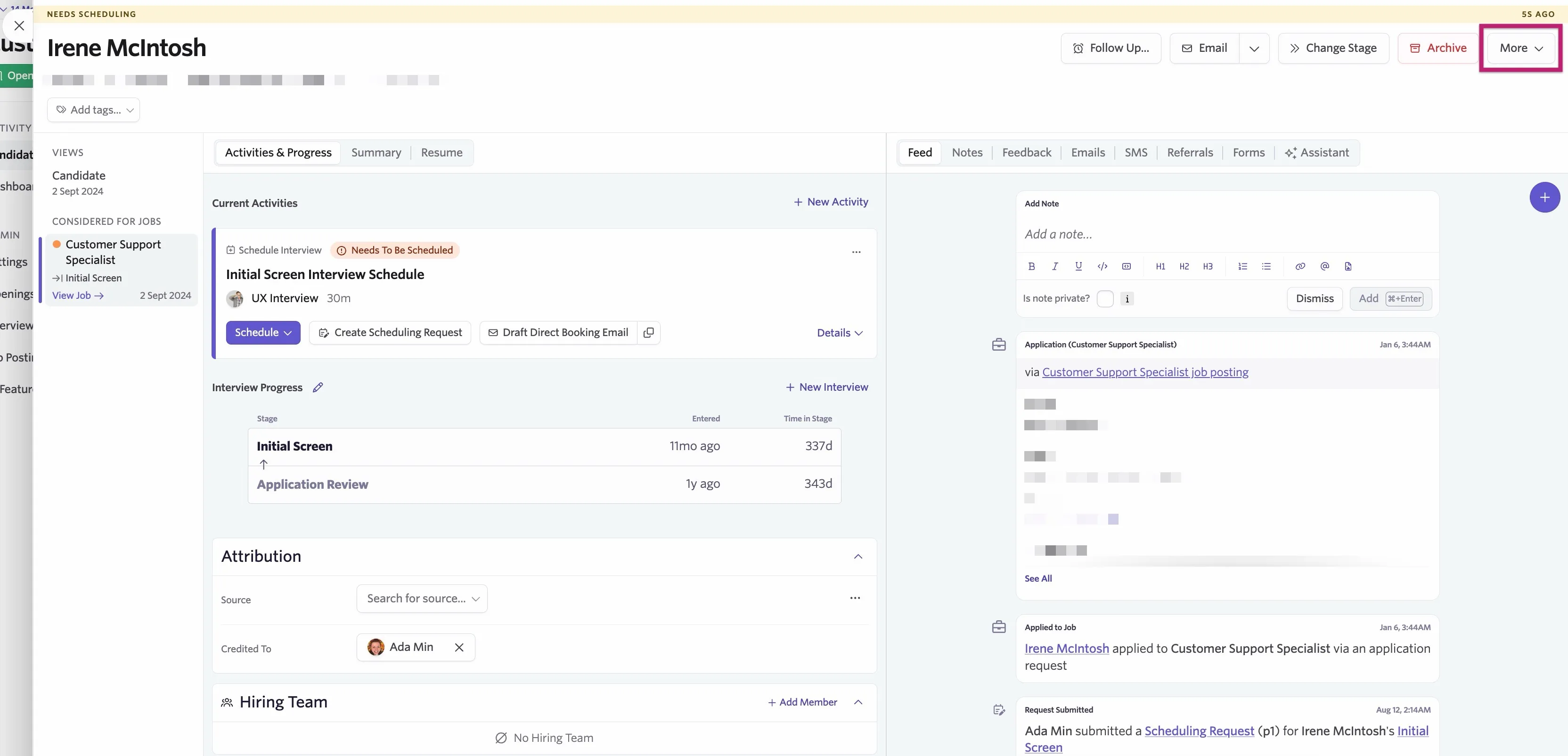
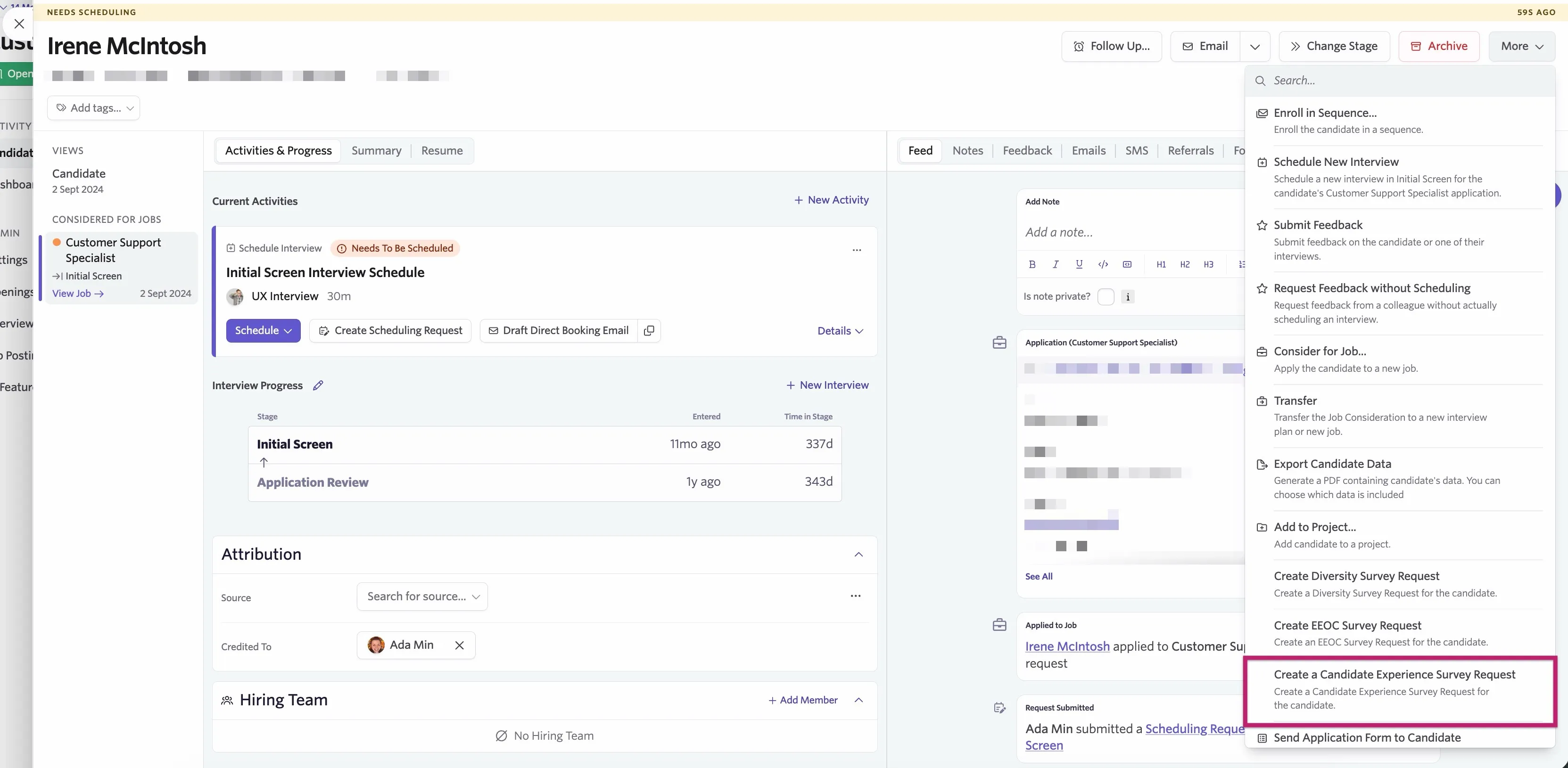
- Select Create a Candidate Experience Survey Request.
- Choose which survey to send and which application to associate it with.
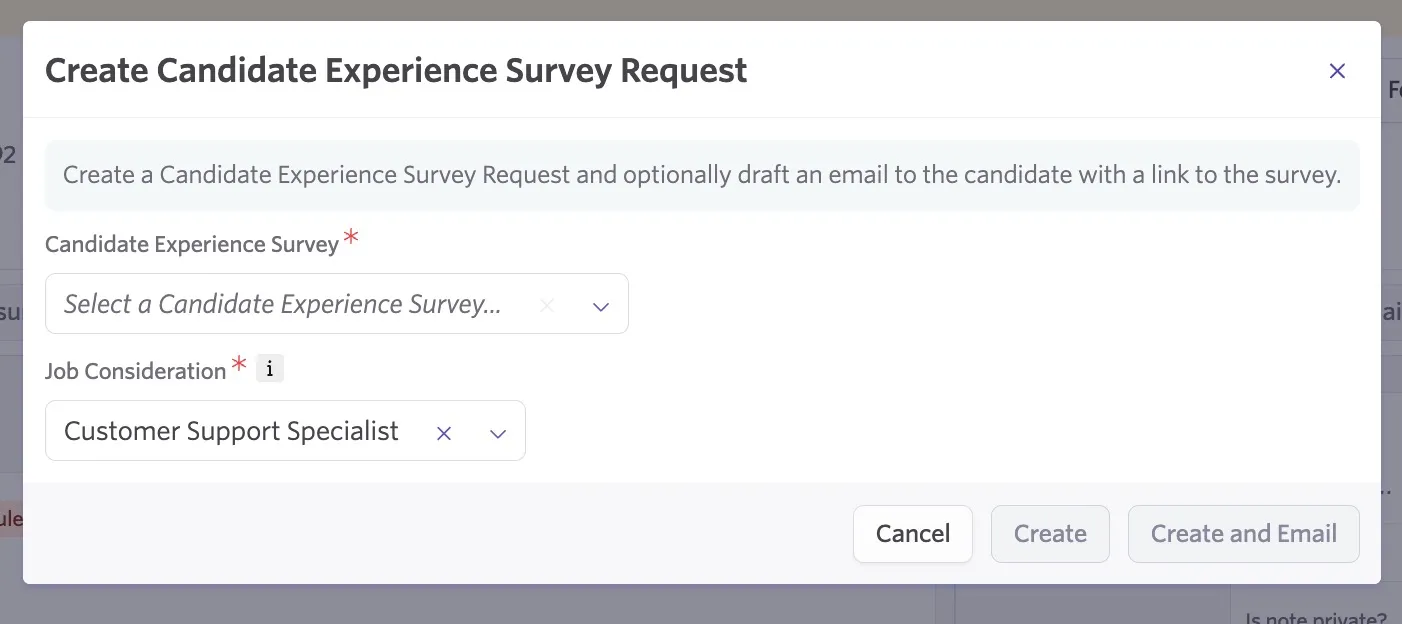
- Create the survey request using the Create button, or optionally schedule an email with a link to the survey using the Create and Email button.
Setting up automation rules to send surveys automatically
You can set up automation rules so you don't have to request surveys from candidates manually. Instead, set up a series of conditions that trigger an email with a survey link to be drafted, scheduled, and sent to a candidate.
You can set up automation rules for a survey within the Automation section of the candidate experience survey.
Our article on Utilizing Stage GroupsUtilizing Stage Groups walks through the different fields you can select to customize the automation.
To set up automation for your candidate experience survey:
- Navigate to Admin > Jobs & Applications > Candidate Surveys.
- Open your survey details in the Candidate Experience tab.
- Click the Automation tab, then click Get Started.
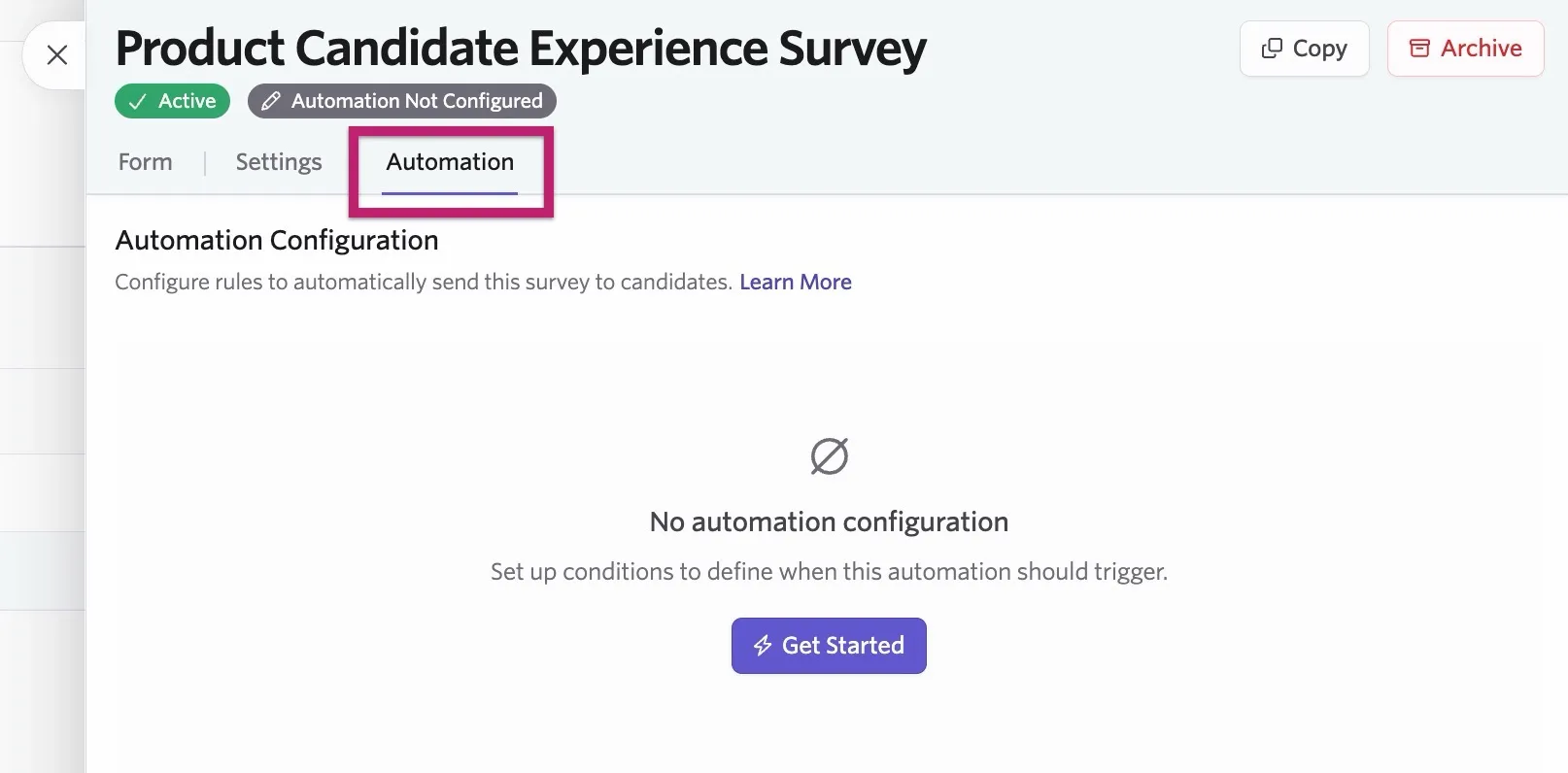
- Specify your conditions by clicking + Add Field to Match, choosing fields, and then specifying criteria. More on using the AND, OR, and NOT operators below.
- Select an email template from the Email Template dropdown to send your survey.
- Configure any email delay using the Delay dropdown.
- Specify a sender email address.
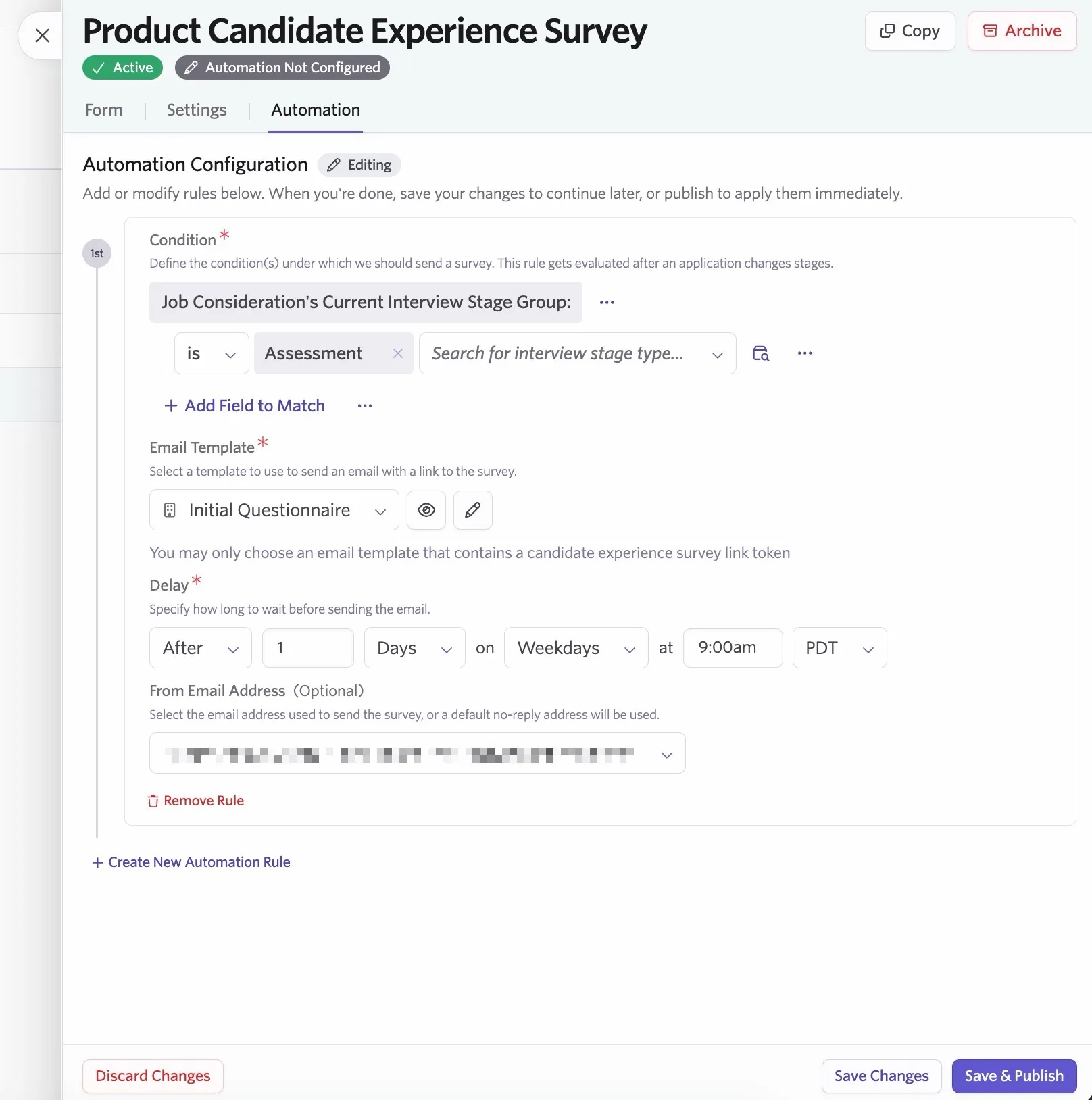
- Click Save & Publish to enable your automation, or Save Changes to save your setup without enabling it.
Ashby checks the conditions of each rule whenever a candidate changes stages. Ashby finds the first rule that matches, then creates a survey and schedules an email with a link to it.
Configuring criteria for automation rules
When configuring your candidate survey automation, you can use the AND, OR, and NOT operators. These give you more flexibility when assigning multiple form fields to your conditions.
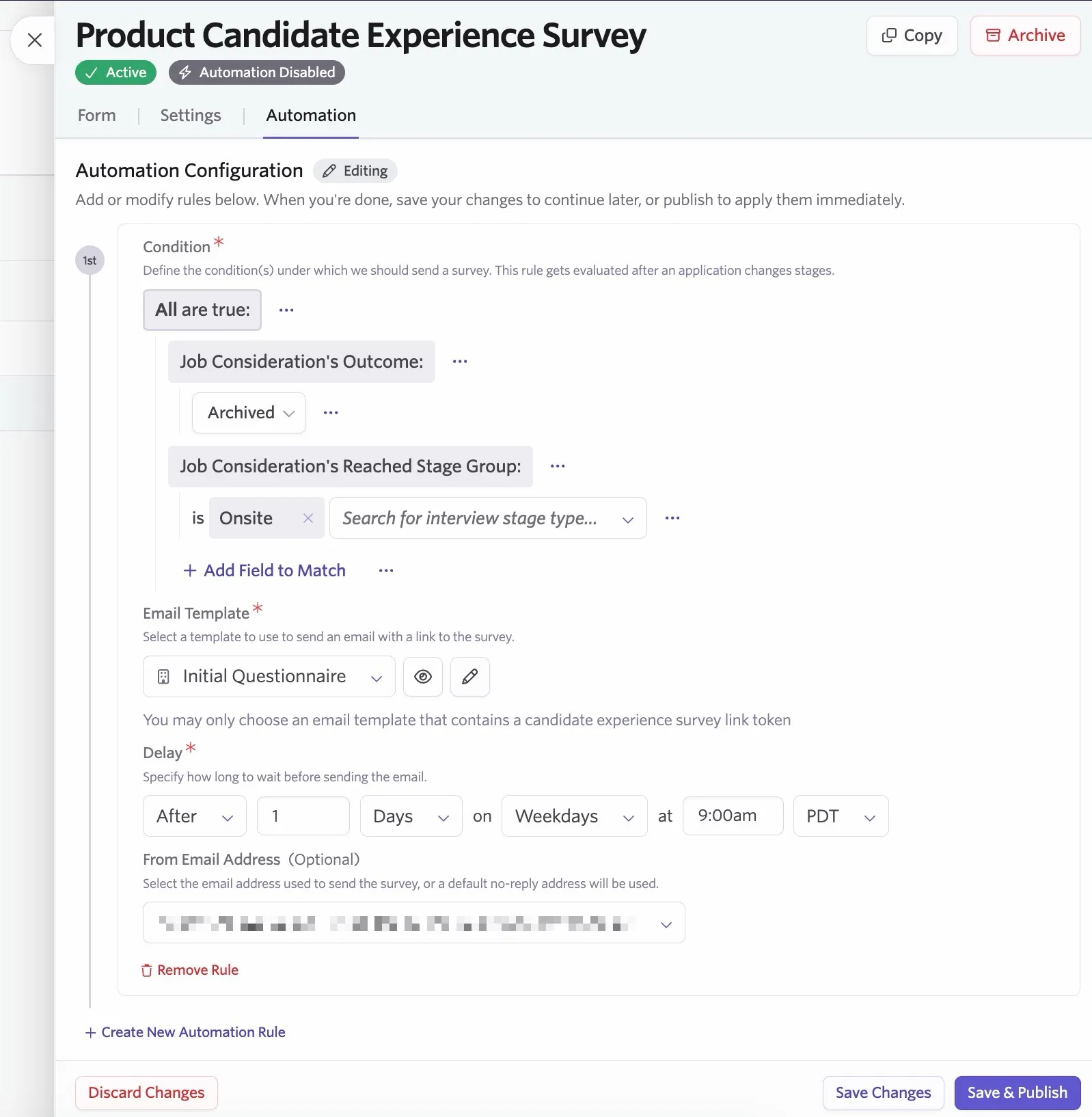
AND: This option adds an All are true condition to the rule, so you can set multiple conditions; as long as all the conditions are met, the conditional form field is shown to the candidate.
In the example below, the All are true condition matches only candidates who have both reached the Onsite stage group and been archived for the role.
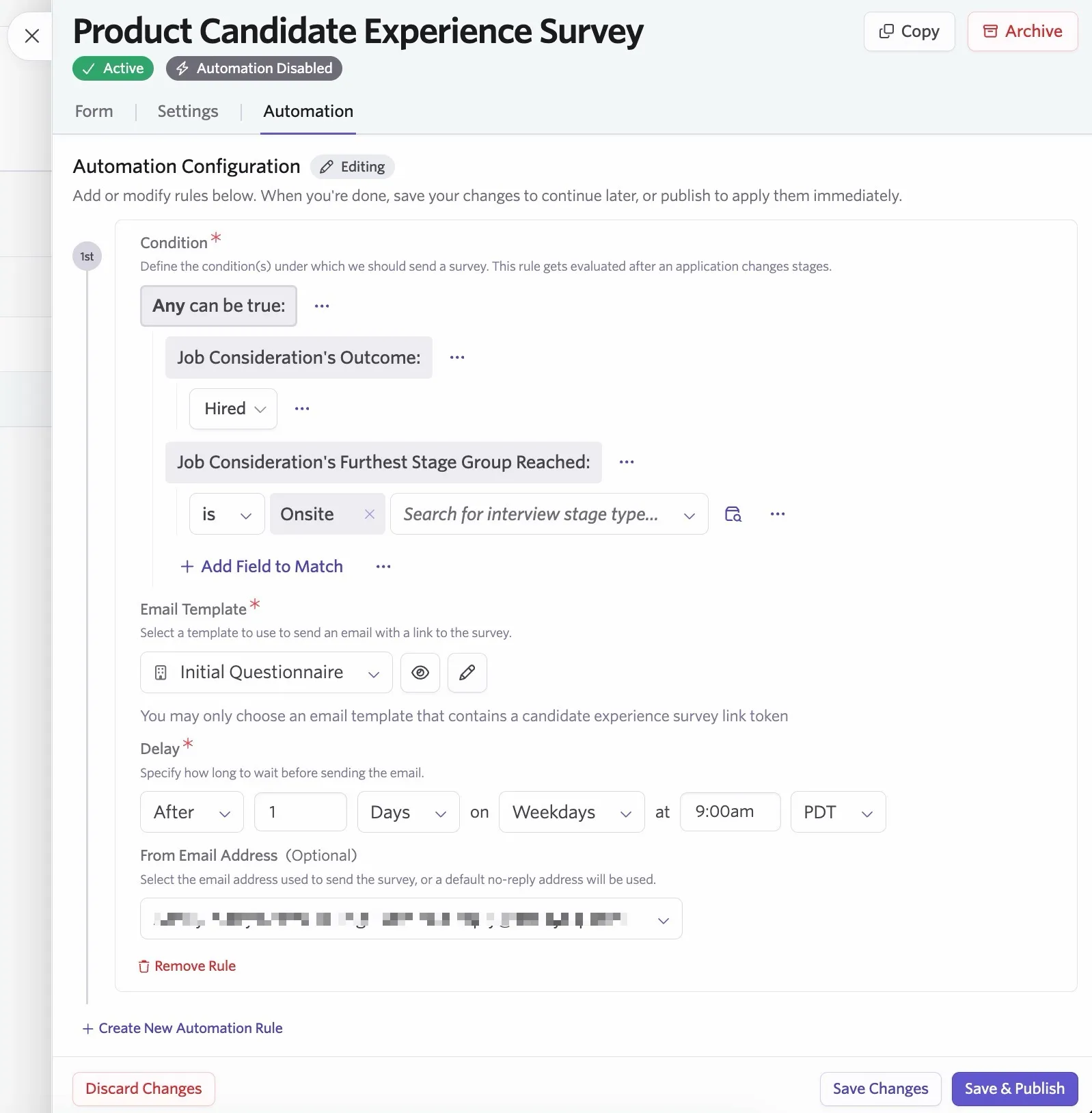
OR: This option adds an Any can be true condition to the rule. If any of the candidate's answers match any of the set conditions, Ashby displays the conditional form field to the candidate.
In the example below, the candidate survey automation runs if the candidate's job consideration outcome is Hired, or if Onsite is the furthest stage group their consideration reached in the pipeline.
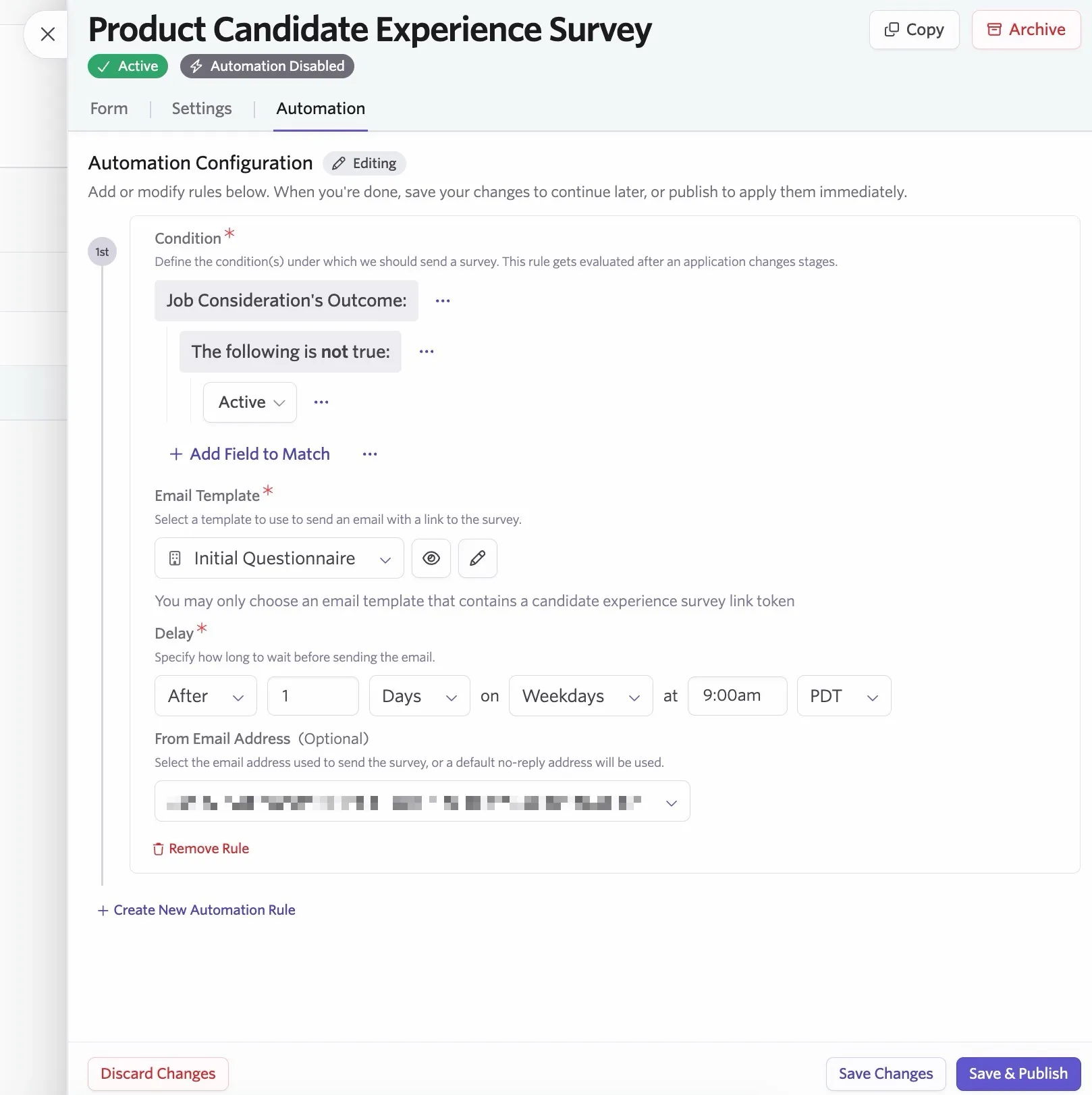
NOT: This option adds a The following is not true condition to the form. Candidates who don't meet the conditions specified in the rules see the conditional form field.
In the example below, any job consideration without an outcome of Active causes the candidate experience survey automation to run.
View your results
Viewing individual results
You can view individual survey results on the Forms tab of the candidate's profile, if you haven't set responses to be anonymous, or the candidate didn't submit their response anonymously.
Organization Admins, or Elevated Access users with an Admin Private role, can view Candidate Experience Survey responses.
If your organization has custom access roles configured, users granted a role with the Can See Private Fields permission stripe can also see Candidate Experience Survey responses. For more on custom access roles, see Manage Access RolesManage Access Roles.
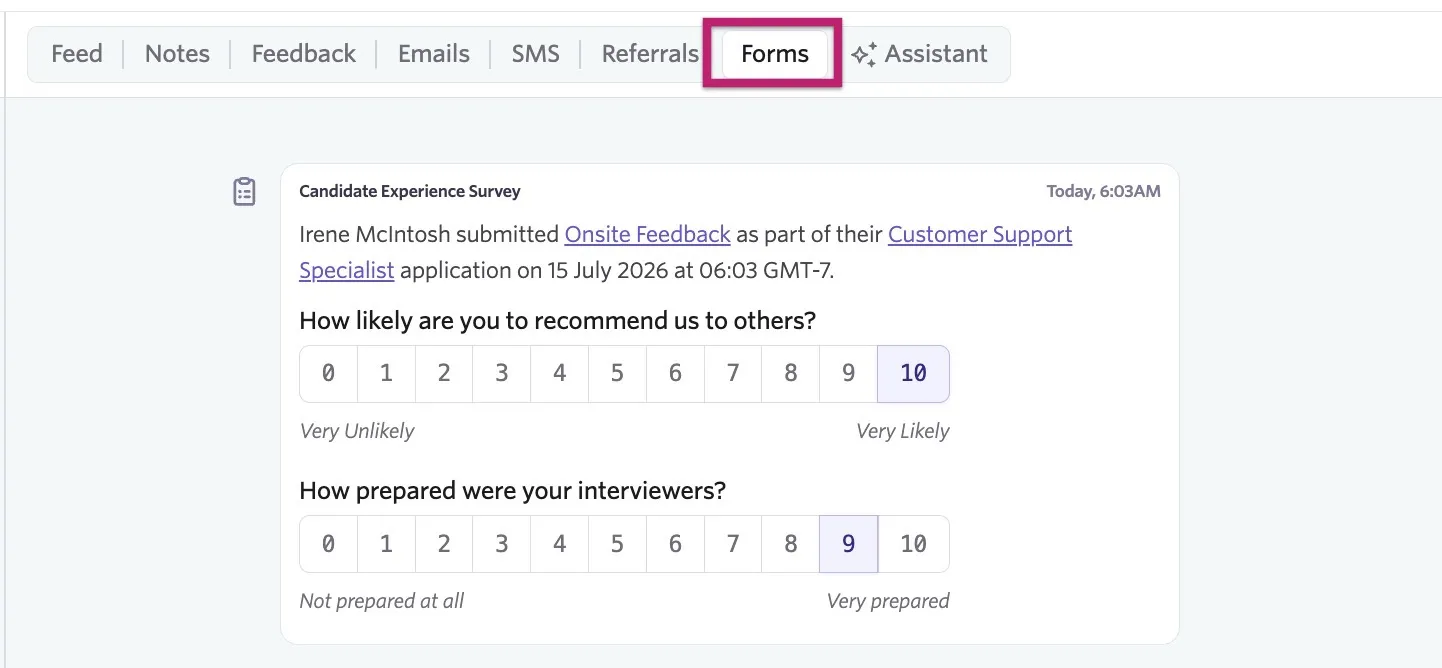
Viewing all survey results
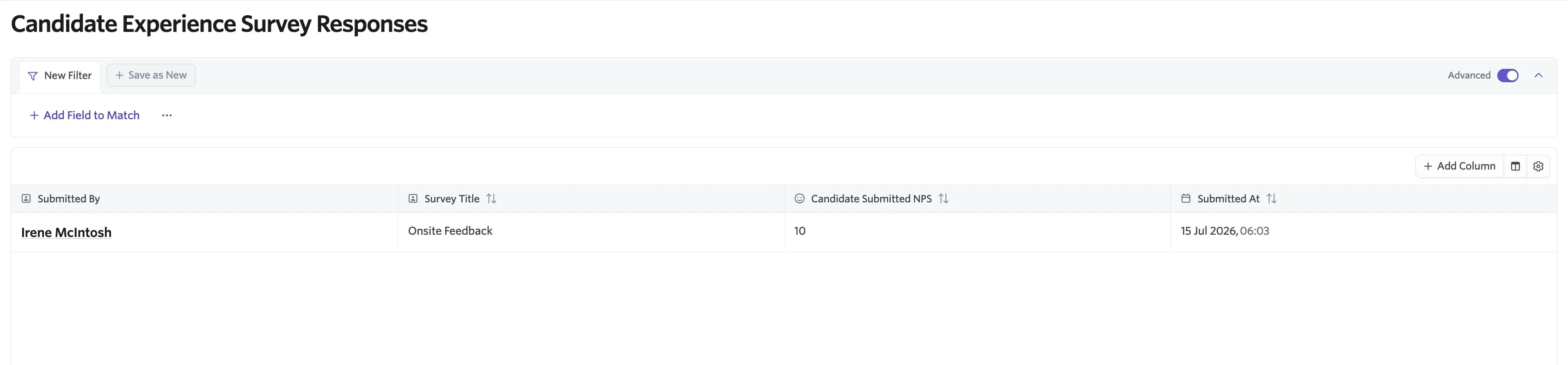
Navigate to Reports > Candidate Experience Surveys in the top navigation bar to view survey results across candidates.
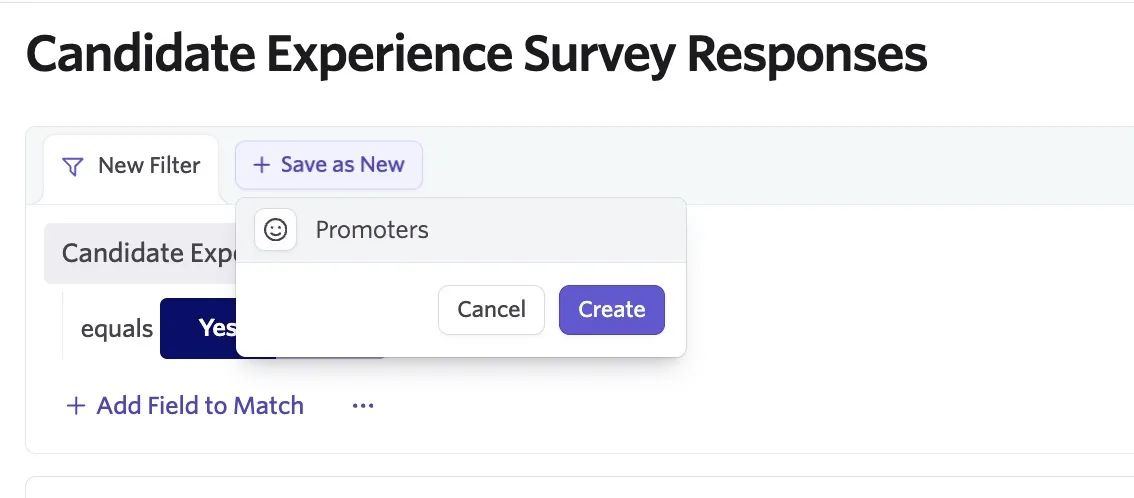
You can add filters to only view Candidate Experience Surveys that meet your criteria. Click + Filter, or + Add Field to Match if using advanced filtering, to set your conditions. If you'd like to save your filter, click + Save as New to add a tab for that specific view with the filter applied.
Reporting and analysis
You can report on candidate experience survey data in two ways in Ashby reports.
When you want to report on survey request volume, completion, or submitted responses, start with the Candidate Experience Survey subject in Report Builder. This subject includes survey requests and submitted responses, including anonymous submissions that are not tied to a candidate or job consideration.
When you want to analyze survey data alongside application data, use the Job Consideration subject. Under Job Consideration, you will see two Candidate Experience Survey field groups:
- Candidate Experience Survey: fields related to the survey request itself, such as when it was created, whether it has been submitted, and the submission mode.
- Candidate Experience Survey Submission: fields related to the submitted response itself, such as the NPS score, whether the response was from a promoter, passive, or detractor, and when it was submitted.
Use the Candidate Experience Survey subject when you need the most complete count of surveys, including anonymous responses. Use the Job Consideration subject when you want to break survey data down by application-related fields such as job, department, recruiter, stage, or outcome.
Candidate NPS Score report
Additionally, there is a prebuilt report template called Candidate NPS Score that shows your company’s Candidate NPS over time. This report uses the standard formula % of promoters - % of detractors, giving a score from -100 to 100. Scores of 9 or 10 are promoters, scores of 7 or 8 are passives, and scores of 6 or below are detractors.
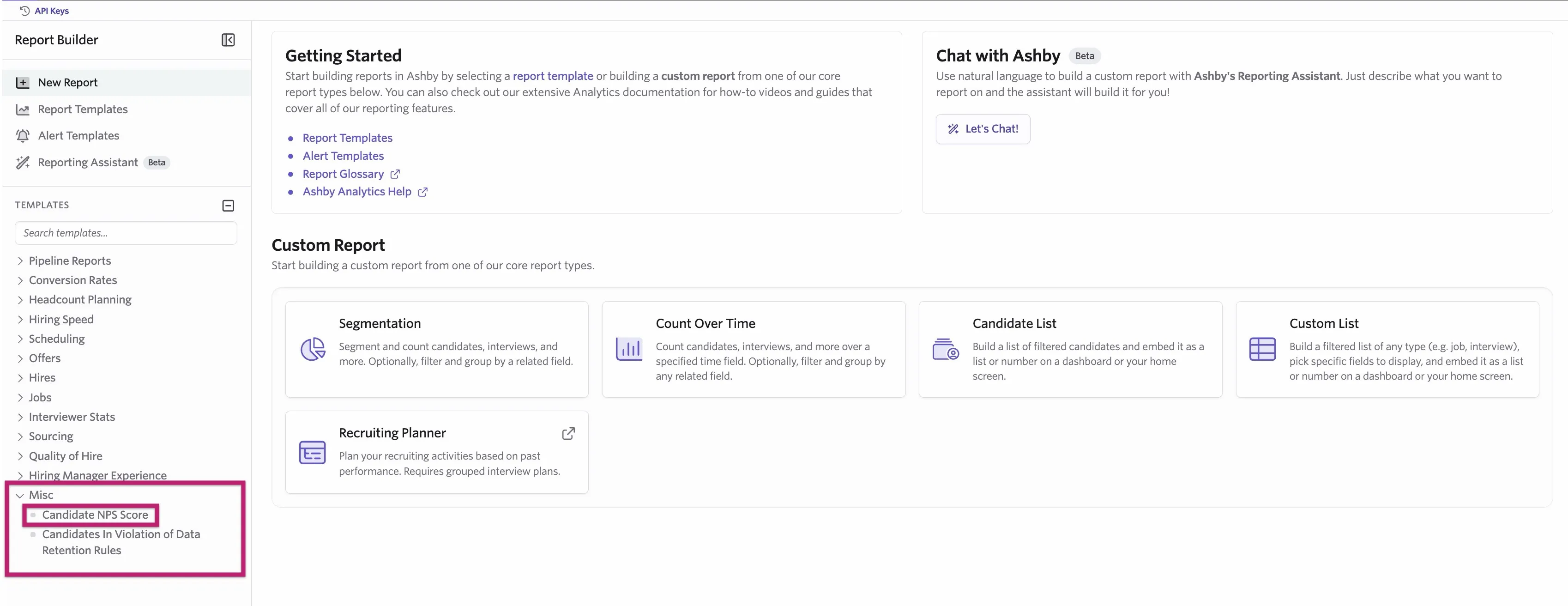
You can use filters in this report to review Candidate NPS across your organization by dimensions like team and then drill further into changes over time.
Custom list report: Detractor Alert
Custom reports cannot be configured on the Foundations plan. Candidate information isn't available to add as columns to the report if submissions are set to anonymous.
Report Type: Custom List
Filters: Job Consideration's Candidate Experience Survey's Survey Submission's is Detractor = Yes
Columns: Any candidate information you'd like to have included in the report.
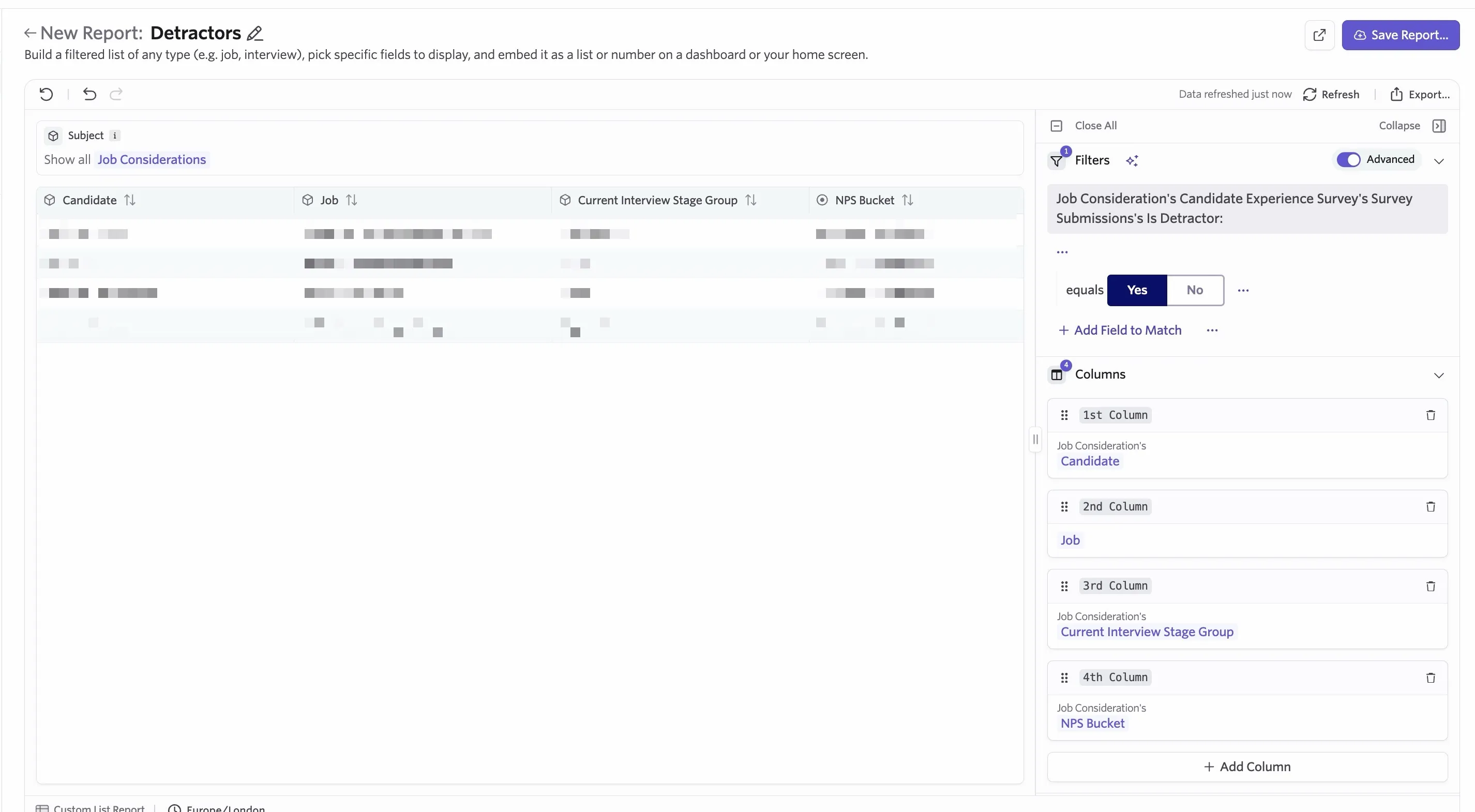
From here you can add an alert to receive a notification when a new record is added to this report. For more on this, see AlertsAlerts.
FAQs
How do I view pending surveys?
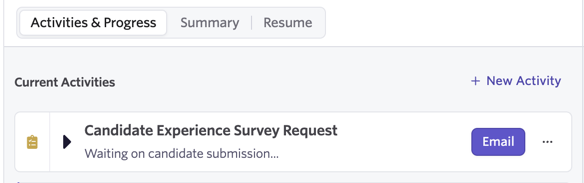
You can view any pending survey requests on the candidate's profile, under Current Activities. From here, you can email the survey again or delete the request.
What does the survey look like to the candidate?
When a candidate clicks the link in a survey request email, it takes them to a page where they can fill out the survey. This survey uses the same brand elements as the Direct Booking Landing page. You configure these on the Theme page in Admin (see Job Board: Configuring Your SetupSet up your job board theme).

When are a survey's automation conditions evaluated?
Ashby evaluates the conditions in survey delivery automation settings during stage transition events. This means a candidate needs to move forward to the next stage, or be archived, before Ashby sends a survey.
Ashby sends the survey to the candidate as soon as they meet the criteria. If they move to the next stage and meet the criteria again, Ashby doesn't send the same survey a second time. If the candidate meets the conditions for a different Candidate Experience Survey, Ashby will send that separate survey.
What happens to the survey automation if you archive someone, and then unarchive them for the same job consideration?
In this case, Ashby still sends the survey to the candidate. You can manually delete the survey request from the candidate's profile if needed.