Compensation
With Ashby's compensation features, your team can easily add structured compensation information to your jobs, job postings, and job board.
Permissions & access
Compensation features are available on all Ashby plans.
Foundations | Legacy Plus | Plus | Enterprise |
|---|---|---|---|
✅ | ✅ | ✅ | ✅ |
To manage organization-wide compensation default settings, you must have Org Admin permissions.
To manage job-level compensation settings, you must have Elevated Access with edit permissions on the job or the department tied to the job or job template.
Pay transparency overview
With Ashby's pay transparency features, your team can easily add structured compensation information to the settings page of a job or customize it at the job posting level. Organization Admins can set whether compensation information is required and whether it should appear on job postings and the job board.
Admin settings
The Compensation Settings page in Admin allows Organization Admins to set defaults for displaying compensation across job postings and on the public job board.
Navigate to Admin > Job Board > Compensation to configure. Descriptions of each setting are explained below.
Require on job postings
Decides if any or all job postings in certain locations require compensation. When required, the publish option is disabled on job postings until this information has been added.
- Not Required
- Require for all job postings
- Require for certain locations

Display options
Display on job postings?
If compensation is present on the job or job posting, decides if it should be visible on the posting by default. This option is enforced on jobs and postings where set to required.
Display on job board?
If compensation is present on the job or job posting, decides if it should be visible on the job board by default.

Compensation Tier Guide URL
A link to this page is shown on job postings with multiple compensation tiers.

While you can link to an overall compensation tier guide here, individual compensation bands must be set on the job, job posting, or job template and cannot be set globally.
Compensation philosophy
You can add text to this field that displays below your compensation tiers on your job postings.
Compensation philosophy only shows on your Ashby-hosted job board pages. This information is not pulled to external job boards via XML feed or integration.

Default currency and equity options
Default currency type
The default currency for all job and job posting compensation.
Default equity type
The default equity type for all job and job posting equity if offered.

Job settings
The Settings tab on a job or job template has a Compensation section, where Organization Admins and Elevated Access users with the ability to edit the job can add compensation information. Compensation information added to the job is also added to all the job's postings. Job posting compensation can also be unlinked and customized individually.
Navigate to the specific Job > Settings > Compensation section to configure the below settings.

- Add compensation: When enabled, settings propagate across all postings on the job but can be customized by editing each individually.
- Compensation tiers: Add compensation tiers to show compensation ranges to applicants on your job board.
- Display on job postings? Decides if candidates see compensation on this job's job postings by default.
- Display on job board? Decides if candidates see compensation summaries on the job board for this job's job postings by default.
- Compensation Tier Guide URL: A link to this page is shown on job postings with multiple compensation tiers.
Job posting settings
Job postings inherit the compensation settings applied on the job's settings page by default, but can be customized on each job posting.
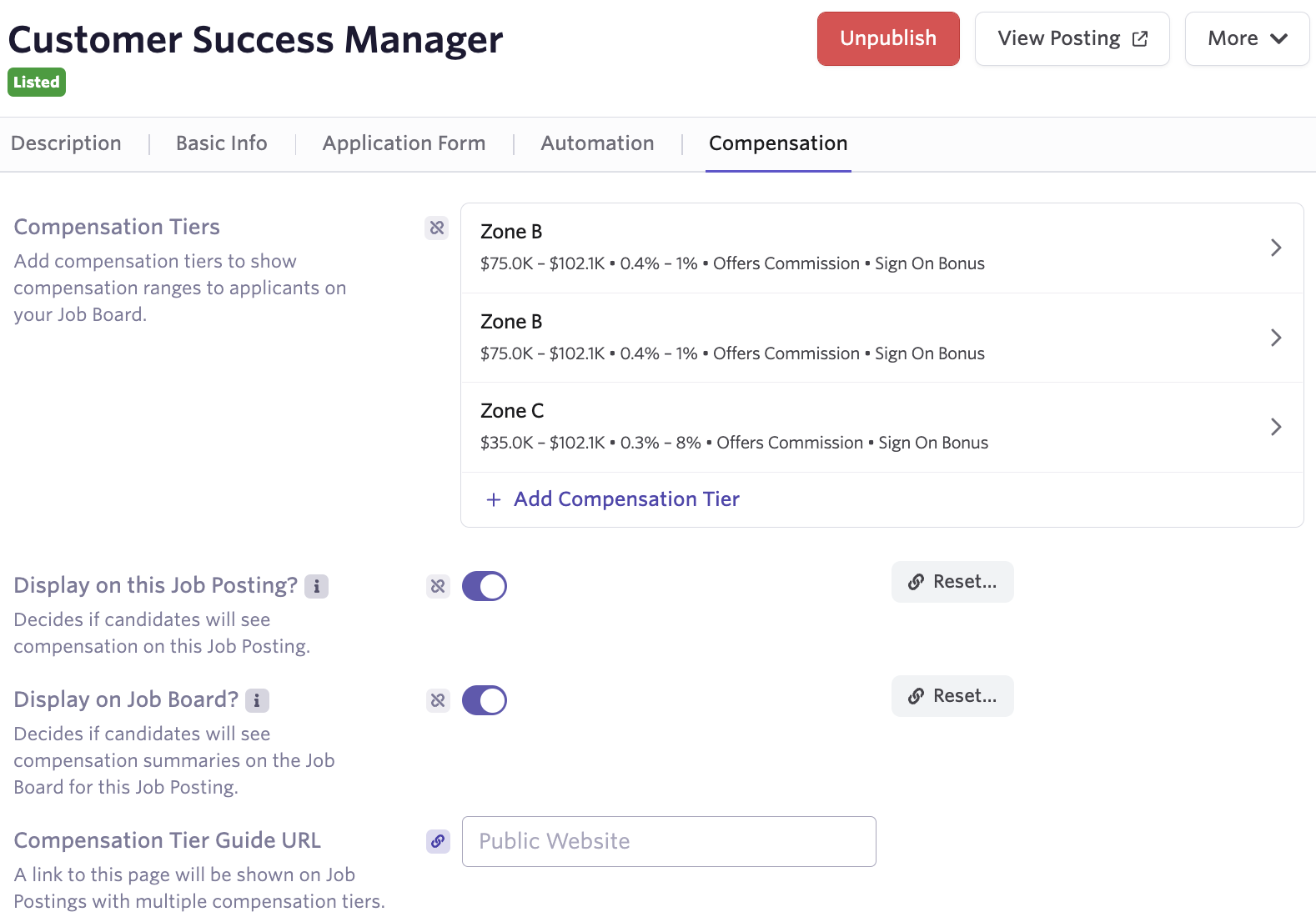
- Compensation tiers: Add compensation tiers to show compensation ranges to applicants on your job board.
- Display on this job posting? Decides if candidates see compensation on this job posting.
- Display on job board? Decides if candidates see compensation summaries on the job board for this job posting.
- Compensation Tier Guide URL: A link to this page is shown on job postings with multiple compensation tiers.
Understanding compensation tiers
Jobs often have different compensation ranges based on criteria such as the market value of the role in the candidate's location. With compensation tiers, you can detail base compensation, equity, commission, and bonus information for each tier. If you have previously defined compensation tiers for a job, job template, or job posting, you can copy them over to another.
Tier information appears in the order added and currently cannot be re-ordered.
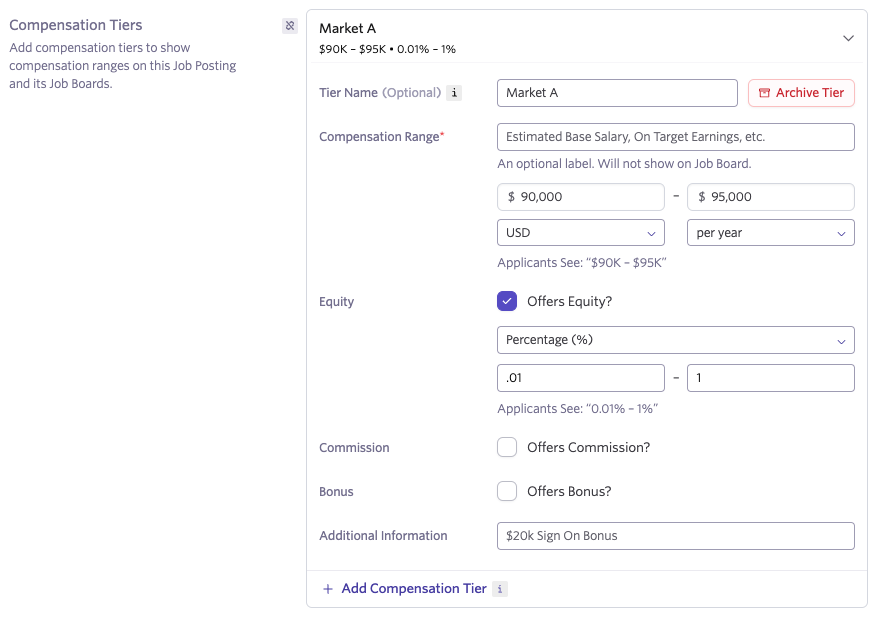
Copying compensation tiers to a job, job template, or job posting
You can copy compension tiers to jobs, jobs templates or job postings. To do this:
- Navigate to the Compensation section of the relevant entity:
- Job: Jobs > Jobs, then go to the Settings tab of the job and scroll to Compensation.
- Job template: Jobs > Jobs (or Admin if you're using the old jobs view), toggle on the Template view, select the template, and scroll to the Compensation section of its Settings tab.
- Job posting: Jobs > Jobs, click on the job, select Job Postings, select the posting, then go to the Compensation tab.
- Click Copy From... to open the Copy Compensation Tiers wizard.
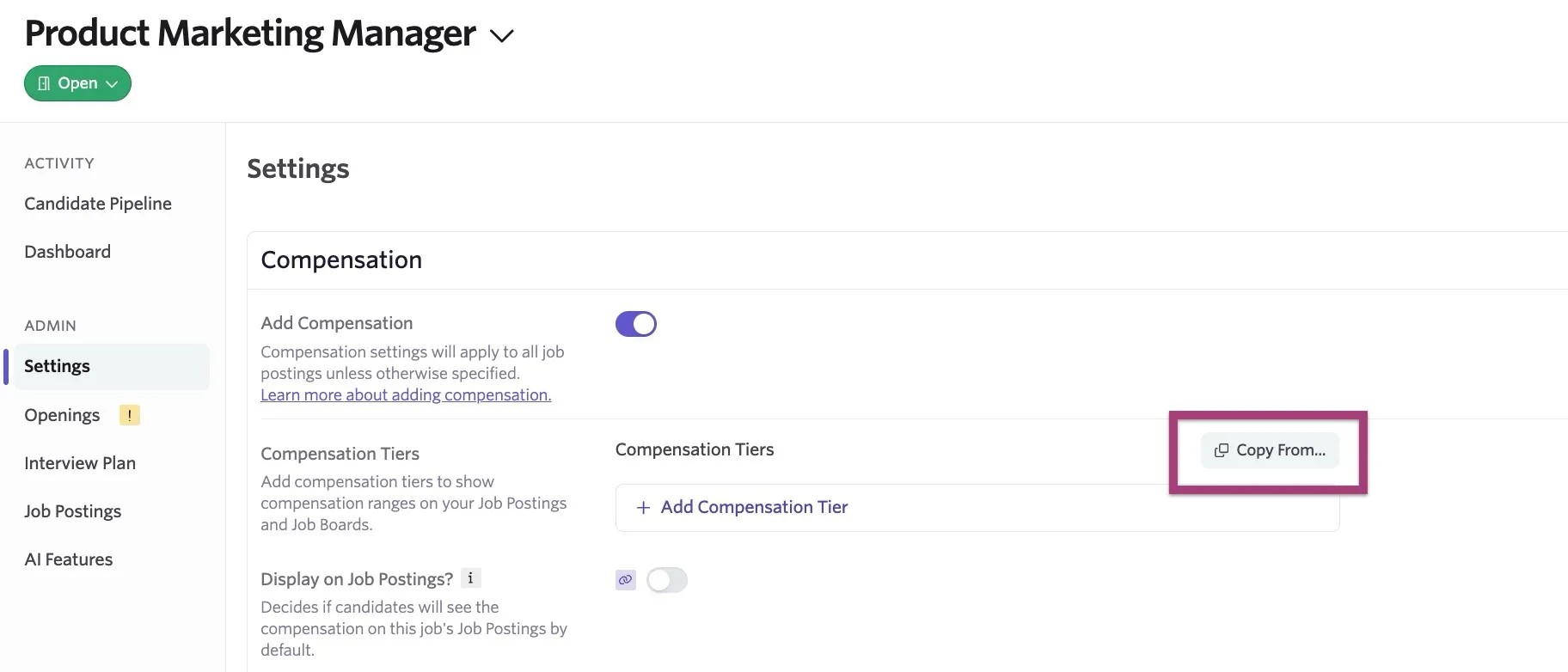
- Using the wizard, select whether you are copying compensation tiers from an existing job or job posting.
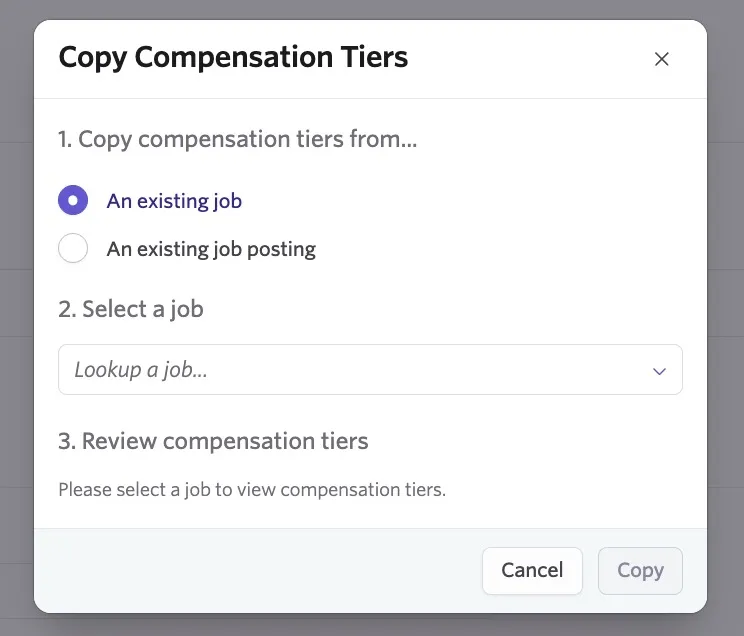
- Select the job or job posting via the Select a job dropdown.
- Review the compensation tiers, then click Copy.
Job Consideration's Compensation Substitution Token
To add compensation information to emails, you can add the Job Consideration's Compensation substitution token to your email templates. For more on this substitution token, check out Substitution Tokens. For more on creating email templates, check out Email Template Creation and Management.
FAQs
Will compensation data be sent to third-party job boards?
Yes! Where supported, this data is included in job postings on third-party job boards.
Can compensation data be populated from openings?
Compensation from openings cannot be used to populate compensation bands.
Can I report on compensation data?
Reporting on compensation data is not currently available.