Assigning Interviewers
This article explains how to assign interviewers to interviews in Ashby. It covers setting up interviewers on the schedule interview activity in your job's interview plan, as well as how to assign interviewers during the scheduling process itself — including when no interviewers were pre-configured.
If you are an interviewer, we recommend reading Getting Started for InterviewersGetting Started for Interviewers.
Setting up interviewers in the interview plan
We recommend watching the video below for a full step-by-step guide. The written information below serves as a summary.
When setting up schedule interview activities, click Interviewers within Configure to add interviewers. From there you can build your panel using the Interviewer Slot and Employees options.
More on schedule interview activities at Setting up Schedule Interview ActivitiesSetting up Schedule Interview Activities.
Adding interviewer slots
You can create a slot using the Add Interviewer Slot button and determine the total number of interviewers that can be on your interview panel.
Adding interviewer slots uses AND logic, meaning each identified interviewer participates. The AND between each slot indicates that a user assigned to interviewer slot #1 is on the panel, along with a user assigned to interviewer slot #2.

How multiple interviewers and load balancing are handled in Ashby
If you have multiple interviewing slots with users assigned to each slot, the availability shown is based on the times that each combination of interviewers from your interviewer slots are available.
If multiple users are assigned to one interview slot, the candidate sees the availability for all possible interviewers.
The interview is assigned based on the date and time selected. If multiple interviewers assigned to the same slot are available at the selected time, the interview is assigned to the interviewer with the fewest interviews. All interviews scheduled in the past 30 days and the next 30 days are considered in the interview count.
Adding specific employees as interviewers
This drop-down is where you assign who can be booked for the interviewer slot in question. You can assign multiple employees to an interviewer slot if anyone from a certain group of employees can take that slot to interview a candidate.
You see OR between selected users, showing that either Interviewer 1 or Interviewer 2 takes that specific interviewer slot on the panel.

You can also combine AND and OR logic on the same panel. For example, if one specific interviewer must always be on the panel but their co-interviewer can be one of two people, add a second interviewer slot and assign both options to it. The first slot uses AND logic (that interviewer is always included), while the second slot uses OR logic (either of the assigned employees takes that slot depending on availability).
Adding interviewers based on hiring team role
If you want to assign interviewers based on their role in the hiring team, or set the interviewer as the user who moved the candidate to this particular stage, those are also options in the Employees dropdown when creating interviewer slots.
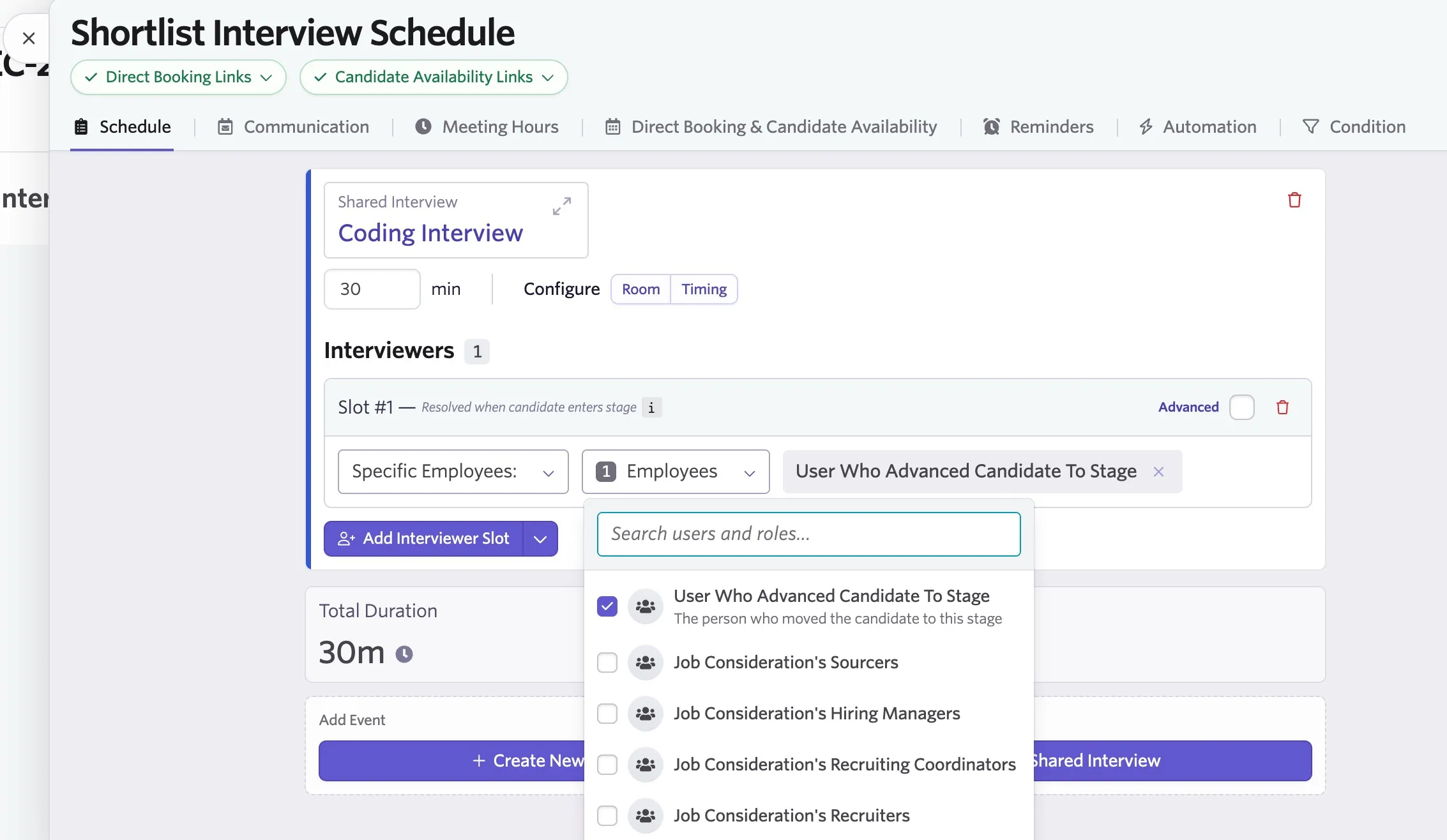
If no interviewers are assigned to the schedule interview activity, the interview activity may be created on the candidate profile without an interviewer. You can read more about this behavior in Why are interviewers missing from a scheduled interview event?
Adding interviewer pools
Want to assign an interviewer pool instead? Change the Specific Employees dropdown to Employees from Pool, then determine your pool or pools to include. You can also specify whether only qualified employees, only trainees, or all employees in the pool or pools can be selected to be assigned to this slot.
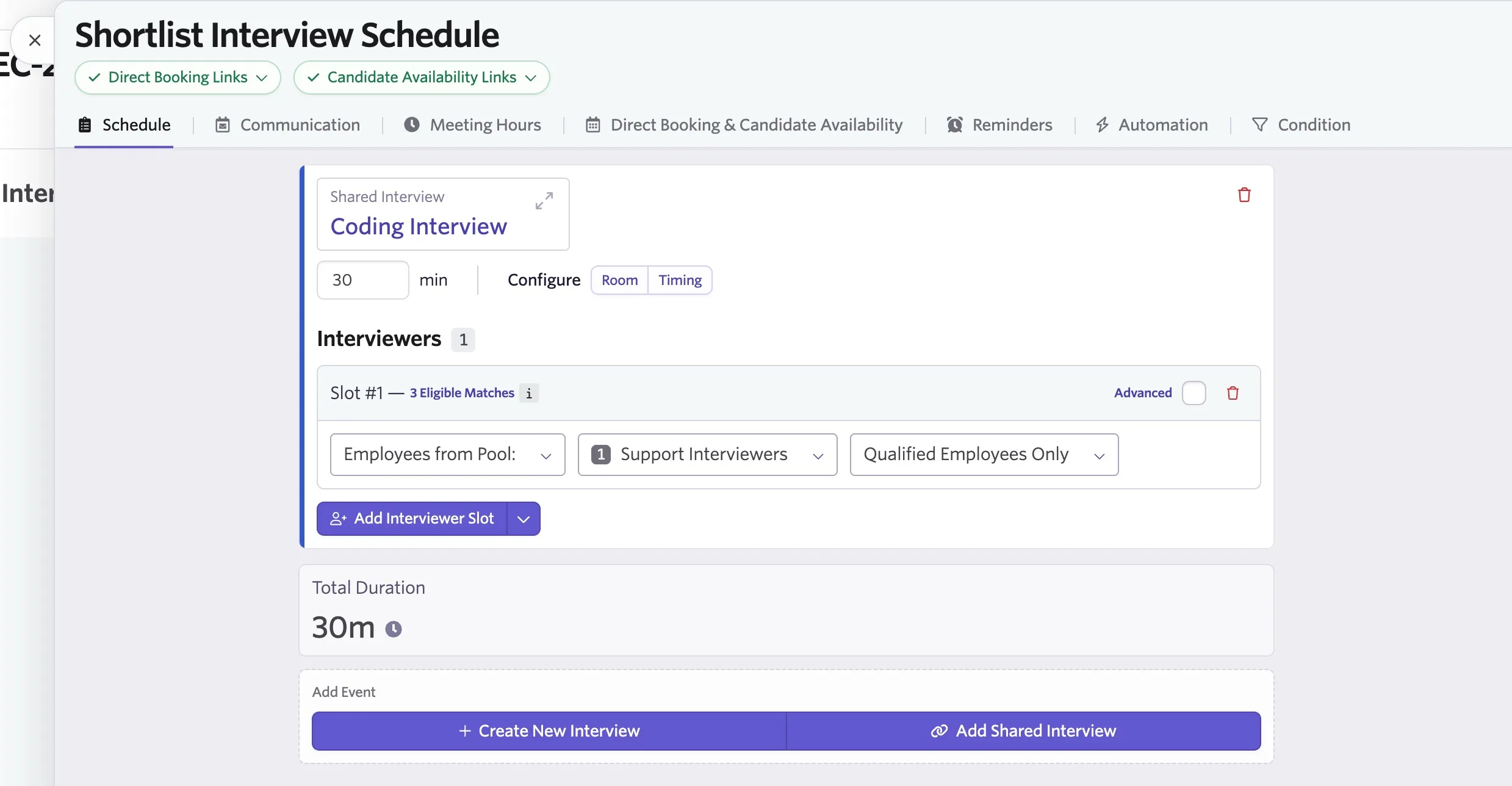
What's an interviewer pool? You can set up interviewer pools to group your employees and assign them to interviewer slots more easily. For example, you could add those who are in a specific timezone to a pool and assign that pool to an interviewer slot to pull interviewers who have suitable availability to interview candidates for a role in a specific location. You can read more on configuring pools at Interviewer PoolsInterviewer Pools.
Assigning interviewers during the scheduling process
How interviewers are assigned at scheduling time depends on how the schedule interview activity was configured in the interview plan, as well as whether you are manually scheduling or using auto-schedule (available only for Enterprise customers or those who have purchased the Advanced Scheduling Automation Add-On ):
- Specific employees assigned in the interview plan — the interviewer panel is pre-populated automatically when you schedule.
- A hiring team role or interviewer pool assigned in the interview plan — an interviewer is selected automatically with auto-schedule, or must be manually selected based on the role or pool configuration.
- No interviewers assigned in the interview plan — the activity appears on the candidate's profile without an interviewer. Interviewers must be manually added regardless of whether manual or auto-scheduling is used.
If no interviewers are assigned to the schedule interview activity, the interview activity may be created on the candidate profile without an interviewer. You can read more about this behavior in Why are interviewers missing from a scheduled interview event?
You can also create an ad hoc interview outside of the interview plan using the + New Interview button on the candidate's profile, which lets you assign interviewers directly at scheduling time.
Using the '+ New Interview' button: quick schedule and direct booking links
Two interview options are discussed here: generating a direct booking link and quick scheduling. The following guides cover both options for instant scheduling via the + New Interview link on a candidate profile:
Direct Booking & Candidate Availability LinksDirect Booking & Candidate Availability Links
Manually Scheduling InterviewsManually Scheduling Interviews
Instant direct booking links
When using the + New Interview option to generate a booking link, interviewers can be assigned on the pop-up that follows after choosing the Create Direct Booking Link option. Choose users from the Interviewer drop-down as part of the interview's settings. Each interviewer you assign via this route is assigned a slot on the panel.
Manual schedule
If you schedule the candidate directly via the Schedule New Interview option, you can add interviewer slots and assign interviewers to them accordingly. You can also add alternates for each interviewer slot. Once added, you can view the alternates' calendars when selecting an interview time to compare their availability with the current interviewer's. You can then opt to switch out the current interviewer for the alternate if needed.
Changing or removing interviewers
Interviewers on scheduled interviews can be changed by clicking Reschedule on the activity in the candidate's profile and selecting Manual Reschedule.
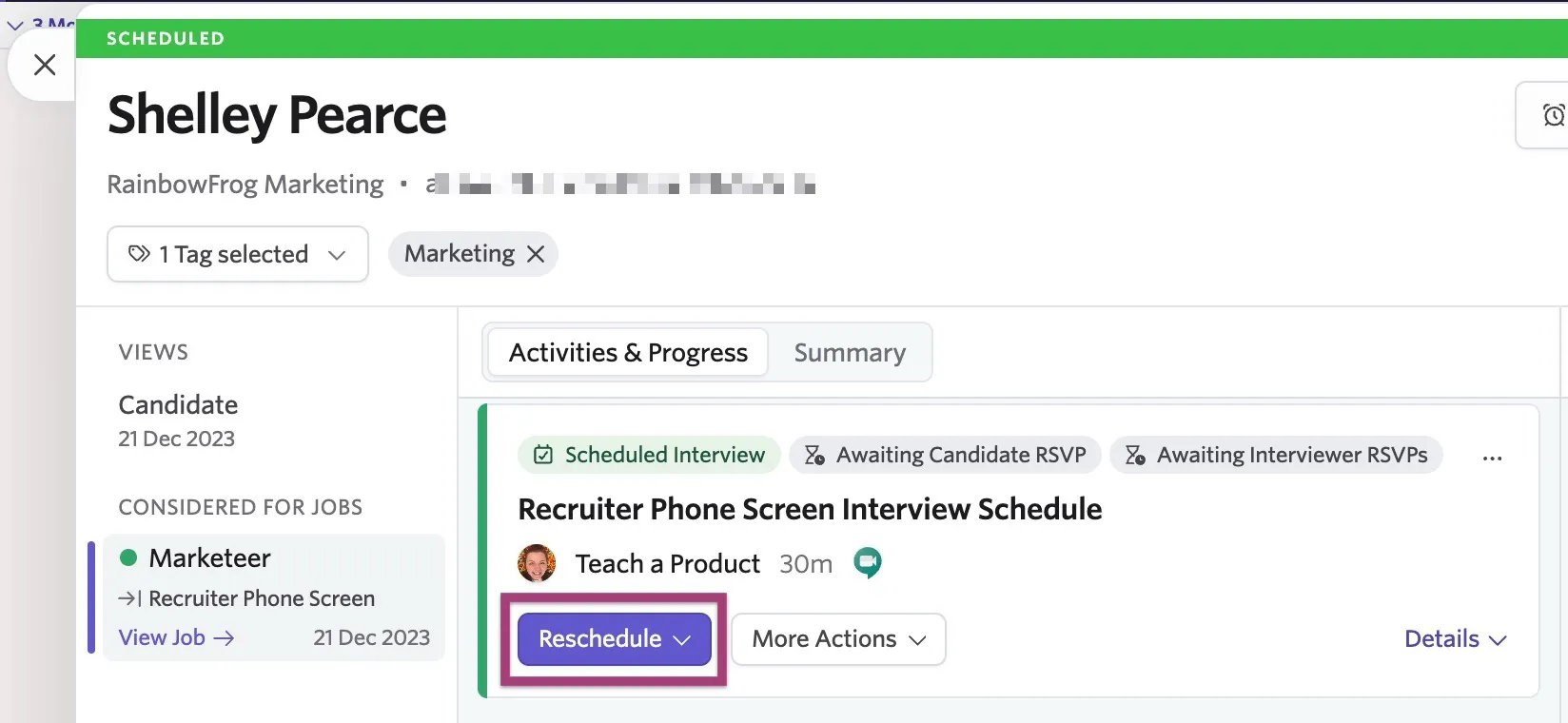
Then, click the trash can icon next to the interviewer you wish to update.
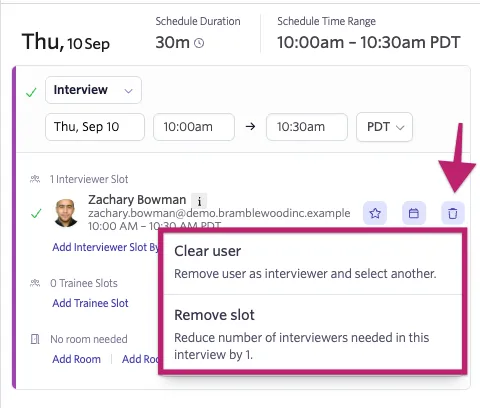
You can select Clear user to remove the interviewer and select a new one, or Remove slot to reduce the number of interviewers in the session overall.
See more details on updating interview details in Rescheduling and Canceling Interviews .
FAQ
Can I make a note of any requirements or requests from specific interviewers on their profile?
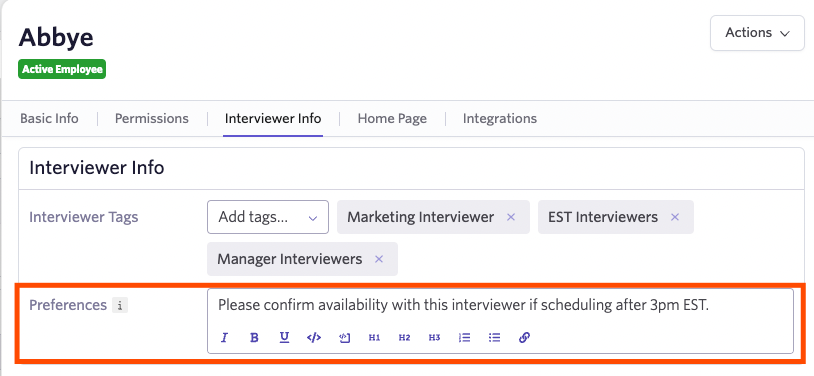
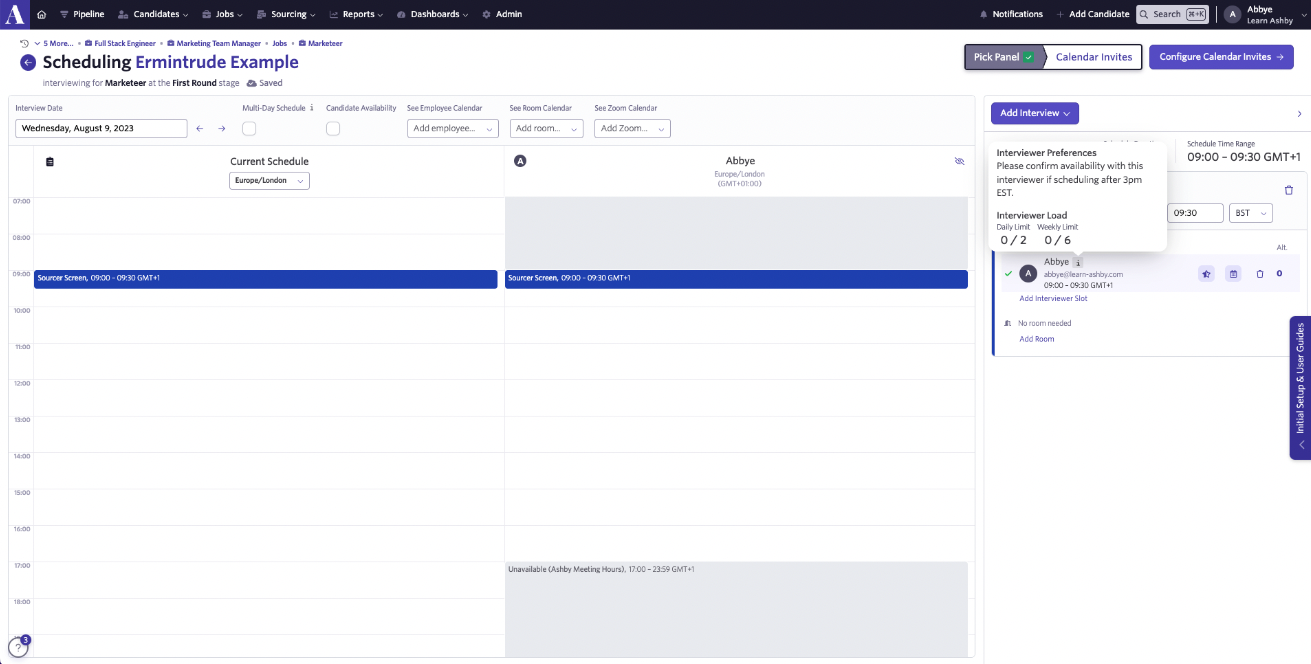
Yes! On the Employees page, select the user in question and navigate to the Interviewer Info tab on their profile. From there, you can add any requirements or requests to the Preferences field. This information is then available when scheduling an interview.
Can interviewer information (like their role or LinkedIn profile URL) be added to the candidate-facing interview details?
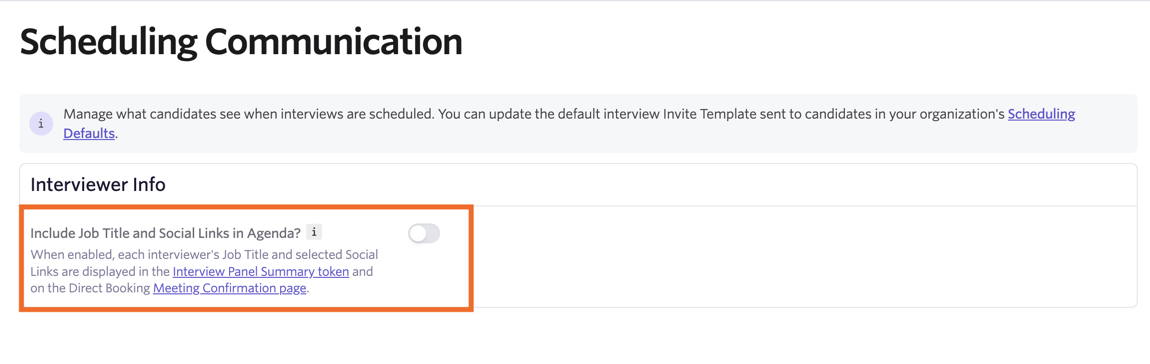
Yes, you can set interviewer information like their role and social links to be visible to the interviewing candidate. Head to Admin > Interviews & Scheduling > Scheduling Communication and enable the Include Job Title and Social Links in Agenda? options.
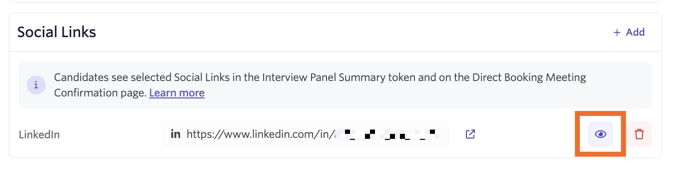
Once enabled, if you want certain social links (or social links for a specific interviewer) to not show within the interview event details, head to the interviewer's user profile in Admin > Organization Setup > Employees and scroll to the Social Links section on the Basic Info tab. From there, you can click on the eye icon beside a social link to set it to not show to the candidate.
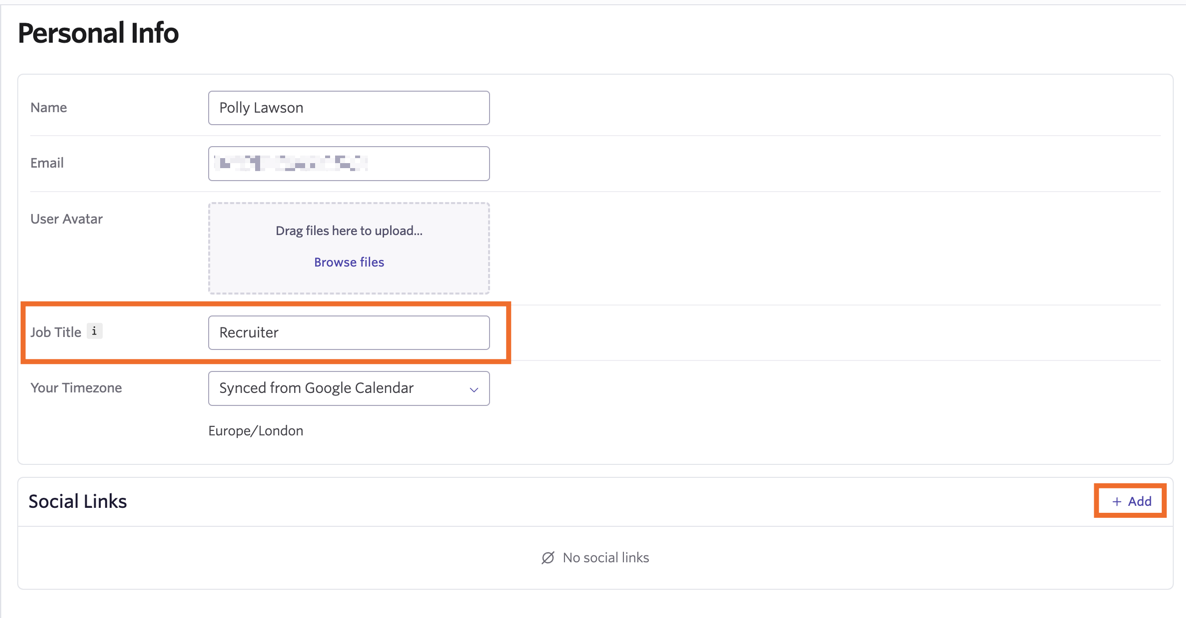
Interviewers can add details like their job title and social links in the Personal Info section of their Personal Settings. This information can also be added on their behalf in the Basic Info tab of their profile on the Employees page.
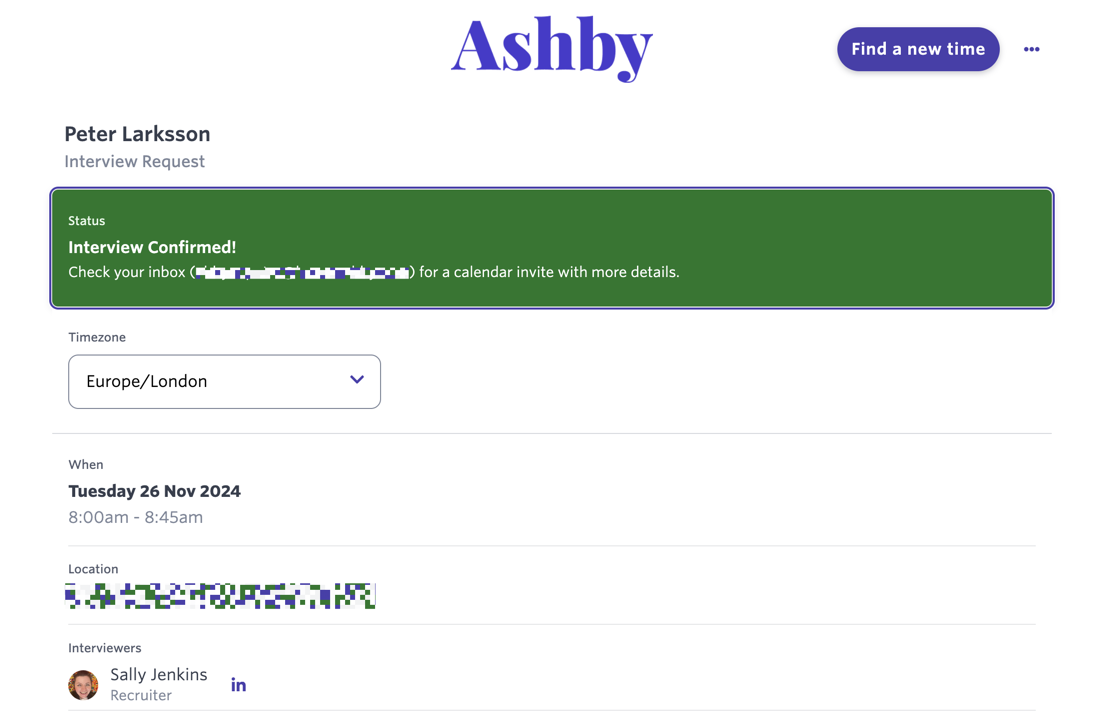
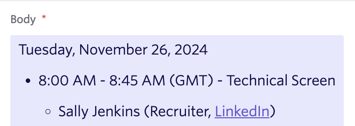
Once their information has been added, their job title and social links show on both the confirmation page when the candidate books via a direct booking link and when the Interview Panel Summary token is used.
Why are interviewers missing from a scheduled interview event?
When a candidate is moved into a stage that triggers an interview activity, the activity is created immediately based on the current configuration of the interview plan's activity. If no interviewers are assigned at that time, the interview activity is created without interviewers.
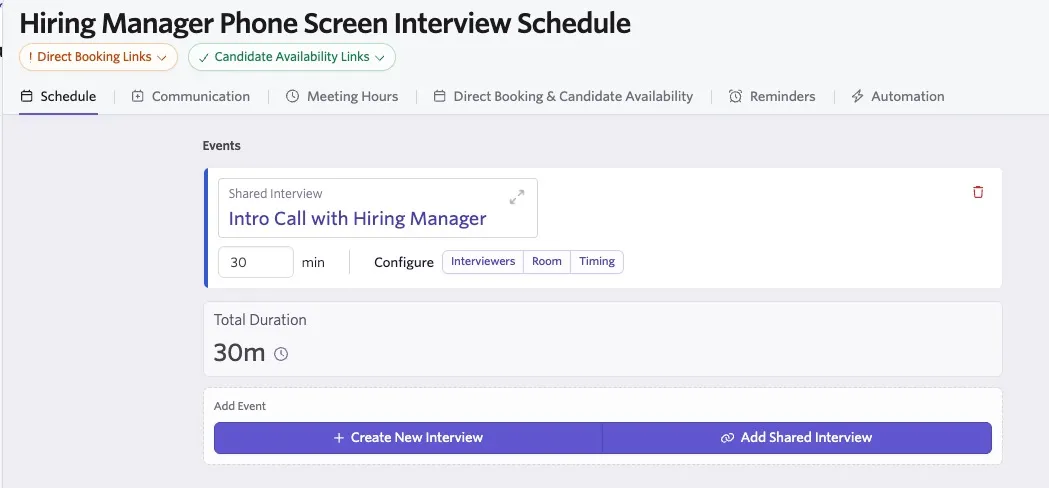
If you add an interviewer to the schedule interview activity in the interview plan, that update can appear on the interview activity on the job consideration. However, if the scheduling process has already started and a different interviewer has already been selected, Ashby does not override that selected interviewer with the newly added one.
Do interviewers receive reminders to leave feedback for an interview?
Feedback reminders can be configured to be sent via email or Slack. For more on this, check out Feedback Forms and Interviews .
Can I set limits for how many interviews and interviewer can conduct per day or week?
Yes! See Setting Interviewer Limits and Pausing Interviewers for instructions.