Setting Interviewer Limits and Pausing Interviewers
This article covers how to set limits on the number of interviews your interviewers can take per day or per week, and how to pause interviewers from being scheduled. These tools help prevent interviewer fatigue and ensure availability is managed fairly across your organization.
Permissions & access
Only Org Admins can set or adjust interviewer limits and pause interviewers.
Setting interviewer limits per employee
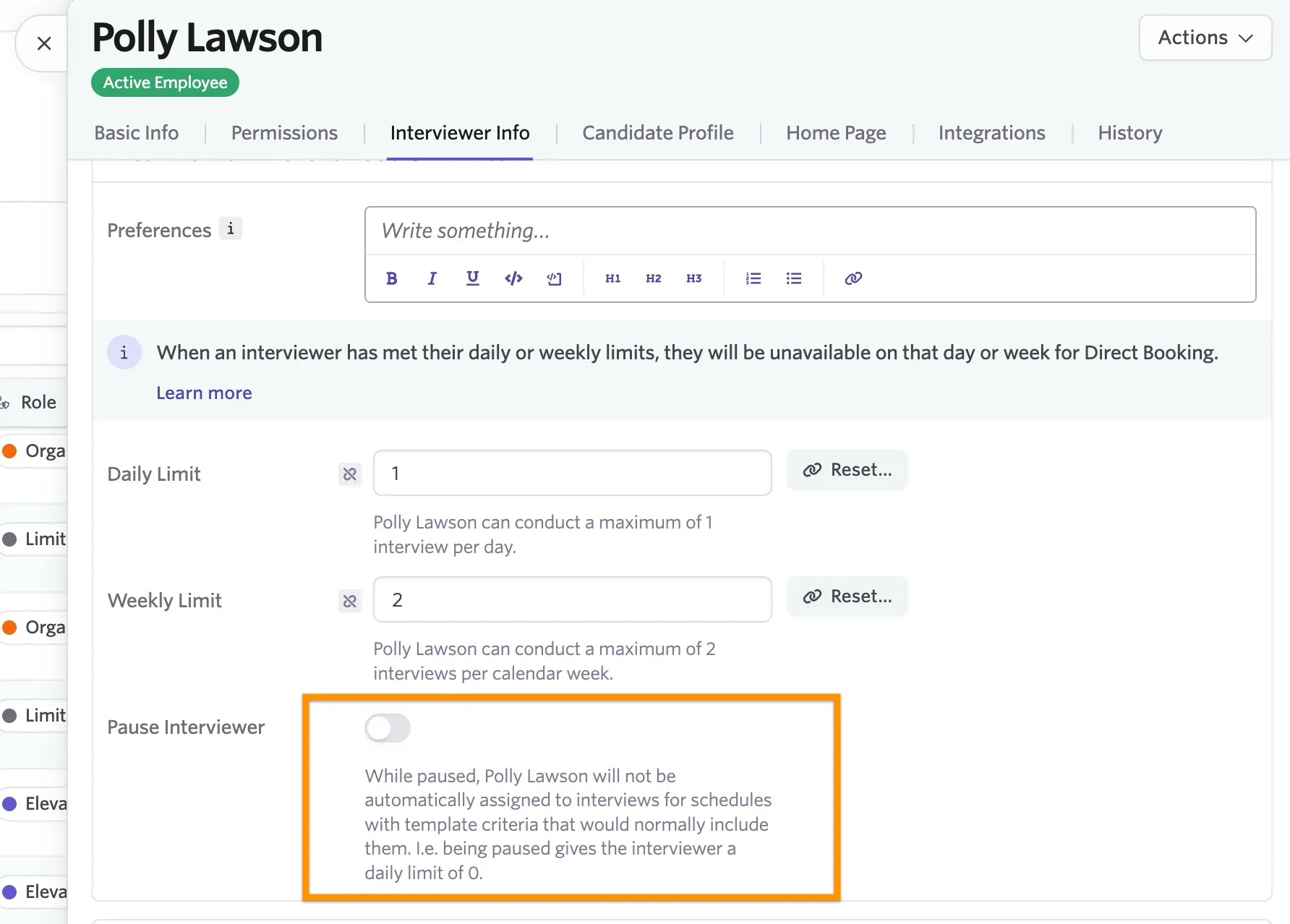
On the Employees page, click on a user and navigate to the Interviewer Info tab to set the maximum number of interviews the interviewer can take each day and each week.
Once an interviewer reaches their maximum number of interviews, their availability does not show to the candidate when booking for that day or week.
These limits do not apply when using the Manual Schedule option for booking interviews.
Interview events that do not require feedback do not count against interviewer limits.
Setting org-wide interviewer limits
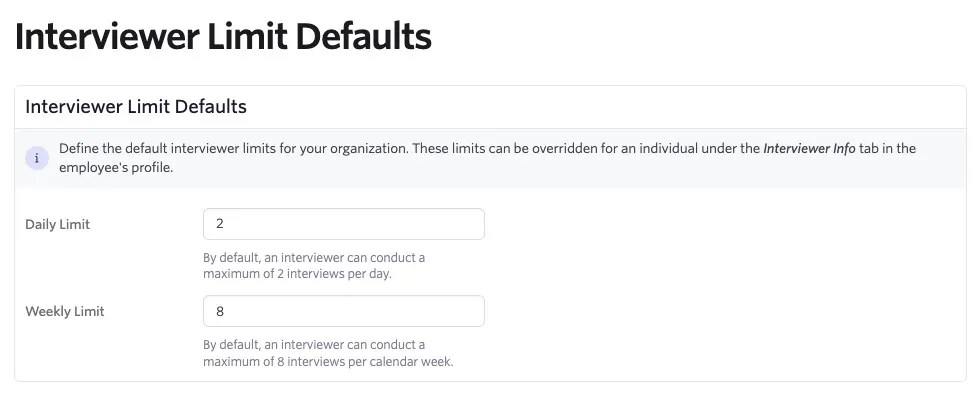
Interview limit defaults can be set org-wide by navigating to Admin > Interviews & Scheduling > Interviewer Limit Defaults. Defaults set here apply to any interviewer, but are overridden if that interviewer has different limits set up on their employee profile. On this page, you can define how many interviews your interviewers are allowed to participate in per day and per week.
Pausing interviewers
You can either pause an interviewer within a specific pool (so they can't be booked for interviews where that pool is assigned) or globally (so they aren't automatically scheduled for any interviews).
Pausing an interviewer from within a pool
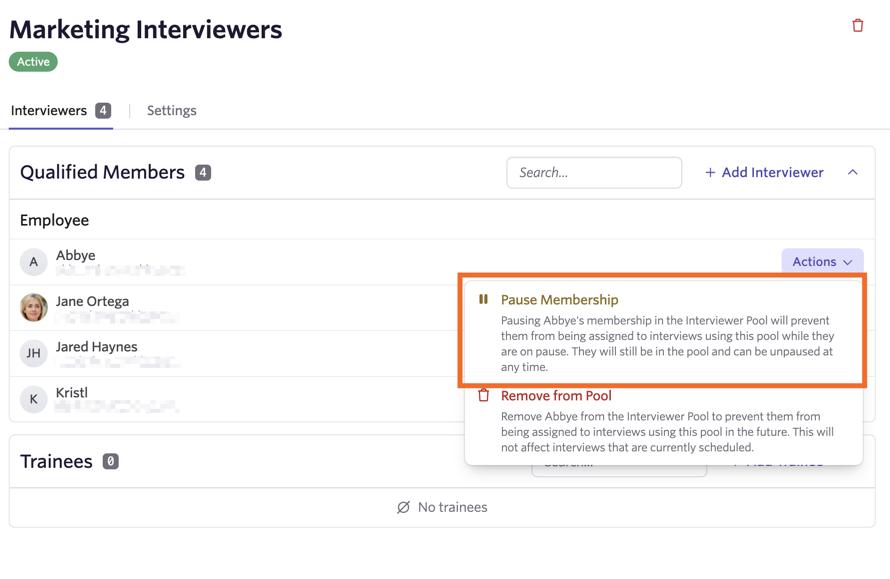
To pause an interviewer's membership in a pool, head to Admin > Interviewing & Scheduling > Interviewer Pools and click on the pool in question. Click Actions next to the interviewer in question, then click Pause Membership. When an interviewer is paused, a Paused tag shows beside their name in the pool.
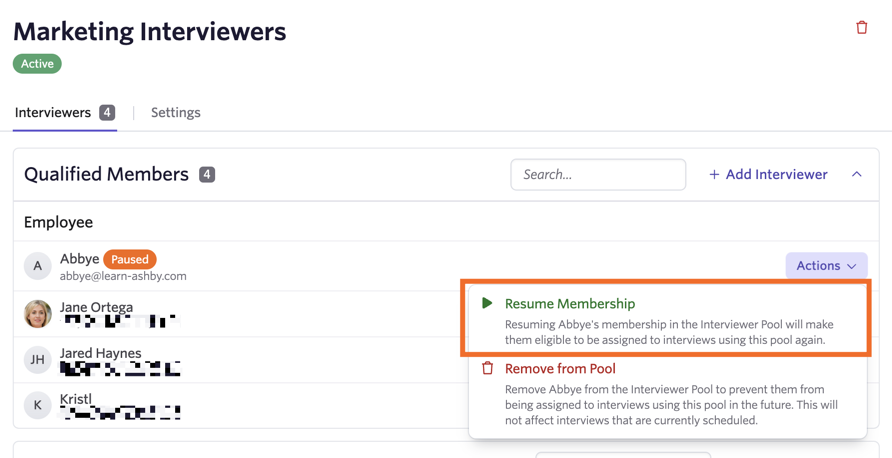
You can unpause the interviewer at any time by clicking on them from within the interviewer pool and selecting Resume Membership.
Pausing an interviewer across all interviews
The option to pause interviewers is only available on Plus and Enterprise plans:
Foundations | Legacy Plus | Plus | Enterprise |
|---|---|---|---|
❌ | ❌ | ✅ | ✅ |
If you want to pause an interviewer for all interviews (for example, if the interviewer is on vacation):
- Navigate to their user profile within Admin > Employees and head to the Interviewer Info tab.
- Turn on the Pause Interviewer option. You can also add a reason for the pause that appears when a user tries to manually schedule that interviewer.
- To schedule a pause, click Set start date to set the date and time the pause starts.
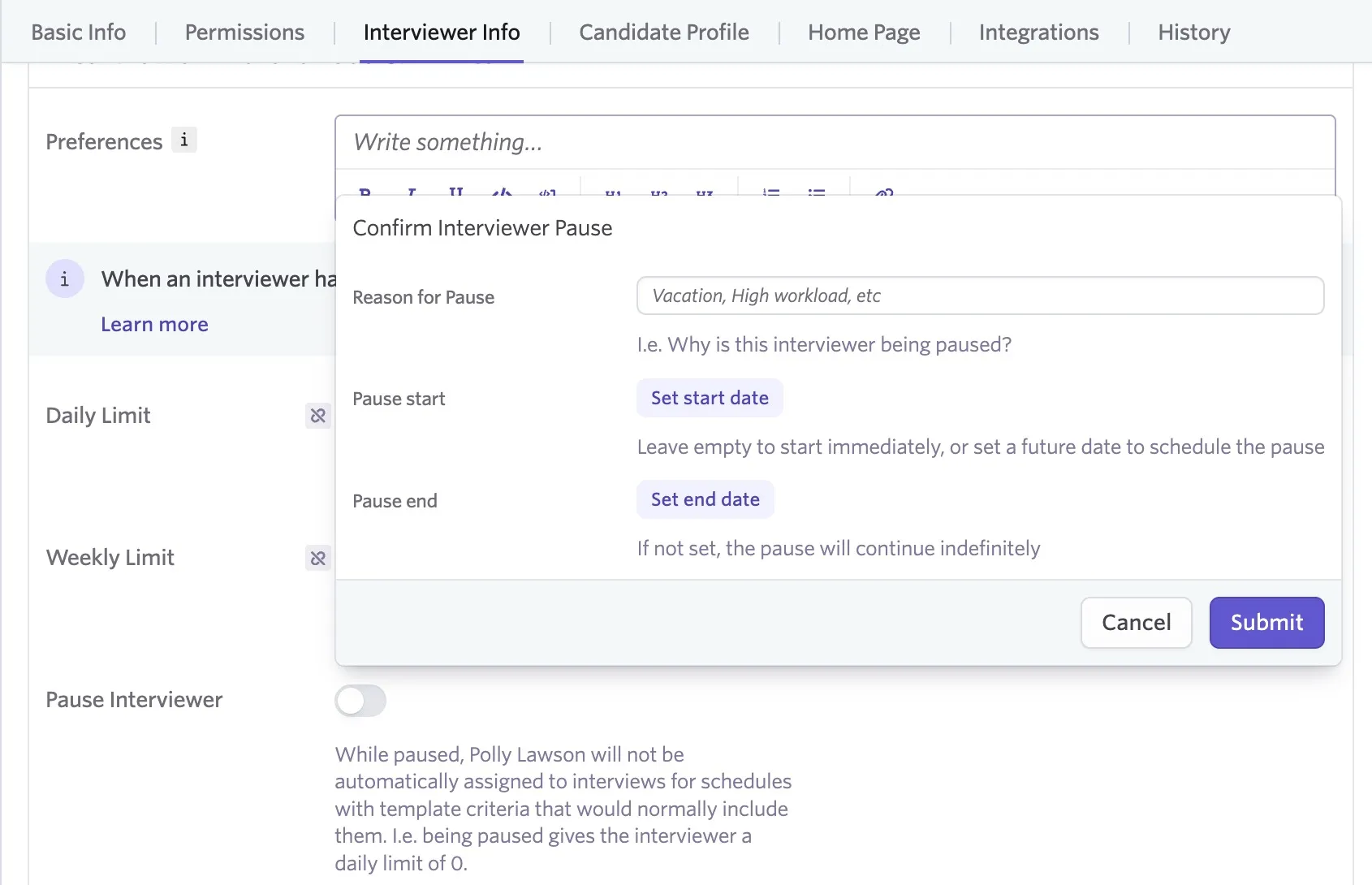
- Click Set end date to set when the pause ends. If you don't set an end date, the pause continues indefinitely until disabled on the user's profile.
- Click Submit to confirm the pause.
You can turn the pause off at any time by switching off the Pause Interviewer option.