Rescheduling and Canceling Interviews
This article explains how to reschedule or update interview details and how to cancel interviews in Ashby. For guidance on initially assigning interviewers or setting up interviews, see Assigning Interviewers and Setting up Schedule Interview ActivitiesSetting up Schedule Interview Activities.
Rescheduling or updating interview details
You can reschedule or update single- or multi-event interviews as long as feedback has not been submitted.
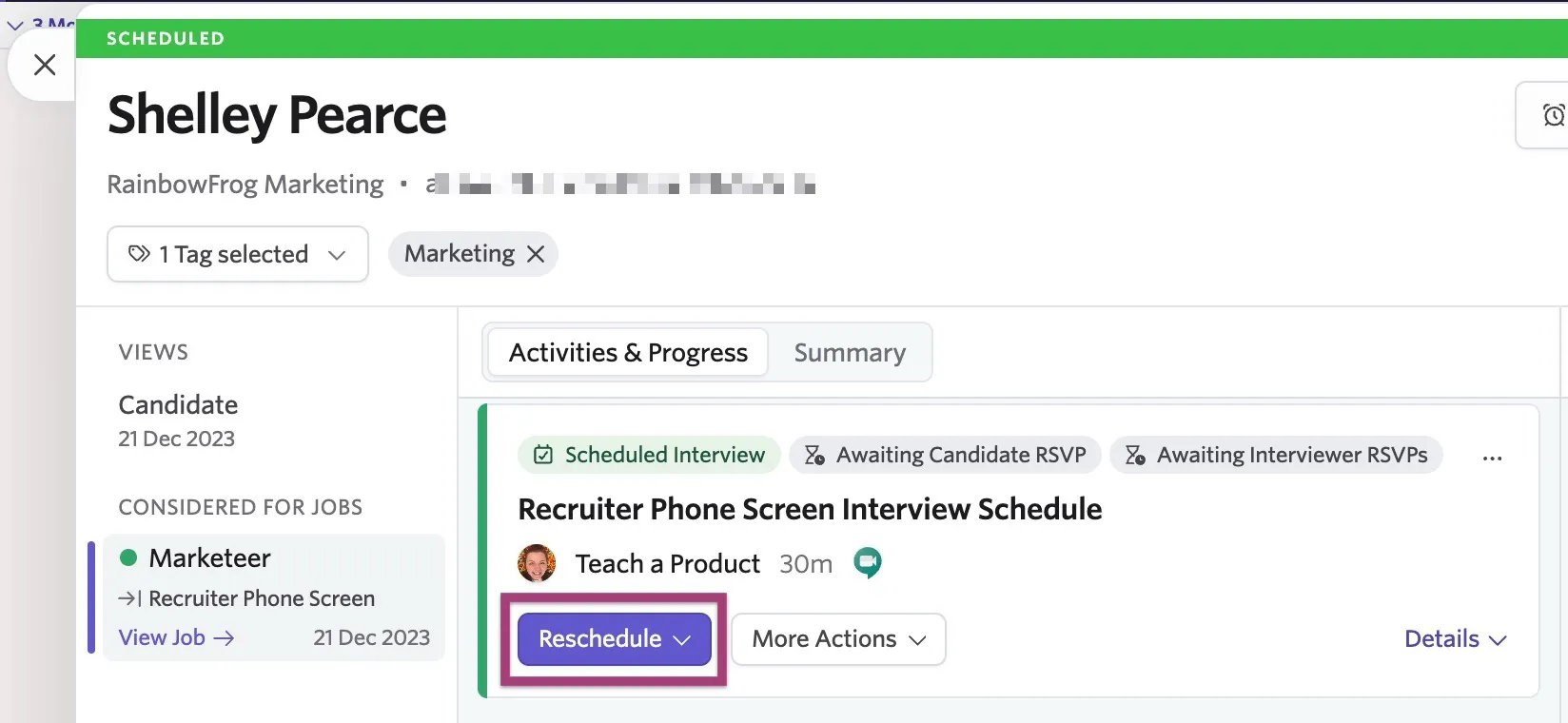
To reschedule an interview or change other interview details, such as the interviewer, click Reschedule on the interview event, then Manual Reschedule.
When rescheduling, you can adjust various interview details, such as the date, time, interview type, interviewer, and number of interviewer slots.
To change the interviewer, select Clear User and then use the drop-down menu to select another interviewer.
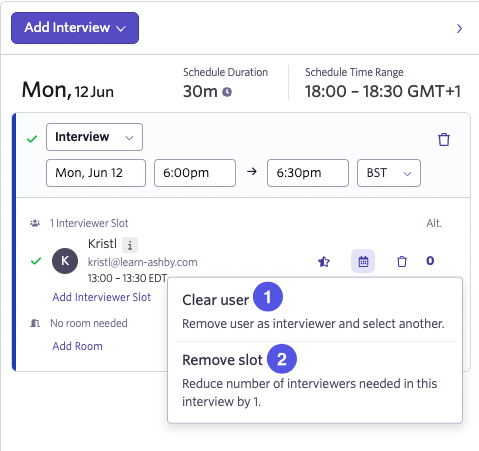
- Clear User: Removes the selected interviewer but keeps the interview slot. You can then use the Select User… dropdown to select another interviewer.
- Remove Slot: Removes the slot completely to reduce the size of your panel by one.
You can remove an interviewer who has already provided feedback when rescheduling. Once removed, their feedback no longer shows in Ashby.
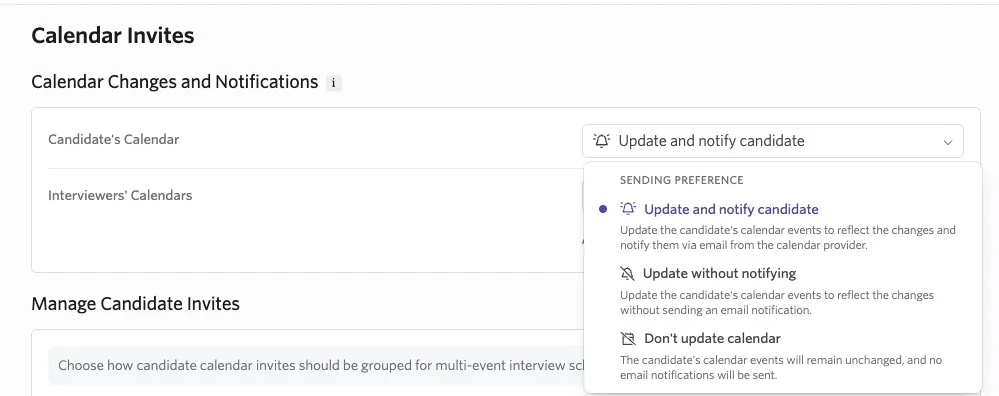
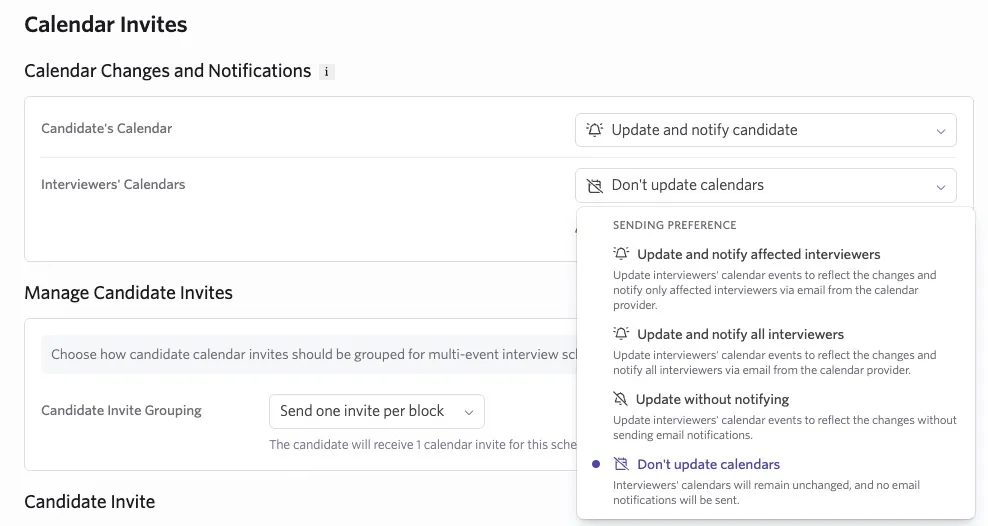
During rescheduling, within the Communication > Calendar Invite tabs, use the Calendar Changes and Notifications section to choose how Ashby updates calendar events and notifies the candidate and interviewers. The available choices depend on your calendar integration.
If you choose the don't update option, changes are saved only in Ashby and aren't reflected in calendar events.
With Google Calendar, the candidate's dropdown includes:
- Update and notify candidate: Updates the candidate's calendar events and sends an email notification.
- Update without notifying: Updates the candidate's calendar events without sending an email notification.
- Don't update calendar: Leaves the candidate's calendar events unchanged and does not send an email notification.
The interviewers' dropdown includes:
- Update and notify affected interviewers: Updates interviewers' calendar events and notifies only interviewers affected by the changes.
- Update and notify all interviewers: Updates interviewers' calendar events and notifies all interviewers.
- Update without notifying: Updates interviewers' calendar events without sending email notifications.
- Don't update calendars: Leaves interviewers' calendar events unchanged and does not send email notifications.
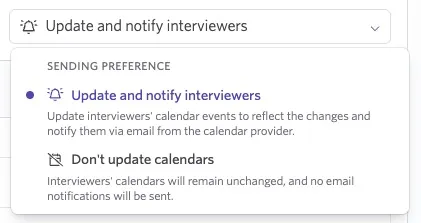
If you are using the Microsoft 365 integration, the dropdowns include an Update and notifiy option and a Don't update calendars option.
Canceling interviews
Single or multi-event interviews can be canceled from the candidate profile.
- Select the Reschedule button and then Cancel Interview (for single-event interviews) or Select and Cancel Interviews (for multi-event interviews).
- If canceling a multi-event interview, select which specific interviews you'd like to cancel. Uncheck the box for interviews you want to keep, and select Next.
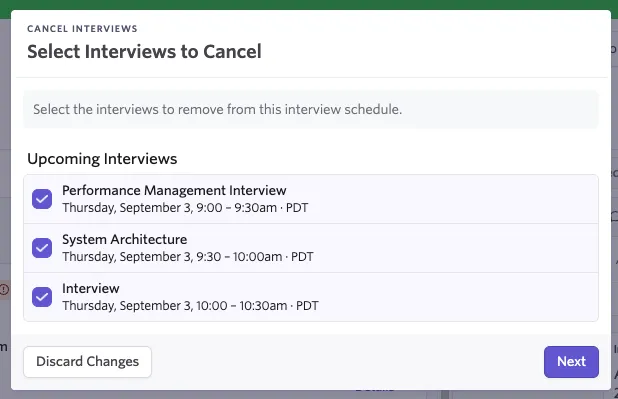
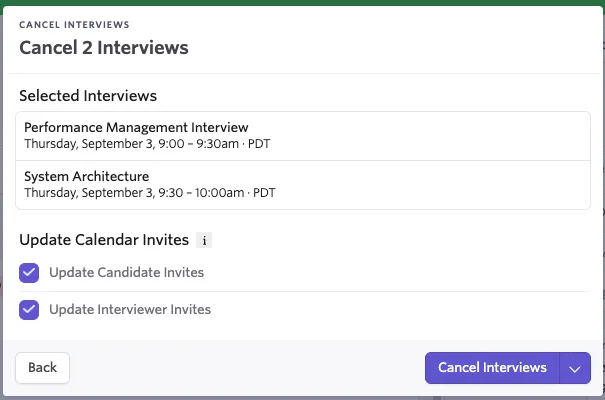
- Choose to update the candidate and interviewer invites now, or update them later on the following screen.
- Select Cancel Interviews to cancel the interview(s).