Job Dashboard
This document provides an overview of the Job Dashboard you can find in each Job’s Activity section. This dashboard provides data on a specific role. For key metrics across all jobs, check out the job dashboard within Core Dashboards
Introduction
Ashby comes with powerful reporting functionality and pre-built templates, but we aim to decrease the time to value for bringing immediate insights to the most common reporting needs per job. The Job Dashboard offers a great starting point, and custom reports, templates, and dashboard building are available if more refinement is required.
Overview
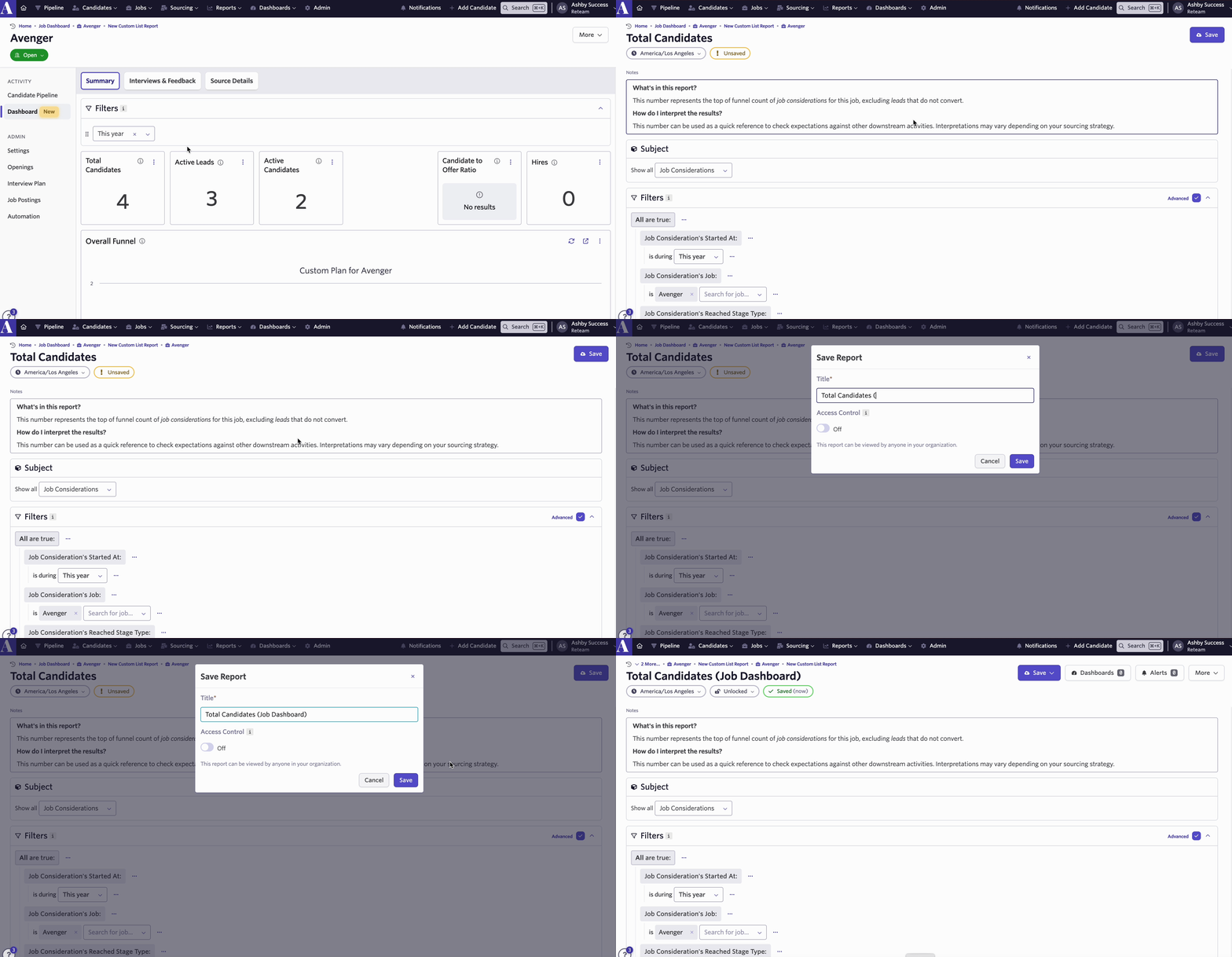
- The Job Dashboard can be found on each Job’s page under the Activity section. The video below explains how to navigate to a Job Dashboard and provides an overview of its sections.
- The Dashboard contains three sections: SummarySummary, Interviews & FeedbackInterviews & Feedback, and Source DetailsSource Details, and detailed information about the reports in each section can be found below.
- You can find more information about a report by clicking on the “i” icon next to each report title.
- The reports on the Job Dashboard are examples to help guide your organization’s reporting and are designed with further customization in mind.
- By clicking Go to Report, you can see the underlying report and its Subjects, Filters, and Group By selections.
Summary
This section contains reports regarding: overall job activity, interviews, applications and passthrough rate information.
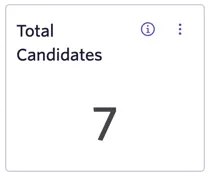
Total Candidates
- What’s in this report?
- This number represents the top of funnel count of job considerations for this job, excluding leads that do not convert.
- How do I interpret the results?
- This number can be used as a quick reference to check expectations against other downstream activities. Interpretations may vary depending on your sourcing strategy.
Active Leads
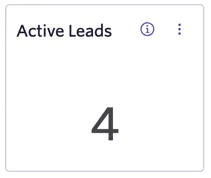
- What’s in this report?
- A count of job consideration currently in this job’s lead stages.
- How do I interpret the results?
- A high number can reflect heaving sourcing activity or that some leads are getting delayed in process.
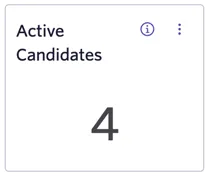
Active Candidates
- What’s in this report?
- All job considerations in active interview or offer stages. Excludes leads and candidates in application review.
- How do I interpret the results?
- A high number can reflect either a large amount of current activity, or that some candidates are getting delayed in process.
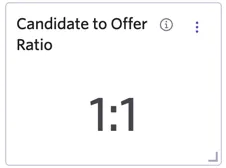
Candidate to Offer Ratio
- What’s in this report?
- A ratio formed by comparing the number of job considerations at the top of funnel to the number with an offer extended.
- How do I interpret the results?
- A results of “100:1” suggests you need approximately 100 candidates at the top of funnel to result in 1 offer being extended.
- Learn more about ratio reports in our Ratio ReportsRatio Reports documentation.
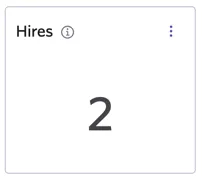
Hires
- What’s in this report?
- The total number of job considerations hired on this job.
- How do I interpret the results?
- The count should reflect the total hires made on this job. Pending your permissions, you may not have visibility into hired candidate profiles.
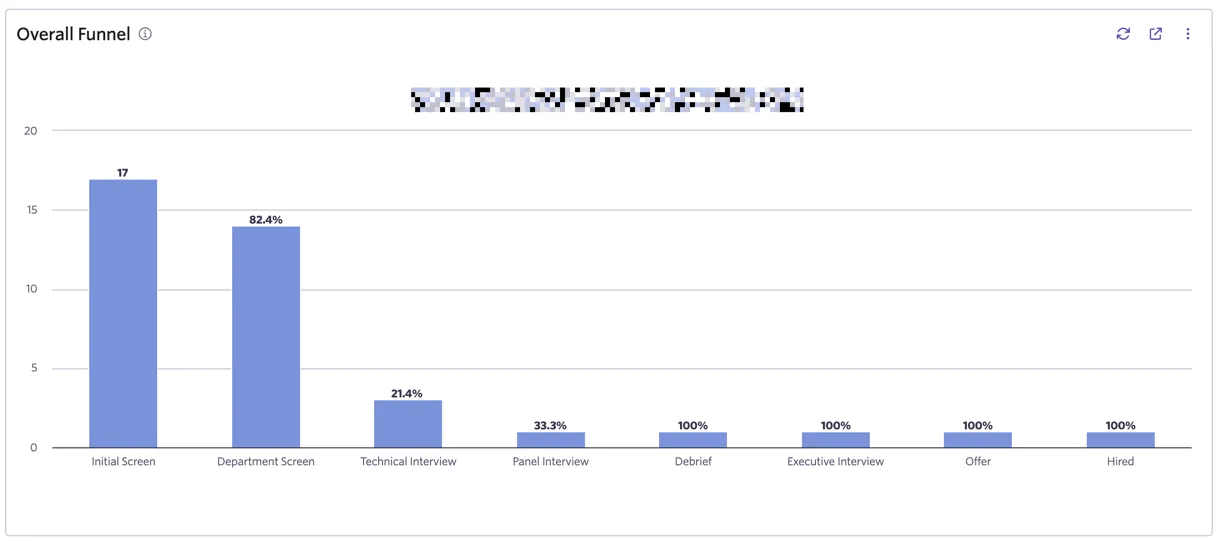
Overall Funnel
- What’s in this report?
- This is a general funnel, the total starting candidate pool is shown along with the passthrough rate from the prior stage.
- How do I interpret the results?
- Depending on the stage, both low and high passthrough rates can indicate an issue. A low passthrough rate may indicate a stage is too challenging or candidates that are not a good fit are being brought into the process. Conversely, a high passthrough rate can suggest a stage may not be an effective contribution to the overall process.
- Learn more about Funnel Reports in Understanding Funnel Metrics.
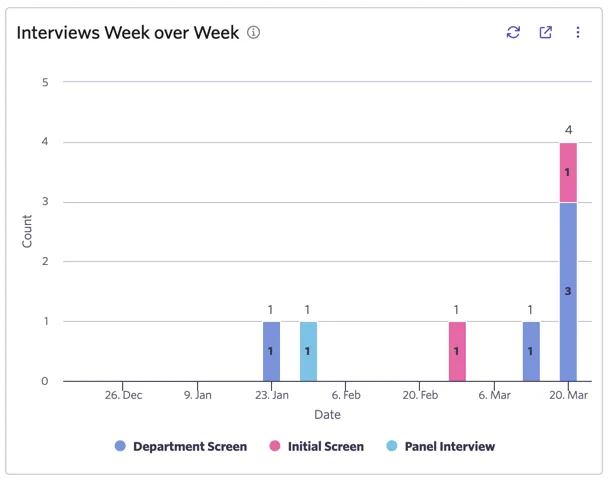
Interviews Week over Week
- What’s in the report?
- The number of interviews, week over week, grouped by the stage name they were scheduled in.
- How do I interpret the results?
- Use this report to see your overall volume of interviews and where in your process they are occurring.
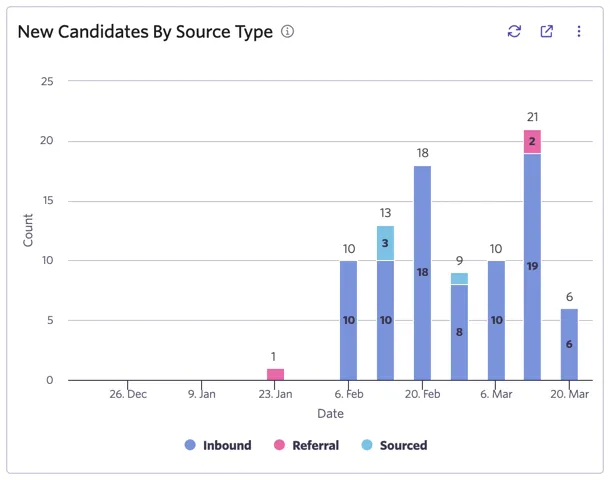
New Candidates by Source Type
- What’s in this report?
- Count of job considerations by start date grouped by source type. Leads are excluded from this report.
- How do I interpret the results?
- You can use this report to examine source type trends over time and better understand the underlying origin of candidates.
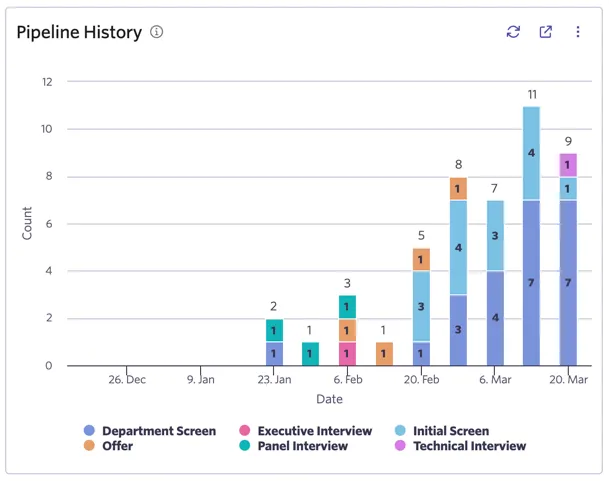
Pipeline History
- What’s in this report?
- The count of job considerations that were present in a stage in a given week.
- How do I interpret the results?
- This report addresses the question of how many candidates had a job consideration in a stage at a historical point in time. A large count indicates many candidates were in that stage at that point in time, a sign of progress or possible delays in your process.
- Learn more about pipeline history reports in our Pipeline History documentation.
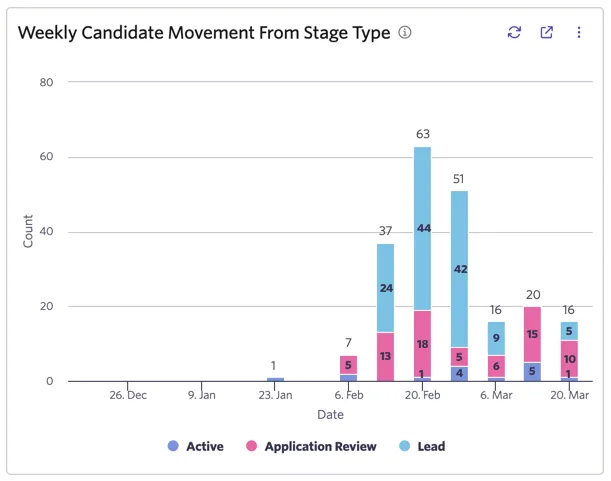
Weekly Candidate Movement From Stage Type
- What’s in this report?
- This report counts stage transitions from the current stage type. Each movement of a job consideration from one stage to another counts as a single stage transition.
- How do I interpret the results?
- A high count in “Application Review” indicates many candidates are being moved through the application review process. Similarly, counts in the other stages types (”Lead” and “Active”) indicate candidates are being moved through the associated stages.
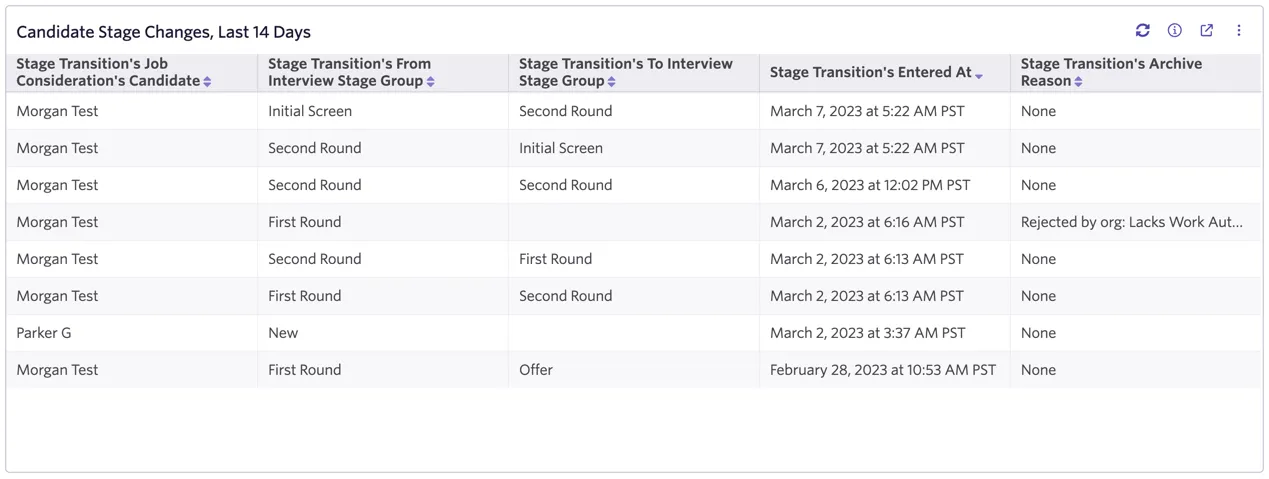
Candidate Stage Changes, Last 14 Days
- What’s in this report?
- Details for any candidate that has had a stage transition in the last 14 days. Activity in lead and application review stages is not included in this report.
- How do I interpret the results?
- The report provides a quick reference to candidates that have recently been moved forward or archived. Few results indicates low overall activity in your active interview stages for this job.
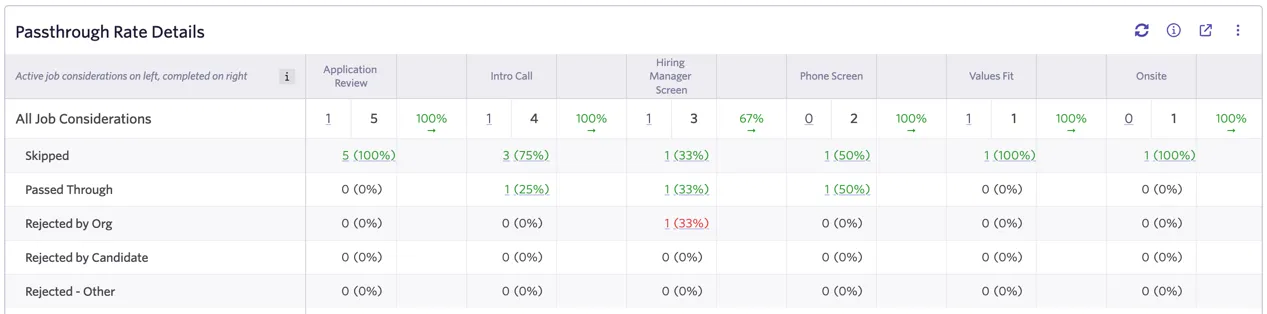
Passthrough Rate Details
- What's in this report?
- Passthrough rates grouped by stage outcome. For every stage, active counts are displayed on the left, and processed counts are displayed on the right.
- How do I interpret the results?
- This report allows you to see your overall passthrough rates per stage, but also highlights whether candidates are skipping, passing through, or being archived (by archive reason type).
- Learn more about passthrough reports in our Passthrough Report Features & FAQ documentation.
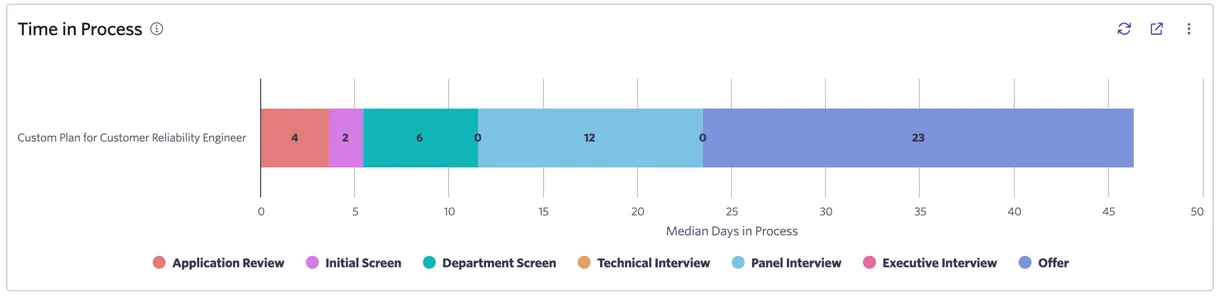
Time in Process
- What's in this report?
- The median days in process per stage. This is calculated per stage based on job consideration stage entry and stage exit times.
- How do I interpret the results?
- You can use this report to check whether candidates are spending an appropriate amount of time per stage and identify areas in need of process improvement.
Learn more about Time in Process reports work in our documentation.our documentation.
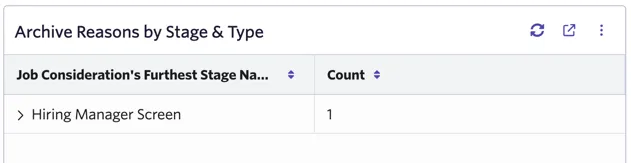
Archive Reasons by Stage & Type
- What's in this report?
- A count of job considerations archived by their furthest stage name reached. The results are grouped by the archive reason type and archive reason details.
- How do I interpret the results?
- This report aims to help assess at what stage and for what reasons candidates are being archived. Pending results, you may modify either top of funnel or downstream processes to improve overall candidate experience and hiring results.
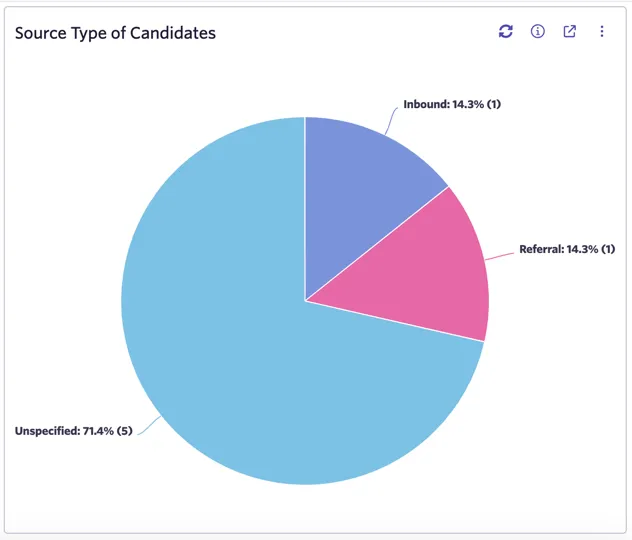
Source Type of Candidates
- What's in this report?
- Count of job considerations by source type. Leads that do not convert are excluded from this report.
- How do I interpret the results?
- This report shows the total composition by source type at the top of funnel and can be used to see where candidates are originating from.
Interviews & Feedback
This section contains reports regarding: interview history, upcoming interviews, and interview load and participation. Feedback details on completion rates, score distribution, and calibration per interviewer and interview are also provided.
Interviews Week over Week
- What’s in the report?
- The number of interviews, week over week, grouped by the stage name they were scheduled in.
- How do I interpret the results?
- Use this report to see your overall volume of interviews and where in your process they are occurring.
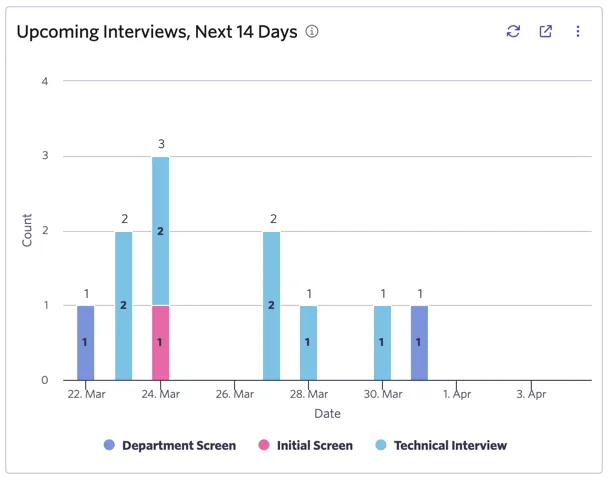
Upcoming Interviews, Next 14 Days
- What's in this report?
- The number of scheduled interviews in the next 14 days grouped by the stage name they are scheduled in.
- How do I interpret the results?
- Use this report to quickly assess whether this job has interviews in the next two-week period.
Interviews per Hire Summary
- What’s in this report? This report shows how many interviews your team is conducting per hire. It’s calculated by taking the total number of interviews divided by the number of hires made. The total number of interviews includes interviews for candidates both hired and rejected.
- Learn more about Interviews per Hire reports in our documentation.in our documentation.

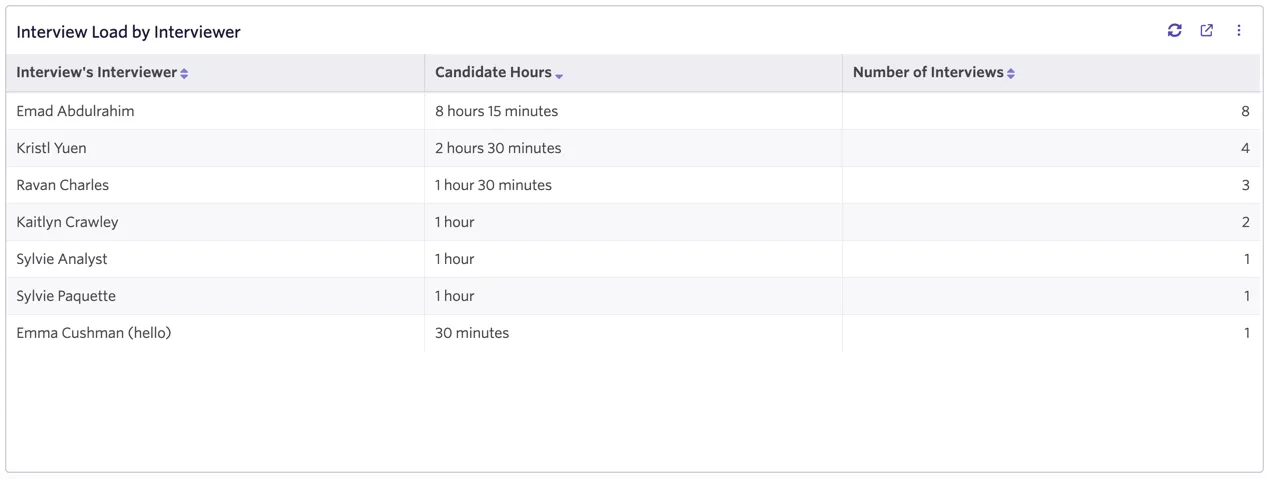
Interview Load by Interviewer
- What’s in this report?
- This report how many hours interviewers on your team have spent interviewing.
- Learn more about Interview Load reports in our documentation.in our documentation.
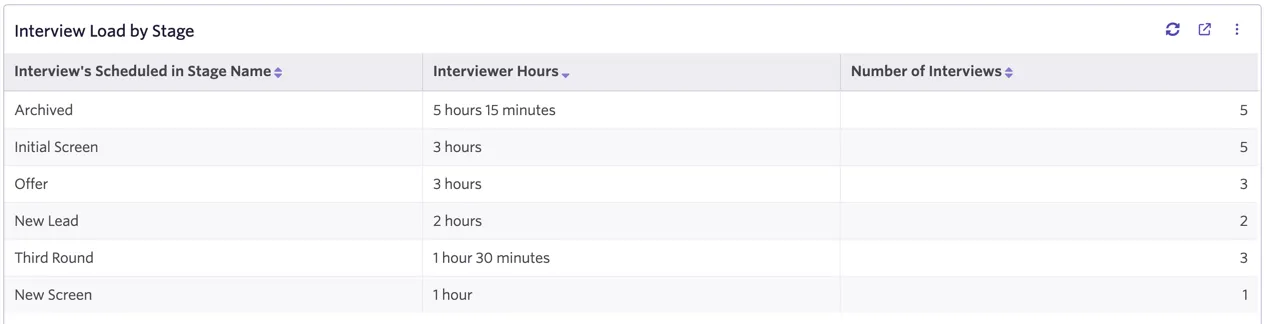
Interview Load by Stage
- What’s in this report?
- This report shows how many hours are spent interviewing per interview stage.
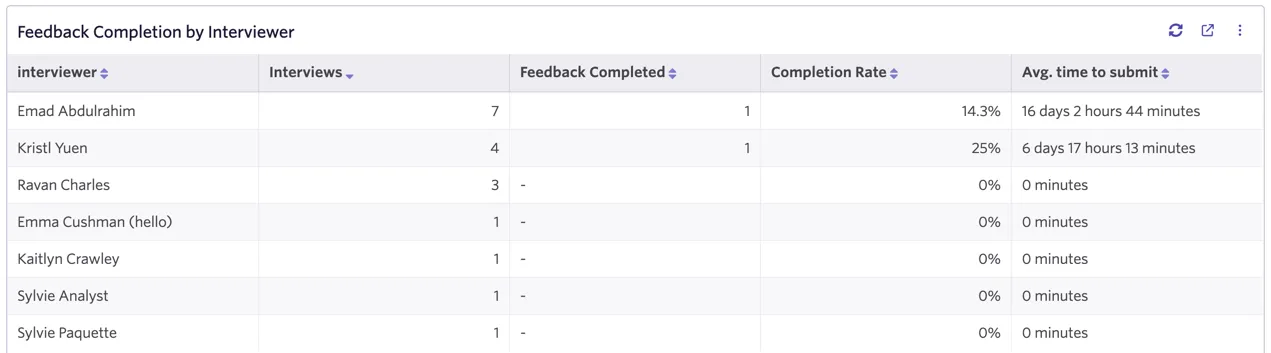
Feedback Completion by Interviewer
- What’s in this report?
- This report shows which % of feedback forms have been completed by each interviewer and how long on average it takes them to submit feedback.
- Learn more about Feedback Completion reports atReport Catalog: Templates
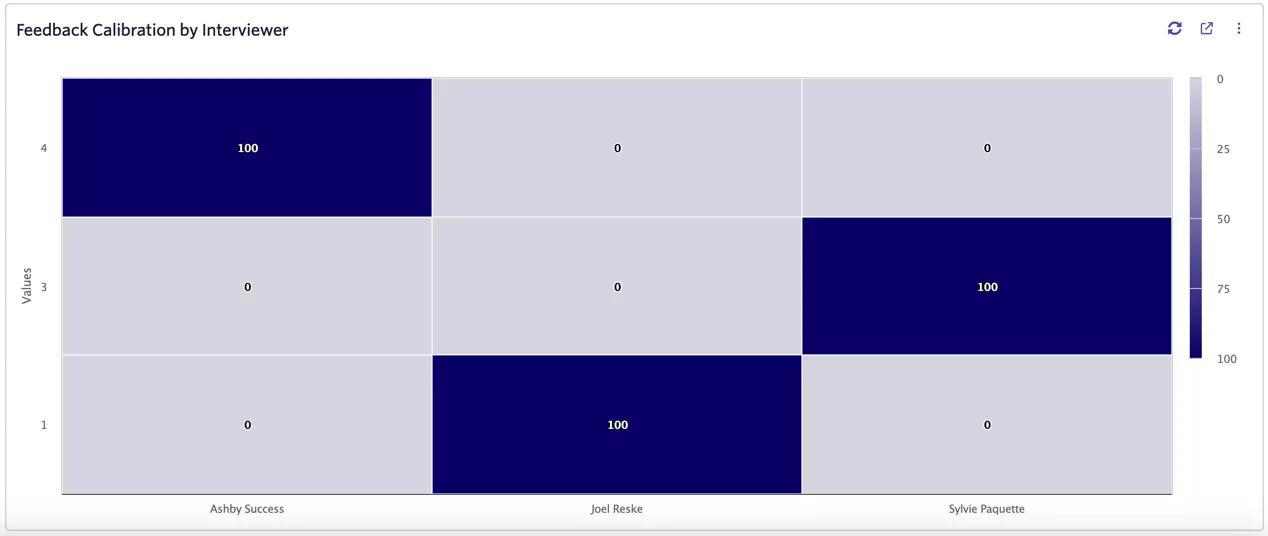
Feedback Calibration by Interviewer
- What's in this report?
- A count of feedback forms grouped by the interviewer and overall recommendation.
- How do I interpret the results?
- Assess each interviewer's feedback submissions in total to identify whether there is strong bias towards a "yes" (4, 3) or a "no" (2, 1).
- Learn more about Feedback Calibration reports at Report Catalog: Templates
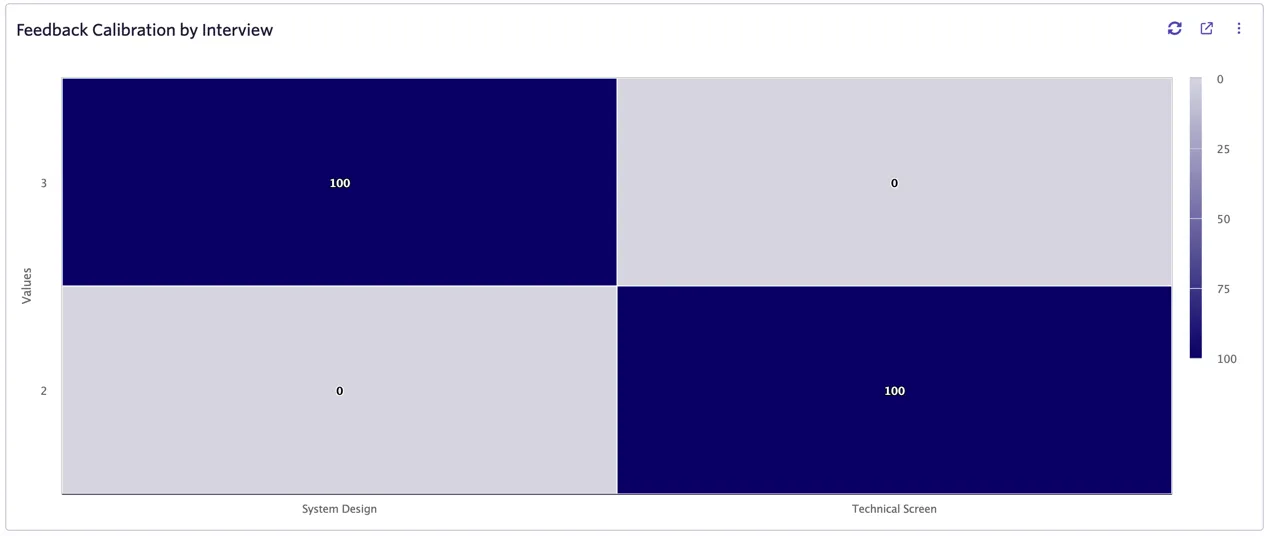
Feedback Calibration by Interview
- What's in this report?
- A count of feedback forms grouped by the interview and overall recommendation.
- How do I interpret the results?
- Assess each interview's feedback submissions in total to identify whether there is strong bias towards a "yes" (4, 3) or a "no" (2, 1).
Source Details
This section contains reports regarding: a more detailed accounting of your candidate source types and source details, information on sourcing efforts by presenting lead information, sources contributing to qualified candidates, and overall referral activity.
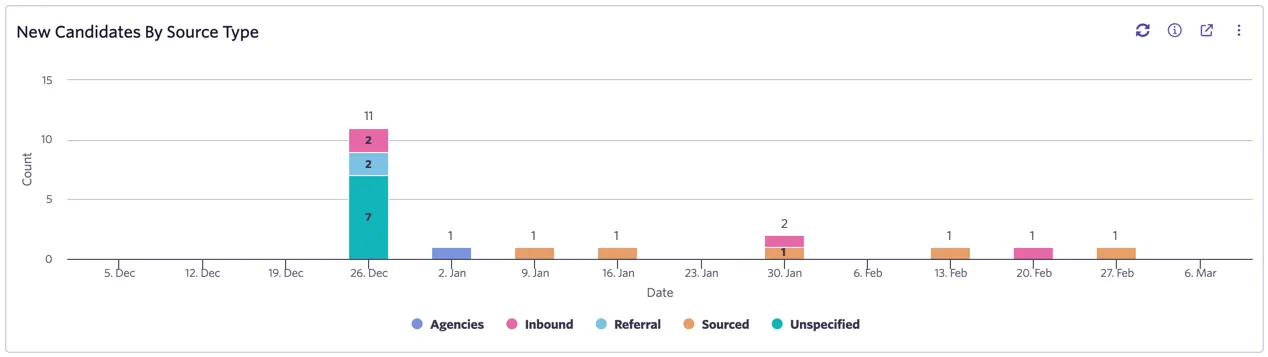
New Candidates by Source Type
- What's in this report?
- Count of job considerations by start date grouped by source type. Leads are excluded from this report.
- How do I interpret the results?
- You can use this report to examine source type trends over time and better understand the underlying origin of candidates.
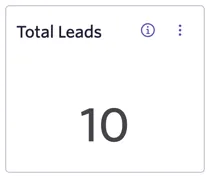
Total Leads
- What's in this report?
- The number of leads, counted as all job considerations with a source type of sourced.
- How do I interpret the results?
- The total count of sourced leads should reflect the amount of sourcing effort put into this job.
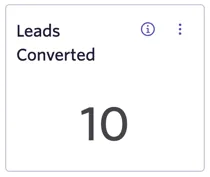
Leads Converted
- What's in this report?
- The number of sourced leads that reached application review or active interview stages.
- How do I interpret the results?
- A higher number of converted leads means you are moving more candidates into the interview process.
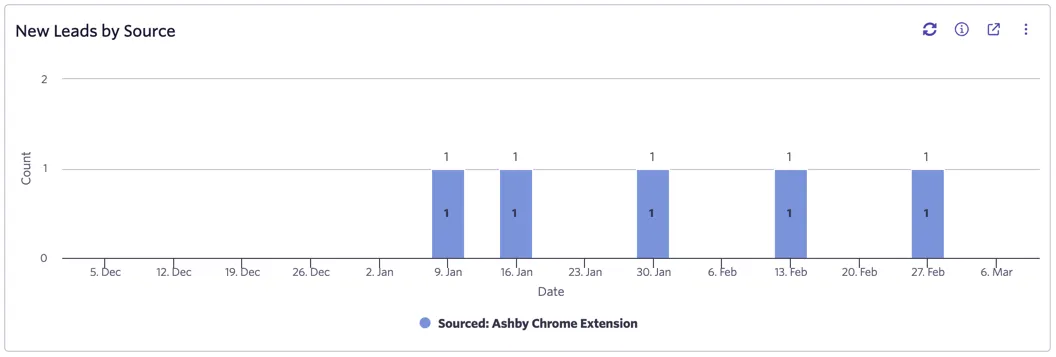
New Leads by Source
- What's in this report?
- A count of leads (job considerations with a source type of "sourced") over time by their source.
- How do I interpret the results?
- You can use this report to examine source trends over time and better understand the underlying origin of sourced leads.
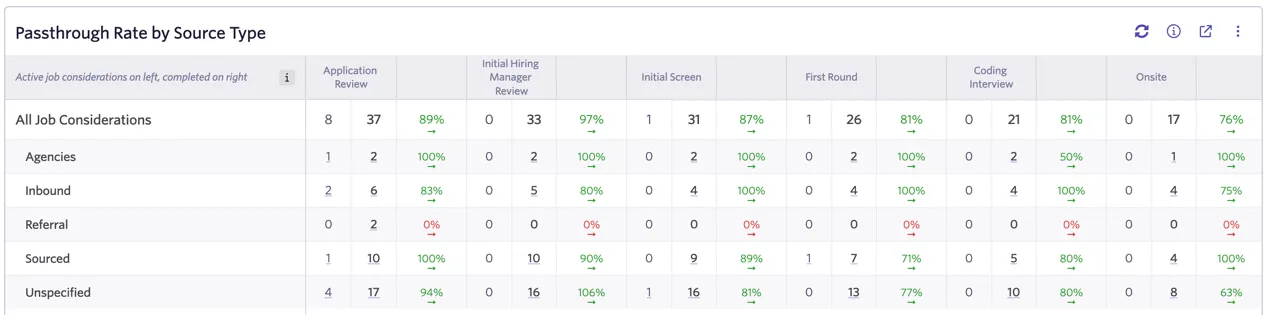
Passthrough Rate by Source Type
- What's in this report?
- Passthrough rates by source type. For every stage, active counts are displayed on the left, and processed counts are displayed on the right.
- How do I interpret the results?
- A high passthrough rate means most candidates are moving through the stage, while a low passthrough rate means the opposite. Compare this by stage and source type to identify any areas for improvement or review. Learn more about passthrough rate counting atPassthrough Report Features & FAQ
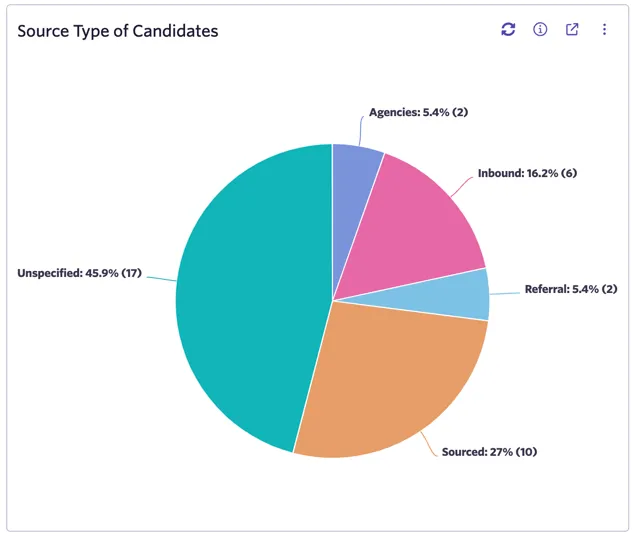
Source Type of Candidates: Source type of candidates. Candidates include any inbound job considerations or leads that have converted and reached application review or further stages. Leads that do not convert are excluded from this report.
- What's in this report?
- Count of job considerations by source type. Leads that do not convert are excluded from this report.
- How do I interpret the results?
- This report shows the total composition by source type at the top of funnel and can be used to see where candidates are originating from.
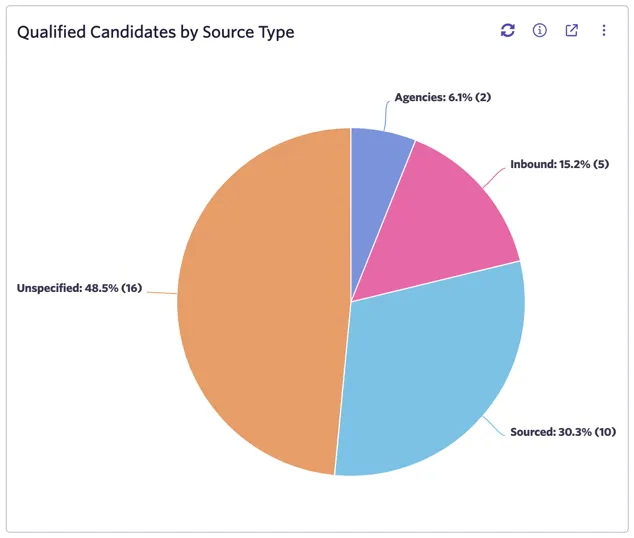
Qualified Candidates by Source Type: Qualified candidates are those that move beyond the Application Review stage.
- What's in this report?
- Count of job considerations by source type for qualified candidates only. A candidate is considered qualified if their job consideration moves beyond application review.
- How do I interpret the results?
- You can compare this report to the Source Type of Candidates report to see how the composition by source type changes between your top of funnel and your active process. This report shows which source types are contributing most to candidates that move forward into your interview process.
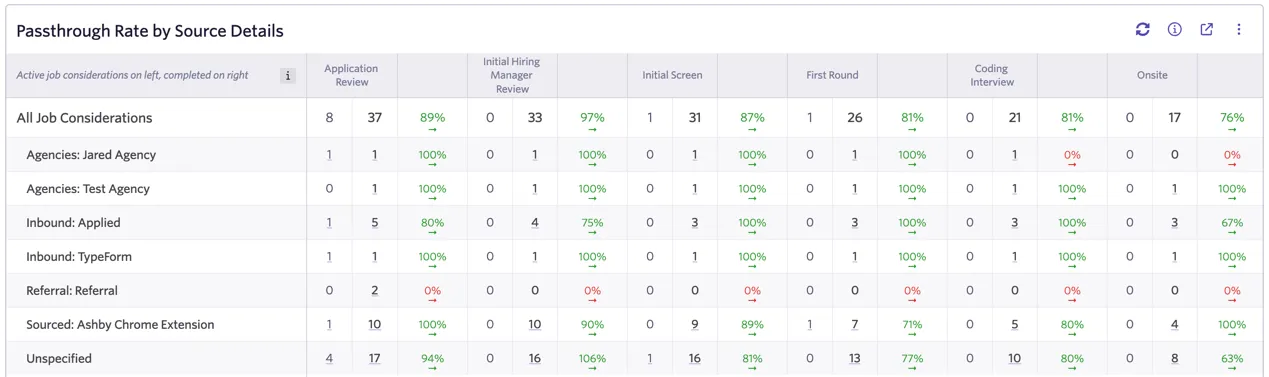
Passthrough Rate by Source Details
- What's in this report?
- Passthrough rates by source. For every stage, active counts are displayed on the left, and processed counts are displayed on the right.
- How do I interpret the results?
- A high passthrough rate means most candidates are moving through the stage, while a low passthrough rate means the opposite. Compare this by stage and source to identify any areas for improvement or review. Learn more about passthrough rate counting at Passthrough Report Features & FAQ .
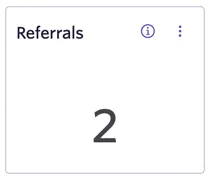
Referrals
- What's in this report?
- All job considerations with source type "referral", including leads.
- How do I interpret the results?
- A higher number reflects more referral activity over the history of this job.
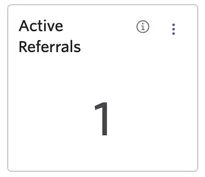
Active Referrals
- What's in this report?
- Count of job considerations of source type "referral" that are in currently in process. Excludes leads.
- How do I interpret the results?
- A higher number reflects more referral activity in your current pipeline.
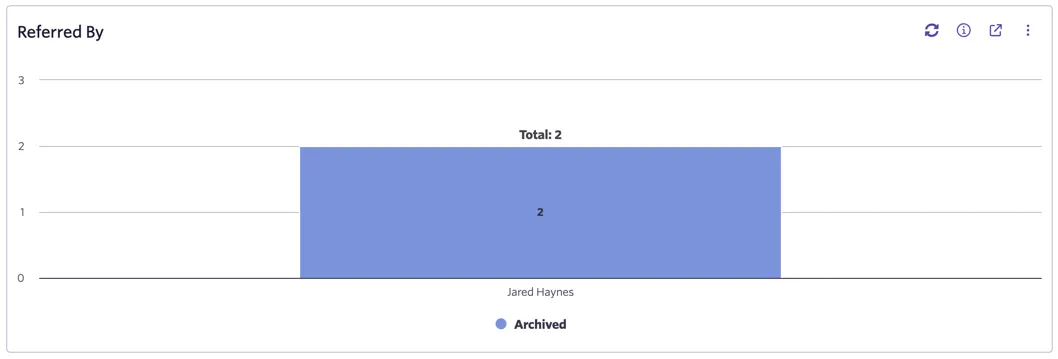
Referred By
- What's in this report?
- Count of job considerations of source type "referral" grouped by referrer and outcome (lead, active, archived or hired).
- How do I interpret the results?
- You can use this report to see which teammates have referred the most candidates for this job, grouped by the outcome of those referrals.