Conditional Form Fields
In some cases, you may only want a question to appear in a form if the candidate answers another question in a specific way. For example, if a candidate answers 'Yes' when asked if they require sponsorship for the role they are applying for, you may want to then ask further questions based on that response. Conditional form fields allow you to create this kind of branch logic and collate additional information only when it's needed.
Prerequisites:
You must have access to edit the forms the conditional form fields will be configured for (either as an Organization Admin or an Elevated Access user with additional permissions). More on this at Additional User Permissions.
Conditional form fields can be configured on all plans:
Foundations | Legacy Plus | Plus | Enterprise |
|---|---|---|---|
✅ | ✅ | ✅ | ✅ |
Creating conditional form fields
Conditional form fields are available when configuring fields for the following forms and surveys:
- Application FormsApplication Forms
- Feedback Forms and InterviewsFeedback Forms
- Candidate Experience SurveysCandidate Experience Surveys
- Referrals and Referral LinksReferral Form
- Sourcing FormsSourcing Forms
- Forms for EventsEvents
- QuestionnairesQuestionnaires
- Quality of Hire SurveysQuality of Hire Surveys
- Diversity SurveysDiversity Surveys
- Advanced Scheduling Automation Add-OnScheduling Request Forms
Once you have added the field to your form, take the following steps to set it as conditional:
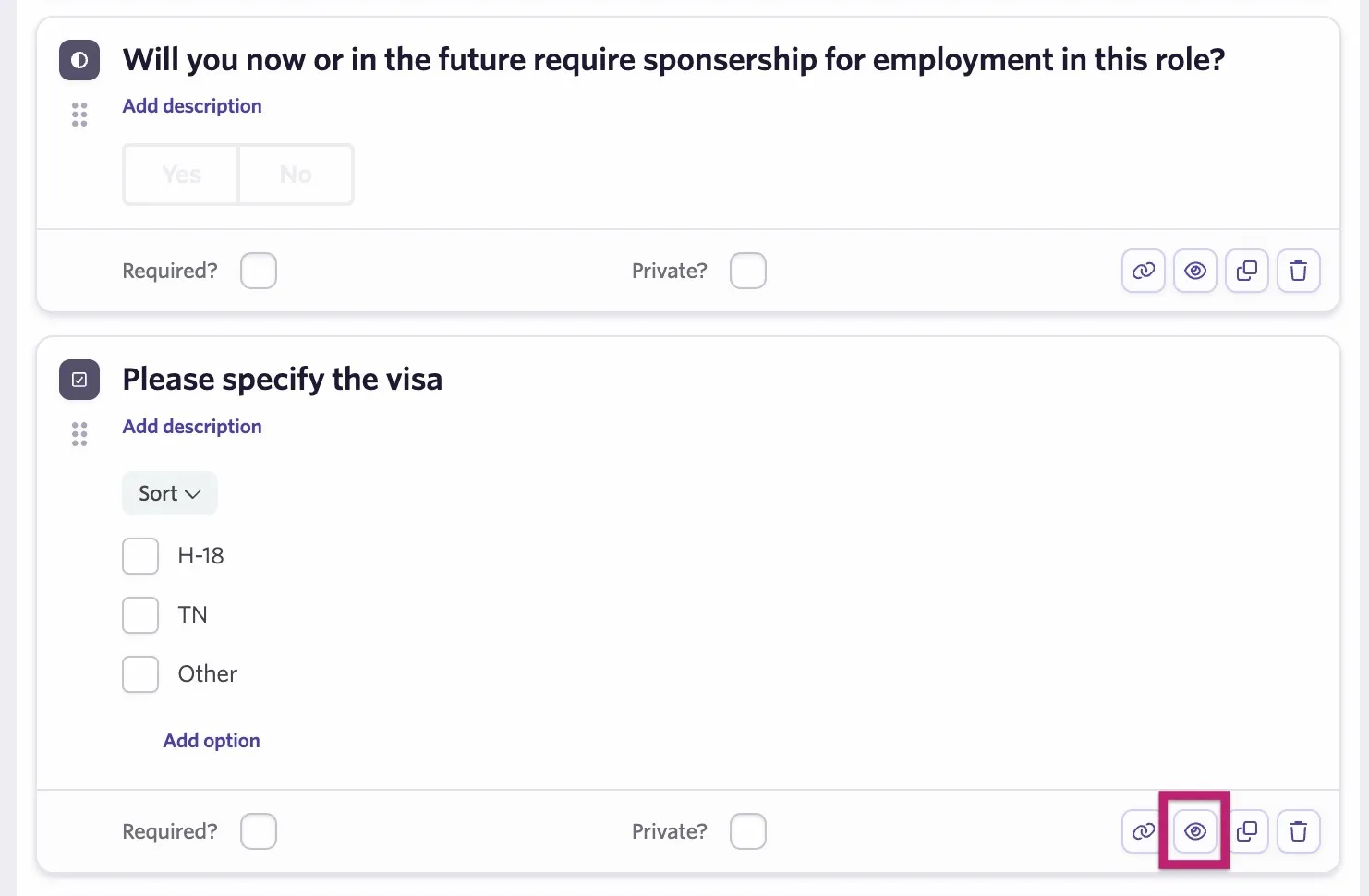
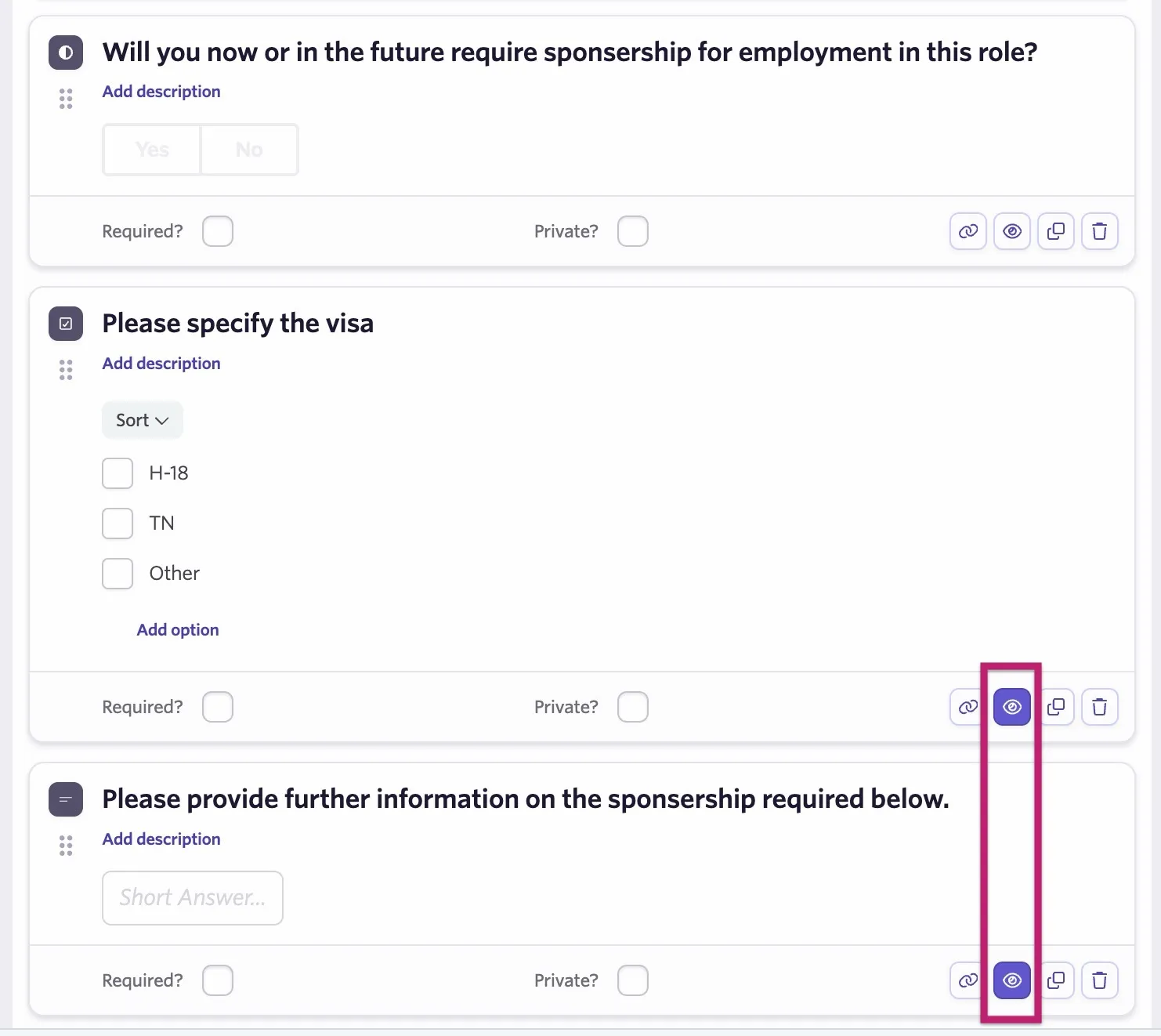
- Click the eye icon to the bottom-right of the field
- Determine your conditions
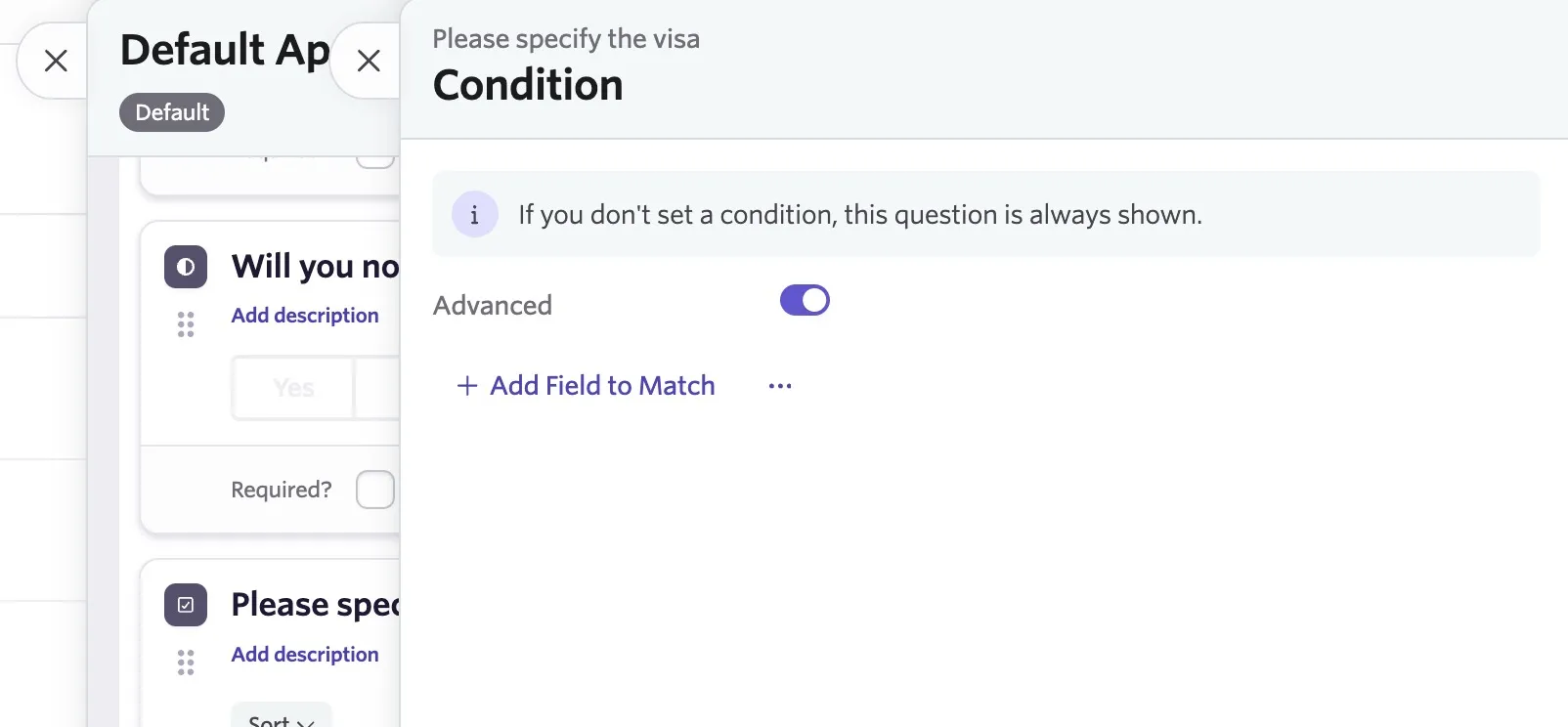
- Click + Filter if the Advanced toggle is off or + Add Field to Match if the Advanced toggle is on
- Select the form field that will trigger your conditional field
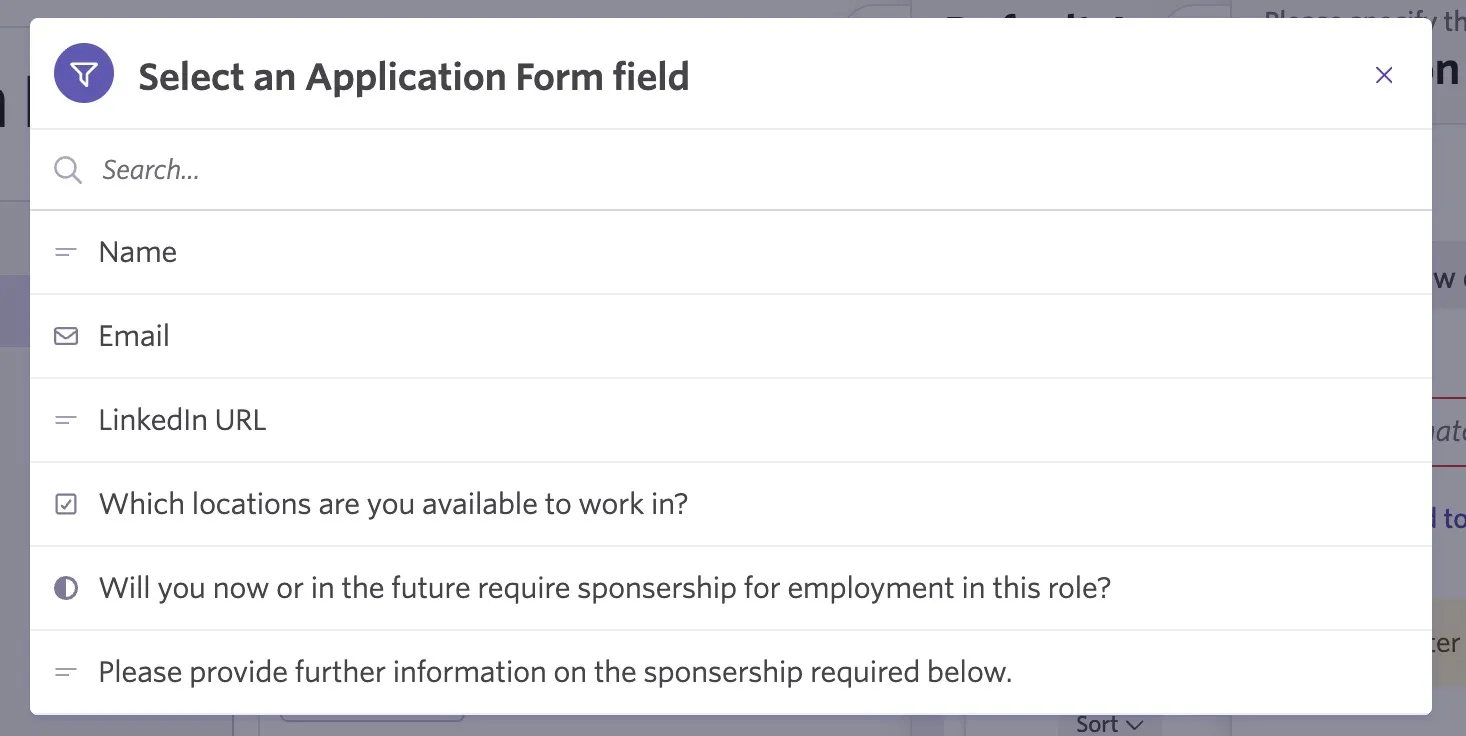
Location, rich text, education history and file field types are not supported for creating conditions.
- Determine the answer that will trigger the conditional form field to show to the candidate
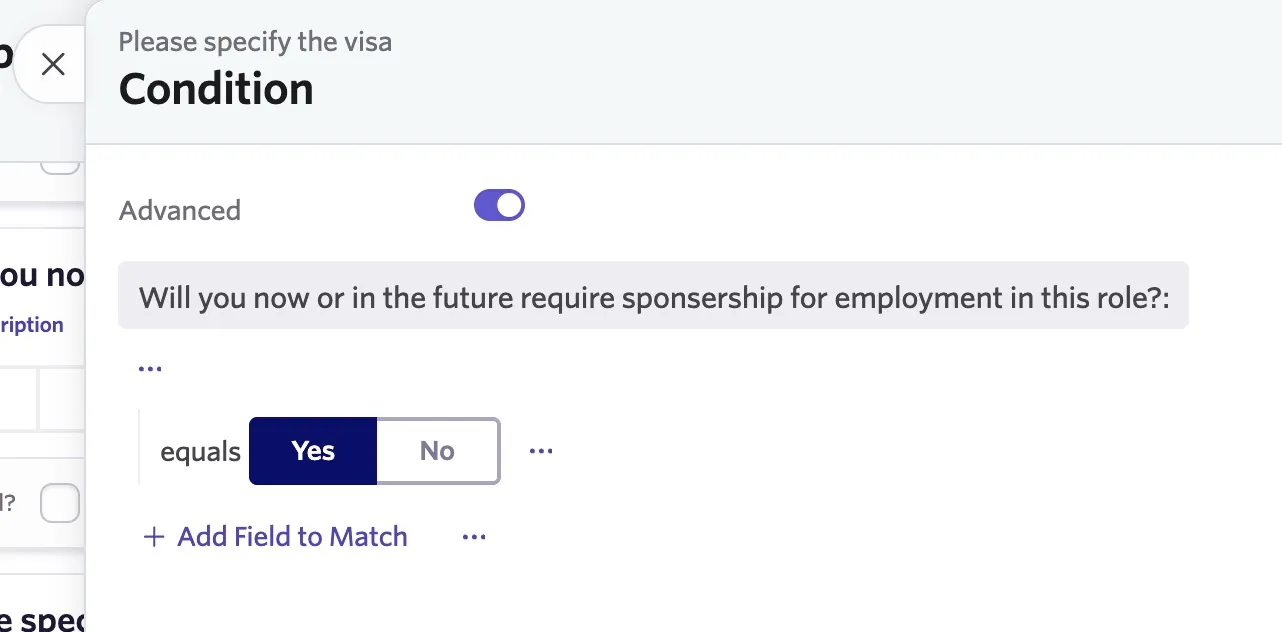
- Select additional form fields and specify answers as needed
- Click Save to confirm your conditions
- Click Save Form Changes on your form to save the form updates
Once you have saved your conditions, the eye icon shows in purple for that field so you can easily identify conditional form fields when editing forms moving forward.
Editing conditional form fields
To edit your form field conditions, open the form that contains your conditional form field and click the eye icon on the field in question.
Remember to save any changes to both the form field and the form.
Removing conditions from a form field
To make a form field show for all form submissions, follow these steps to remove your conditions and the form fields conditional form status:
- Open the form and click the eye icon on your conditional form field
- Hover over the form field set as part of your conditions and click the trash can icon to the left of it.
- If you set multiple conditions, remove all form fields in your conditions to revoke the conditional status.
- Once you remove all conditions, a message confirms that the question always shows when no condition is set
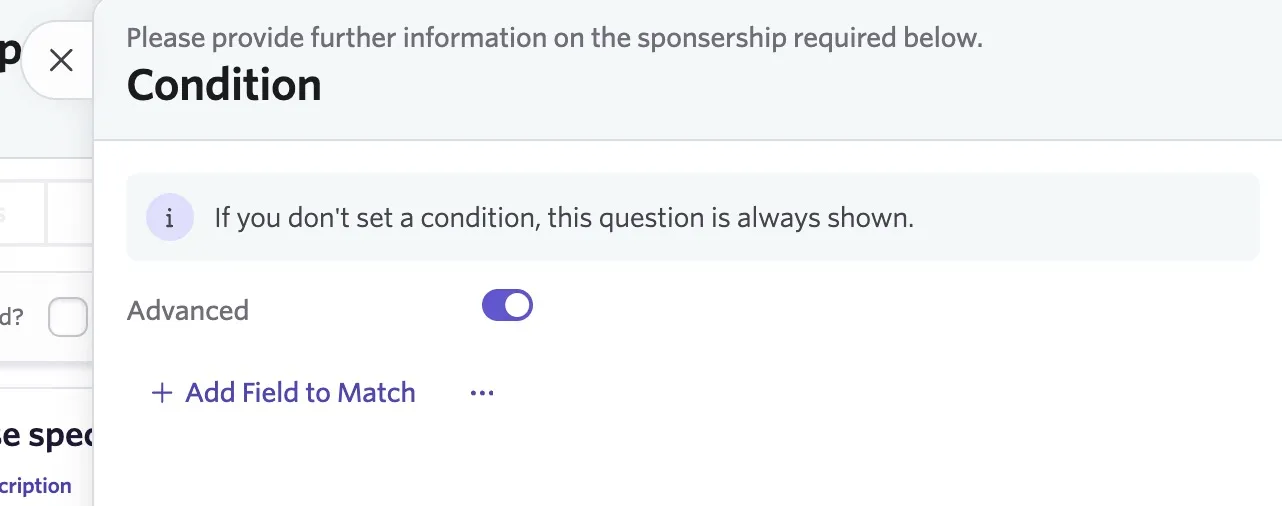
- Click Save
- Click Save Form Changes
Setting conditional form field conditions using operators (optional)
While configuring your conditional form field rules, you'll see the operators And, Or, and Not. These provide further flexibility for assigning multiple form fields to your conditions.
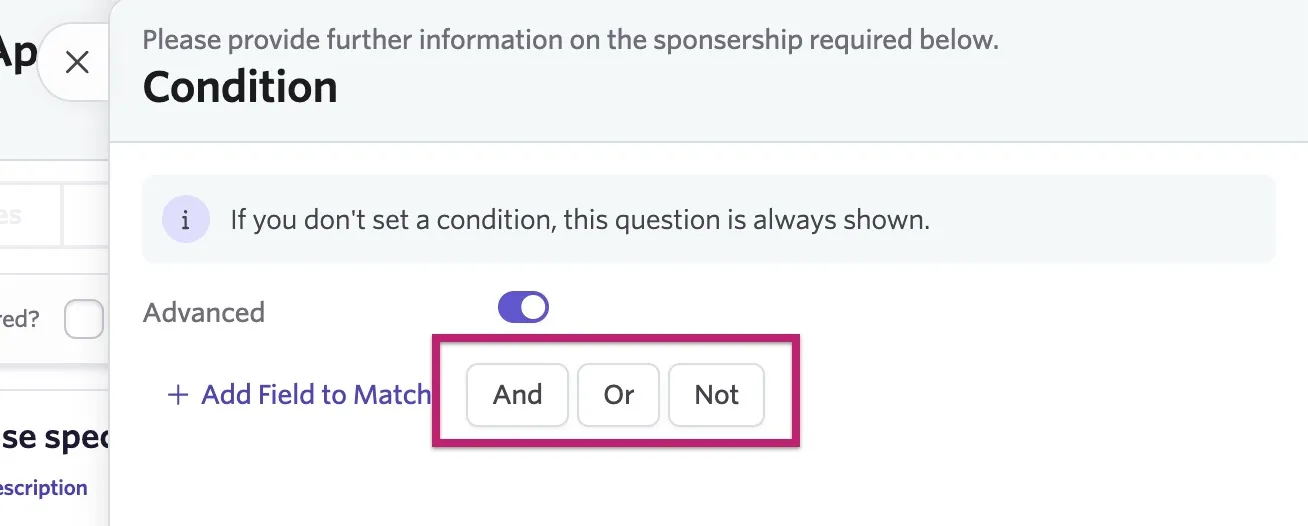
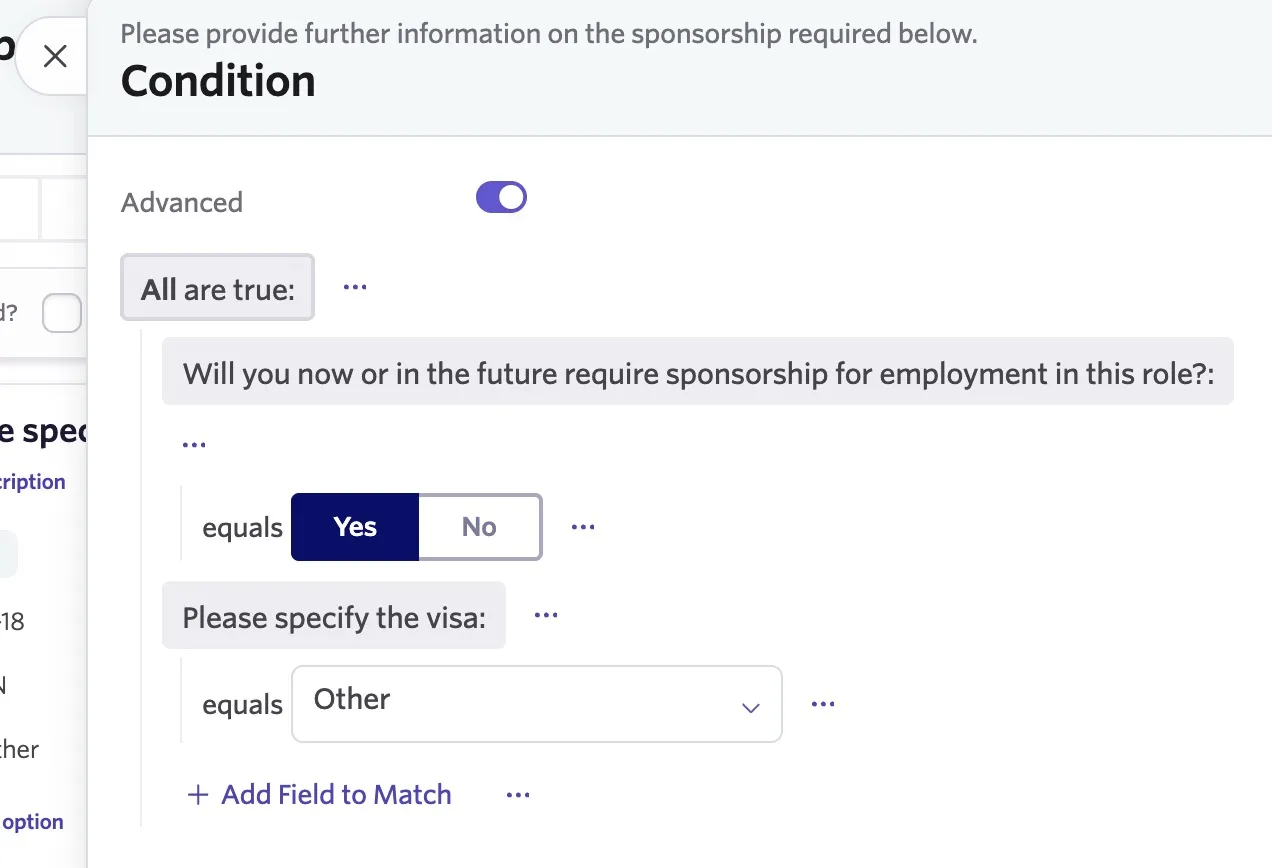
And: This option adds an All are true condition to the rule, so you can set multiple conditions; as long as all of the conditions are met, the conditional form field is shown to the candidate.
So in this example, if the candidate answers 'Yes' to the question 'Will you now or in the future require sponsorship?' and then 'Other' to 'Please specify the visa', then Ashby presents this question to them.
If they select other answers, this form field doesn't show as part of the form.
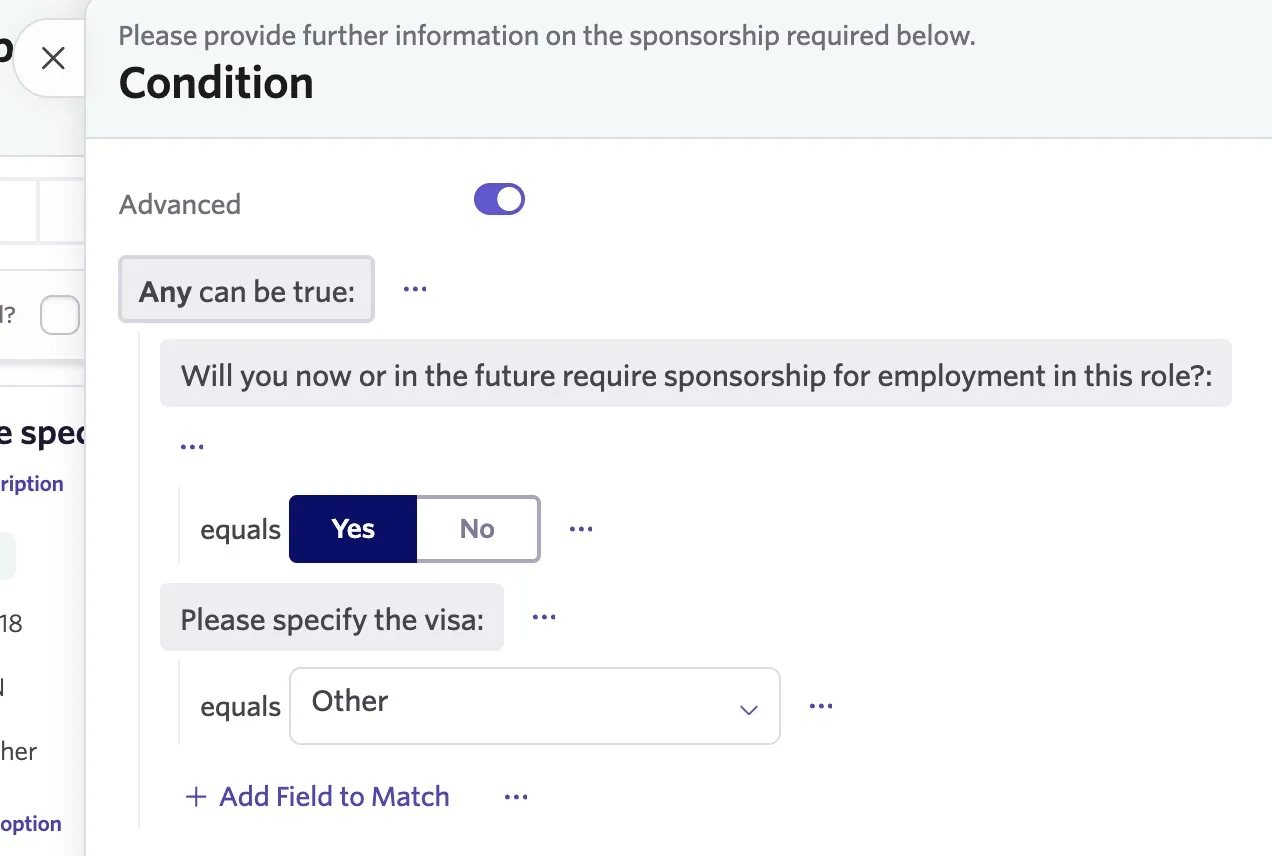
Or: This option adds an Any can be true condition to the rule. If any of the answers match any of the conditions set, Ashby displays the conditional form field to the candidate.
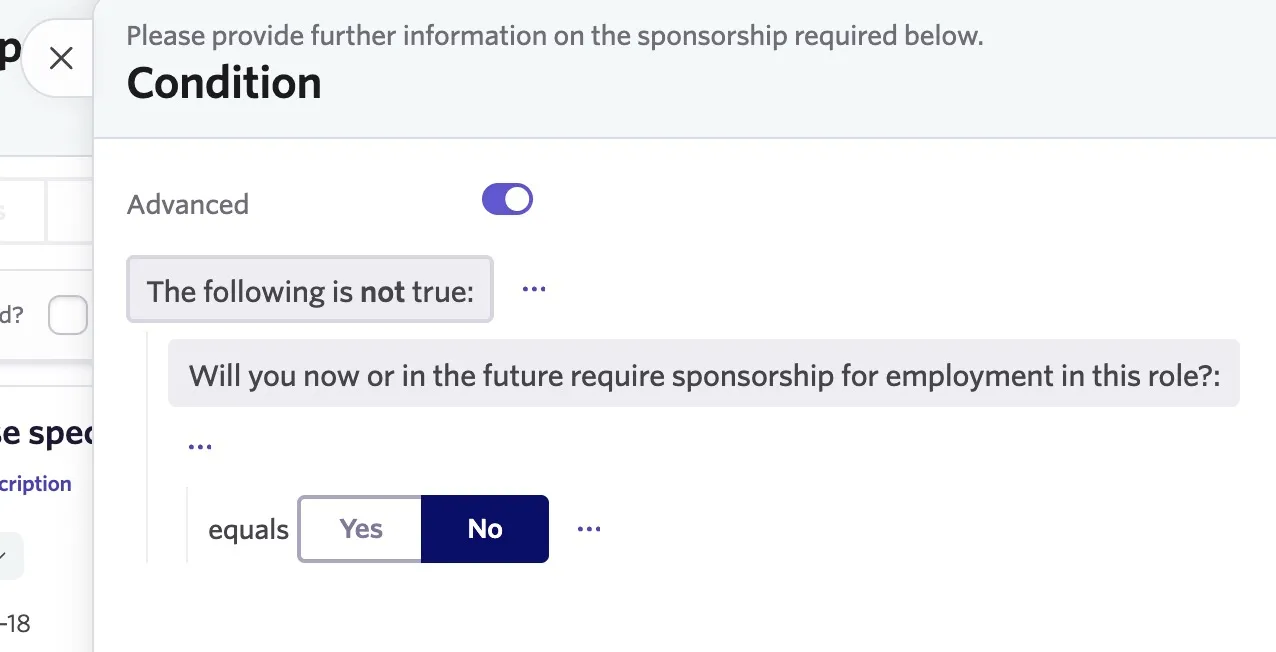
Not: This option adds a The following is not true condition to the form. Candidates who do not meet the conditions specified in the rules see the conditional form field.
You can also add these operators within one another for additional flexibility.
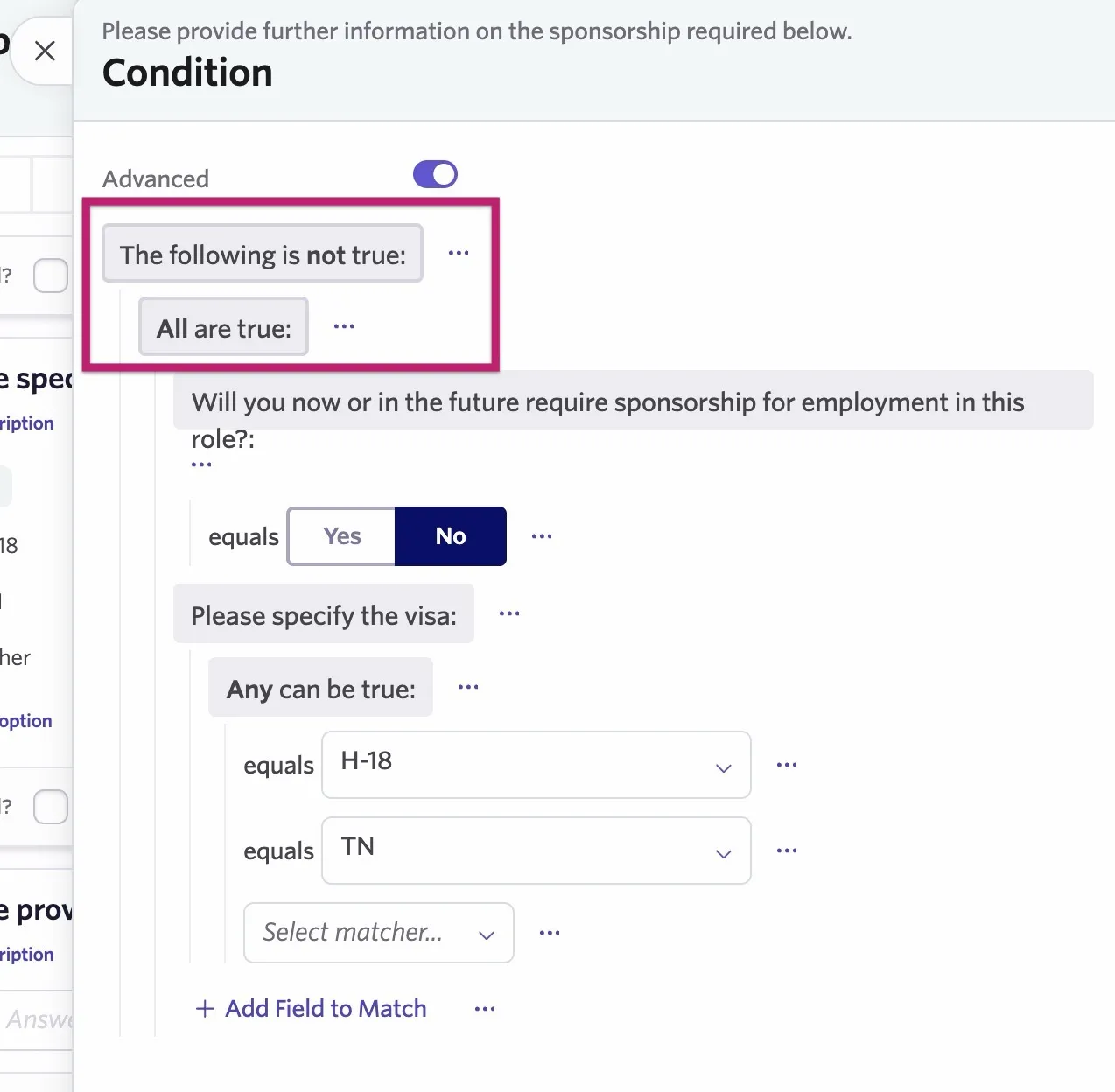
If you use the Not operator and want to add multiple conditions that the candidate needs to meet to see the conditional form field, you can select the And operator after setting up your first condition to add another.
Here in our example, you can see The following is not true first, followed by All are true. This means all of the questions below need to be answered with alternative answers to the ones specified for the conditional form field to show.
With the final question 'Please specify the visa', Any can be true determines that either of two answers to that specific question results in the conditional form field not showing for the candidate. The overriding Not operator will still be applied.