Getting Started for Sourcers
Welcome to Ashby! We couldn't be more excited to help you get started. This guide will cover the most common ways sourcers use Ashby.
Log In to Ashby
To sign in, head to https://app.ashbyhq.com. Ashby uses Google sign-in, Microsoft 365 sign-in and magic links. If your company has SSO set up with Ashby, please use this option to log in. More on signing in can be found at Signing in to Ashby.
Configure your personal settings
A key first step is configuring your personal settings in Ashby. In Personal Settings, you can do the following:
- Set your personal info, including your job title, user avatar, timezone and social links
- Set your notification settings - determine the activities you should be notified about and where you'd like to be notified
- Set up personal email templates
- Set up OAuth if needed (please confirm with your admin if this needs to be completed as part of your Google Workspace or Microsoft 365 setup)
For a full walkthrough, please check out Updating Personal Settings
Navigate Ashby
Home Page
If you will only be interviewing candidates in the pipeline and won't have any other interaction with candidates, then you'll likely have Limited Access in Ashby.
To get started, log in to Ashby at https://app.ashbyhq.com using one of the login options. You should already have an account set up. Once logged in, you'll land on your home page, where you'll be able to access interview briefings and tasks. For a full breakdown of the home page, please check out Home Page
Add and track referrals
To submit referrals:
- Head to the Referrals section of the Home page
- Click + Referral
- Creating a direct referral? Click Add Direct Referral then complete the referral form with the candidate details.
- Creating a referral link? Click Create Referral Link and give your referral link a title. You can then opt to link to a specific job posting using the Link to specific job posting? checkbox and selecting a job posting from the dropdown

Our full guide on referrals can be found at Referrals and Referral LinksReferrals and Referral Links
Candidate Profile
Depending on the permissions you are given, you may have access to view candidate profiles and take action on job considerations. For further information on navigating a candidate profile, check out Candidate Profile.
Candidate Pipeline
The Pipeline Overview provides you a view of candidates across all positions you have access to and allows you to quickly jump between them.
For more on the pipeline view, check out Candidate Pipeline.
Jobs - dashboard view
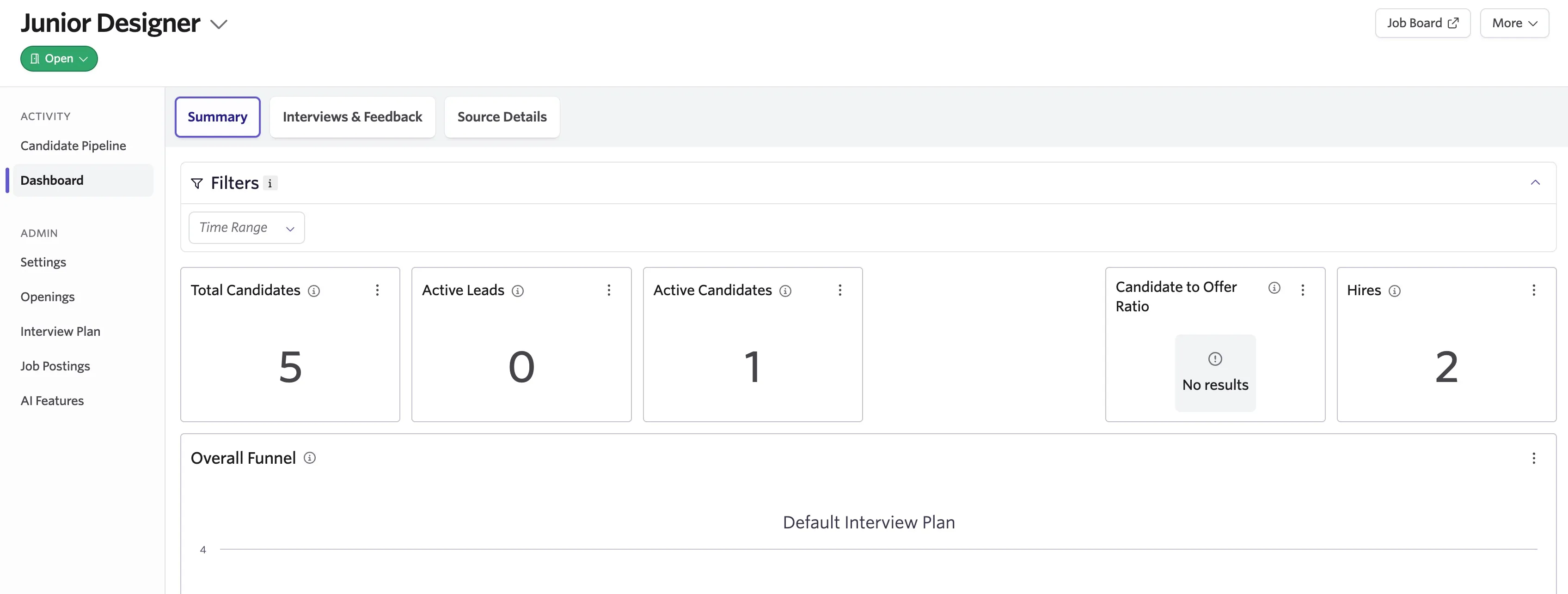
The Job Dashboard at Jobs > Dashboard is a high-level overview of the active jobs you follow, have a role on, and have access to. You can also access the Job Board from this page. We recommend bookmarking this page to quickly see all of your active jobs in one place.
Common Ashby Areas for Sourcers
This section will walk you through the key activities you'll complete as a Sourcer including creating and sending outbound email sequences, sourcing candidates from LinkedIn with the Chrome Extension, and bulk importing leads via email or CSV file. We also support integrating with other sourcing platforms; find the full list in the Integrations Marketplace (you will need Organization Admin access to view the integrations marketplace).
Create and send outbound sequences
You can create a send outbound email with features like:
- Sending emails on behalf of other users - you can request access to other team members’ email addresses, and send sequences as them for a more personal touch.
- Linking sequences to jobs - you can link sequences to jobs to enable enrolling leads in both in one step.
- Auto-advancing and archiving - leads will advance through lead stages based on your email communication. If they never follow up you can use job-sequence linking to automatically archive their consideration.
- Custom tokens - we support default and custom tokens including a default personalization token that can be embedded in the sequence. Capture a few notes while reviewing a person’s profile, then send them an email that’s already unique to them!
For more on configuring and sending sequences, check out Sequences and Sequences: InMail and Connection Request Stages.
Use the Ashby Chrome Extension
You can quickly source candidates from LinkedIn with options to:
- Create lead profiles with one click - visit a person’s profile, open the extension and click Add to Ashby to create a profile that captures email communication, applications, and more in one place.
- Add leads to jobs, projects, and sequences - you can add a person to a job or to a relevant talent pool if you’d like to get in touch with them later.
- Mention team members in notes to prompt them to review - you can create notes and tasks for team members by @mentioning them.
- Add tags, schedule follow-ups, and more!
For more on the Ashby Chrome extension, check out Chrome Extension.
Create talent pools with projects
Keep track of leads in projects, and take the following bulk actions:
- Emails and sequences - keep leads warm by messaging them using one-off emails or enrolling them in sequences.
- Enroll in jobs - When you’re ready, add them to jobs.
Check out Projects for a more detailed overview on project setup
Bulk import lists of candidates (required Organization Admin access)
Import many candidates at once with the following options:
- Email import - attach up to 10 resumes at a time to an email and send it to a job-specific address to create candidate profiles.
- CSV import - upload any number of candidates in a CSV file.
For more on importing data, check out Bulk Import Options