Source Types and Sources
This document details how to set up and use sources to track where candidates are applying from.
Permissions: Only Organization Admins and users with Elevated Access with the Sources additional permission can configure sources and source types. More on this at Additional User PermissionsAdditional User Permissions.
Users with Elevated Access - Hiring Manager access or higher can add, switch, or remove sources on the candidate profile.
Overview
Sources identify where a candidate and their job consideration originated. If a candidate has multiple job considerations, each application has its own source.
Ashby's default source types are Inbound, Internal, Referral, and Sourced. If you create hiring events (more on these at EventsEvents) or configure agencies (more on these at Agencies SetupAgencies Setup), source types are also created as defaults.
You can create new top-level source types or sources beneath them. Source types are helpful for grouping sources in reports. Once configured, you can link sources to candidates, custom tracking links, and Application Programming Interface (API) keys.
Create source types and sources
To create a new source or source type:
- Navigate to Admin > Organization Setup > Candidate Sources.
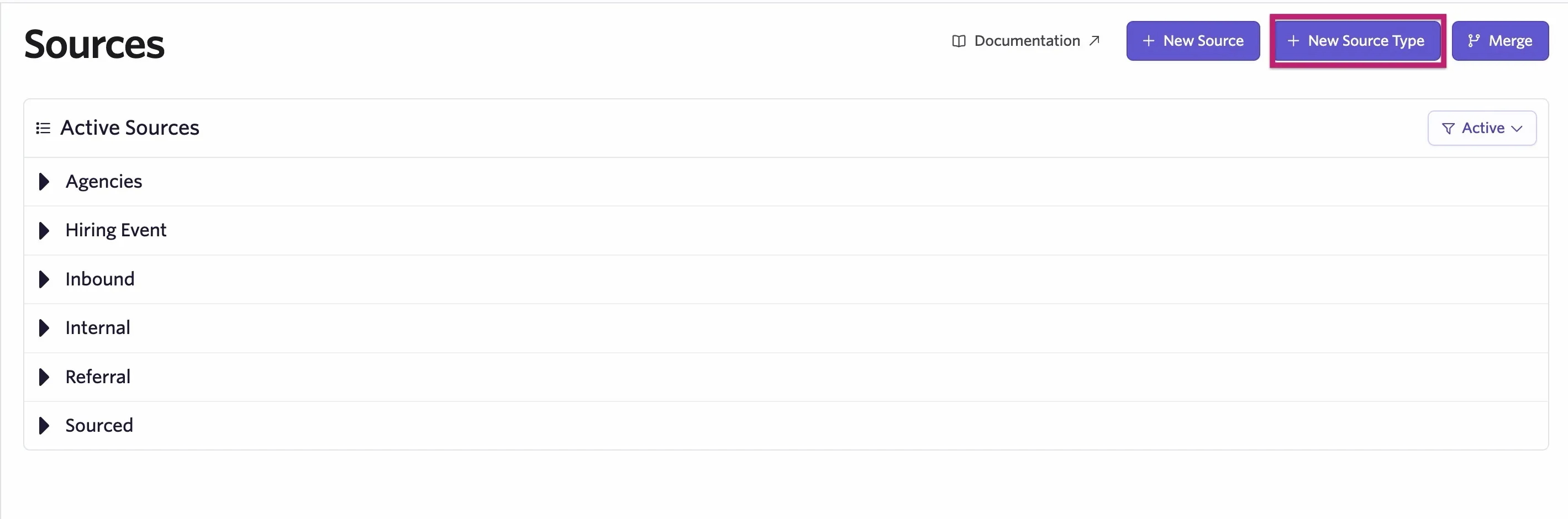
- To add a new source type, click the + New Source Type button.
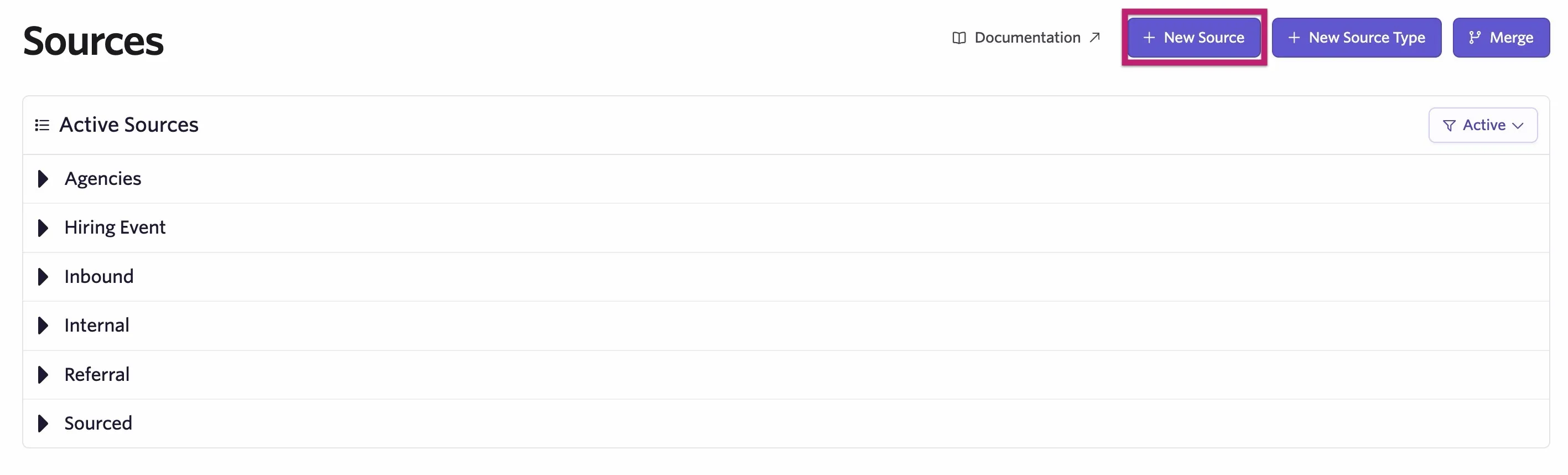
- To add a new source, click the + New Source button.
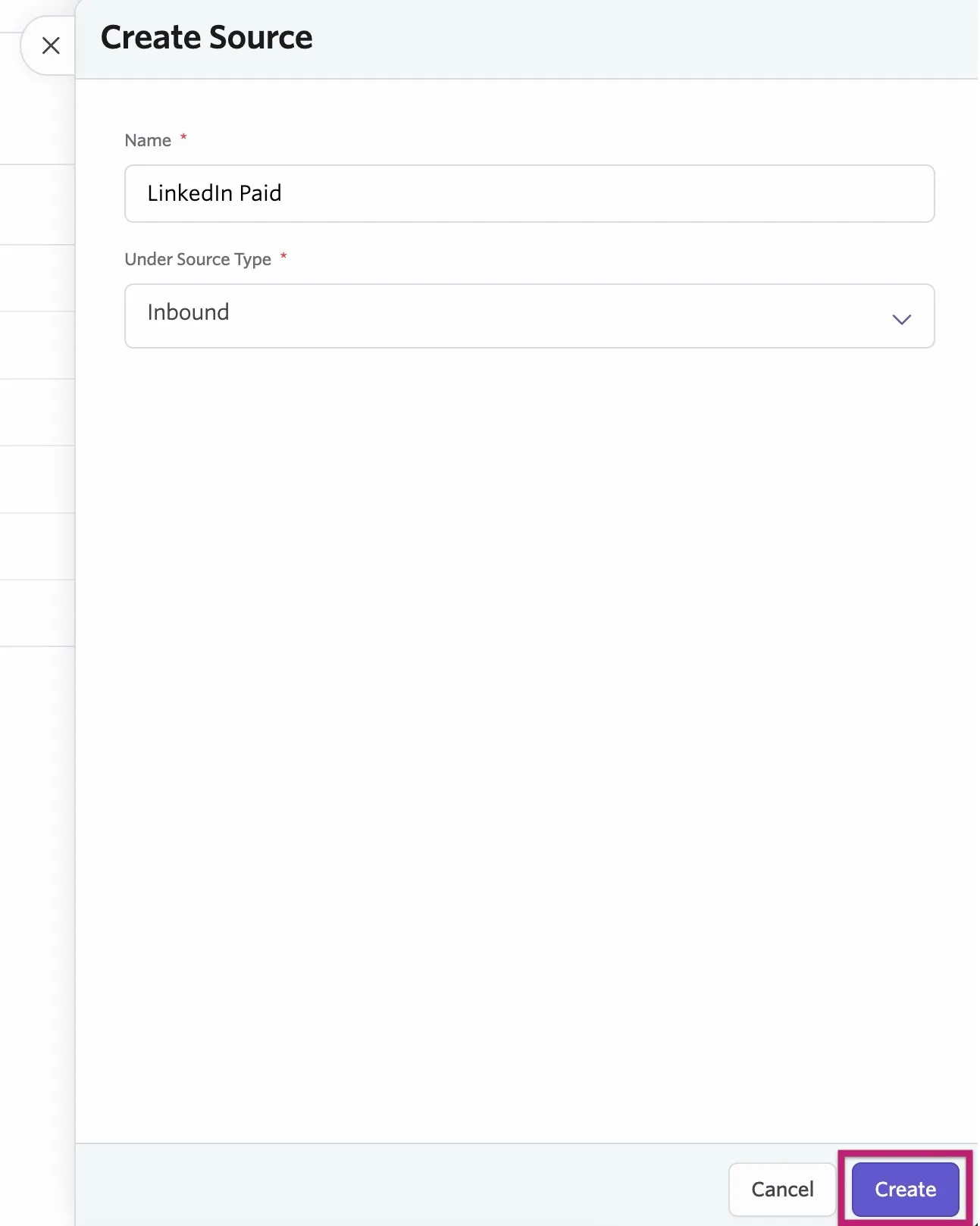
- Add a name for your source and determine a source type if you are creating a new source.
- Click Create.
Add and view sources on a candidate profile
You can manually add and view sources in the Attribution section, within the Activities & Progress section of a candidate profile.
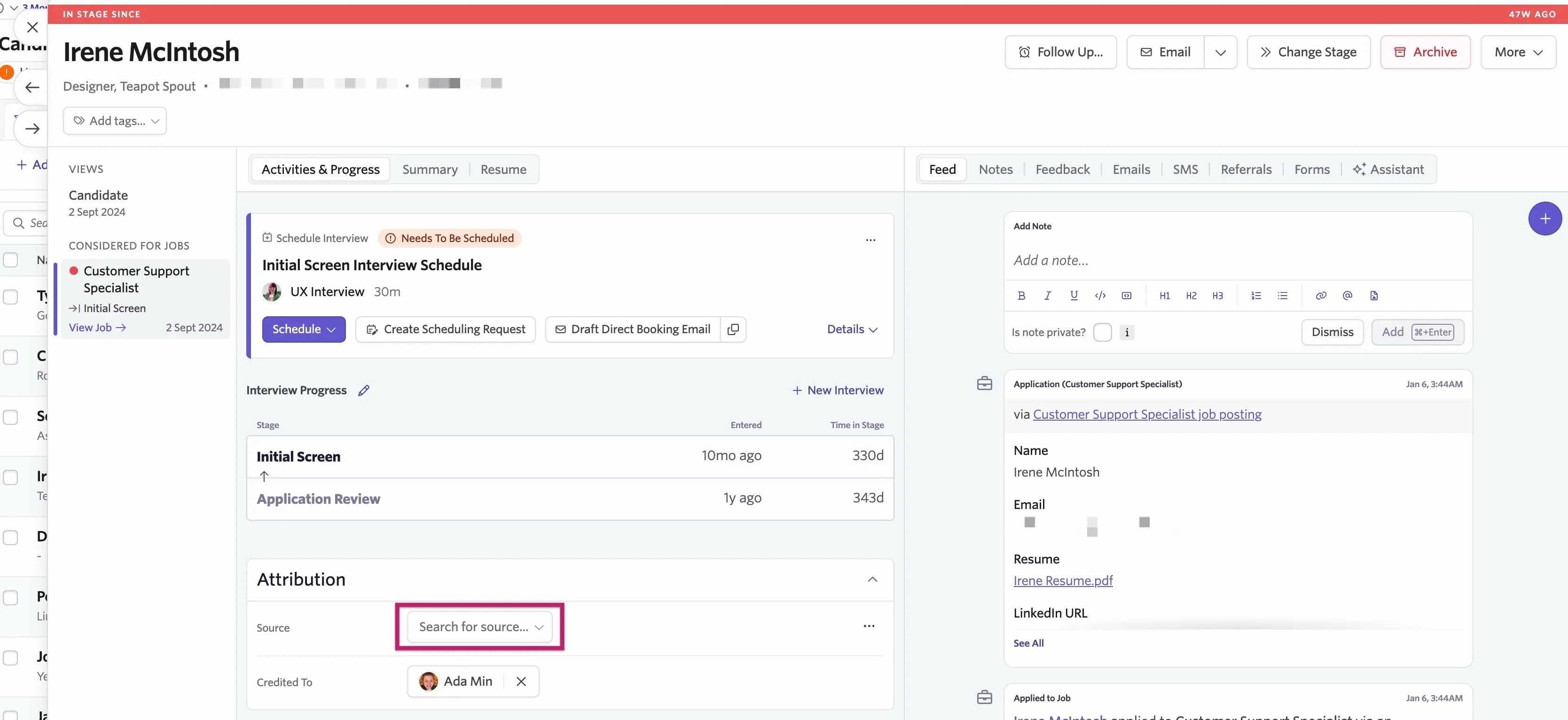
To add or update a source on a job consideration, click in the Source field and select the source from the dropdown menu. If you can't see the one you want, start typing the source name and it populates automatically. To add or update a source, click the field and select the source from the dropdown menu. If you can't see the one you want, start typing the source name and it will populate.
If you'd like to create a new source from this spot on the candidate's profile, click the Create button within the dropdown to create a new source inline.
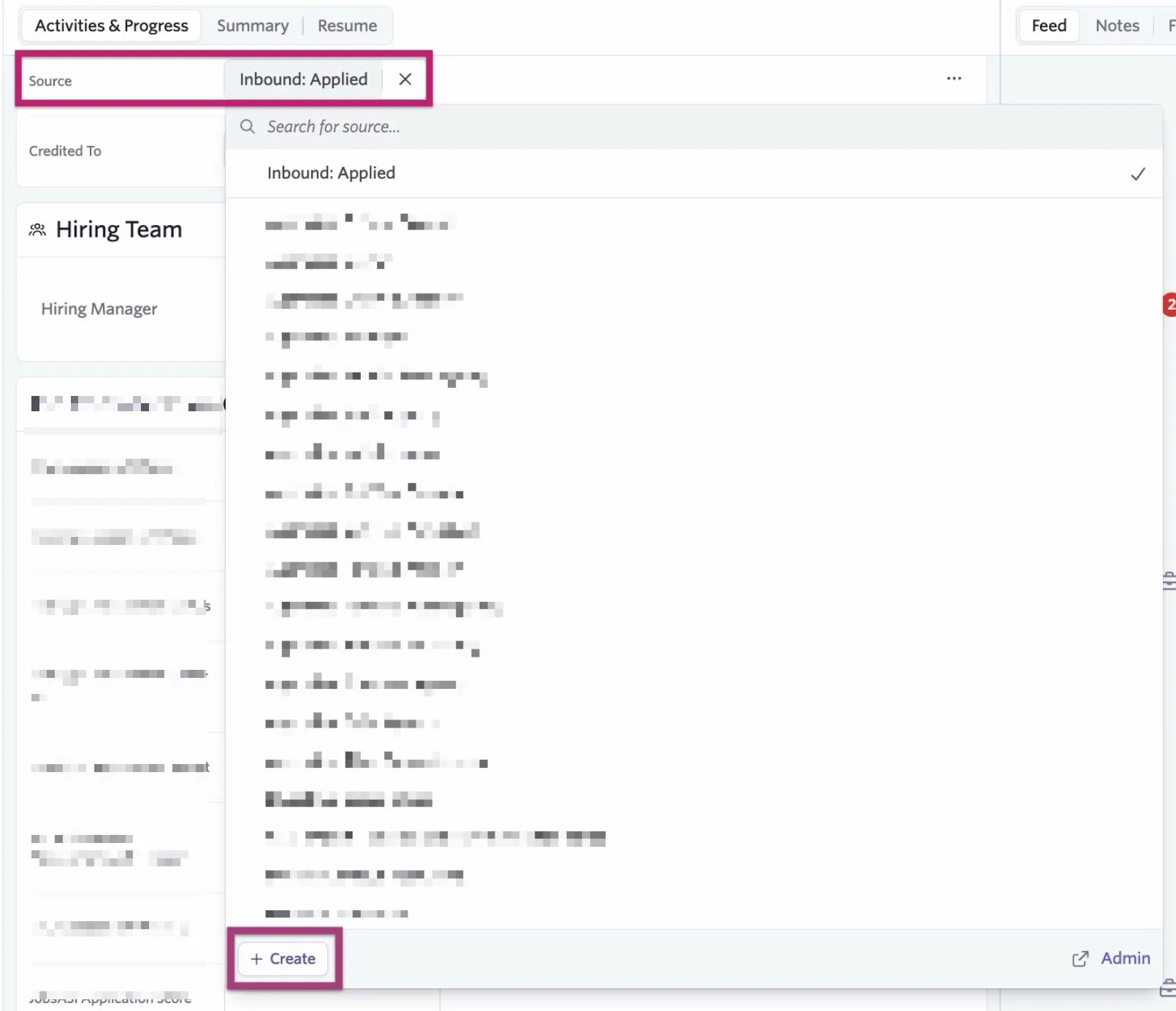
To remove a source from a candidate profile, click the x to the right of the source name.

Add a source to a custom tracking link
You can read more on setting up custom tracking links at Tracking the source of an applicationTracking the source of an application.
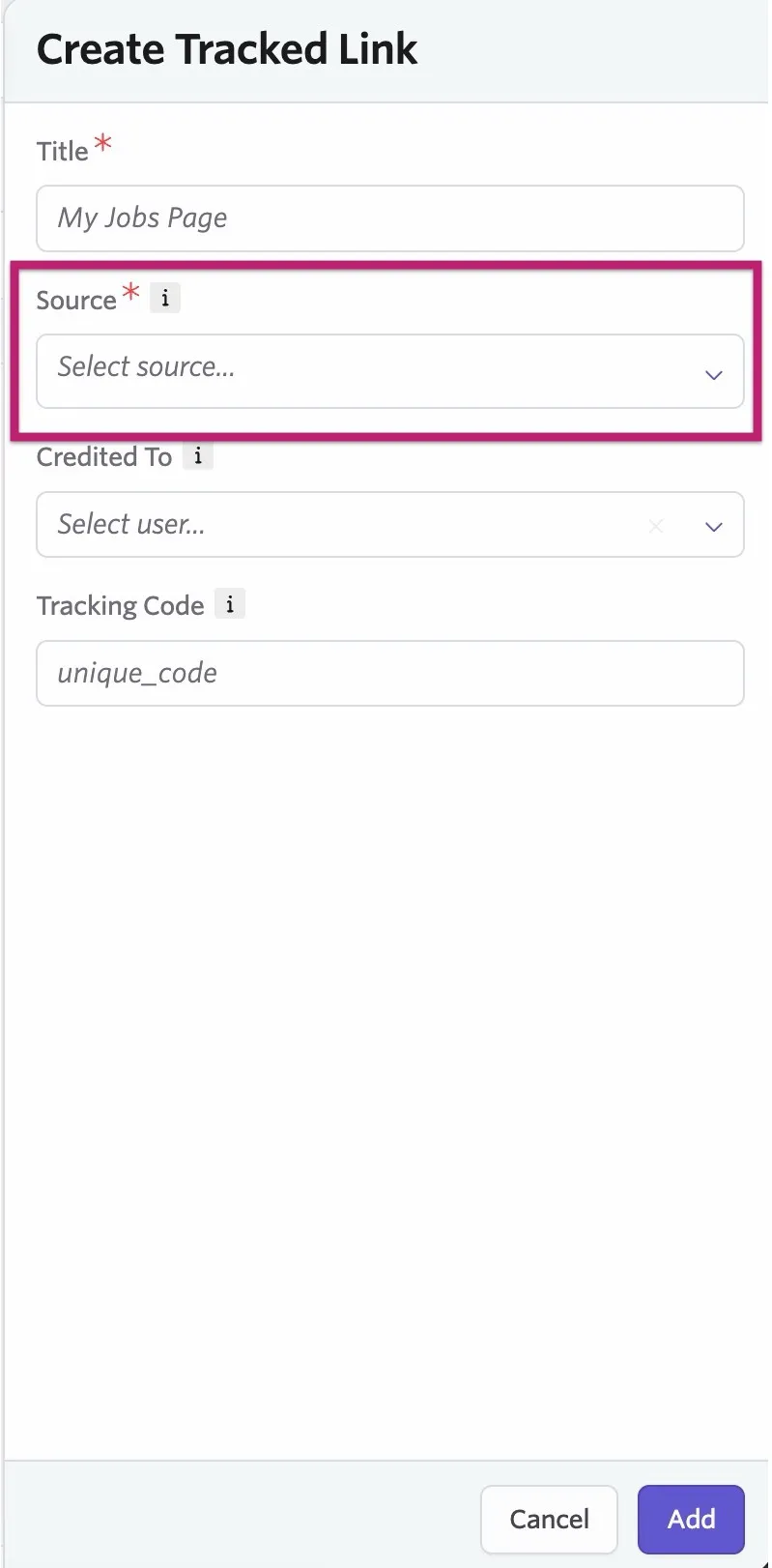
You can add sources to custom tracking links to automatically apply a source from an external job board.
- Navigate to Admin > Job Boards > Custom Tracking Links.
- Set up a custom tracking link, including the source in the appropriate field.
- Click Add
Add a source to an API key
You can read more on setting up API keys at How do I generate an API key?How do I generate an API key?
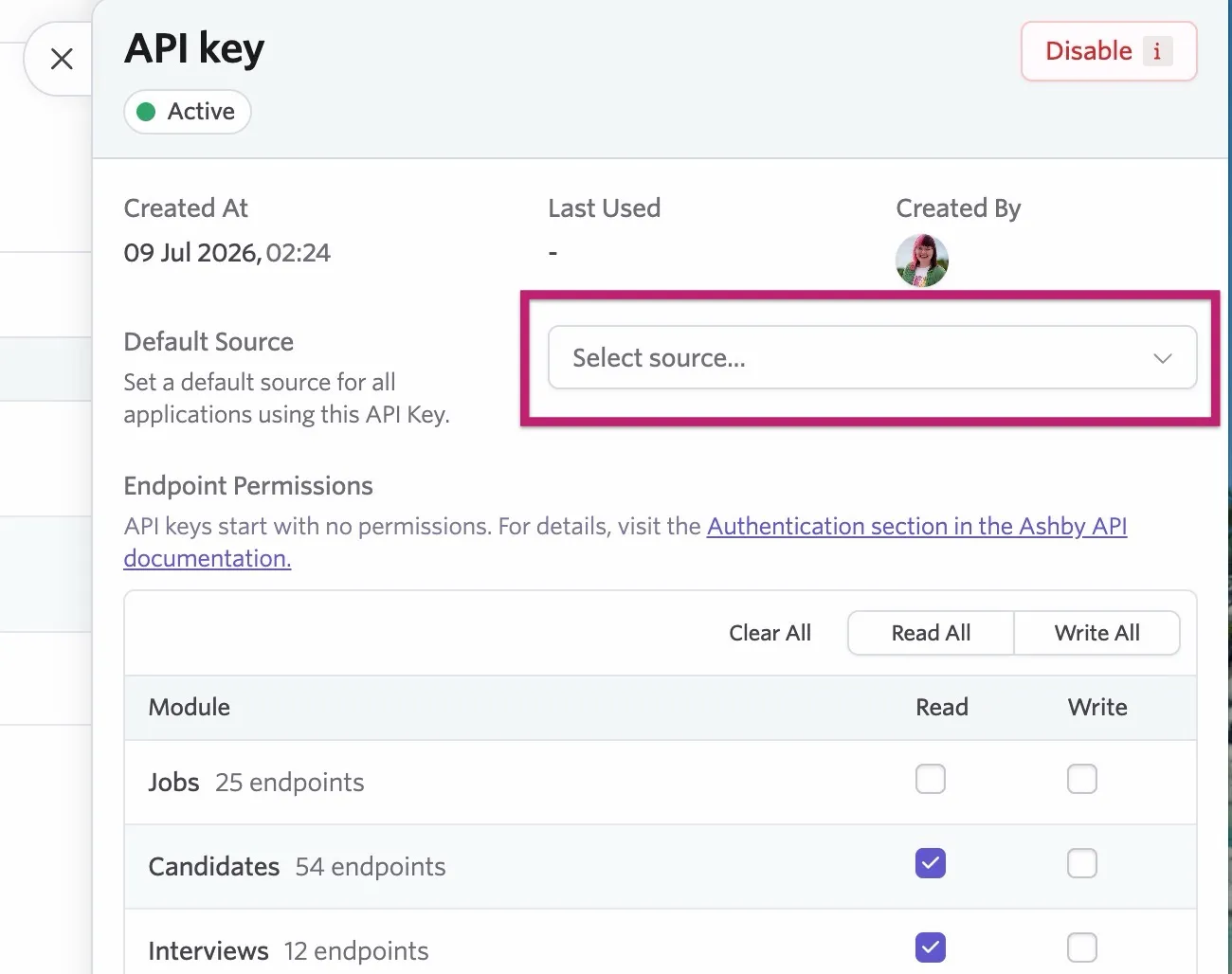
You can also add a source to an API key.
- Navigate to Admin > Integrations > API Keys.
- Create an API key.
- Click the key to view its details.
- Add the source in the Default Source field.
Merging sources
Merging sources cannot be undone.
If you have multiple similar sources, you can merge them into a single source. To do this:
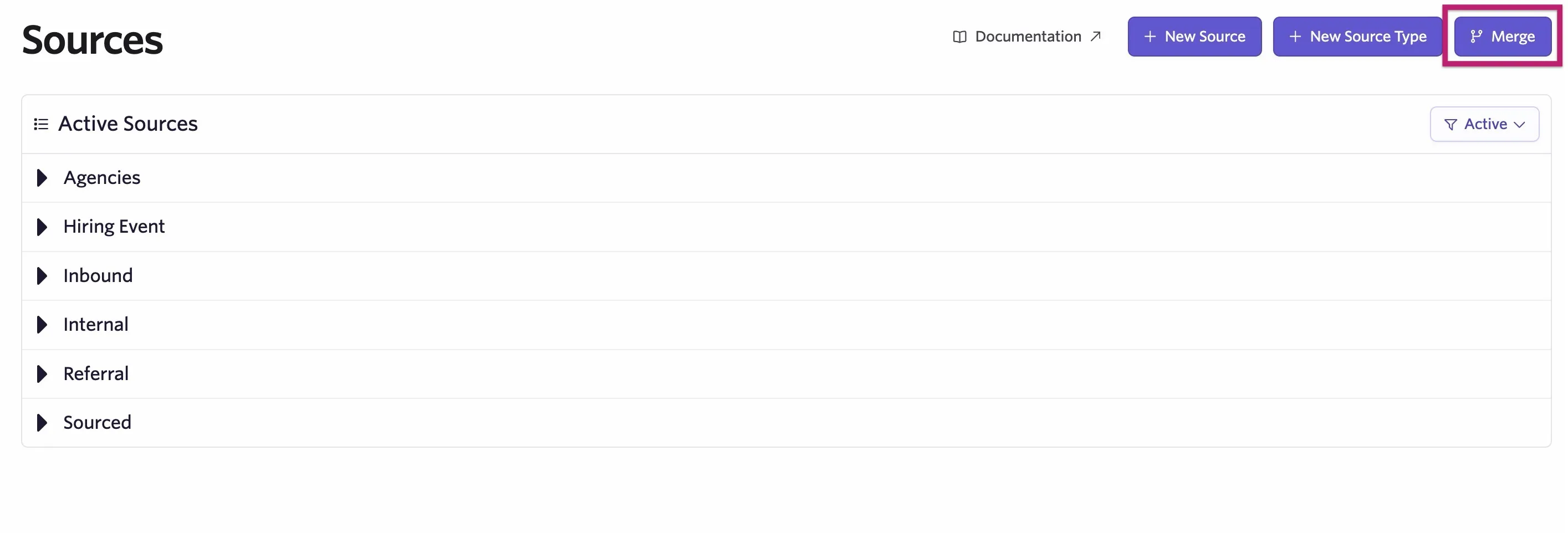
- Navigate to Admin > Organization Setup > Candidate Sources.
- Click the Merge button.
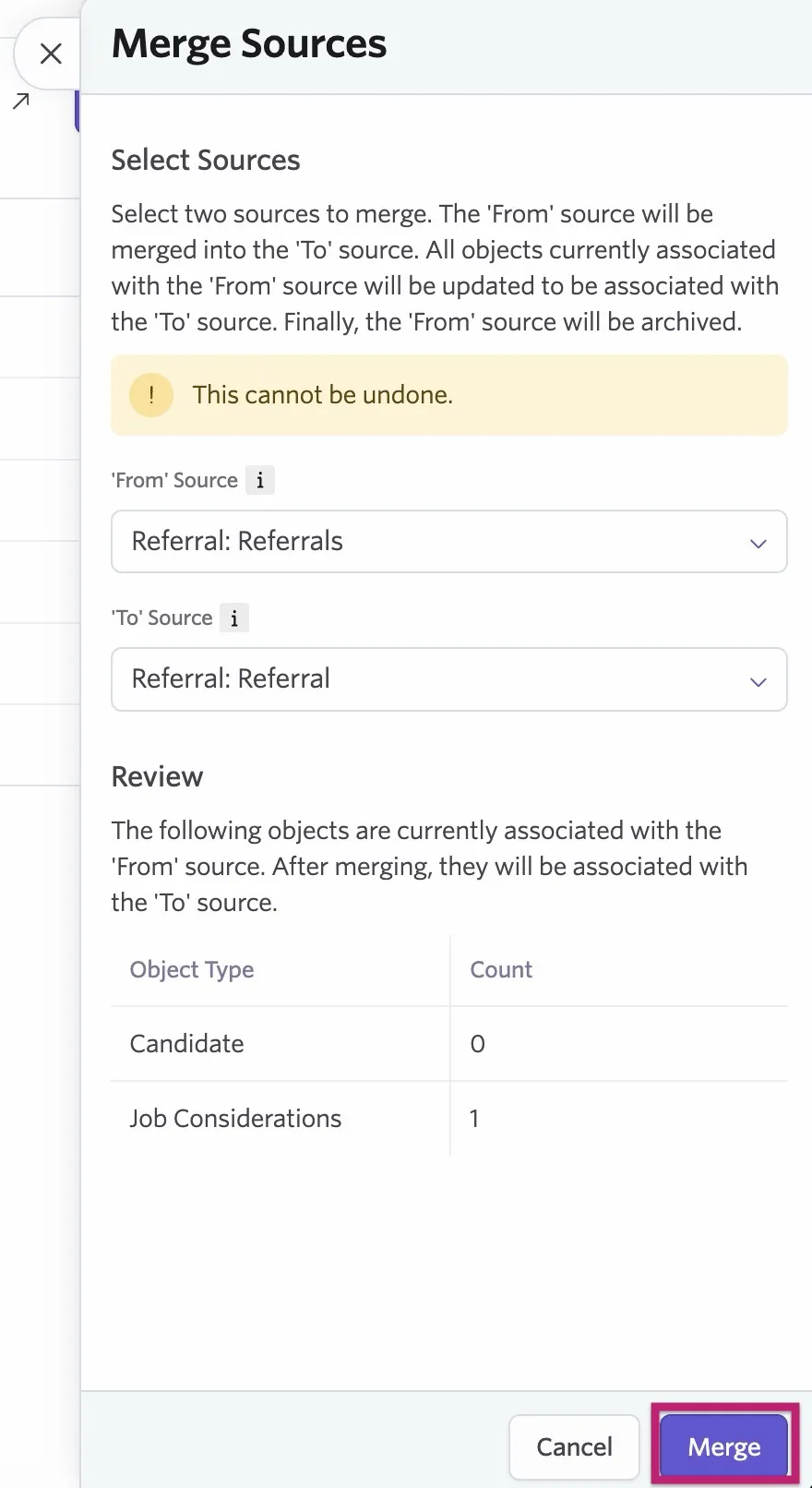
- Select your From source and your To source before clicking Merge. The From source merges into the To source, and all candidates and job considerations with the From source applied to them have the To source associated with them moving forward. The From source is then archived.
Archiving and restoring sources and source types
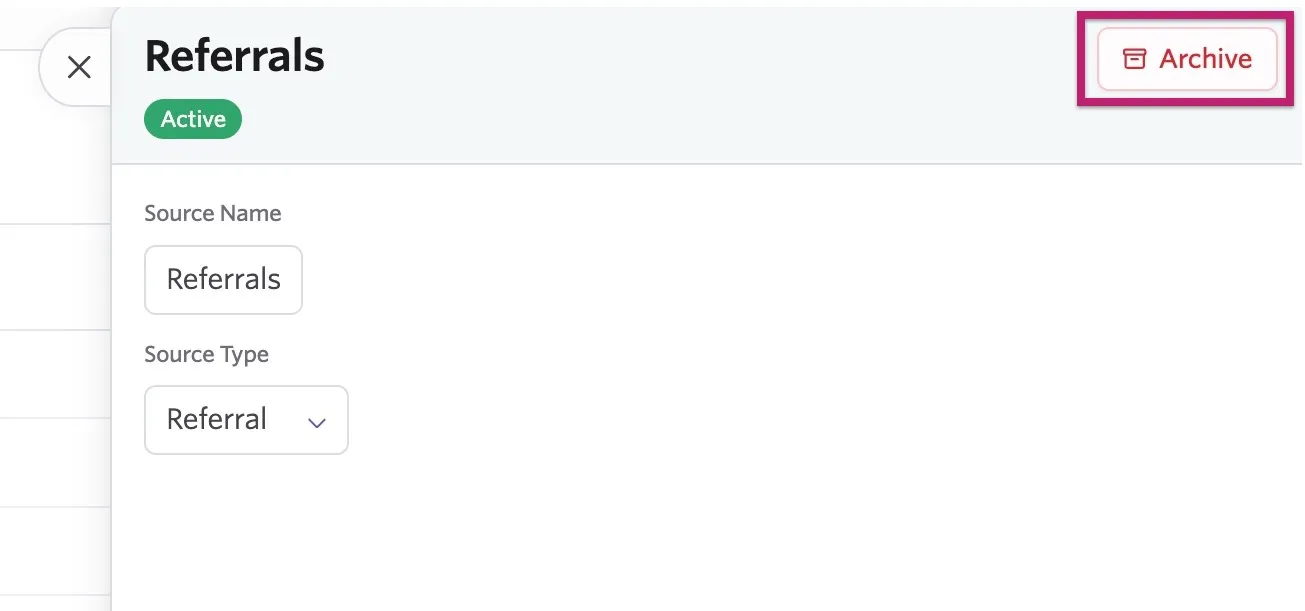
To archive a source or source type, click on the source in question on the Candidate Sources page, then click Archive. If you archive a source, you can no longer link it to candidates, but existing assignments are preserved.
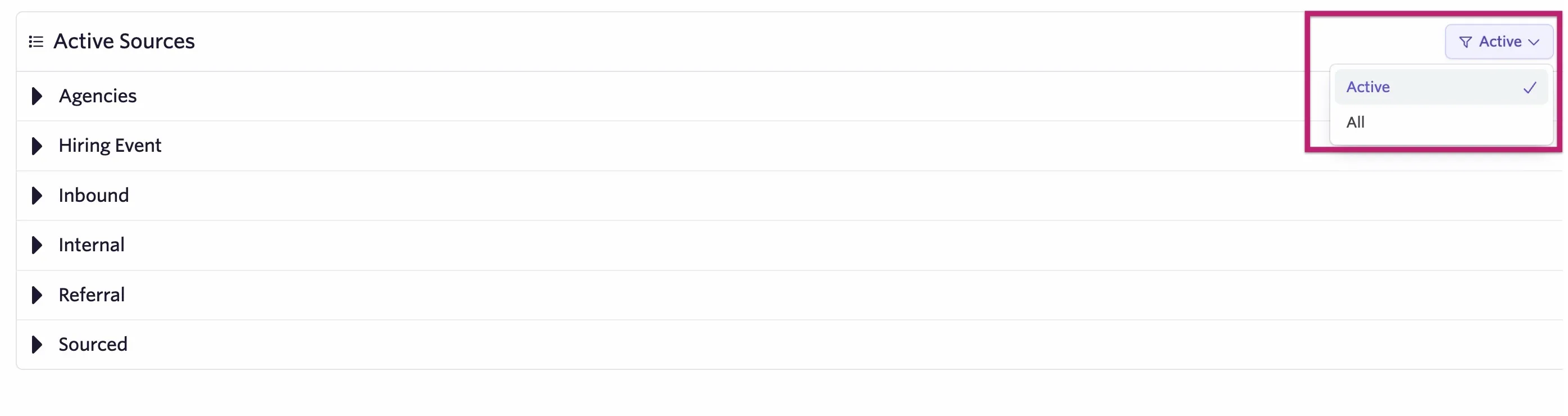
If you'd like to restore a source or source type, click the Active filter and switch it to All.
You now see all sources and source types listed, including those that have been archived. Select the source or source type you'd like to restore, then click Restore.
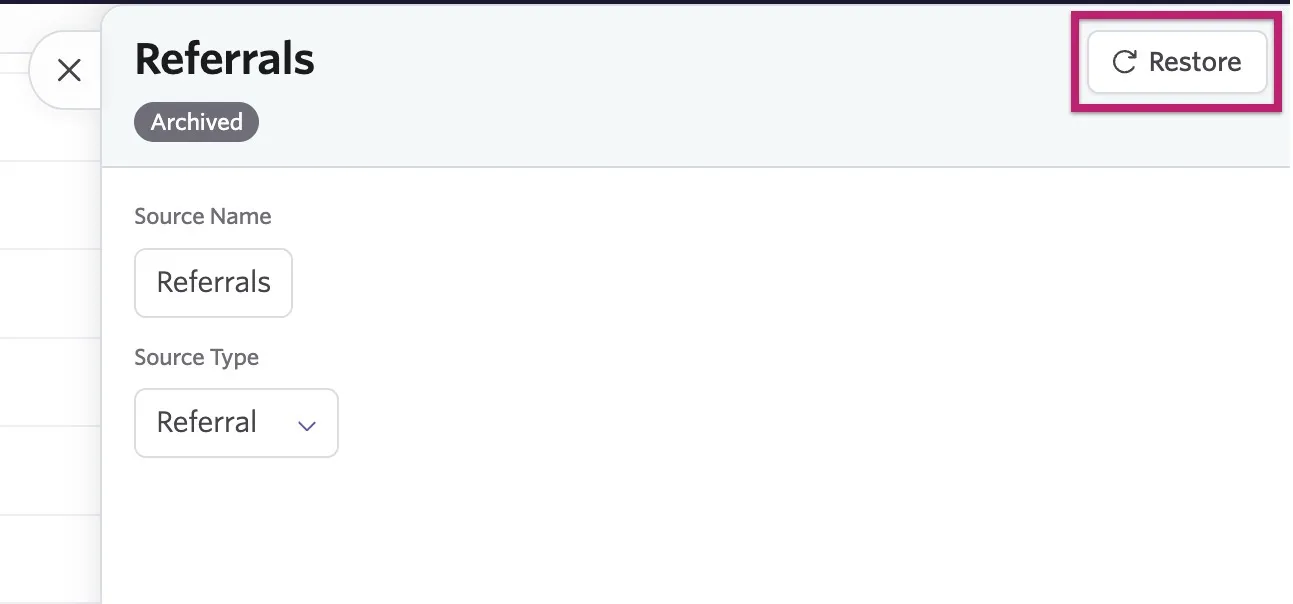
You cannot restore a source if the source type is archived. Restore the source type first, then the source.
FAQ
Can I archive a source with a Default tag on it?
The following default sources cannot be archived currently:
- Referral
- Referral Link
- Applied
- Chrome Extension
- Recruiting Event
- Internal Transfer
These sources also can't be set as the From source when merging sources (as the From source is archived after the merge). Other default sources can be archived.