How do I generate an API key?
This guide covers how to generate and manage Application Programming Interface (API) keys on the API Credentials page in Admin.
For further information on the API, check out Ashby's API documentation.
Permissions & access
API Keys are available on the Foundations, Legacy Plus, Plus, and Enterprise plans.
Foundations | Legacy Plus | Plus | Enterprise |
|---|---|---|---|
✅ | ✅ | ✅ | ✅ |
You must be an Organization Admin to generate API keys in Ashby.
Video overview
This video overview is optional - see below for step-by-step written instructions.
Create a new API key
- Navigate to Admin > Integrations > API Credentials.
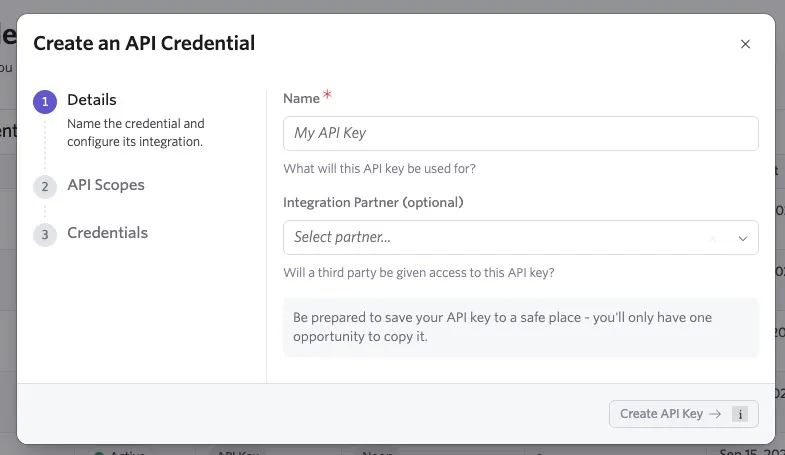
- Click + New to open the API key setup wizard.
- Name the key, specify a version, and, optionally, select an Integration Partner.
- Click Create API Key to continue.
- Select the endpoint permissions. By default, the key has no permissions.
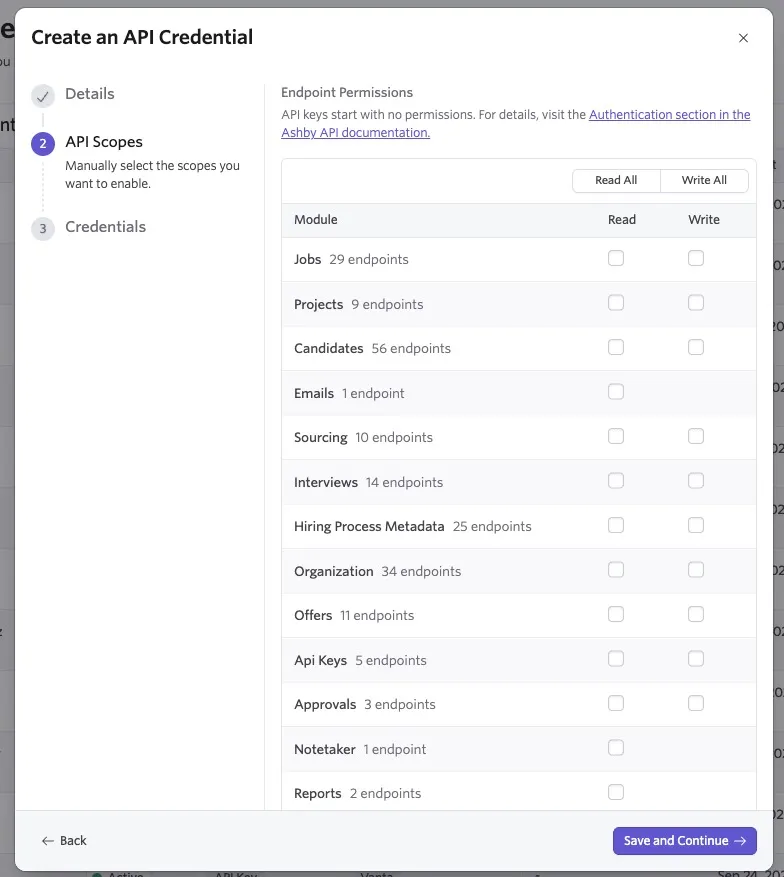
Use the checkboxes to allow access to each module and determine whether to grant read or write access to that module.
Hover over each module to view the endpoints it can access.
- Scroll down to Other Permissions and determine whether to grant any additional permissions, including:
- Allowing access to confidential jobs and projects
- Allowing access to non-offer private fields
- Allowing updates to application history
- Allowing access to quality of hire data
- Allowing access to Hiring Manager Experience survey data
- Allowing on-behalf-of requests (enabling the API key to perform actions as a specific user)
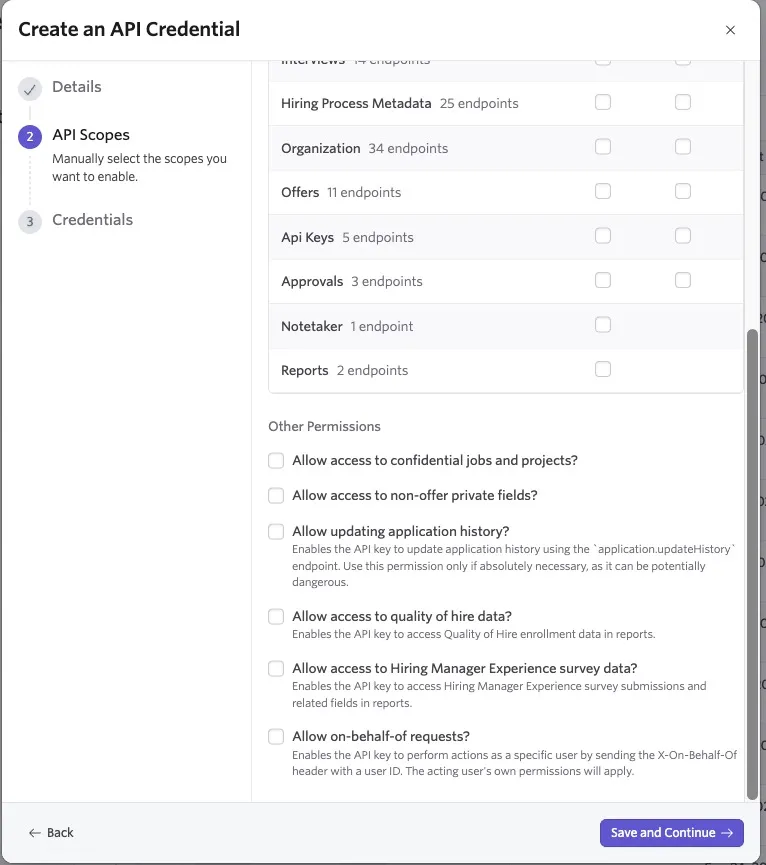
- After choosing your scopes, click Save and Continue, then copy your API key on the final step.
You will not be able to access your API key after closing the setup wizard, so ensure it is copied and/or kept in a safe place.
View API key details
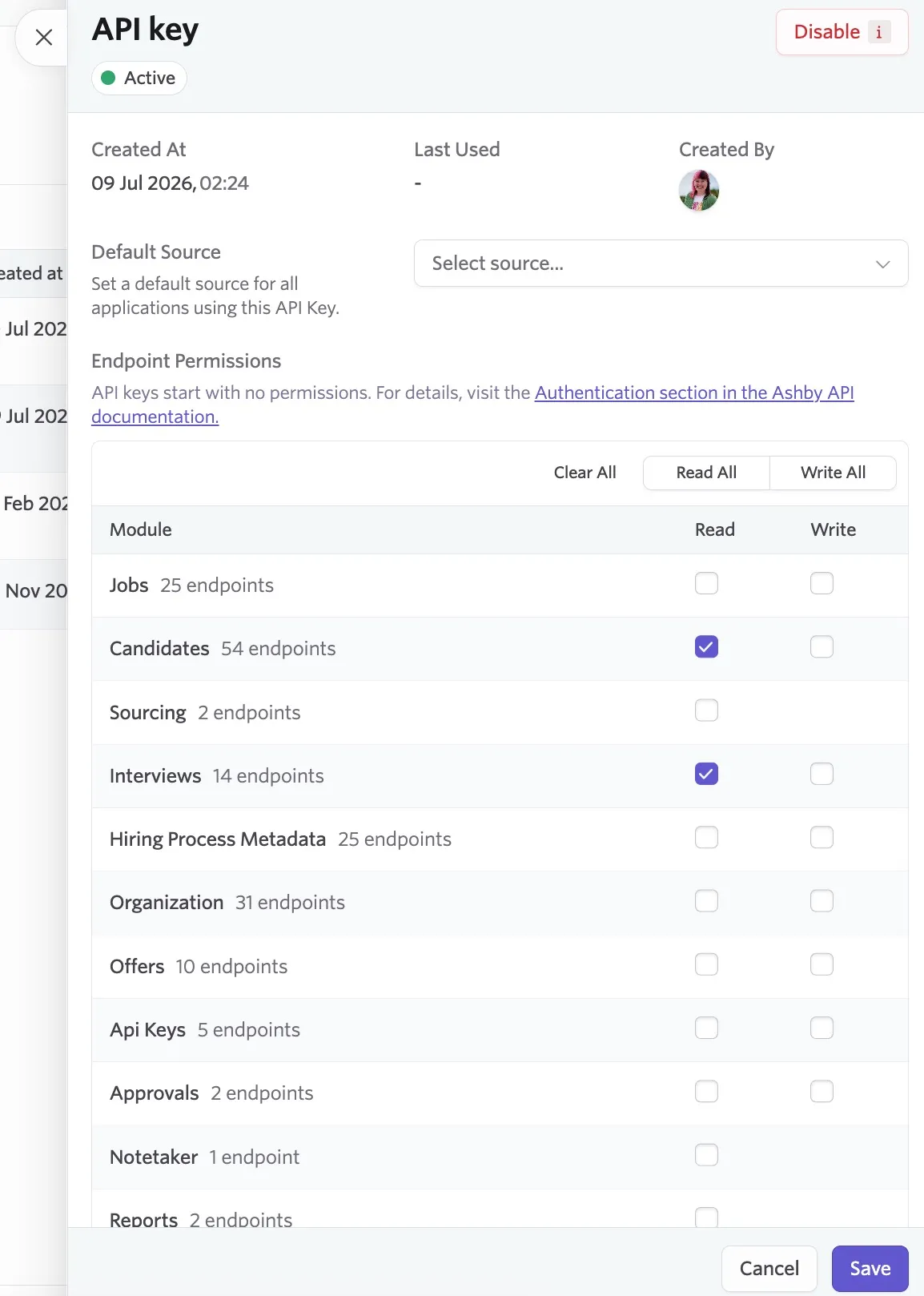
After you generate a key, click it to review its details, including who created it, the date and time it was added, and the last time it was used.
You can edit the API key's permissions and scope if needed. Click Save to apply your changes.
API key versioning
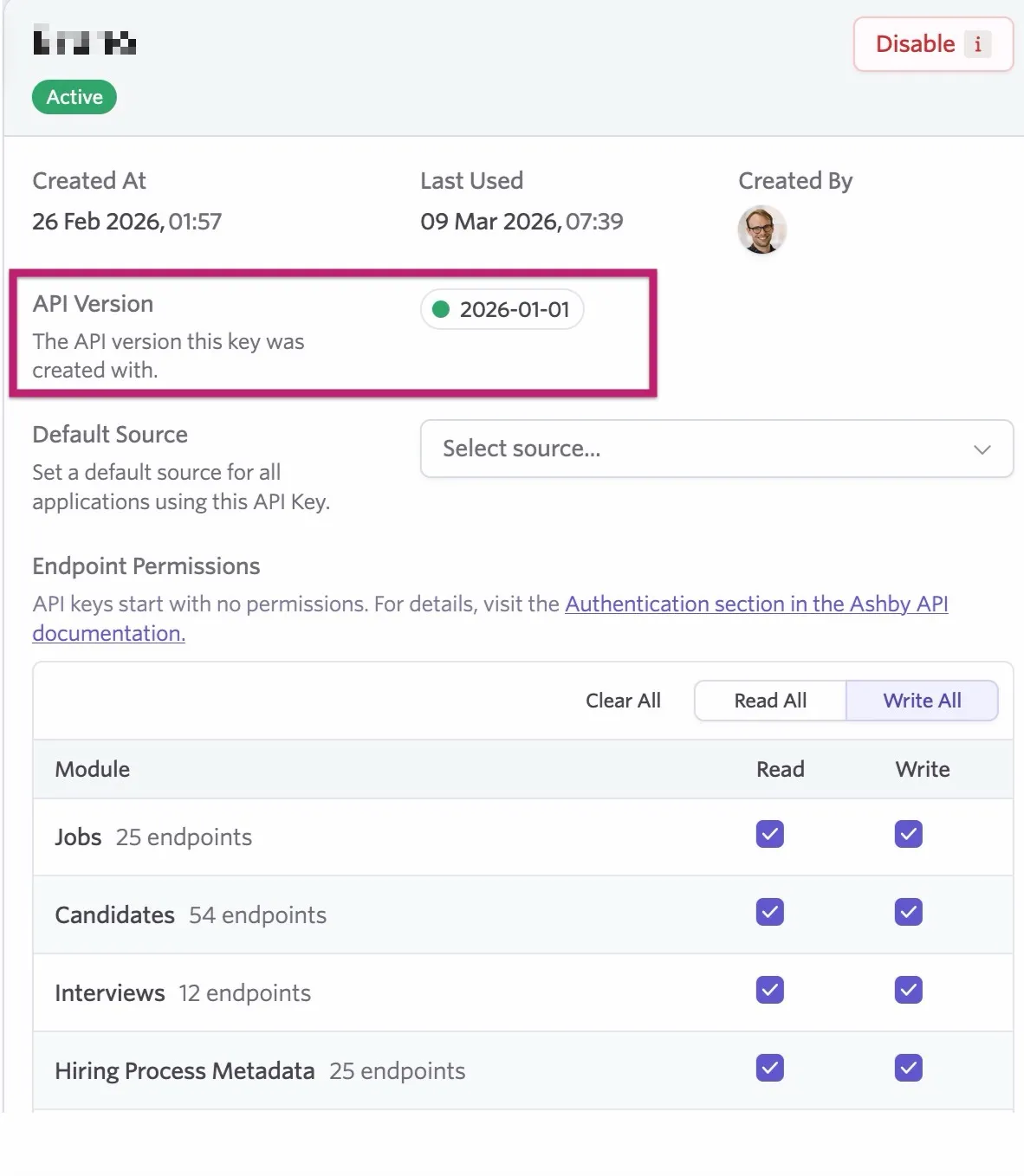
When viewing your API key, you will also see the version the API key was created with. Our API documentation includes versioning for your reference.
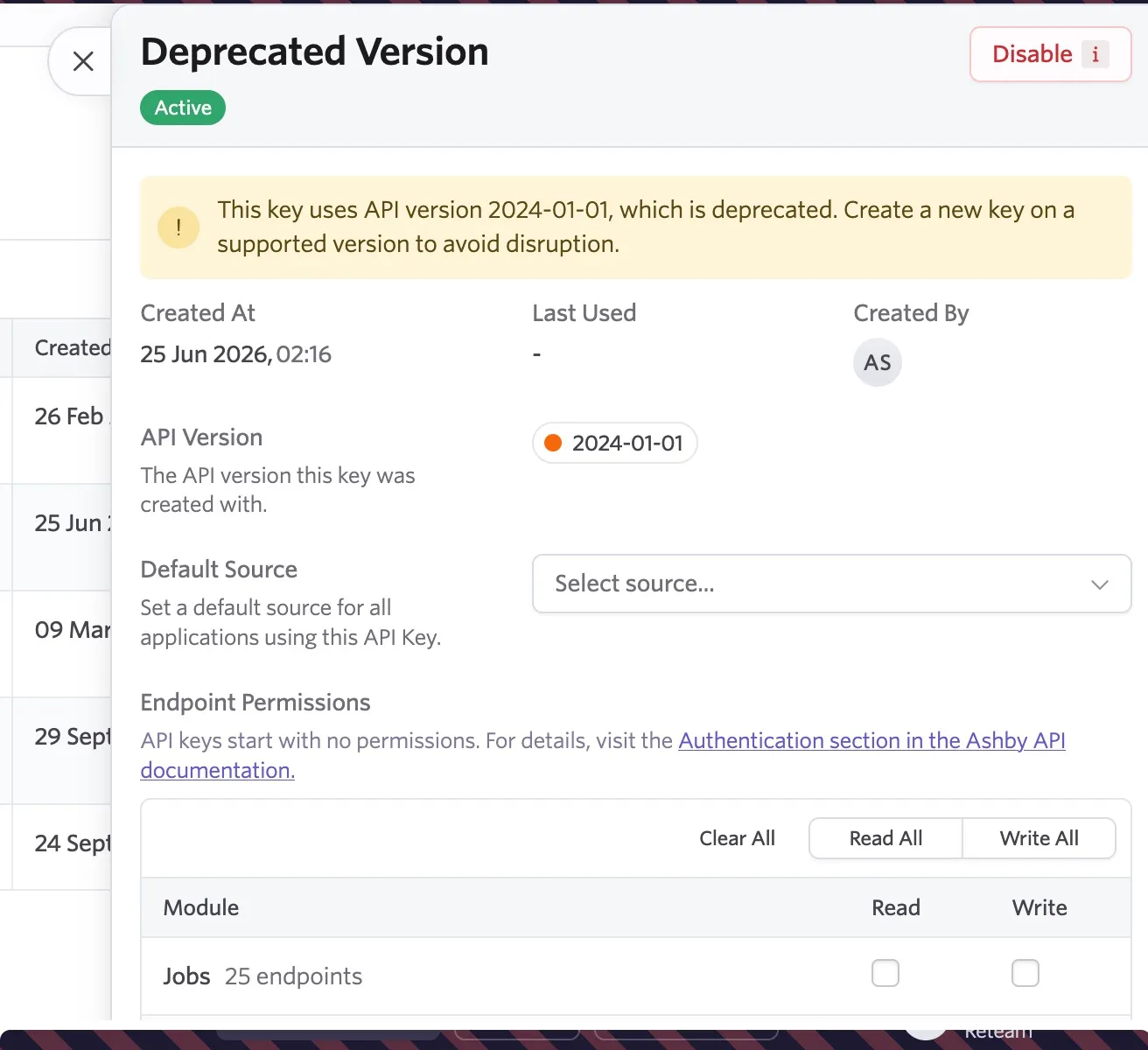
If a version is not supported or has been retired, a warning will be shown within the API key's details.
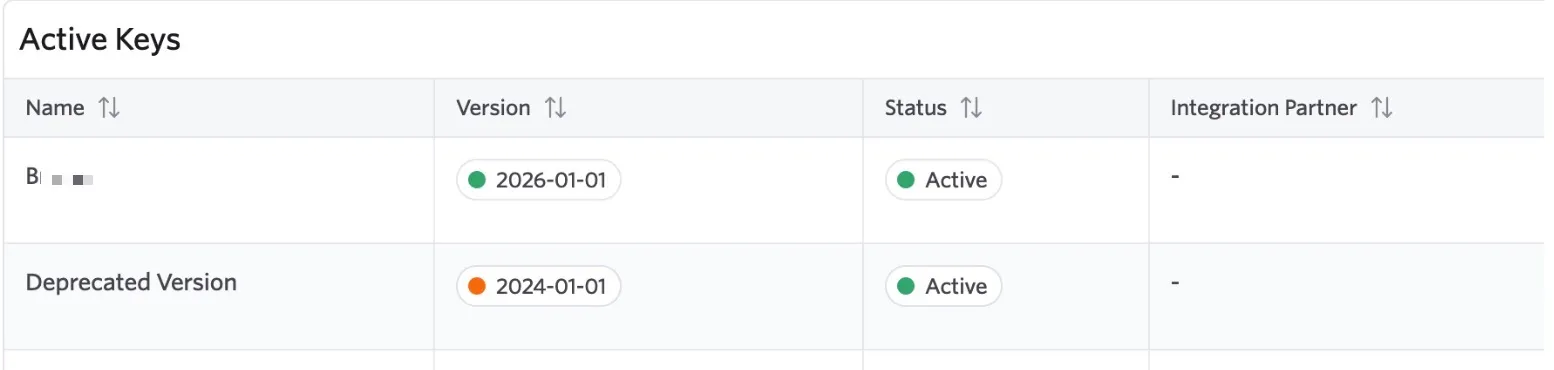
The version and an indicator will also be displayed in your API key list at Admin > Integrations > API Keys. An indicator will show beside the version:
- If the indicator is green, the API version is still active.
- If the indicator is orange, the API version is deprecated and a new API key should be generated to avoid disruption.
- If the indicator is red, the API version is unsupported and a new API key should be generated to avoid disruption.
If a version is ever retired, you will be given at least 6 months notice.
Disable an API key
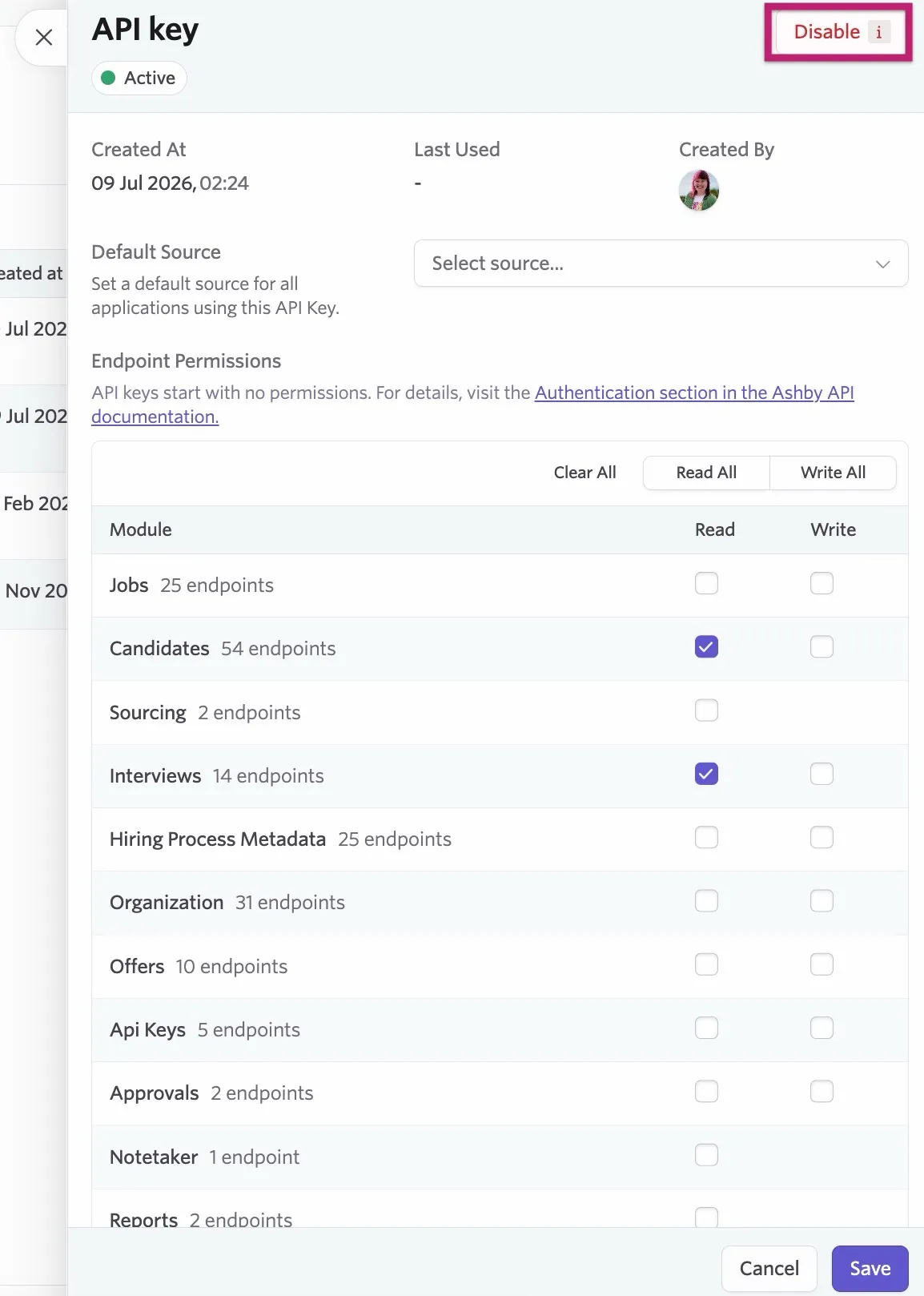
To disable a key, click the key name to open the API key details, then click Disable.
FAQs
Can I copy a key again after closing the setup wizard?
You cannot view or copy keys after closing the setup wizard, so be sure to copy the key before closing. We remind you before you close a window if the key is not on your clipboard.
What is the API rate limit?
The API rate limit is 1000 requests per minute per API key.