How do I purchase additional email lookups, AI credits or texting credits in-app?
You can now purchase email look-ups, AI credits and texting credits from within Ashby if you are a billing admin on your Ashby account.
Overview
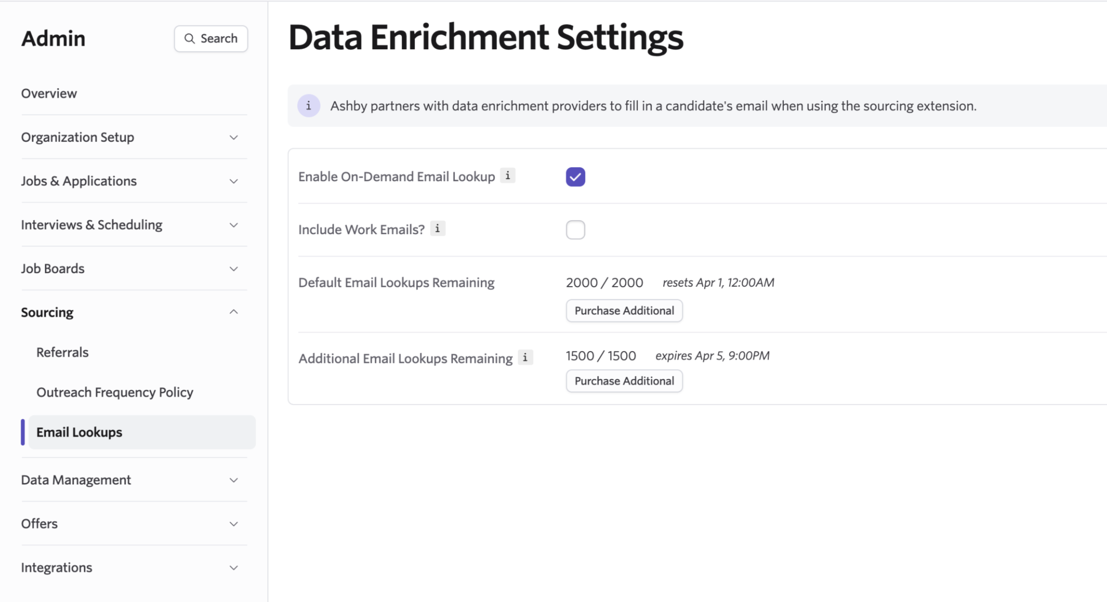
If you’d like to purchase additional email lookups, navigate to Admin > Sourcing > Email Lookups. When viewing your remaining lookups, click Purchase Additional to start the process of buying more lookups.
Alternatively, you can also navigate directly to Admin > Organization Setup > Billing to purchase lookups, AI credits and texting credits under the Subscriptions tab.
You can either purchase additional email lookups as a one-off or an additional amount recurring each month. AI and texting credits can only be purchased as a recurring additional amount in-app currently.
One-off Email Lookups
You can purchase additional email lookups in batches of 300. The additional lookups will expire after 30 days.
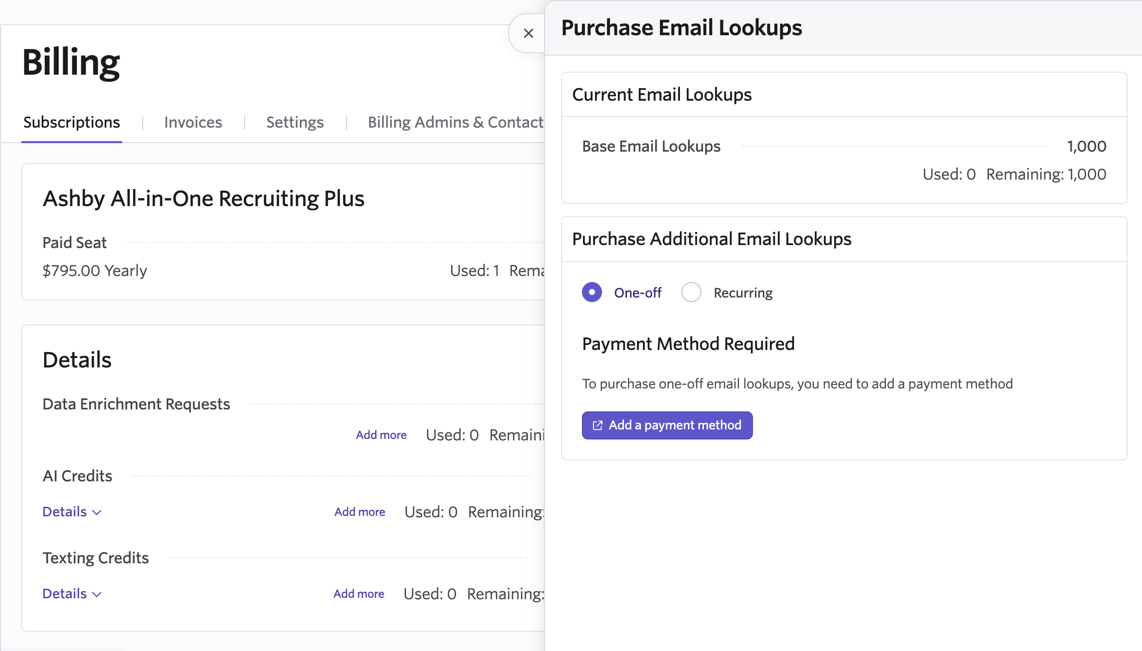
To make a one-off purchase, select the One Off option in the Purchase Additional Email Lookups section. One-off purchases must be paid for immediately, and, as such, require that you have a payment method on file. If there is no payment method, you will be prompted to add one before you can proceed.
Once you click Add a payment method, you be taken to Stripe to either add in your payment card details or link to an account. Once your payment details have been added, you can then proceed to determine the number of lookups you’d like to process. Click Purchase for…, then Confirm to complete your purchase.
Please allow up to ten seconds for your purchase to be completed and for your email lookups to be updated in the Current Email Lookups section. You will receive an invoice via email confirming the purchase.
Recurring Lookups
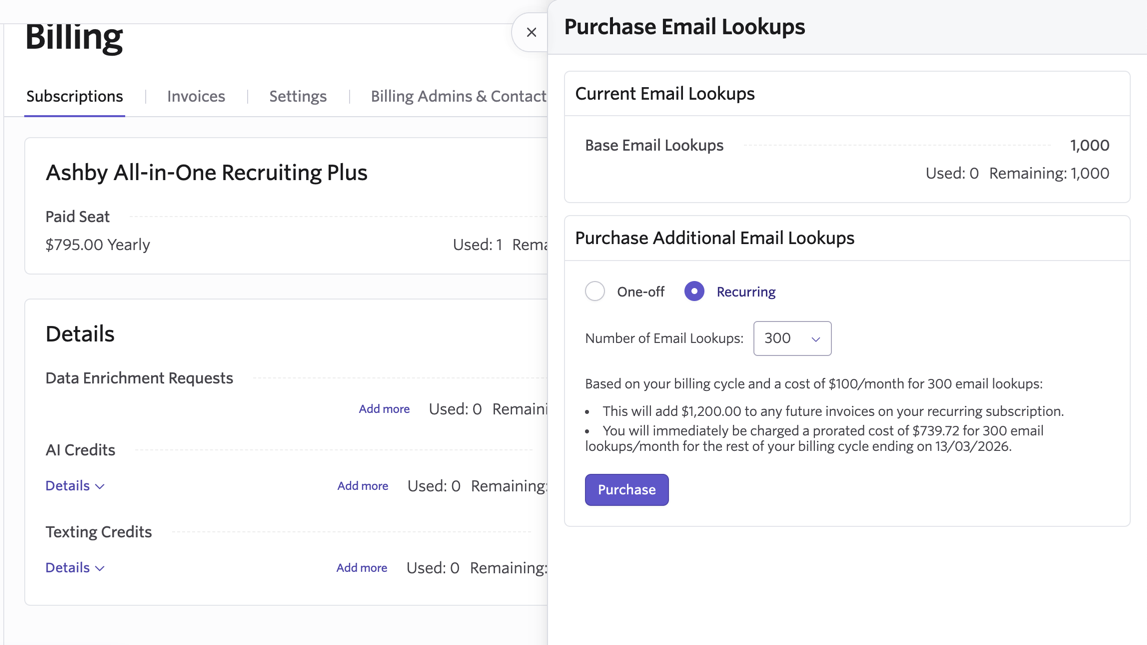
If you’d like to have these additional lookups added each month, then select the Recurring option within the Purchase Additional Email Lookups section. You will then be able to determine the number of email lookups you’d like to purchase.
We can only support in-app purchases of recurring email lookups that expire monthly. If you would like to set up email lookups that expire annually, please reach out to [email protected].
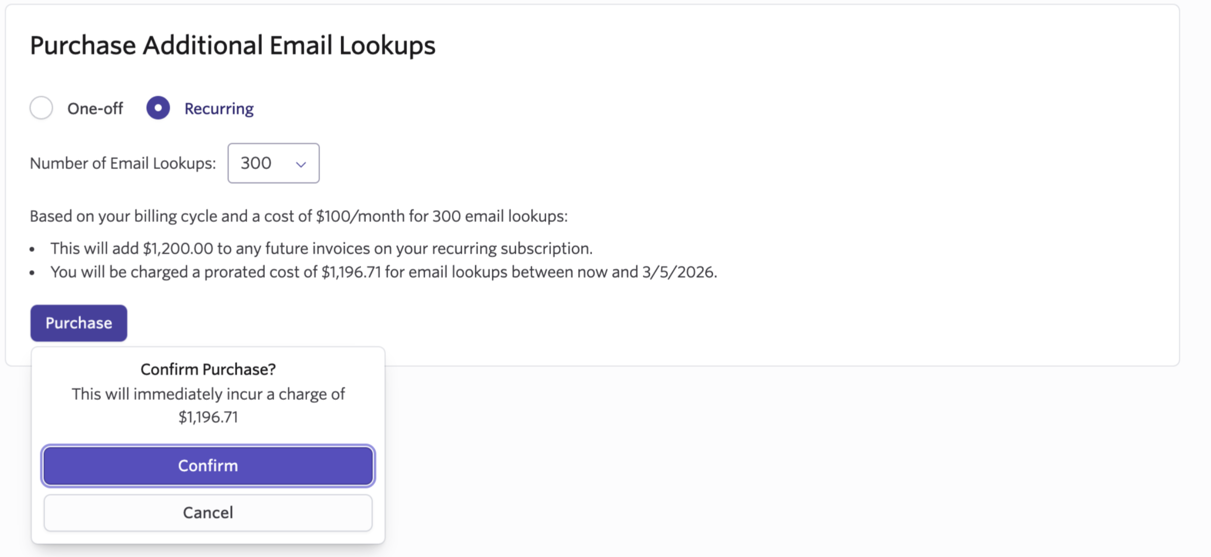
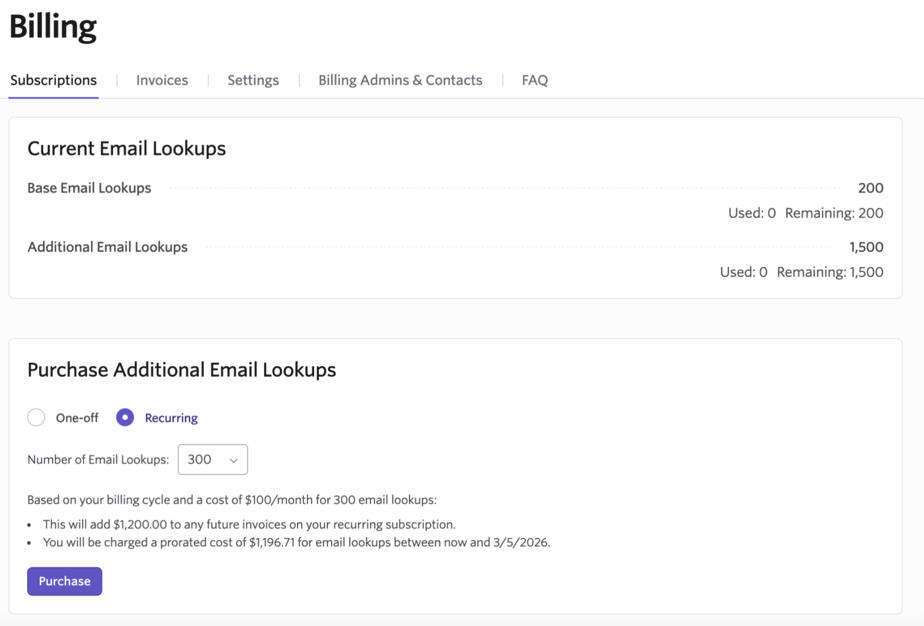
Email lookups can be purchased in batches of 300 but with recurring lookups, you will also be shown a preview of the recurring costs. In the example pictured, the account is on an annual plan.
There are two costs associated with recurring lookups: firstly, the recurring cost that'll be attached to future invoices. This takes the monthly cost of the email lookups and scales it to the customers billing cycle. In this example, $100/month on an annual cycle means they're adding $1,200 to the subscription.
The second cost is an immediate prorated charge for email lookups for the rest of the current billing cycle. The $1,200 for the additional email lookups is multiplied by the fraction of the current billing cycle that's remaining. It is prorated to the day, so in the above example where the user is one day into the billing cycle, we'll charge $1200 multiplied by (364/365 days), which comes out to be $1,196.71.
After clicking Purchase, you can then click Confirm to complete the transaction. You will receive an invoice via email confirming the purchase.
Purchasing additional AI credits
For more information on how AI credits are used, check out AI-Assisted Application Review, Candidate Fraud Detection Overview & Admin Settings, AI Talent Rediscovery and AI Credits. More information on adding AI credits can be found below.
In the AI Credits section of Billing, both the credits used and credits remaining will be listed. Click Add More to start the process of purchasing more credits.
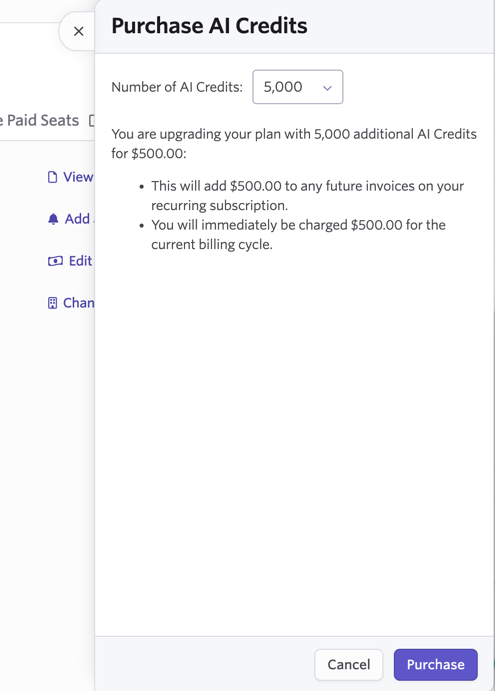
Using the Number of AI Credits dropdown, please select the number of additional AI credits you’d like to add to your account. If you are on the Plus or Enterprise plans, you can purchase AI credits in increments of 5000. If you are on the monthly Foundations plan, you can buy AI Credits in 1000 credit increments.
The cost added to future invoices and the immediate charge will be listed underneath the Number of AI Credits field for you to review. Click Purchase to confirm the purchase.
For reference, the account pictured is on a monthly plan, so a recurring purchase of an additional 5000 credits a month would add $500 to each monthly invoice moving forward.
Purchasing additional texting credits
For more on candidate texting, please check out Candidate Texting.
In the Texting Credits section of Billing, both the credits used and credits remaining will be listed. Click Add More to start the process of purchasing more credits. You can purchase texting credits in increments of 1000.
Using the Number of Texting Credits dropdown, please select the number of additional AI credits you’d like to add to your account.
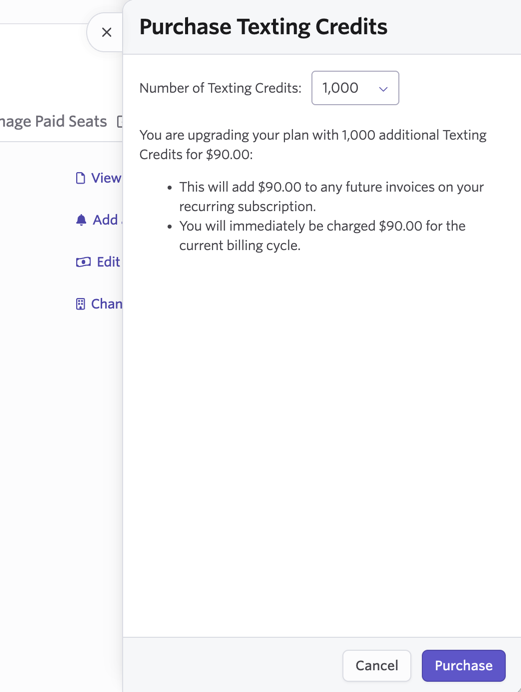
The cost added to future invoices and the immediate charge will be listed underneath the Number of Texting Credits field for you to review. Click Purchase to confirm the purchase.
For reference, the account pictured is on a monthly plan, so a recurring purchase of an additional 1000 credits a month would add $90 to each monthly invoice moving forward.