How do I merge duplicate candidate profiles?
This guide covers how duplicates are detected and how merging candidate profiles works in Ashby. Creating duplicate candidates is automatically prevented in most cases, but when duplicates do exist, you can merge them manually.
How duplicate detection works in Ashby
Ashby matches duplicates based on the following candidate criteria:
- Email address(es)
- Name
- Social links (LinkedIn, GitHub, Twitter)
Duplicates are not flagged for agency users.
Ashby performs the following checks to avoid creating duplicate candidate profiles:
- If the email used to apply matches an existing candidate profile, Ashby adds the application to that existing candidate — no duplicate is created.
- If the email used to apply matches an employee's current work email, Ashby first checks whether that employee has a linked candidate profile before creating a new one:
- If the employee has one linked candidate and the names match, the application is automatically added to the existing candidate.
- If the names don't match, a new candidate is created and flagged as a potential duplicate for manual review.
- If the employee has no linked candidate, a new candidate is created and linked to the employee.
- If the employee has two or more linked candidates, a new candidate is created and all candidates linked to the same employee are flagged as potential duplicates for manual review.
Ashby can identify close-but-not-exact name matches (e.g., Jon Smith vs. Jonathan Smith).
What information is kept after merging
When you merge from a candidate’s profile, that profile becomes the receiver and remains the primary record. The profile shown in the duplicate review window is the merged profile, and some of its information moves to the receiver.
Contact details
- The merged profile’s phone number and email address are added to the receiver profile's Other section.
Profile details
- Education, experience, and custom field data from the merged profile aren’t carried over to the receiver profile.
Resumes
- Both profiles have a resume: The receiver keeps its own resume in the Resume section. The merged profile’s resume is added to Other Files.
- Only the merged profile has a resume: The merged profile’s resume is added to Other Files, and the receiver’s Resume section stays empty.
How to merge candidate profiles
When Ashby detects a duplicate candidate profile, a Duplicate Candidate button appears on both candidate profiles, to the left of the Follow Up, Email, Change Stage, Archive, and More options at the top of the profile.
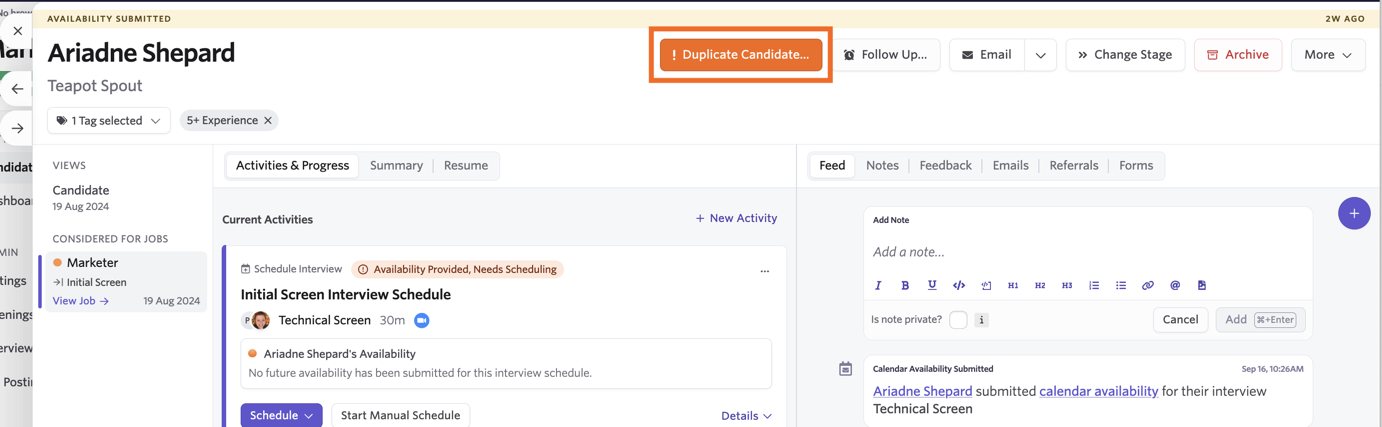
Click Duplicate Candidate to view the potential profile matches that have been flagged and take action accordingly. Any differences between the candidate profiles are highlighted, and you also have the option to view candidate resumes. Click the possible duplicate candidate's name to open their profile in a new tab if you'd like to make further checks. If more than one duplicate is detected, use the Previous and Next arrows to move between candidate profiles.
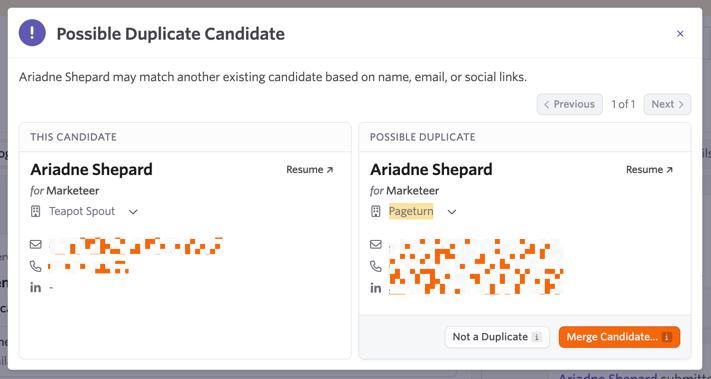
You have two options to take action on the duplicate warning:
- Not a Duplicate: Confirm that this profile is not a duplicate to remove the Duplicate Candidate message and keep the profiles separate.
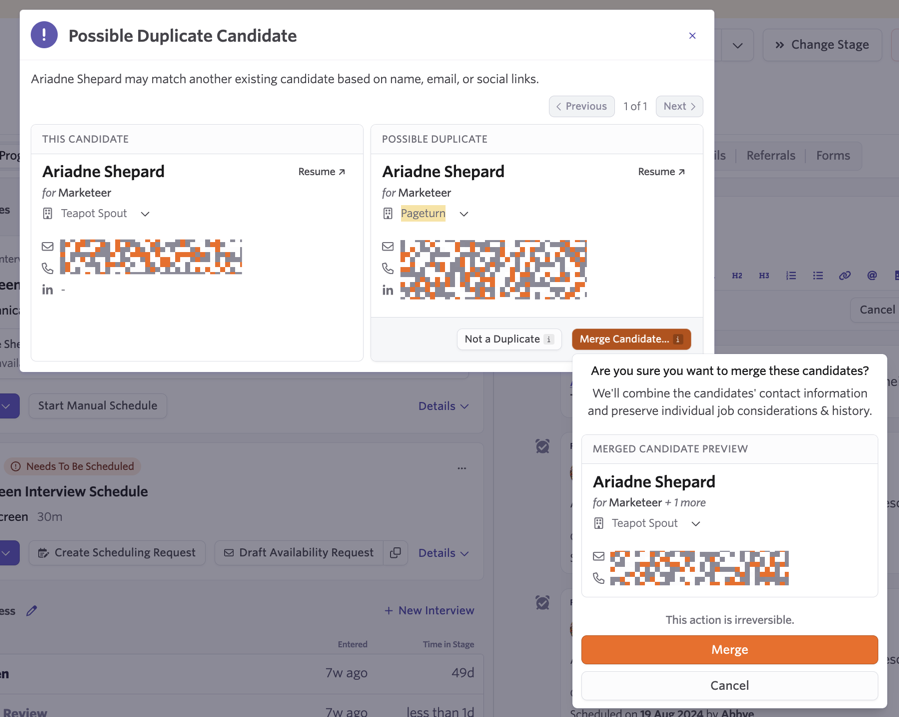
- Merge Profiles: Merge the two candidate profiles together. On clicking Merge Profiles, a preview of the merged candidate information appears before you confirm. Confirm the merge by clicking Merge. This action is irreversible.
The candidate you took the merge action on (listed under This Candidate on the Possible Duplicate Candidate screen) retains its candidate ID after merging.
If there is more than one duplicate, the duplicate profile is not immediately removed when action is taken. When looking at additional duplicates, click the Previous arrow to see the merged or marked-as-distinct candidate. Action buttons are disabled for profiles you've already taken action on.
What if a candidate is considered for a job on both profiles?
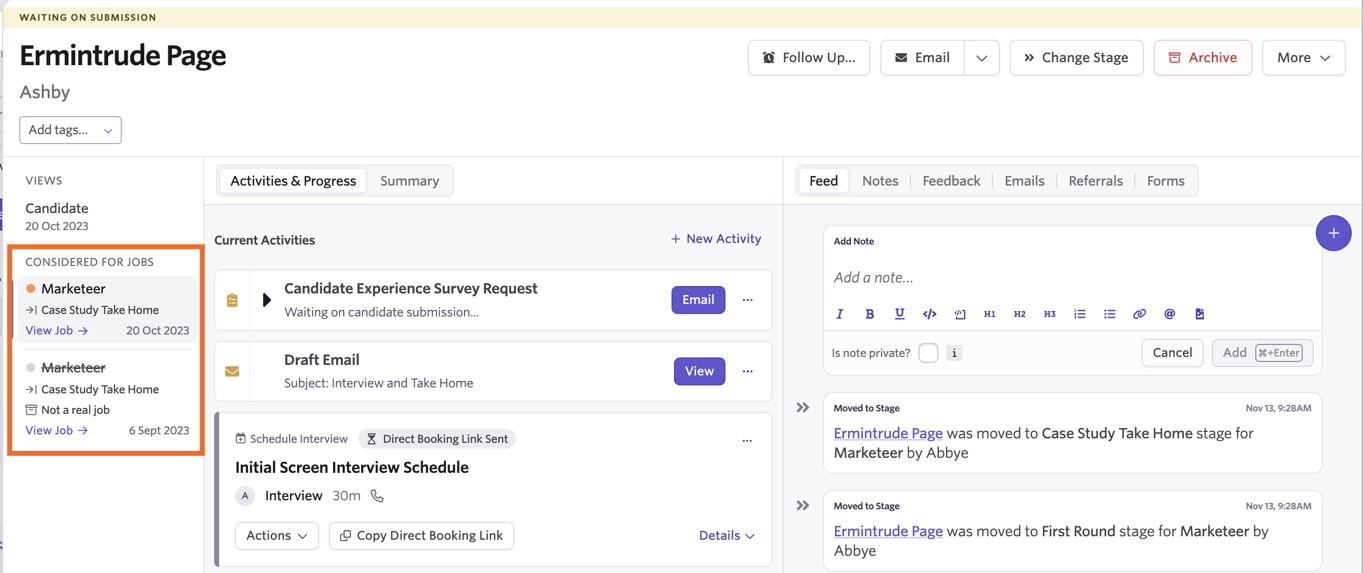
If both profiles that are merged have job considerations, all job considerations remain intact on the merged profile.
For example, if the candidate has been considered for the same role on both profiles, when the two profiles are merged, there are two job considerations on the one candidate profile for your records.
If two job considerations are listed on the candidate profile and you'd like them to only be considered for the role once, archive the job consideration you don't plan to move forward with.
Does the Chrome Extension pick up on existing profiles in Ashby?
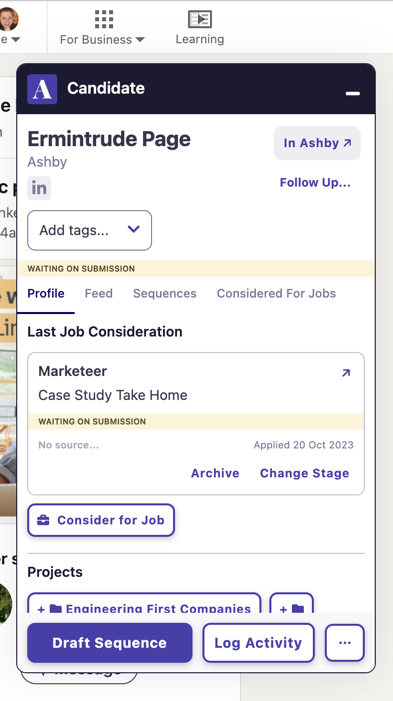
Yes. When the Chrome Extension is opened on a LinkedIn profile, Ashby searches for a match based on the LinkedIn URL.
If a match exists, that person's profile and existing job considerations are displayed so you can add data to the existing profile rather than creating a new one.
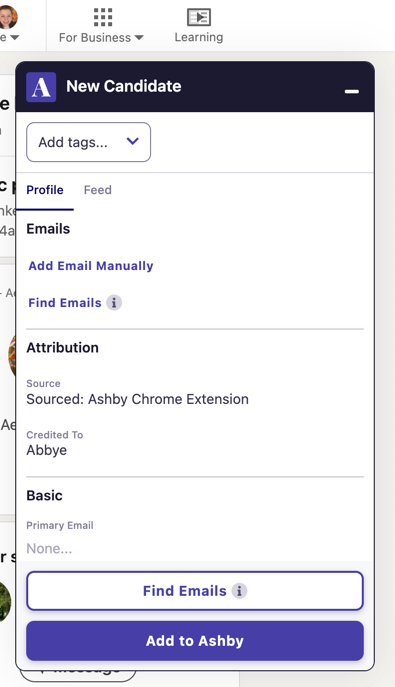
If no match is found, a new profile can be added. Once a profile is added, Ashby checks it against all three criteria. If a duplicate is found, a duplicate warning appears, and the two profiles can be merged.
Which users can merge profiles?
Any user with edit access to both profiles can merge them. For more information on which access levels can edit candidate profiles, see User PermissionsUser Permissions.
Is it possible to unmerge profiles?
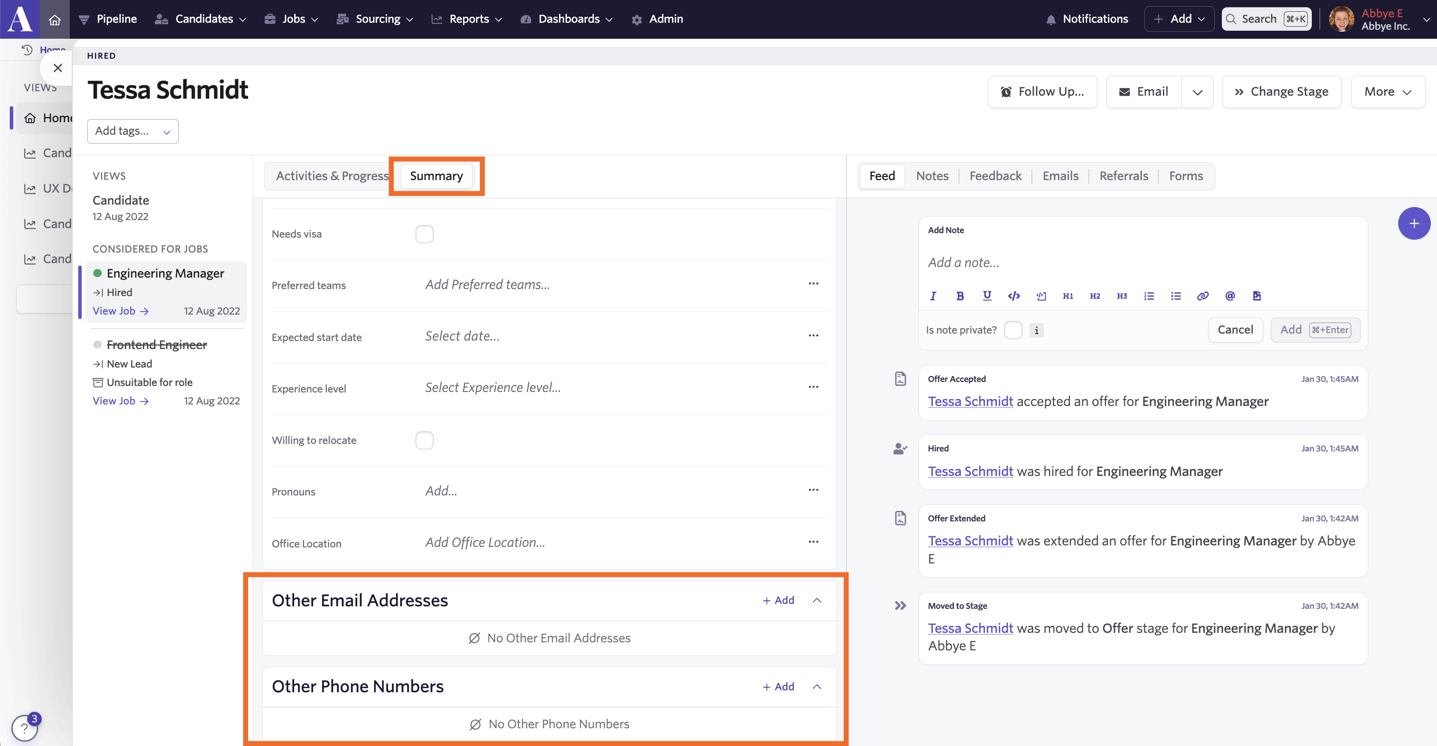
It is not currently possible to automatically unmerge profiles, but most data from the second profile can be found on the Summary tab of the merged profile in the Other sections.
To manually unmerge profiles, create a new, separate candidate profile and then copy and paste the second candidate's details into the newly created profile, and/or upload any of the second candidate's files or resume. You can then remove the second candidate's details and files from the original profile to avoid further confusion.
FAQs
What happens if a candidate applies for the same job twice?
If a candidate applies for a role again using the same information when they already have an active job consideration, only one job consideration appears on their profile. An additional job consideration is not created.
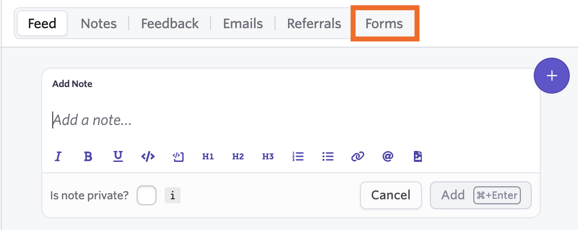
Both application forms can be seen in the Forms section of the feed on the candidate's profile.
If you regularly see candidates applying for the same role multiple times, see our guide on Application LimitsApplication Limits.
If the candidate applies with different information, an additional candidate profile is created but may be flagged as a duplicate.
What happens when an internal employee applies using their work email?
If the email used to apply matches a current employee's work email, Ashby checks whether that employee has a linked candidate profile before creating a new one.
For full logic, see How duplicate detection works in Ashby above.
What happens if a candidate was sourced and added to a job as a lead, then applied for the same job themselves?
In this case, the candidate continues to have just one job consideration on their profile for the role but is moved to the Application Review stage.
How do custom fields work with merged candidates?
When merging candidates, the custom fields associated with the job considerations from both the original candidate profile and the merged duplicate are preserved after the merge. The custom fields associated with the primary candidate profile (under the Candidate view) are not updated by the duplicate candidate profile as part of the merge.
If duplicate candidates have different data retention dates, what happens when they are merged?
The primary profile's retention dates (the profile listed under This Candidate when merging profiles — see How to merge candidate profiles above) are kept on the merged profile. If you have sent any consent emails to a candidate prior to merging and the candidate provides consent via a link sent to them, the Consent Retention Data is updated.
Can I view all candidates flagged as duplicates in bulk?
Not currently. Duplicate candidates must be reviewed individually from each candidate's profile. Open the candidate profile, select Duplicate Candidate, and use the previous and next arrows to review each potential duplicate associated with that profile.