Can I mark a candidate as Do Not Contact?
Ashby allows you to mark a candidate as Do Not Contact, which cancels all scheduled emails and prevents further email outreach from being sent via Ashby.
This does not remove the candidate's profile from Ashby. For more on deleting and anonymizing candidates, see Anonymizing and Deleting Candidates.
Permissions & access
Do Not Contact for candidates is available on all plans:
Foundations | Legacy Plus | Plus | Enterprise |
|---|---|---|---|
✅ | ✅ | ✅ | ✅ |
Organization Admins and Elevate Access users with the Can add/edit candidates permission can mark candidates as Do Not Contact.
See Manage Access Roles for more information on user permissions.
Marking a Candidate as Do Not Contact
Marking a candidate as Do Not Contact cancels all scheduled emails and prevents further email outreach from being sent via Ashby.
To prevent Ashby from contacting a candidate:
- Open the candidate's profile.
- Click More.
- Select Mark as Do Not Contact.
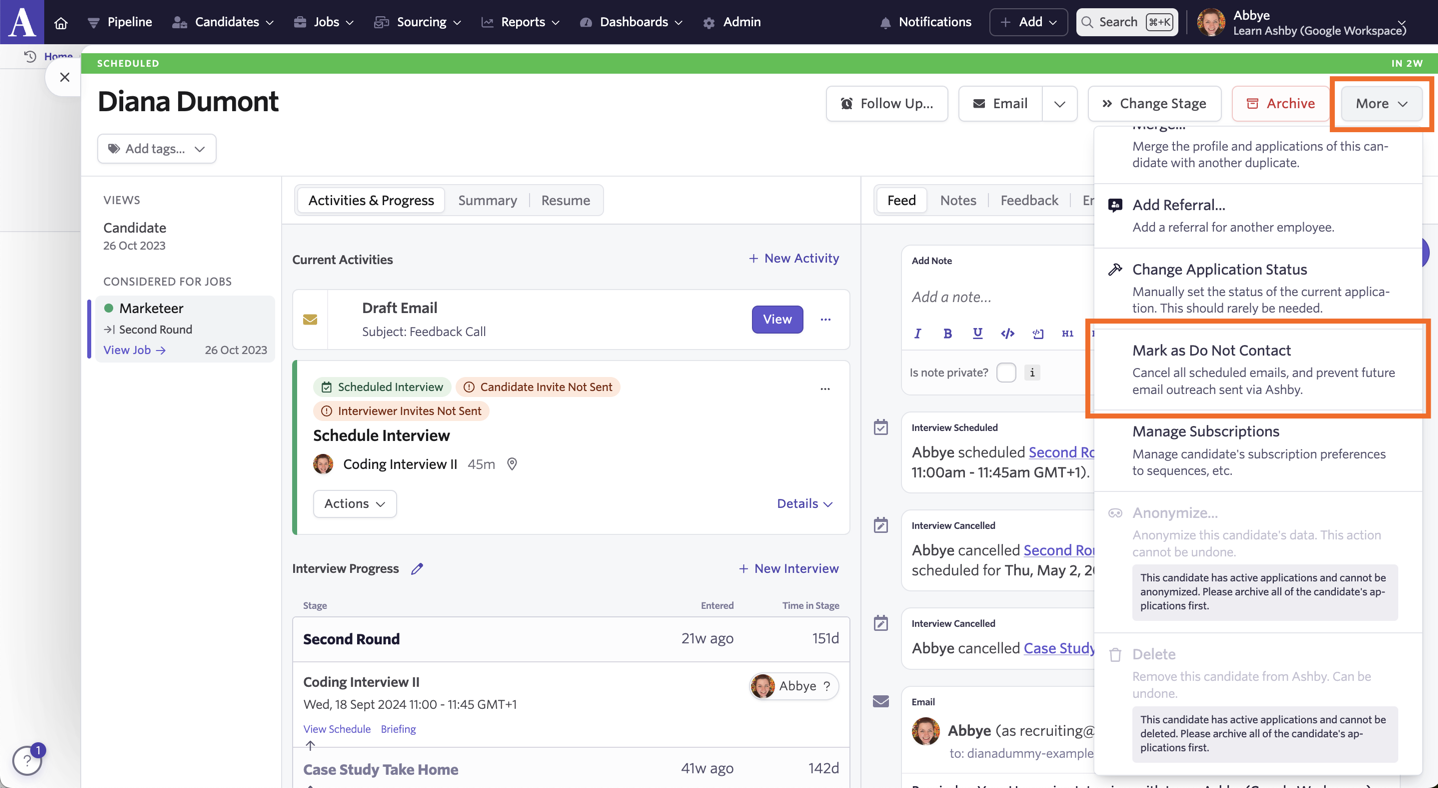
Once a candidate has been marked as Do Not Contact, a red Do Not Contact notification shows at the top of their profile. Candidates marked as Do Not Contact cannot be emailed or enrolled in a sequence.

Attempting to send an email to a candidate marked as Do Not Contact
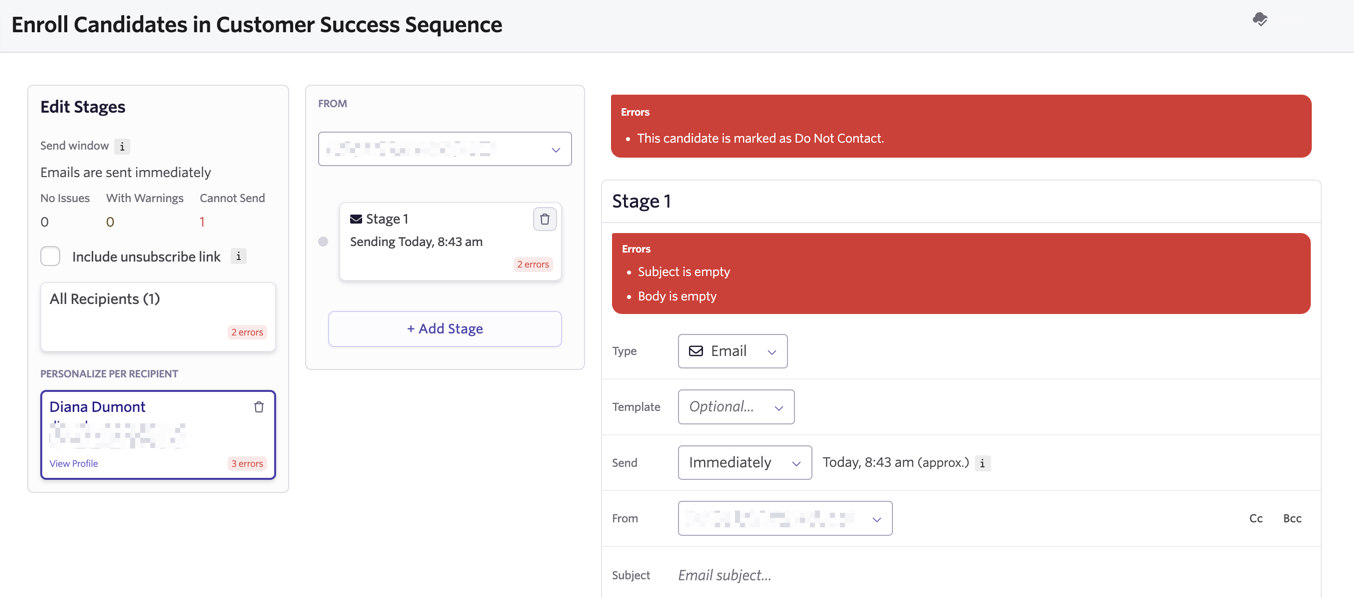
If a candidate has been marked as Do Not Contact, you cannot send them emails or enroll them in a sequence.
If you try to email them, you see an error that says Cannot start the campaign or send the email because it is invalid.

If you try to enroll them in a sequence, you see an error that says This candidate is marked as Do Not Contact.
FAQs
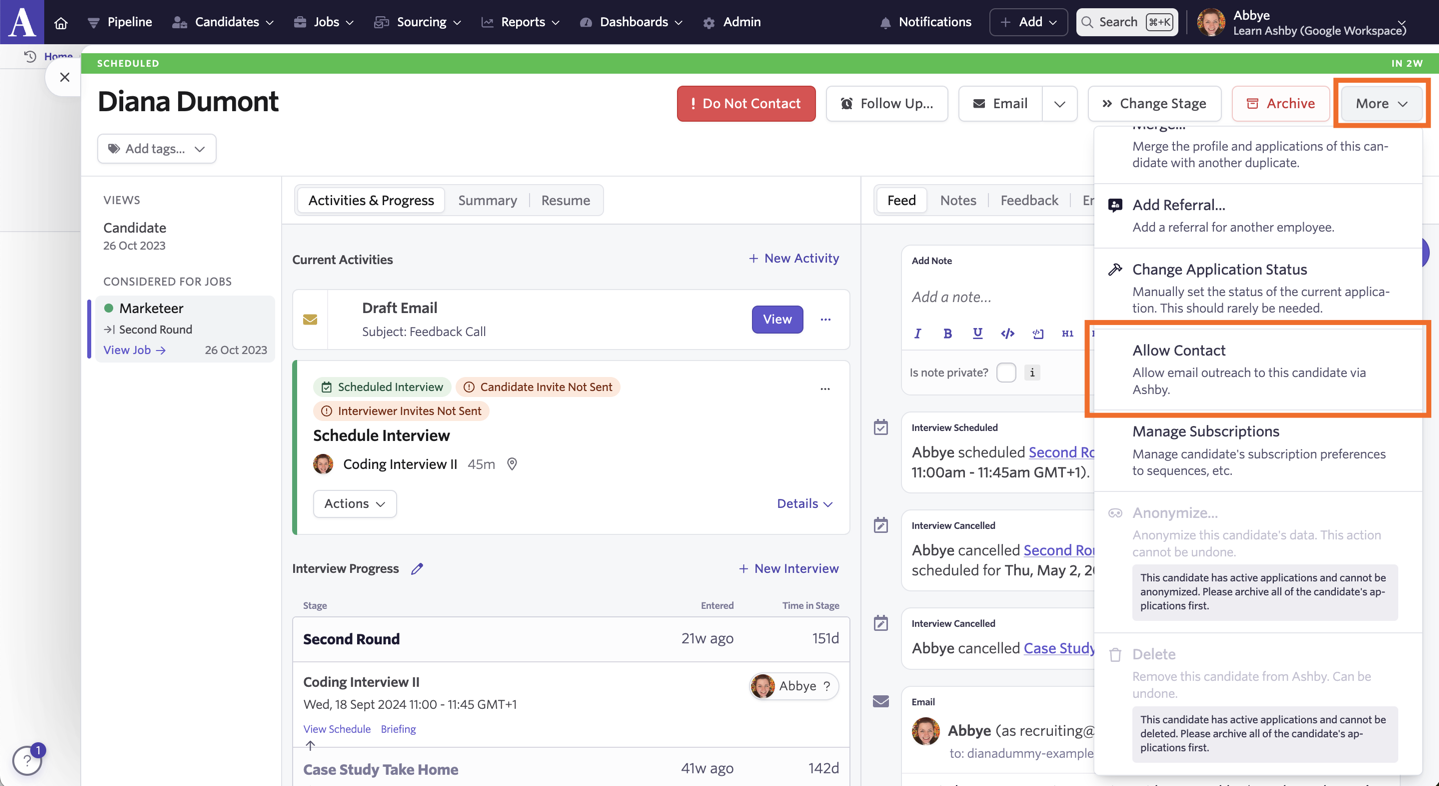
Can I remove the Do Not Contact status?
You can! Click More on the candidate's profile, then select Allow Contact. You can then send emails to the candidate via Ashby moving forward.
Can I stop candidates who have been marked as Do Not Contact from applying for roles multiple times?
You can set up Application Limits to avoid duplicate applications. For more on this, see Application Limits.
Can I block a candidate?
Yes, but "blocking" depends on what you want to stop:
- Stop emails from Ashby: Mark the candidate as Do Not Contact. This cancels scheduled emails and prevents you from emailing them or enrolling them in a sequence. See Marking a candidate as Do Not Contact for steps. The candidate's profile stays in Ashby, and you can reverse the status at any time.
- Stop repeat or excessive applications: Configure Application Limits. These rules can block repeat applications to the same job, repeat applications to any job after rejection, or excessive applications within a set period. For setup instructions, see Application Limits.