Application Requests
You can send out application requests to candidates who have been entered into Ashby without filling in an application form (for example, those who have been sourced or referred). This tool helps to ensure you have complete information across your candidates and job considerations.
You can either send application requests manually or configure automation rules to send out application requests automatically. Once completed, the application form will be added directly to the candidate's job consideration.
Application request links are candidate and job consideration-specific. The same link cannot be used across multiple candidates. Application requests are always tied to the default job posting on a job. If you do not have a default job posting, you'll need to set one for application requests to work. See Default job posting for more information.
Application requests are available on the Plus and Enterprise plans:
Foundations | Legacy Plus | Plus | Enterprise |
|---|---|---|---|
❌ | ❌ | ✅ | ✅ |
Overview
Creating an application request email template
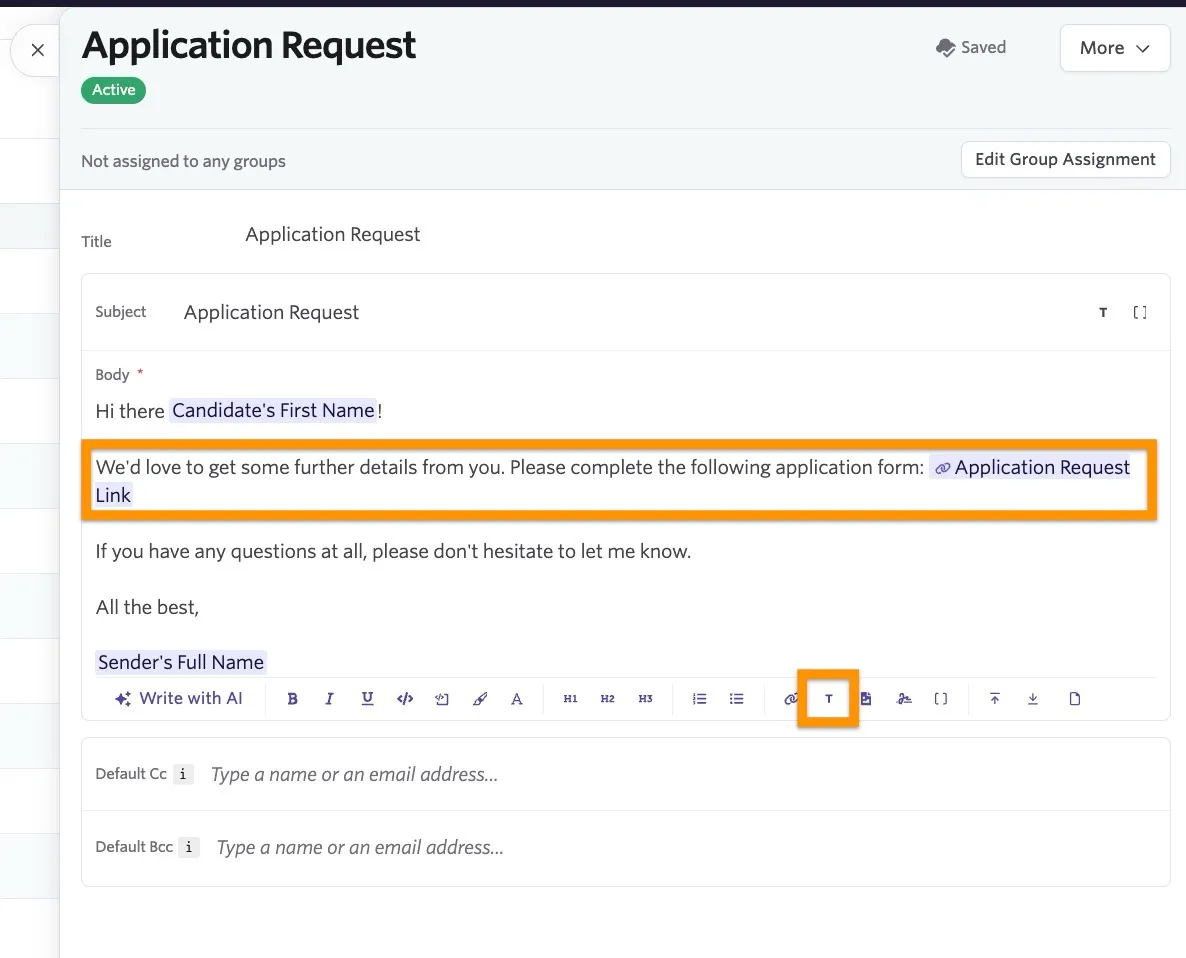
We would recommend setting up an email template with an application request link substitution token as a first step. An email template with this substitution token is required for automation rules and can also help streamline the process of manually generating application requests.
To create a new email template for application requests:
- Navigate to Admin > Organization Setup > Email Templates
- Click New Template
- Add in the subject and body for your email template. To add in the application request link substitution token, click the T icon on the template toolbar and select the Application Request Link token.
Configuring application request automation
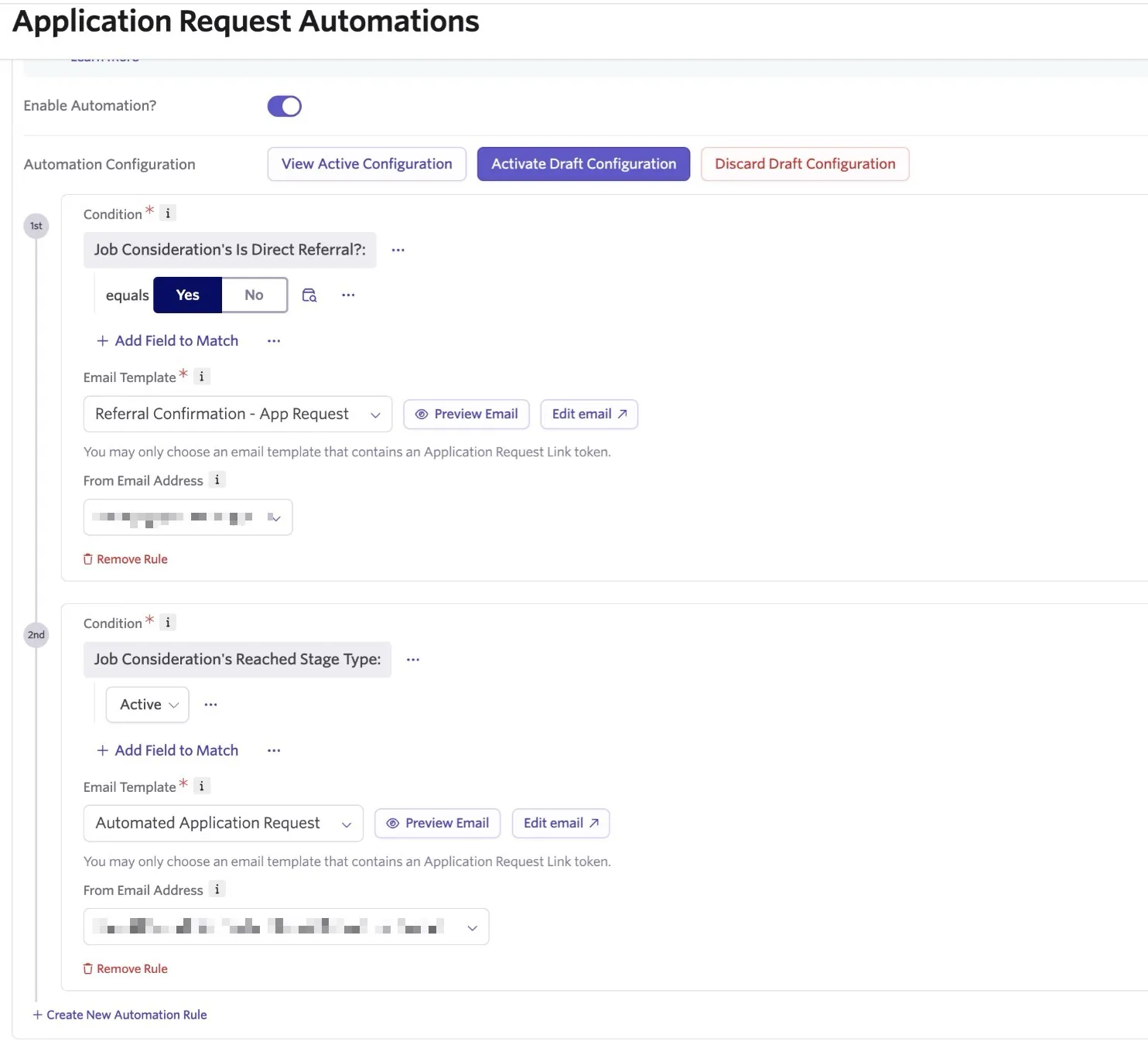
Application request automation allows you to set criteria and your email settings in advance. Then any candidates meeting the set criteria will receive an email with an application request link so they can complete their application form.
To configure an automation rule:
- Navigate to Admin > Jobs & Applications > Application Request Automations
- Set up your draft configuration:
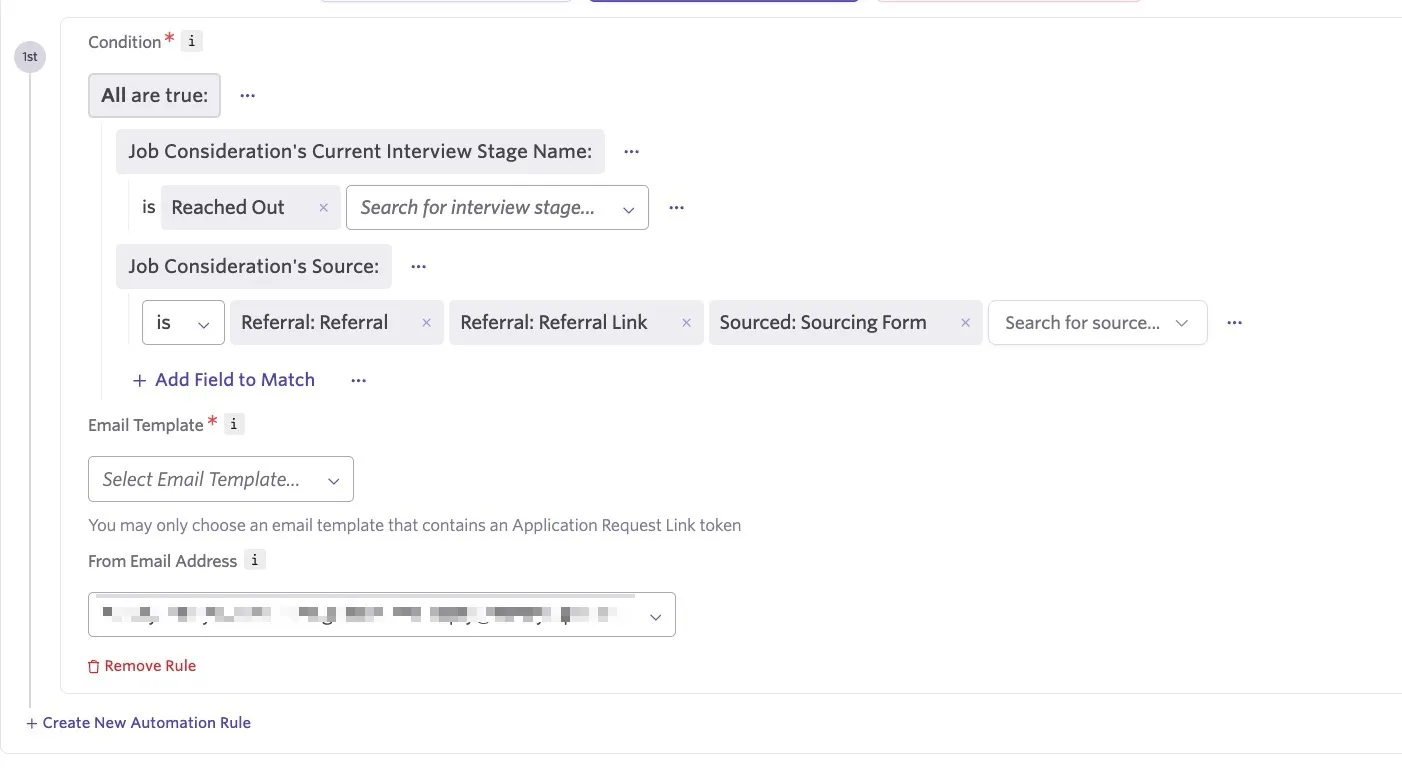
- Click Add Field to Match within the Condition section to determine your fields and values. Candidates who match the conditions you create here will trigger the automation.
Please note that conditions are evaluated each time a candidate moves to a new stage in your process. The following conditions are also built in to your application request conditions:
- The candidate must not be in an Archived state
- The candidate must not already have an application submitted for this job consideration.
- Use the Email Template dropdown to select the email template used to email the candidate. Please note that the email template must include the Application Request Link substitution token.
- Confirm the sender of the email. If you would like it to come from another user in your Ashby account, check out Email Sharing for more information on sending emails on another user's behalf.
- If you'd like to configure an additional automation rule, click Create New Automation Rule
- Once you've configured your automation rules, click Activate Draft Configuration and then Enable Automation? to activate your configuration. Moving forward, candidates who meet your criteria will trigger the automation.
Manually generating an application request
If you'd like to send out application requests manually, you can take the following steps:
- Navigate to the profile of the candidate in question
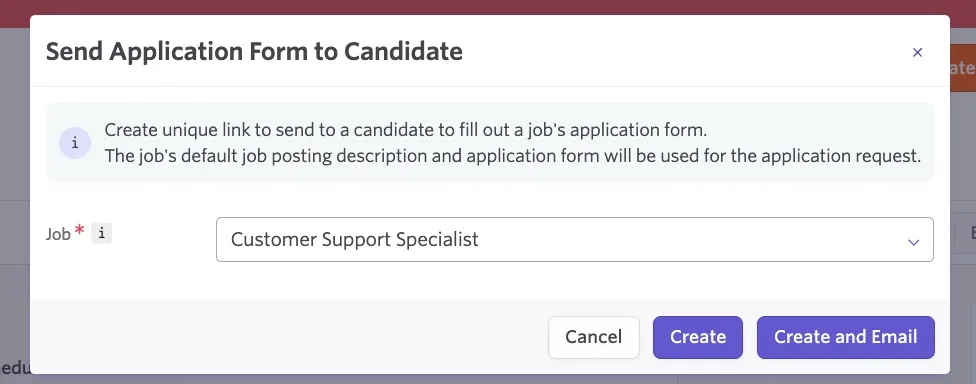
- Click More, then Send Application Form to Candidate
- Confirm the job listed in the Job dropdown
- Click Create to generate the application request activity, or Create and Email to generate the activity and draft up an email to the candidate
Viewing and amending the application request
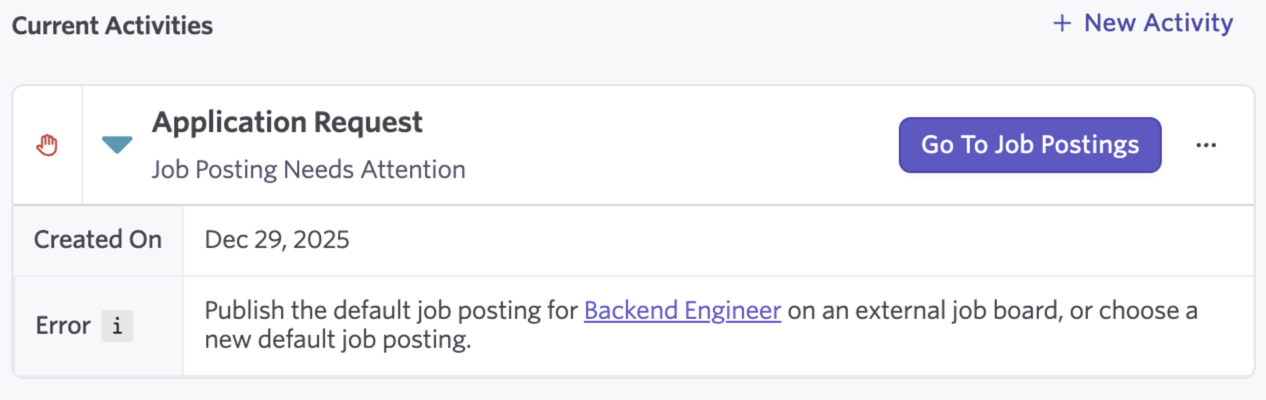
Once generated, an activity will be added to the candidate's profile so you can track the activity status.
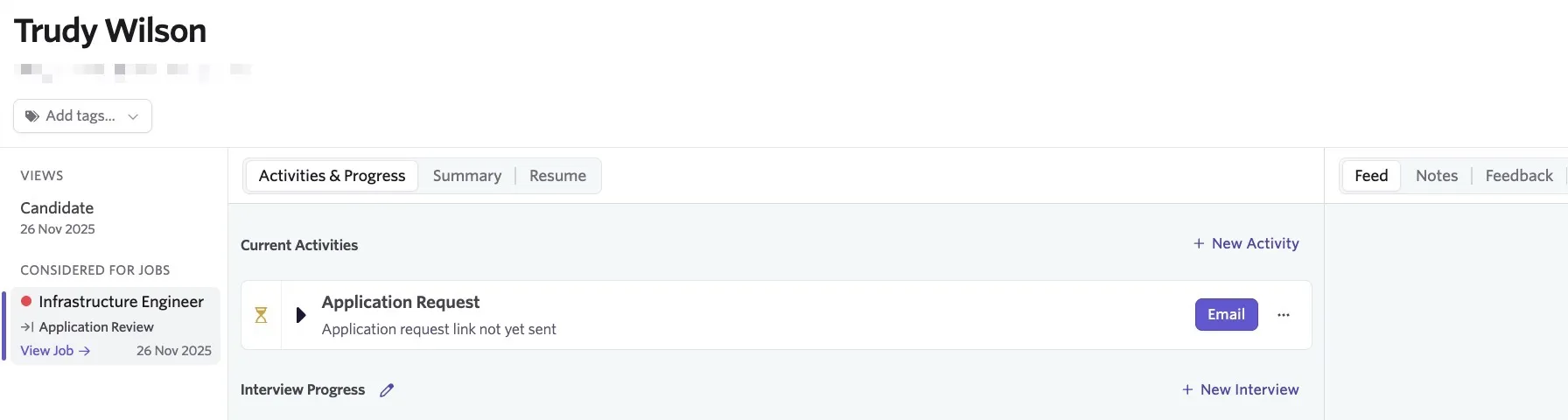
You can click the three dots to the right of the activity to take the following actions:
- Copy Application Request Link: Copy the application request URL to share with the candidate directly
- Mark as Sent: Mark the application request link as sent and update the status of the activity
- Delete Application Request: Remove the application request activity from the candidate's profile.
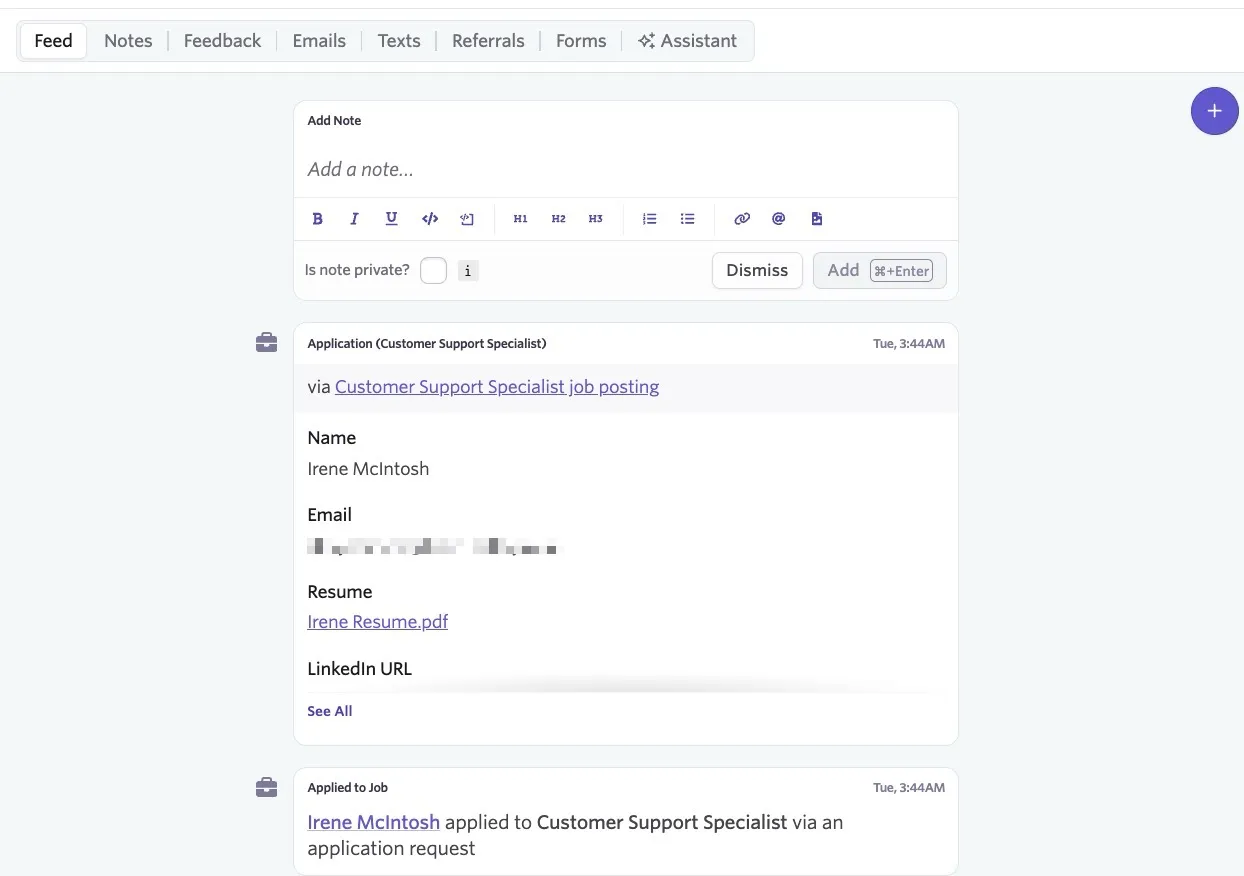
Once the candidate has completed the application request, the activity will be resolved and removed from the Current Activities section of their profile. The completed form will show within the Forms section of the candidate's feed, along with a note that the candidate applied via an application request.