Workflow Steps: Integration
3 min
This article covers how to add and configure an Integration step. For guidance on setting the step's delay, filter, and dependencies, see Configure your Workflow StepsConfigure your Workflow Step.
Ashby's People Ops module is currently available through restricted early access. The following documentation is provided for design partners participating in that program.
Permissions and access
To add an Integration step, you need view and edit access to the workflow. Your permission set grants this access to either all workflows or specific workflows.
Learn more about Ashby's People Ops permission sets: Configure Permission SetsConfigure permission sets.
Adding an Integration step
- Navigate to Workflows
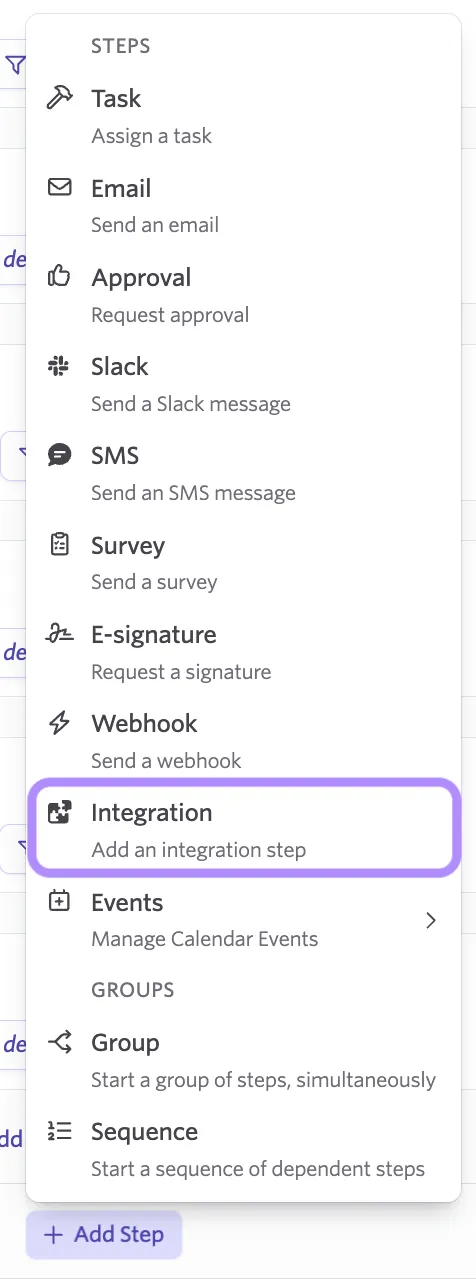
- Open the workflow, select Edit Workflow Template, then select Add Step in the appropriate section.
- Select Integration from the step type dropdown.
- Select the configured partner you want to use from the list. For partner-specific setup instructions, see People Workflows Integrations.
- Set the step's delay, filter, and dependencies. See Configure your Workflow StepsConfigure your Workflow Step for details.
- Publish your changes.