Suggested Meeting Rooms
Suggested meeting rooms let you determine which meeting rooms are suggested first when scheduling. If you have a lot of meeting rooms configured in Google Workspace or your Microsoft 365 tenant, use this feature to prioritize rooms that are suitable for interviews and exclude those you would not want to book, like wellness rooms, call booths, or rooms reserved for specific teams. Any excluded rooms remain available to select, but appear below the suggested rooms rather than at the top of the list.
Permissions & access
- This feature is part of the Advanced Scheduling Automation Add-OnAdvanced Scheduling Automation Add-On.
- The add-on is included in the Enterprise plan. If you're on the Plus plan, you can purchase it as an add-on.
- Suggested meeting rooms and the Advanced Scheduling Automation add-on are not available on the Foundations or Legacy Plus plans.
Setting your suggested meeting rooms
To set your criteria for suggested meeting rooms:
- Navigate to Admin > Interviews & Scheduling > Meeting Rooms.
- Click the Settings tab.
- Toggle on Filter suggested interview rooms.
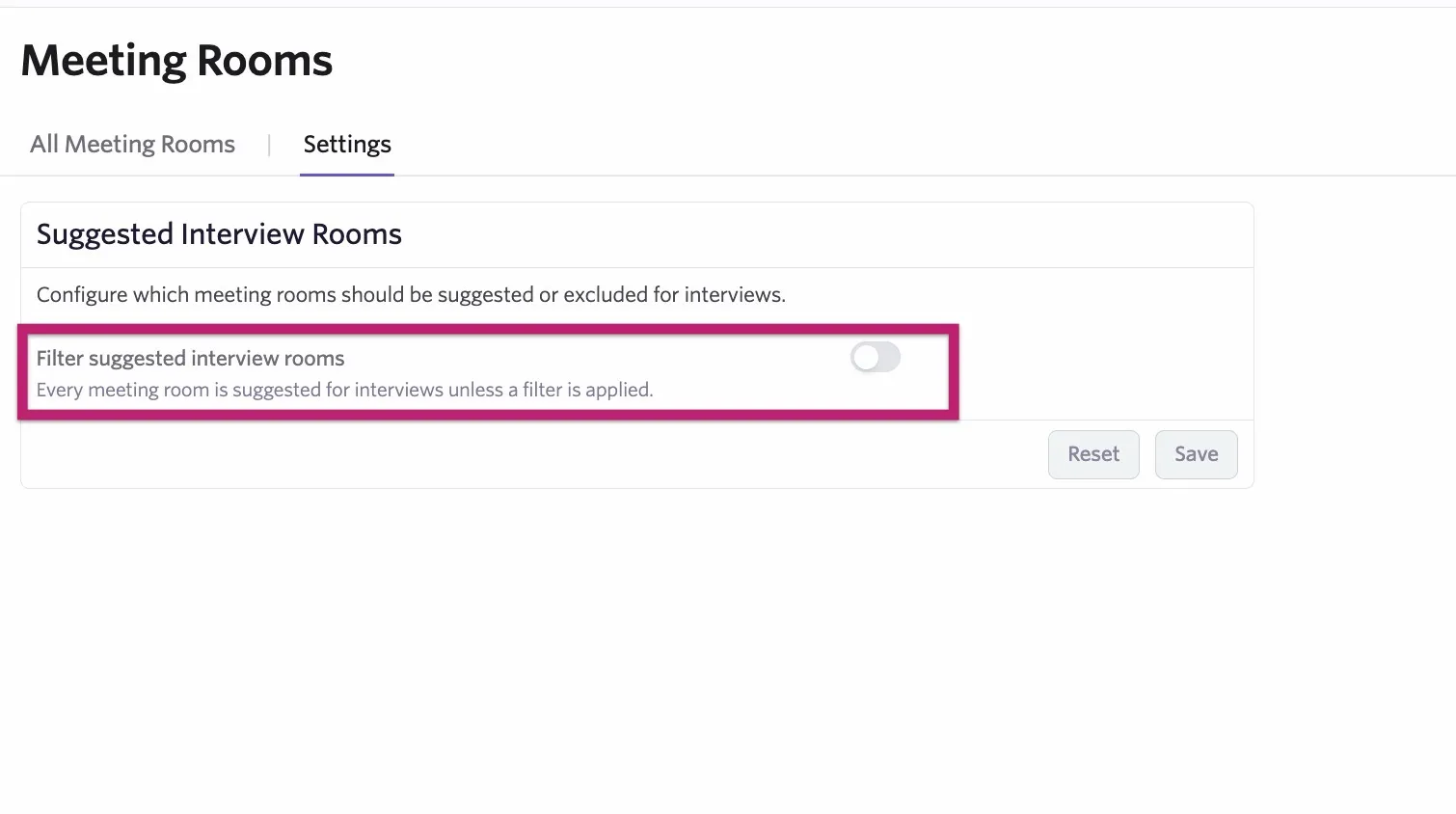
- Click + Add Field to Match to select the fields and build out your criteria.
As you set your criteria for suggested rooms, you can see how many rooms are suggested. Click X Suggested Rooms next to the Reset button to see the matches.
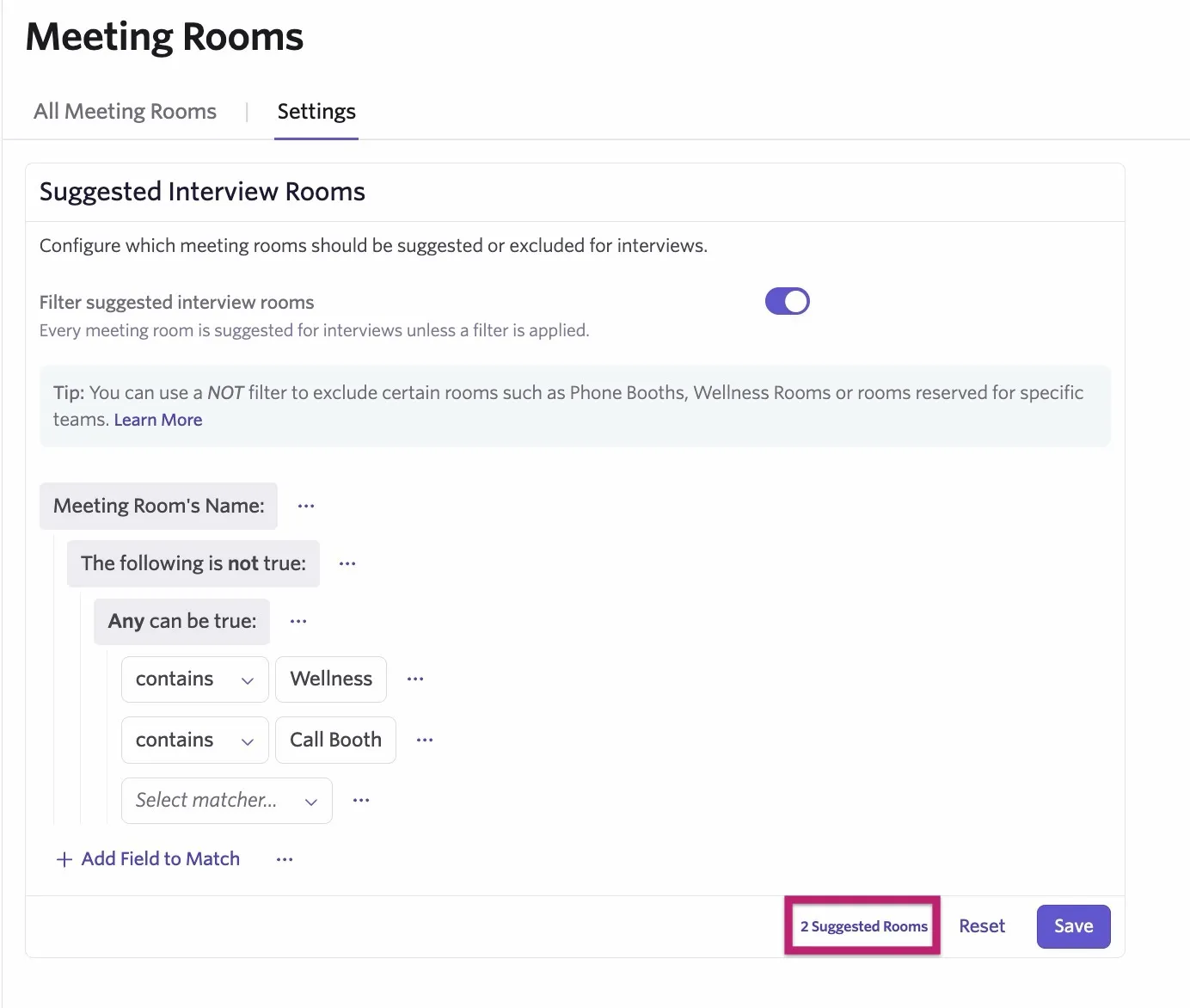
- Click Save to confirm your criteria. The Reset button sets your criteria back to its last saved state.
Excluding rooms using the Not operator
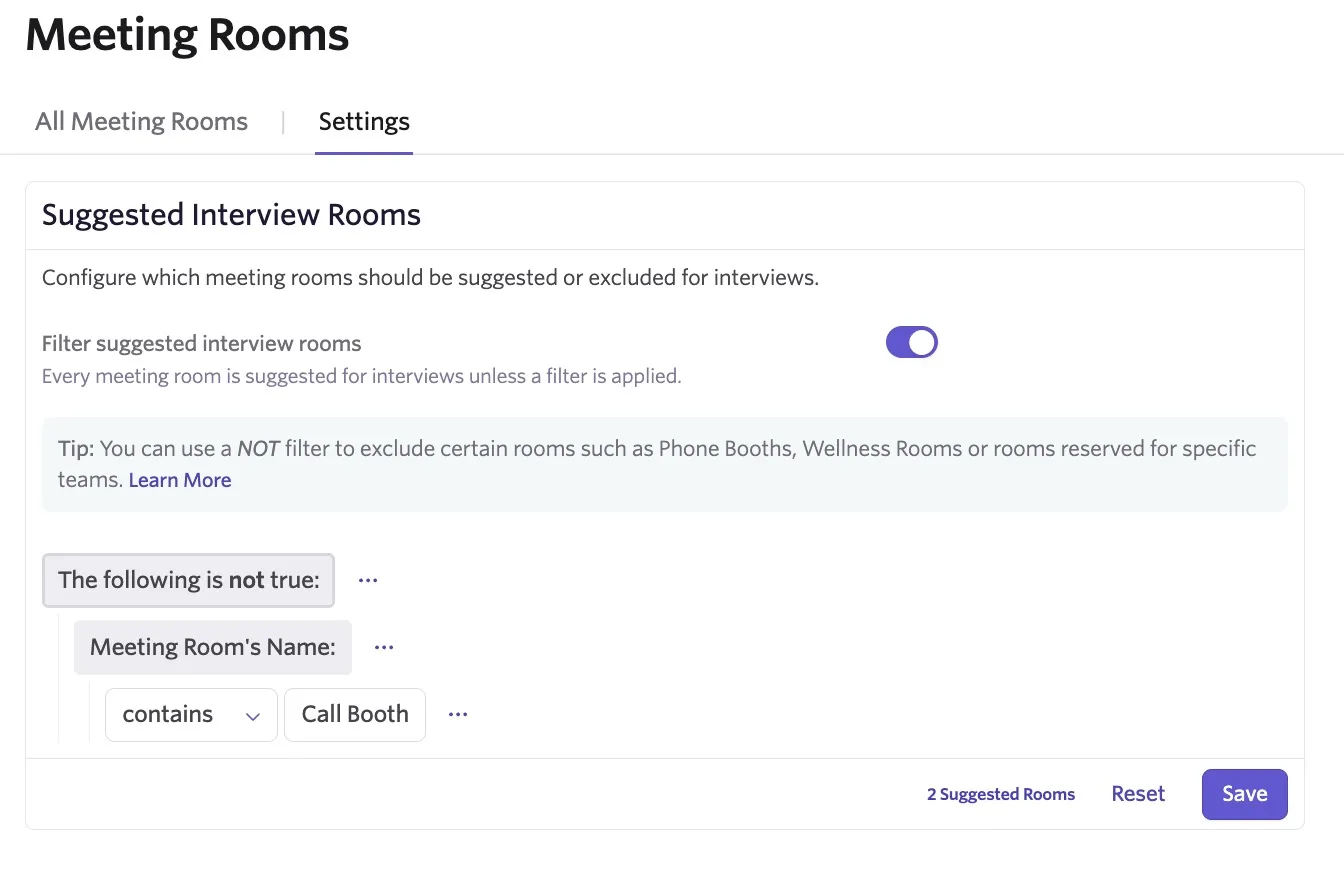
To define which rooms to exclude from suggestions, you can use the Not operator to add a The following is not true condition to the fields you select. Only meeting rooms that do not meet the criteria appear as suggested meeting rooms.
How suggested meeting rooms work with scheduling
When manually scheduling an interview, the suggested rooms show at the top of the list in the Room dropdown.
Any rooms filtered out of the suggested list remain selectable, but appear in a section titled Not Suggested for Interviews.
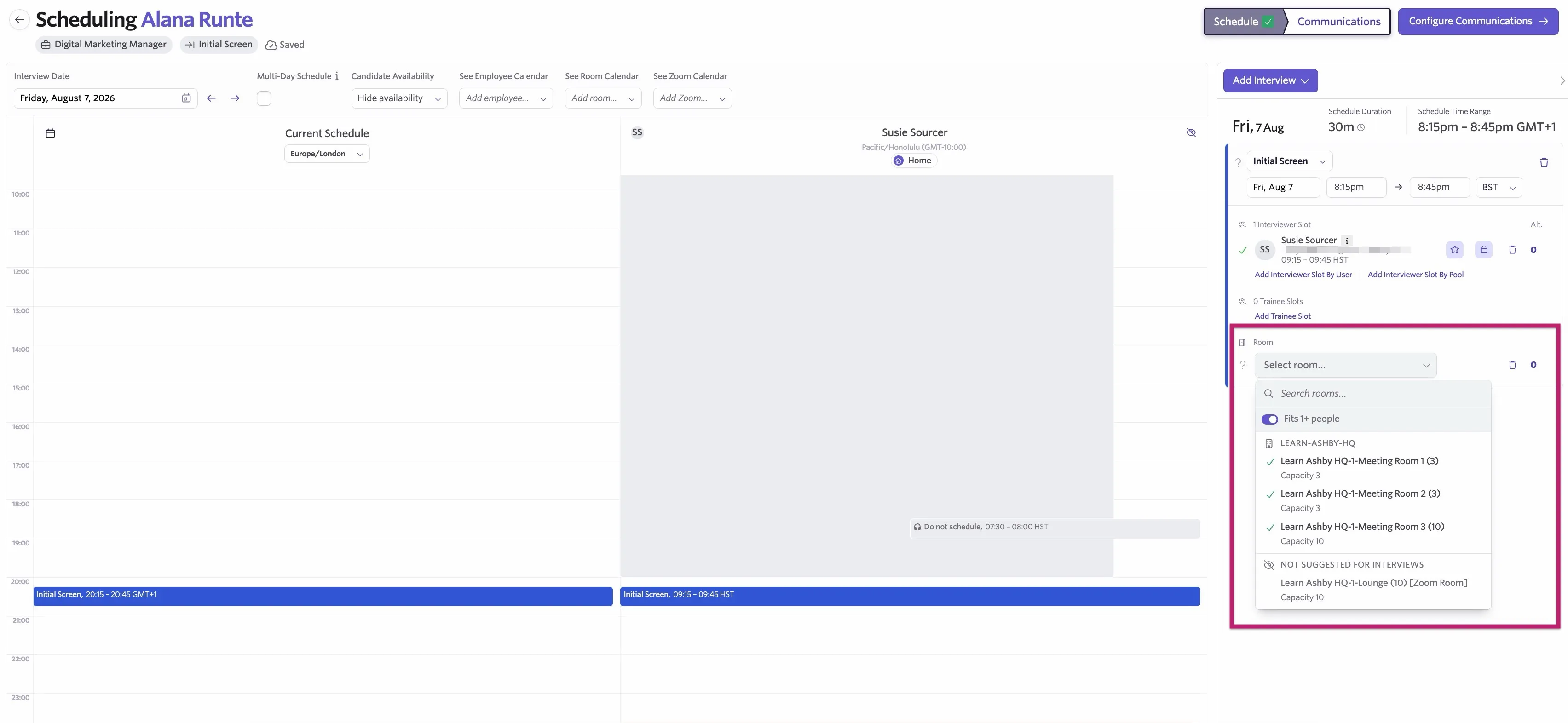
For more on manually scheduling interviews, check out Manually Scheduling InterviewsManually Scheduling Interviews.
Setting conditions with And and Or operators (optional)
While configuring your rules, you use the And and Or operators, too. While the Not operator is more commonly used with suggested meeting rooms, these provide further flexibility for assigning multiple fields to your conditions.
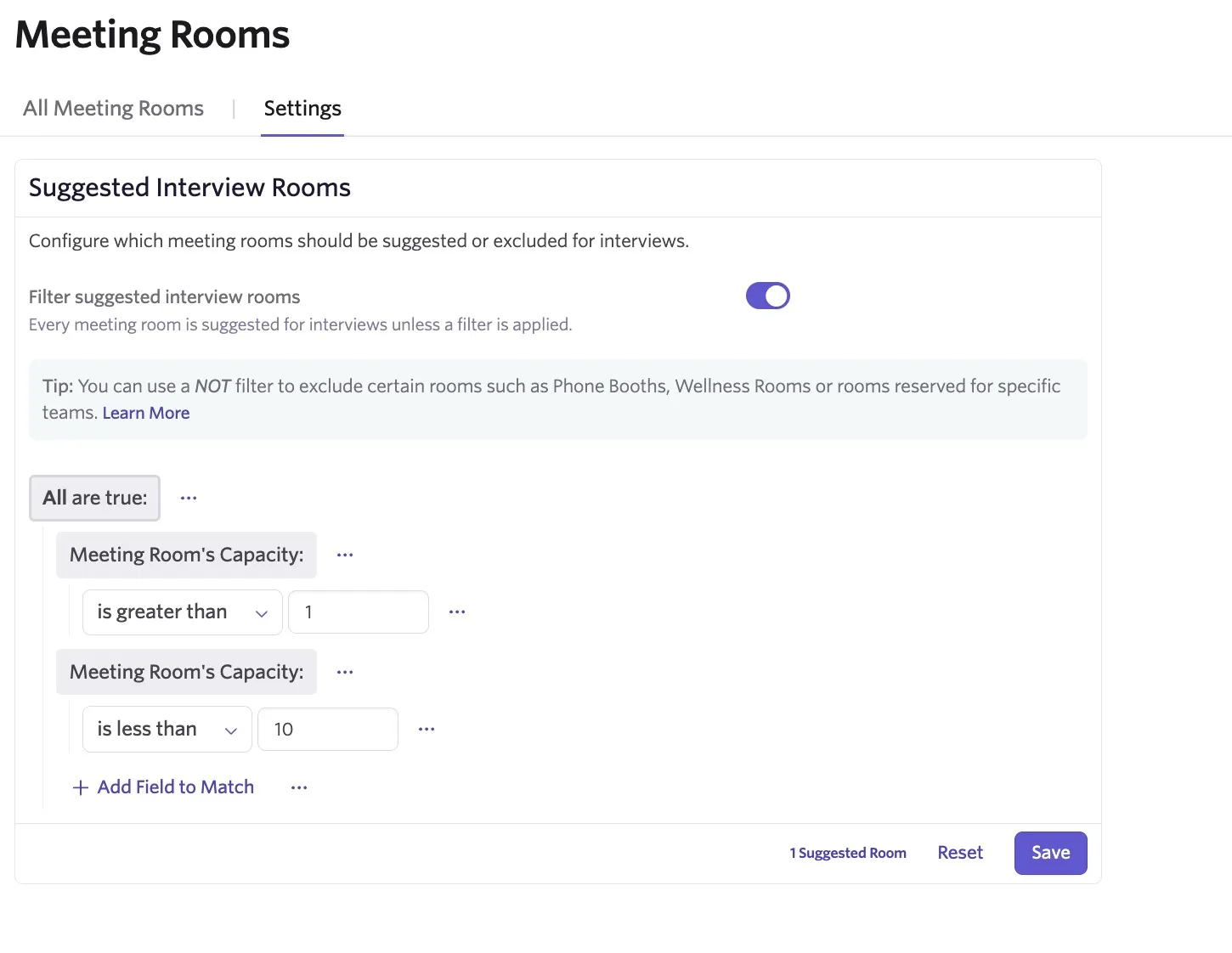
And: This option adds the All are true condition to the rule, so you can set multiple conditions. As long as all of the conditions are met, the meeting room is suggested when scheduling moving forward.
So in the example below, if the meeting room has a capacity larger than one but smaller than 10, it appears as a suggested meeting room.
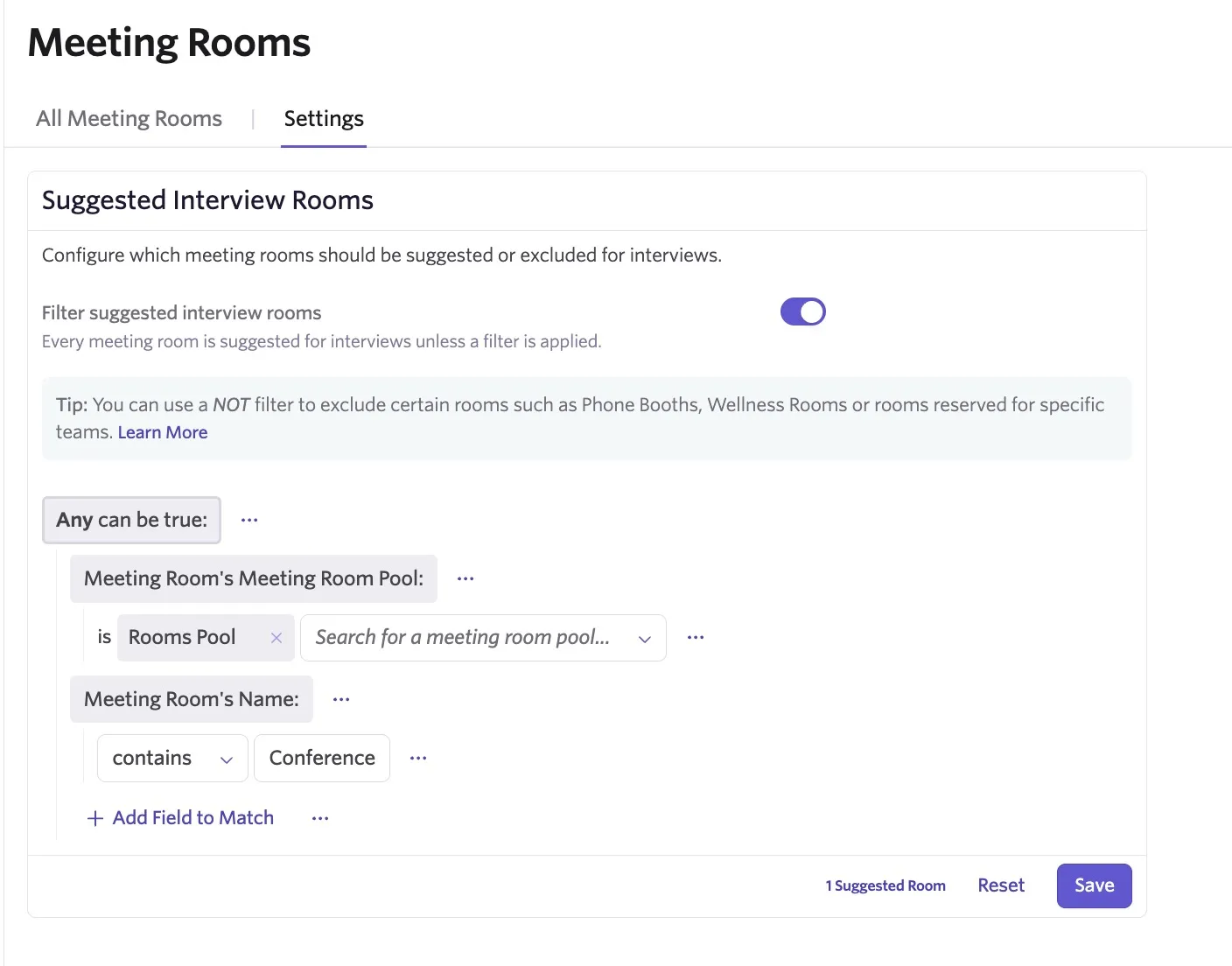
Or: This option adds the Any can be true condition to the rule. If the meeting room matches any of the criteria set, it appears as a suggested meeting room.
In the example below, any rooms in the specified meeting rooms pool, or any that contain "Conference," appear on the suggested meeting rooms list.
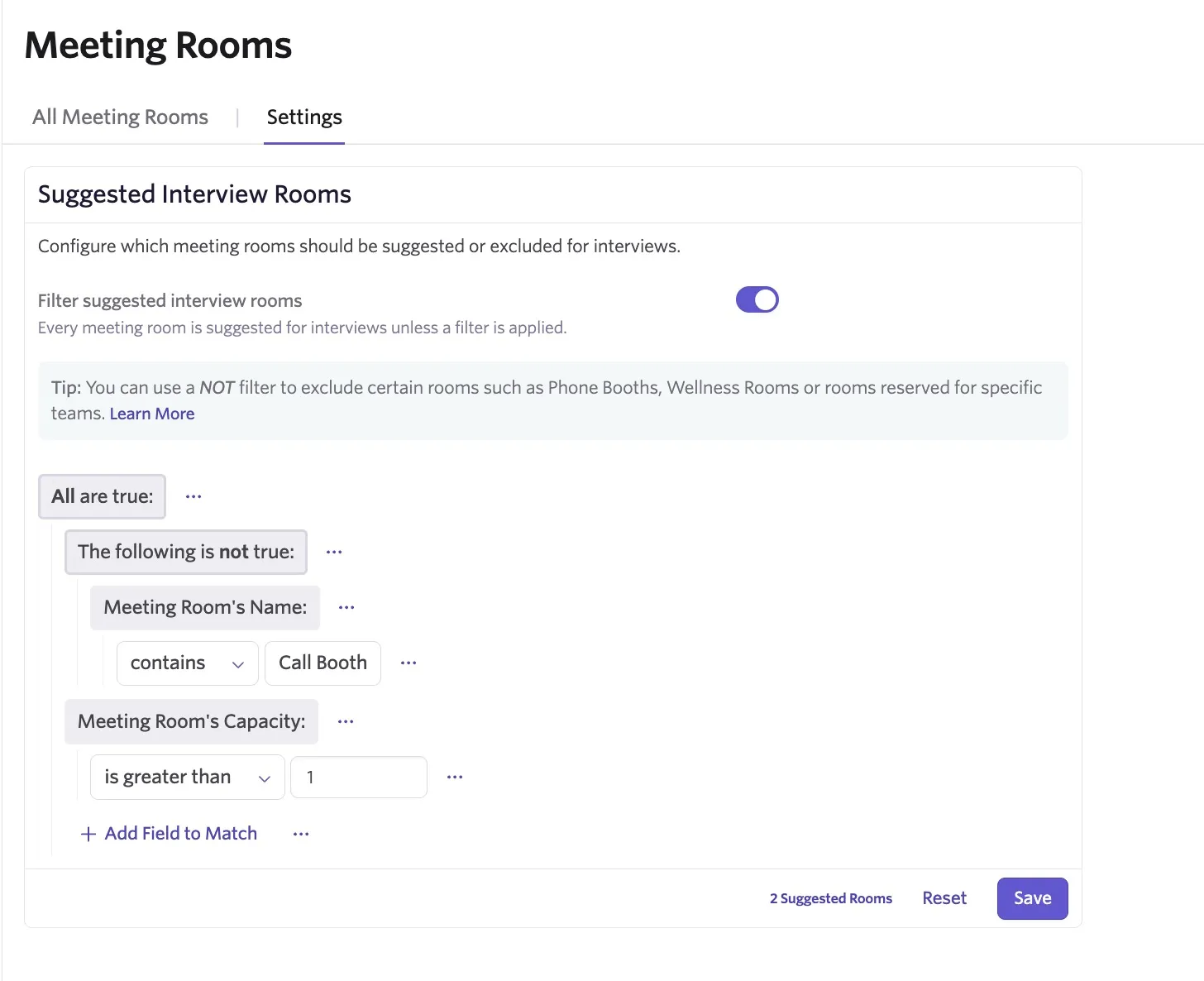
You can also add these operators within one another for additional flexibility. Below is an example using the And and Not operators. Here the room needs to have a capacity greater than one and not have Call Booth in the room name.