Climatebase
This guide explains how to integrate Climatebase with Ashby.
The Climatebase integration lets you automatically post and sync your open roles to Climatebase, the world's leading climate jobs platform, so you can tap into a large, targeted pool of mission-driven candidates without any manual effort. Applicants who come through Climatebase are flagged directly in Ashby, making it easy to track their source throughout the hiring process. With source and funnel reporting, you can measure exactly how much impact Climatebase is having on your hiring goals.
Connect the Integration
Before connecting this integration, you must have a Climatebase Membership. To learn more about Climatebase, check out Climatebase for Employers.
First, create a Candidate Source and Custom Tracking Link in Admin by following the instructions below.
You must be an Organization Admin to set up Candidate Sources and Custom Tracking Links.
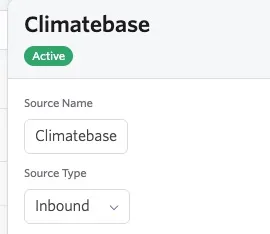
- Navigate to Admin > Organization Setup > Candidate Sources.
- Click + New Source .
- Fill out the Name as Climatebase.
- Under Source Type select Inbound.
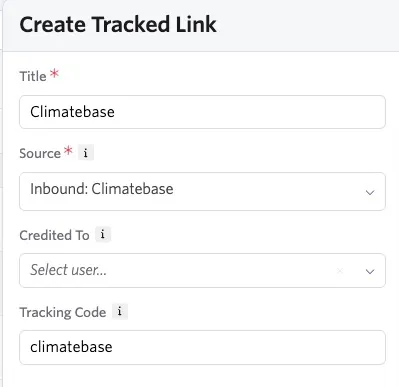
- Navigate to Admin > Job Boards > Custom Tracking Links.
- Click + New and fill out the Title, Source, and Tracking Code.
- Select Inbound: Climatebase under Source.
- Under Tracking Code enter climatebase.
- Once you have the unique tracking link, email [email protected] with your custom tracking link.
Once configured, you will receive an email from Climatebase confirming it's complete.
Using the Integration
Once the integration is set up, your jobs will automatically post on Climatebase, and new candidate applications will be tagged in Ashby with Climatebase as the source.
The Climatebase > Ashby integration will automatically sync with your Ashby account once a day, importing and updating all your jobs in Climatebase.