Can I send emails in bulk?
You can! In this guide, we’ll cover how to send out emails to multiple candidates at once. For more on configuring templates, please check out Email Template Creation and Management
Overview
Create the audience for your email
You can use filters on the Candidate Search page, or select multiple candidates in a job pipeline to determine who should receive an email.
Candidate Search
You can read more on filtering with candidate searches at Candidate Search.
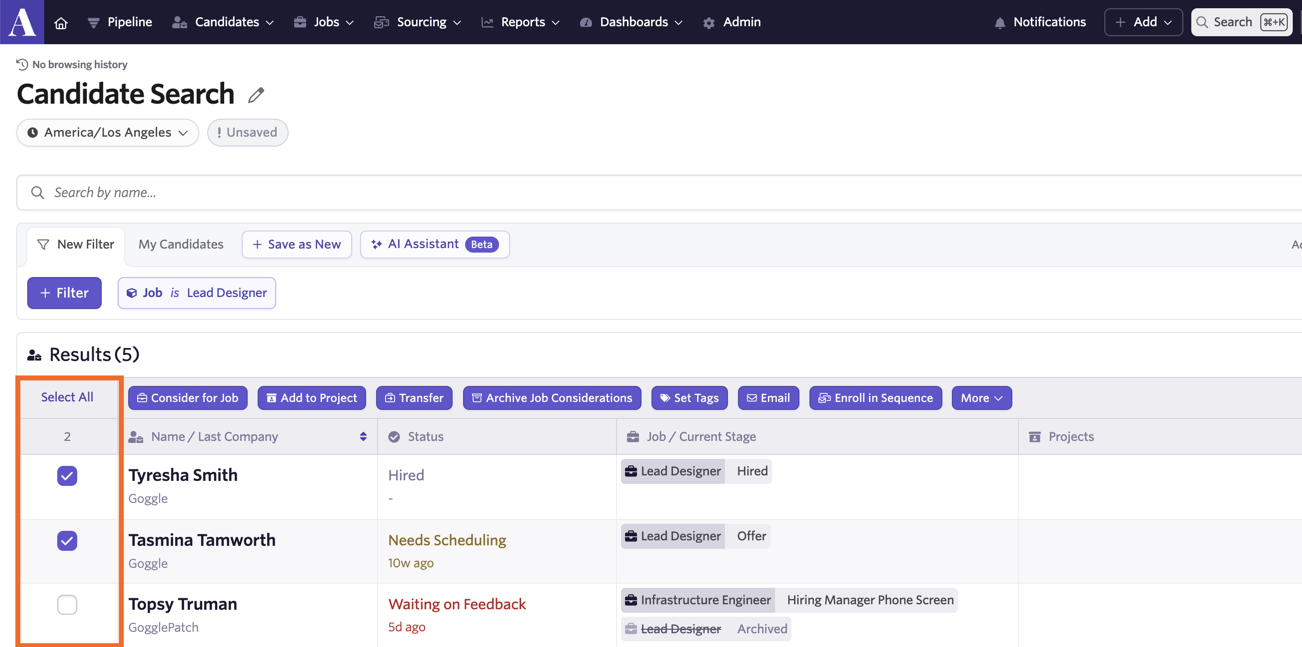
Once you’ve set up the filters and determined the audience for your email, you can either click the Select All button to select all candidates who meet your criteria, or use the checkbox next to each candidate to select them.
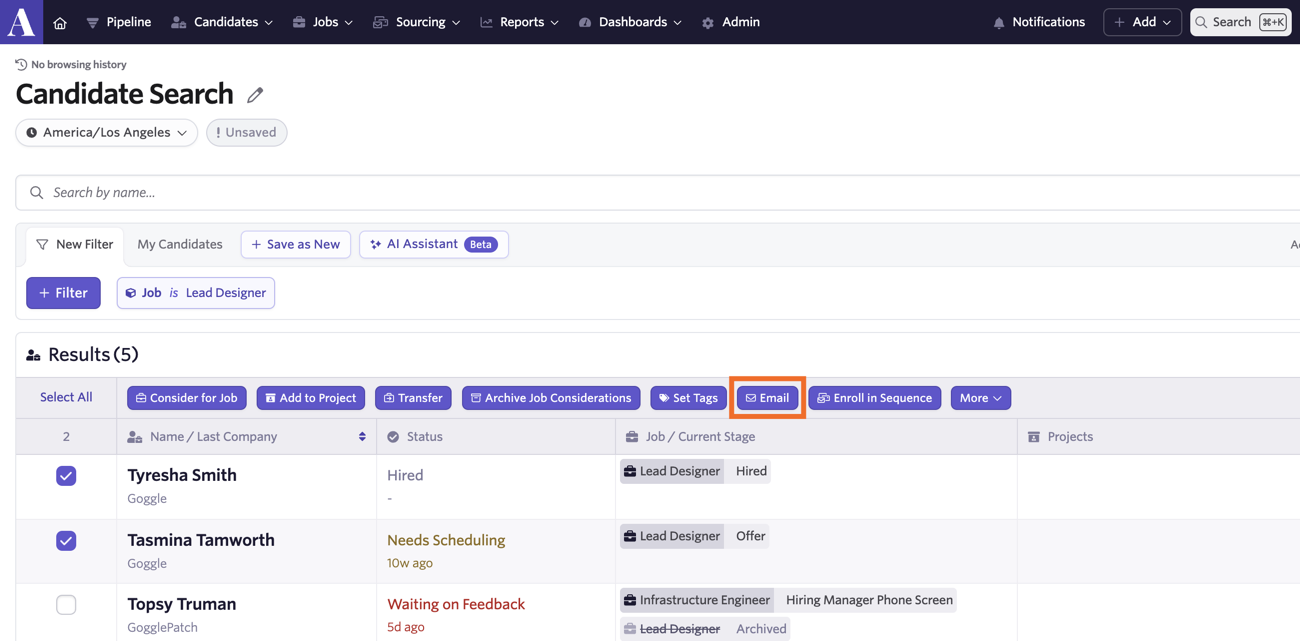
Once your audience has been selected, the bulk action options will become available. Click the Email option to open up the Bulk Action panel.
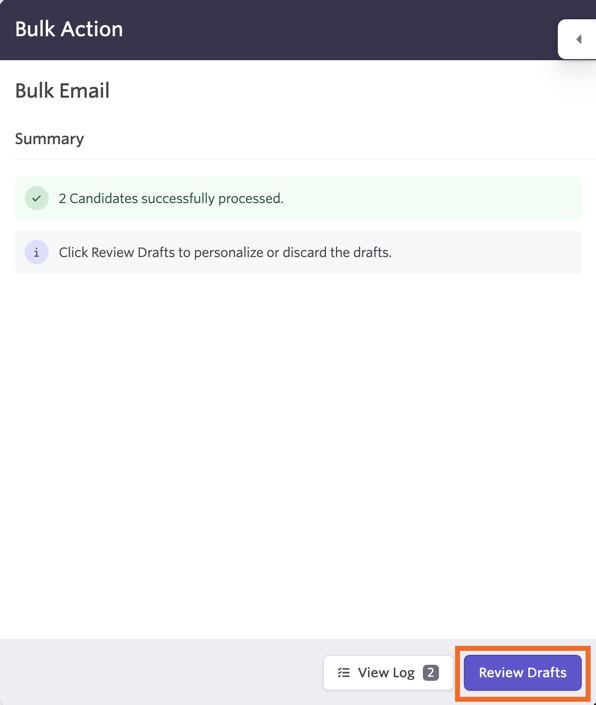
Drafts will automatically be drawn up for each candidate. Click Review Drafts to be taken to the email editor.
You can then determine your email template, make any adjustments and fix any errors prior to sending.
Job Pipeline
When in a job, click the Select button. You can then select the candidates in the pipeline you’d like to send a mass email to.
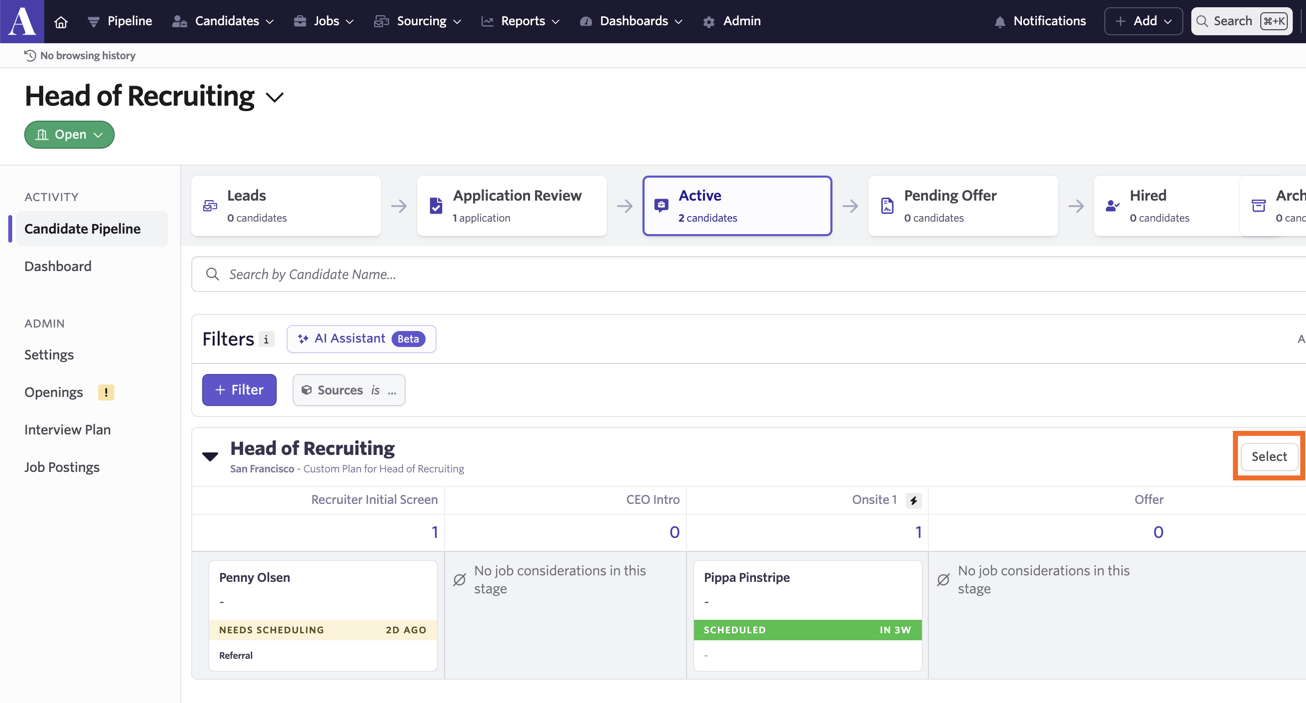
Once you’ve selected the candidates who should receive the email, the bulk actions you can take should become available. Click Email button to start the drafting process.
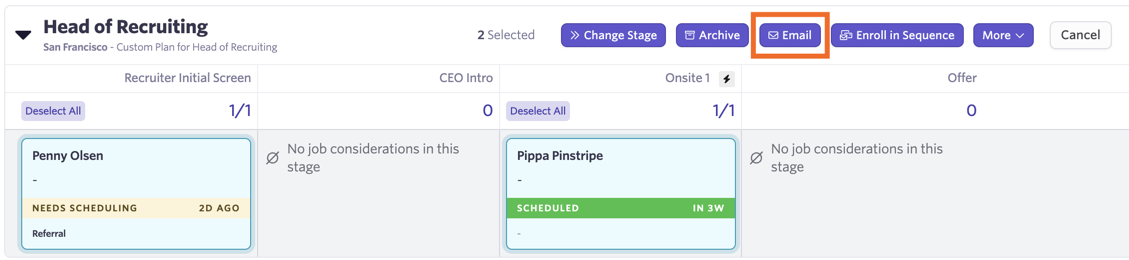
The drafts will be generated for the selected candidates. Click Review Drafts to select an email template, personalize the emails further and to fix any errors.
Reviewing and Editing Your Drafts
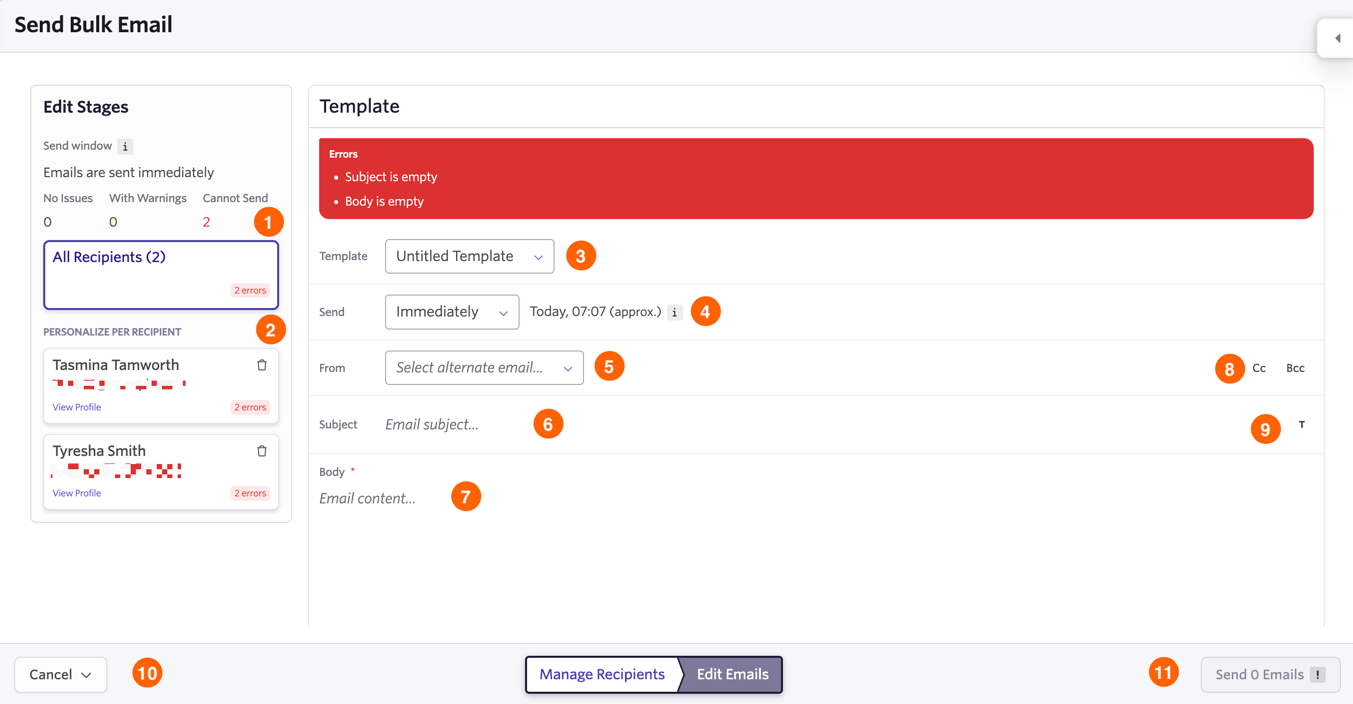
1) No Issues/With Warnings/Cannot Send: This key helps you to determine if any emails have errors that need fixing prior to sending. In this case, both email drafts are missing a subject and a body so neither can be sent. The overall email draft is shown when All Recipients is selected, so any adjustments impact all emails sent. To adjust and fix errors for individual emails, click on a recipient in the Personalize Per Recipient section.
2) Personalize Per Recipient: View each email recipient and click on a recipient to view and amend each email draft individually.
3) Template: Select the email template you’d like to use for the email.
4) Send: Determine when you’d like the email to be sent to recipients.
5) From: Select the sender of the email. You can send on behalf of someone else if they have shared their email address with you. More on this at Email Sharing.
6) Subject: Add in the Subject line here.
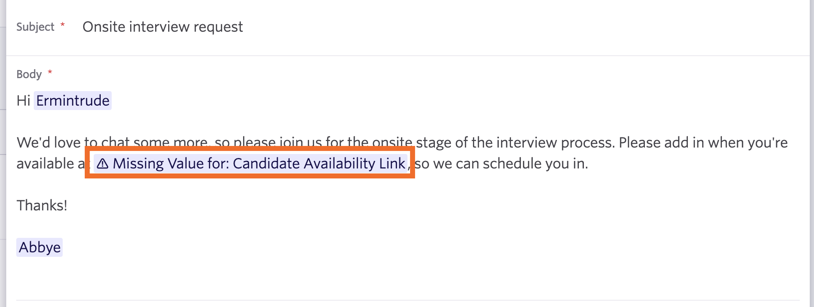
7) Body: Add in the body of the email here.
8) Cc/Bcc: If other users or email addresses need to be looped into the email, add them here.
9) Subject Substitution tokens: Add any substitution tokens here. Our full list of tokens can be found at Substitution Tokens.
10) Cancel: Leave the editor. You can opt to either keep the drafts for editing later or delete them entirely.
11) Send X Emails: Send out your emails in bulk.
Bulk Email Send Times
If you’re sending 10 campaigns or more at a time, then they will be sent over a period of time.
- < 10 campaigns go out simultaneously and immediately.
- 10 - 100 campaigns are sent out over a 30-minute period.
Please note that scheduled emails may send 0-15 minutes after the scheduled time.
You can send an email to up to 500 candidates at a time if sending from a user email address. When using the [email protected] email address, this upper limit is 5000.