When and how do I close out a job?
This guide covers when and how to mark a job as Closed in Ashby.
When should I close out a job?
We recommend closing out a job:
- If you have hired for all available positions for a role and don't plan on hiring for that role again in the near future.
- If you are no longer hiring for the role and don't plan to reopen it soon.
If you have any evergreen roles that you are always hiring for, we recommend using Openings to track positions accordingly. You can read more about these in our Openings ManagementOpenings Management.
How to mark a job as closed
- Navigate to Jobs > Jobs and open the role.
- Click the Open tag under the job title.
- From the dropdown, select Mark as Closed.

- Select a reason from the Reason for closing drop-down, then click Close.

If you need to set up more job closing reasons, you can do this in Admin > Organization Setup > Close Job Reasons.
- The job is now marked as closed and all job postings are removed from your Ashby job board.
- Click Archive Job Consideration/s to archive any existing candidates in the pipeline.

- Select an archive reason for the candidates. You can also choose to notify candidates of the rejection and cancel any feedback notifications for interviewers.

FAQs
How do I archive a closed job?
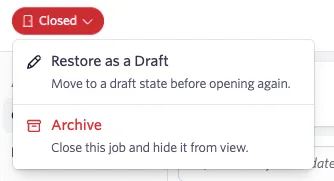
Once a job is in a Closed status, you can archive it from the job status menu. Open the job, click the Closed status dropdown under the job title, and select Archive. Archiving removes the job from your Jobs view. Archived jobs can be restored as a draft if needed.
Can I take a copy of or create a template from a closed job?
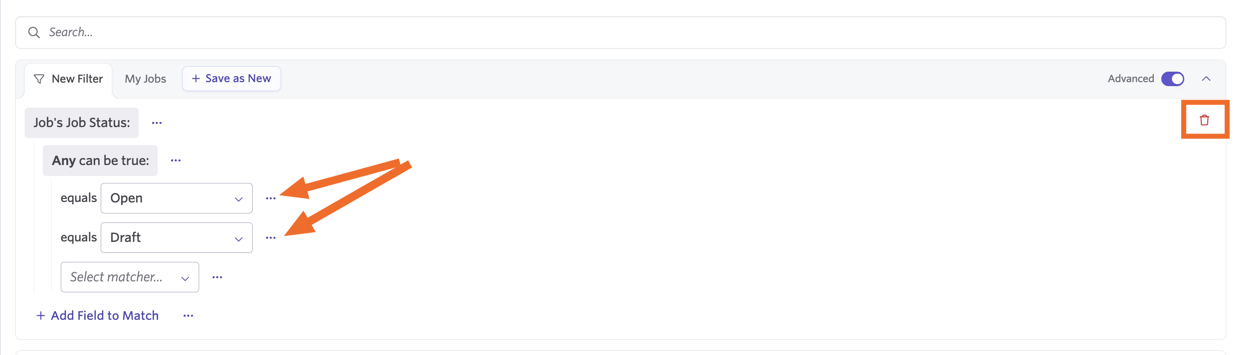
Yes! Search for the job by title, or adjust the filters in Jobs > Jobs to view a list of closed jobs. Click the trash can icon to remove the filters completely, or amend the existing ones to only show closed jobs.
Click on your job, then click More. From here, you see the options to create a copy of the job or create a template from it.
For more on templates, check out Job TemplatesJob Templates.
How do I stop new applications without closing out the job's pipeline completely?
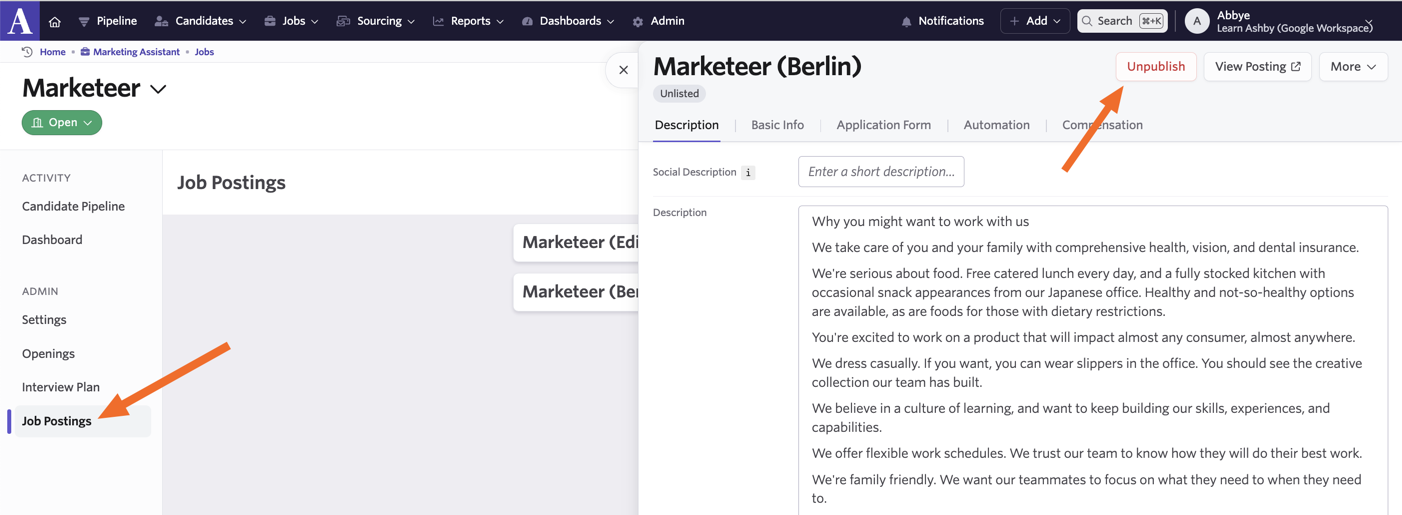
Unpublish your job postings to stop them from showing on your job board. Candidates are then unable to apply for the role. You can still add candidates to your pipeline internally in Ashby.
Can I amend the open or close date of a job?
For assistance with this, reach out to [email protected].