Updating the Chrome Extension
3 min
Chrome typically handles extension updates automatically, but you can optionally force an update.
For more on installing the Chrome extension, see Installing the Chrome Extension.
Force an update
- Open Chrome and go to chrome://extensions.
- Click the Details button under the Ashby Chrome extension.
- Toggle on Developer mode (in the top-right corner).

- Click Update (on the left-hand side).

- Toggle Developer mode back off.
You can verify your version and that you have the extension installed from the Chrome Web Store listing.
Uninstall and reinstall
If you run into any issues updating, or do not have access to your browser's extension settings, uninstalling and reinstalling the extension also updates it to its latest version.
- Navigate to the Chrome Web Store listing.
- Click Remove from Chrome.
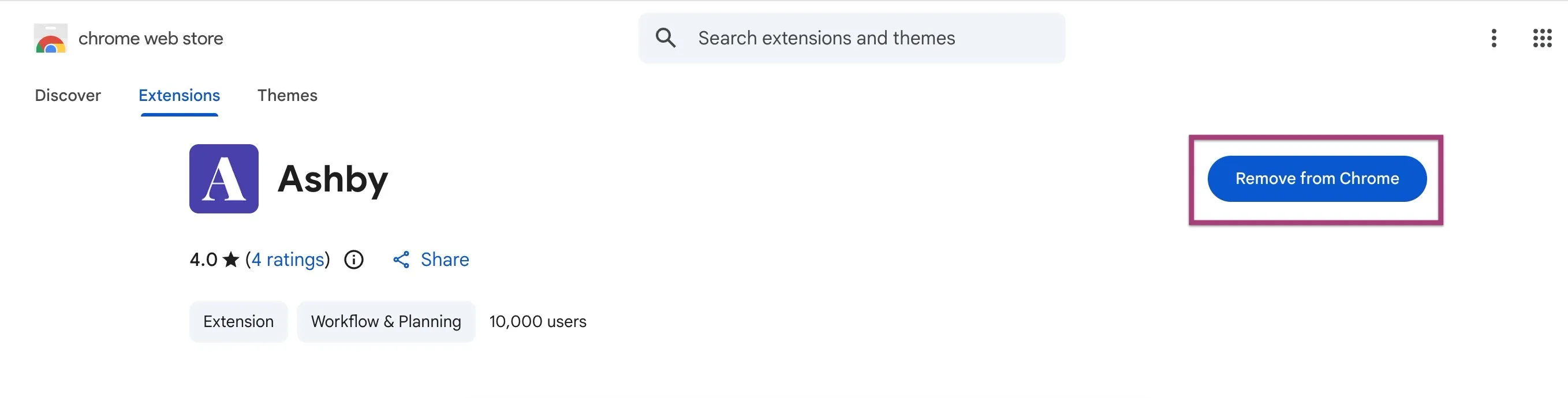
- Once uninstalled, reinstall by clicking Add to Chrome. Doing so automatically downloads the extension's latest version.