Tags
This document outlines the tag options currently supported in Ashby. Tags can enhance the discoverability of candidate profiles, create more flexibility in reporting, and more. Ashby currently supports candidate tags.
Creating candidate tags
You can create candidate tags in two ways: in the Candidate Tags section of Admin, or directly on the candidate profile.
To create a candidate tag in Admin:
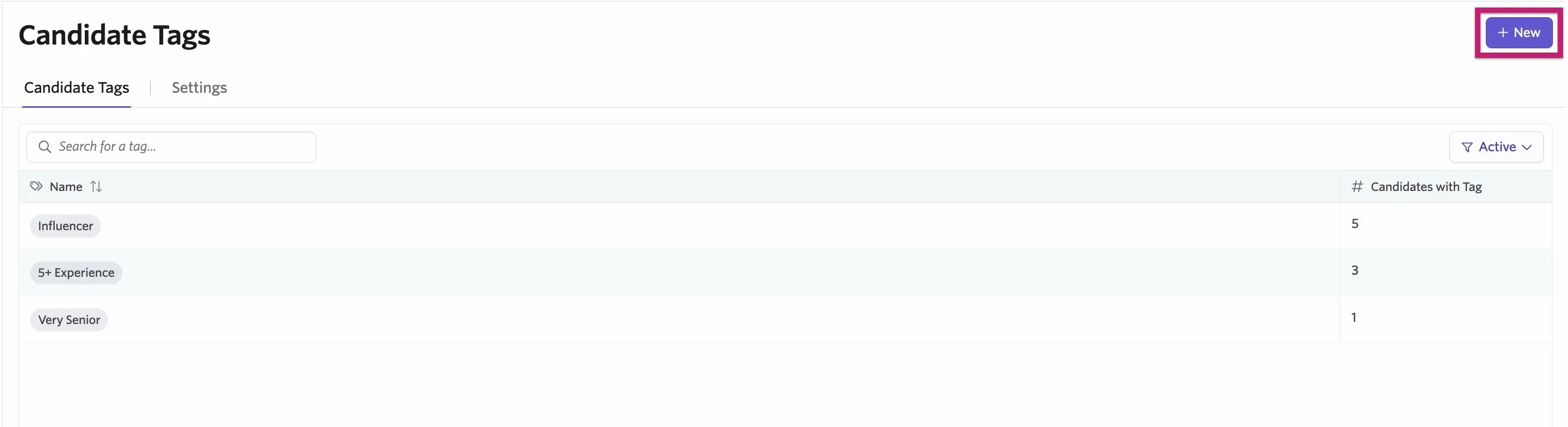
- Navigate to Admin > Organization Settings > Candidate Tags.
- Click + New.
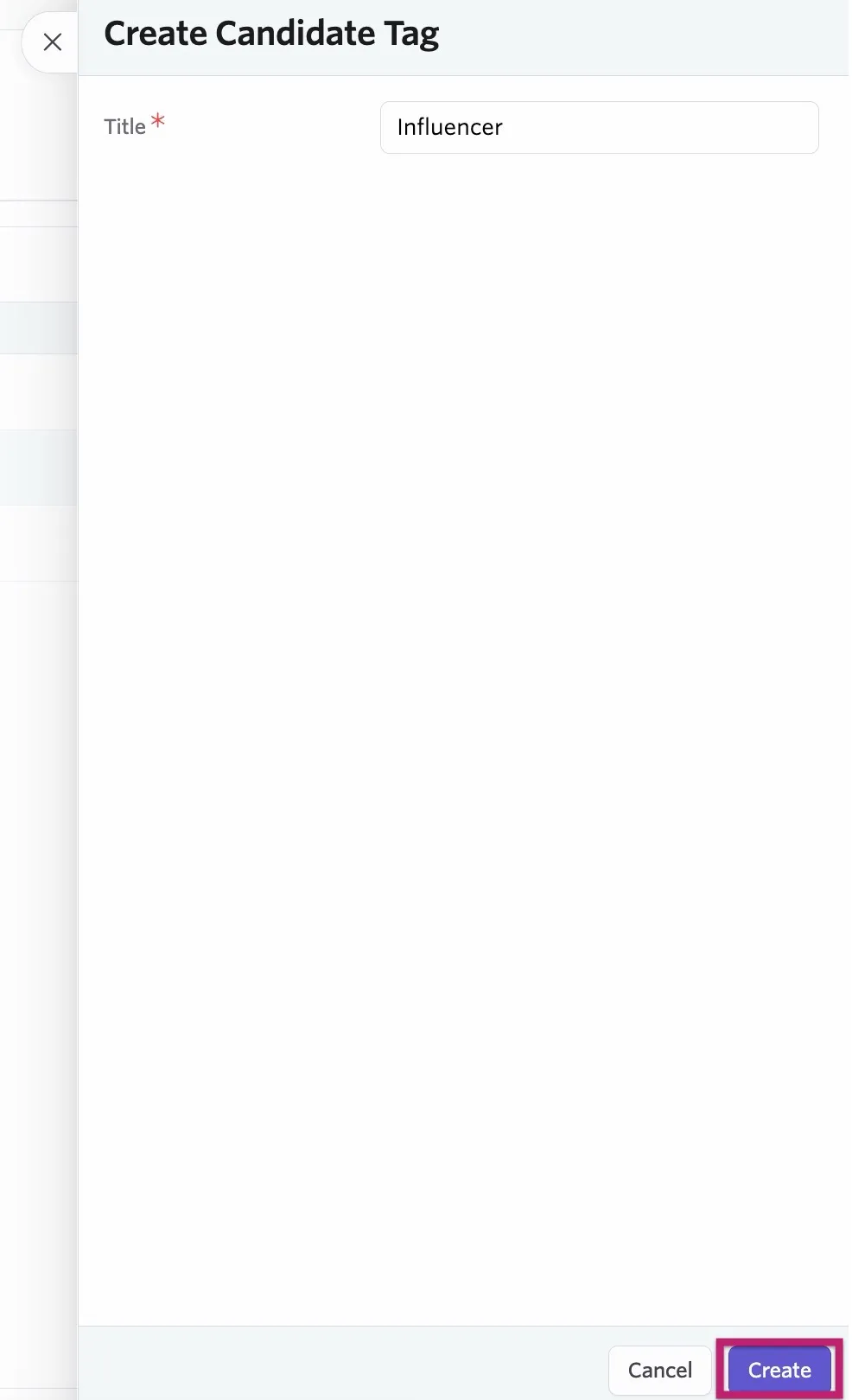
- Add a title for your tag, then click Create.
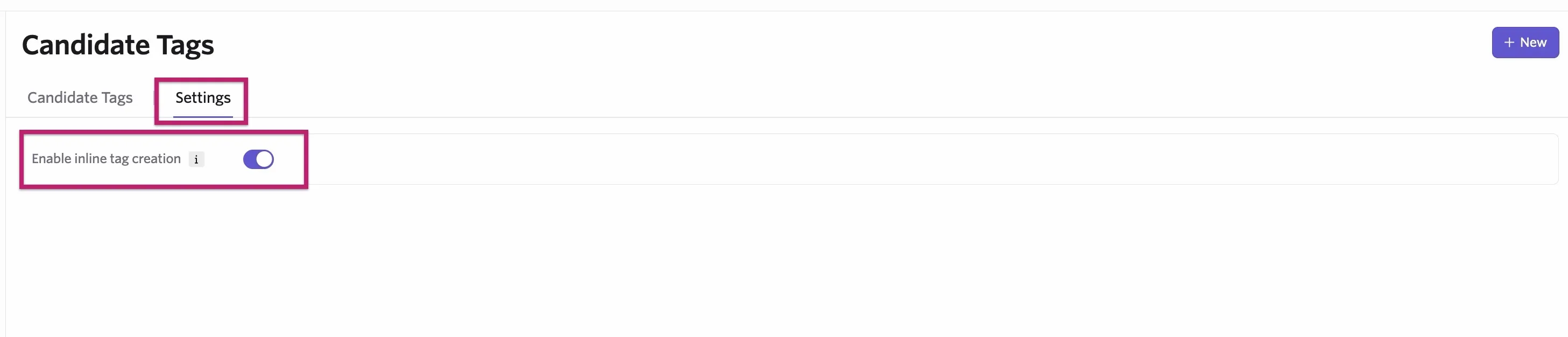
To create a candidate tag directly on the candidate profile, first enable inline creation. To do this:
- Navigate to Admin > Organization Settings > Candidate Tags.
- Click the Settings tab.
- Enable the Enable inline tag creation toggle.
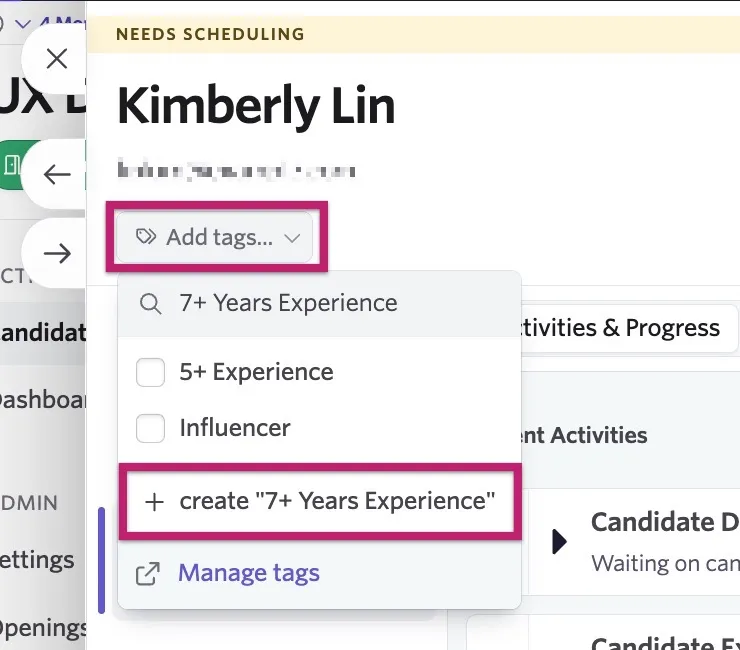
Then, on the candidate profile:
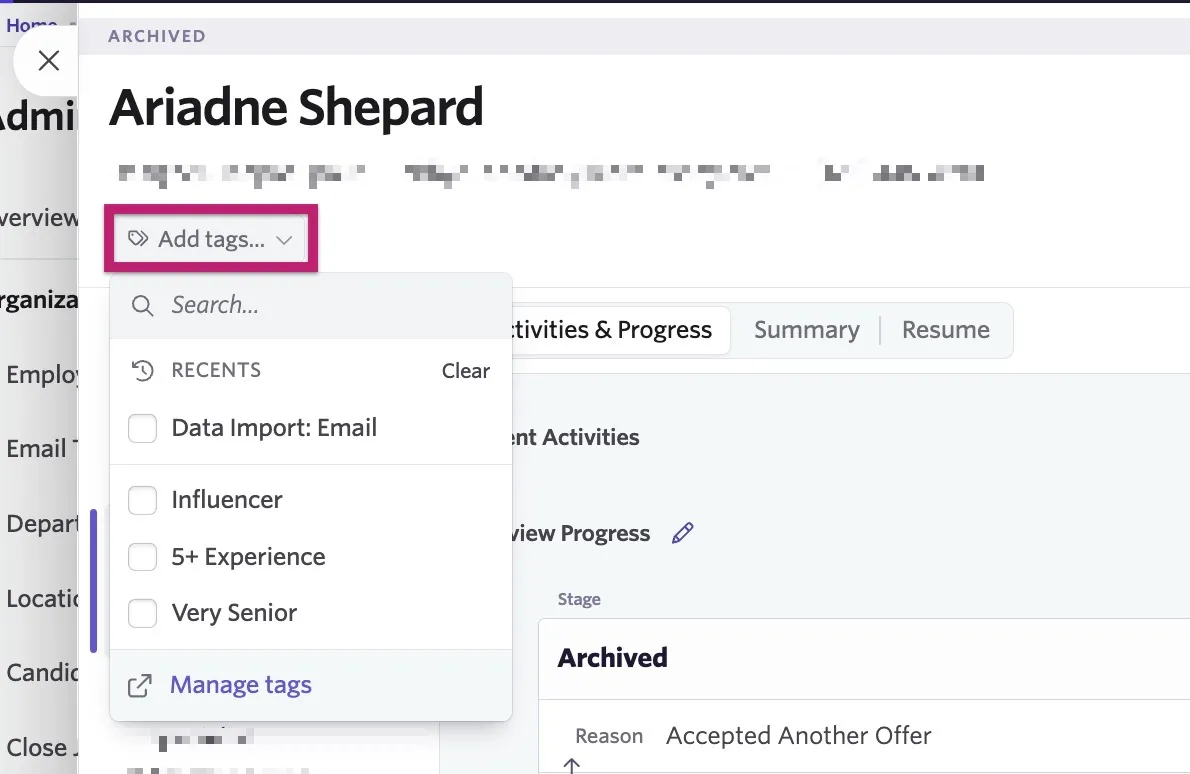
- Click Add tags underneath the candidate's name and details.
- Type the tag name, then click + Create new tag to both create the tag and add it to the candidate profile.
Applying candidate tags
To apply a tag to the candidate profile:
- Click Add tags underneath the candidate's name and details.
- Search for and select the tag from the list to apply it.
Using candidate tags
You can use tags to filter candidate searches and pipelines, generate reports, and trigger alerts.
Candidate search
Use candidate tags to filter a candidate search by:
- Navigate to Candidates > Search.
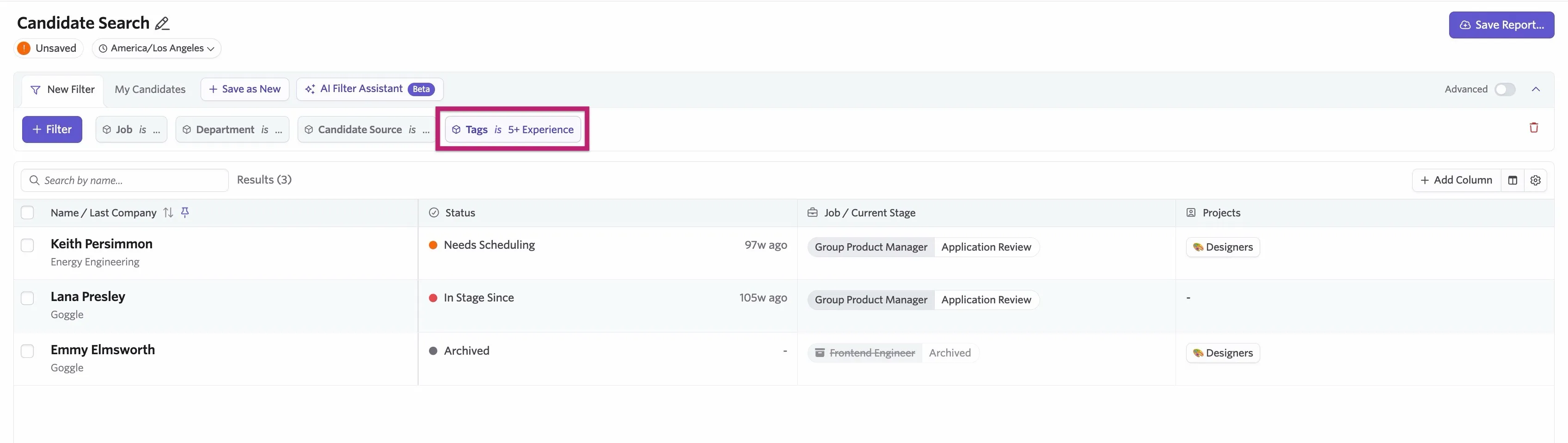
- Click + Filter or Add Field to Match to add a filter. The button you see depends on whether the Advanced toggle is on or off.
- Search for and select Tags. Once selected, choose the tags to filter by, and the candidate list displays all candidates with that tag applied to their profile.
Candidate pipeline
Use candidate tags on the candidate pipeline by:
- Navigate to Jobs > Jobs.
- Select a job to open the candidate pipeline.
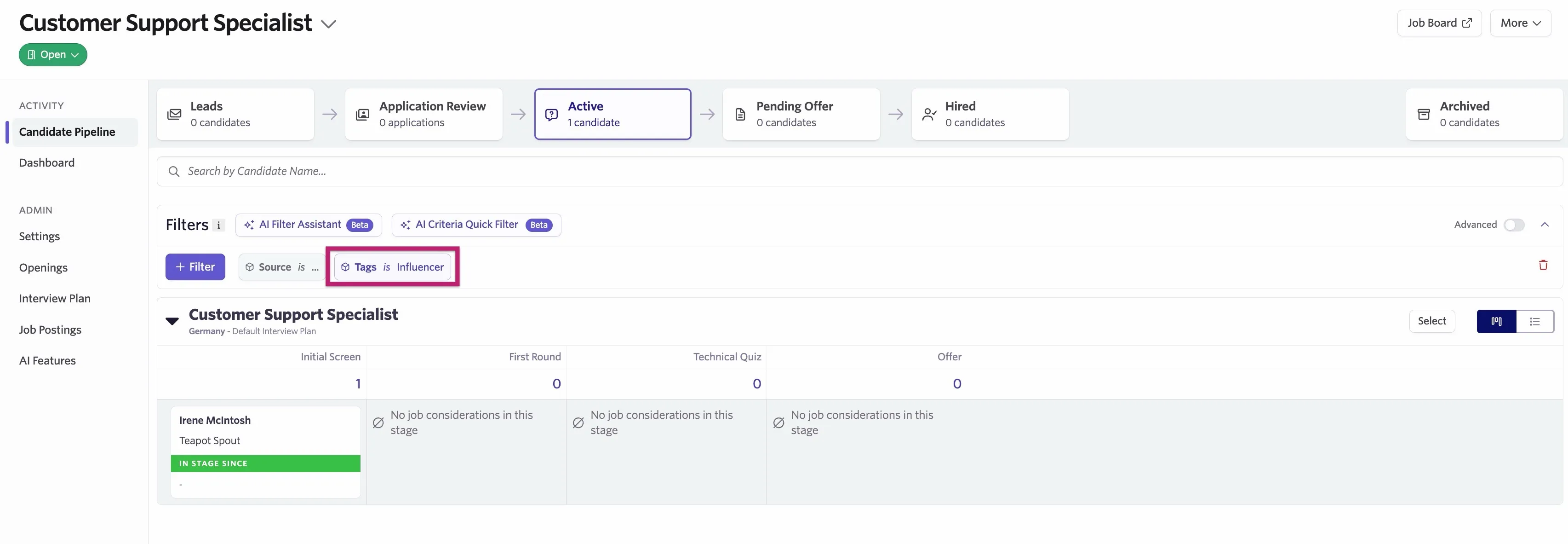
- Click + Filter or Add Field to Match to add a filter. The button you see depends on whether the Advanced toggle is on or off.
- Search for and select Tags. Once selected, choose the tags to filter by, and the candidate pipeline displays all active candidates with that tag applied to their profile.
Reports and alerts
Tags are available as filters for reports too, so you can filter and group results based on tags applied to candidates.
For more on creating custom reports, check out Custom Reports.
FAQs
Who can use tags?
All users who have access to edit candidate profiles can add tags to them. For details on which access levels can do this, see User PermissionsUser Permissions.
Should I use tags to nurture candidates?
ProjectsProjects are dedicated to building talent pools, while you can use tags for a variety of other efforts. Overusing tags can create visual clutter on candidates' profiles.
Can I automatically apply a tag to a candidate?
This kind of automation isn't currently possible. You need to add tags manually.