Reporting on Data Retention Rules, Violations of Rules and Consent Choice
This guide runs through reports you can run to help track candidates that are considered as in violation of your data compliance rules set in Ashby, data compliance overrides, data retention rules applied to candidates and when past and future consent requests are sent.
For more on configuring data retention rules in Ashby, check out Data Privacy and Compliance.
When are candidates considered in violation?
Candidates are considered in violation of data retention policies in Ashby if they violate an enabled rule and they aren’t passing another enabled rule. For example:
- A candidate that has an inactivity date in the past (and is thus violating an Inactivity Based Retention Rule), is not in violation if they have submitted consent.
- A candidate who has not submitted consent (and is thus violating a Consent Based Retention Rule) is not in violation if they have an inactivity date set in the future (by an Inactivity Based Rule).
This allows for you to flexibly combine the two types of rules to have a rule keep a candidate out of violation, even if they violate a different rule.
Candidates additionally are never in violation while they have an application in an active stage.
What fields are available for data compliance rule reporting in Ashby?
Field Name | Definition |
|---|---|
Is In Violation of Data Compliance? | Whether a candidate is in violation of any data compliance rules |
Data Compliance Override Date | The override date after which a candidate is marked as in violation of data compliance rules |
Data Compliance Override Reason | The reason that was provided when ignoring compliance violations or overriding the compliance date |
Is Data Compliance Ignored? | Whether data compliance rules were ignored for this candidate |
Consent Based Data Retention Rule | The consent based data compliance rule used to determine the candidate's retention date. |
Data Retention Consent End Date | The candidate has given consent to keep their data up through this date |
Inactivity Based Data Retention Rule | The inactivity based data compliance rule used to determine the candidate's retention date. |
Inactivity Based Data Retention Date | The date after which a candidate's data should be anonymized or deleted according to the organization's inactivity based data compliance rules |
Last Data Consent Request Sent At | The date this candidate was most recently sent a data consent request. This includes both initial consent requests and extension requests. |
Last Automated Consent Extension Request Sent At | The date this candidate was most recently sent an automated consent extension request. |
Next Automated Consent Extension Request Scheduled At | The date the next automated consent extension request is scheduled to be sent. |
Filtering a candidate search report for those in violation of your data compliance rules
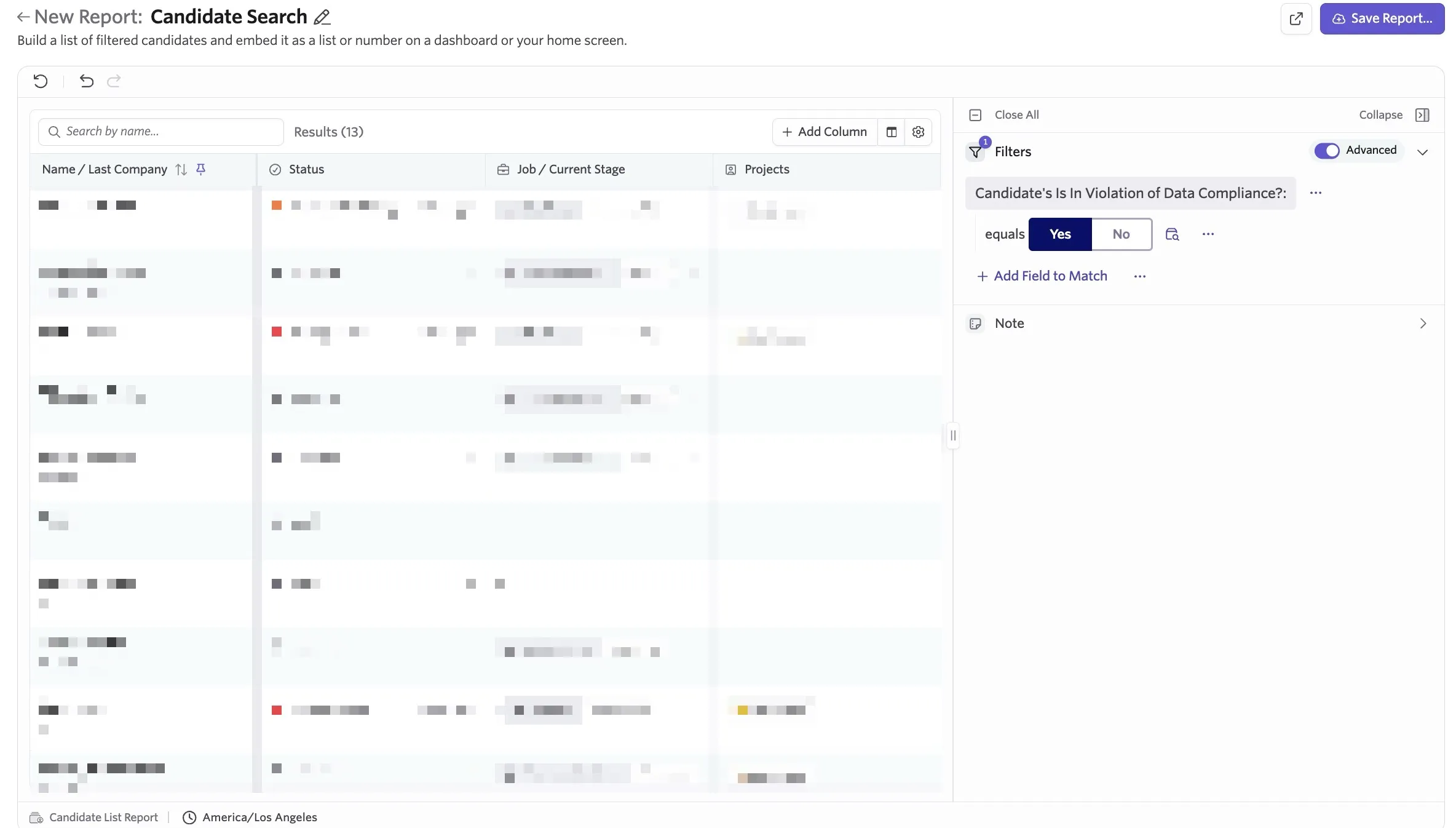
You can quickly find candidates that are in violation of your rules using Ashby’s Reporting functionality. Here is a Candidate Search that finds those candidates by using the Is In Violation of Data Compliance field and setting the value to Yes to quickly find candidates that are being considered as in violation.
Reporting on Data Consent Choices
You can filter, group by or add the Last Data Consent Request Choice field as a column to a report. This allows you to filter and view candidate consent choices.
Values for the consent choice will be one of:
- Pending: the candidate hasn't responded to the request
- Opted In: Submitted and agreed
- Opted Out: Submitted without agreeing
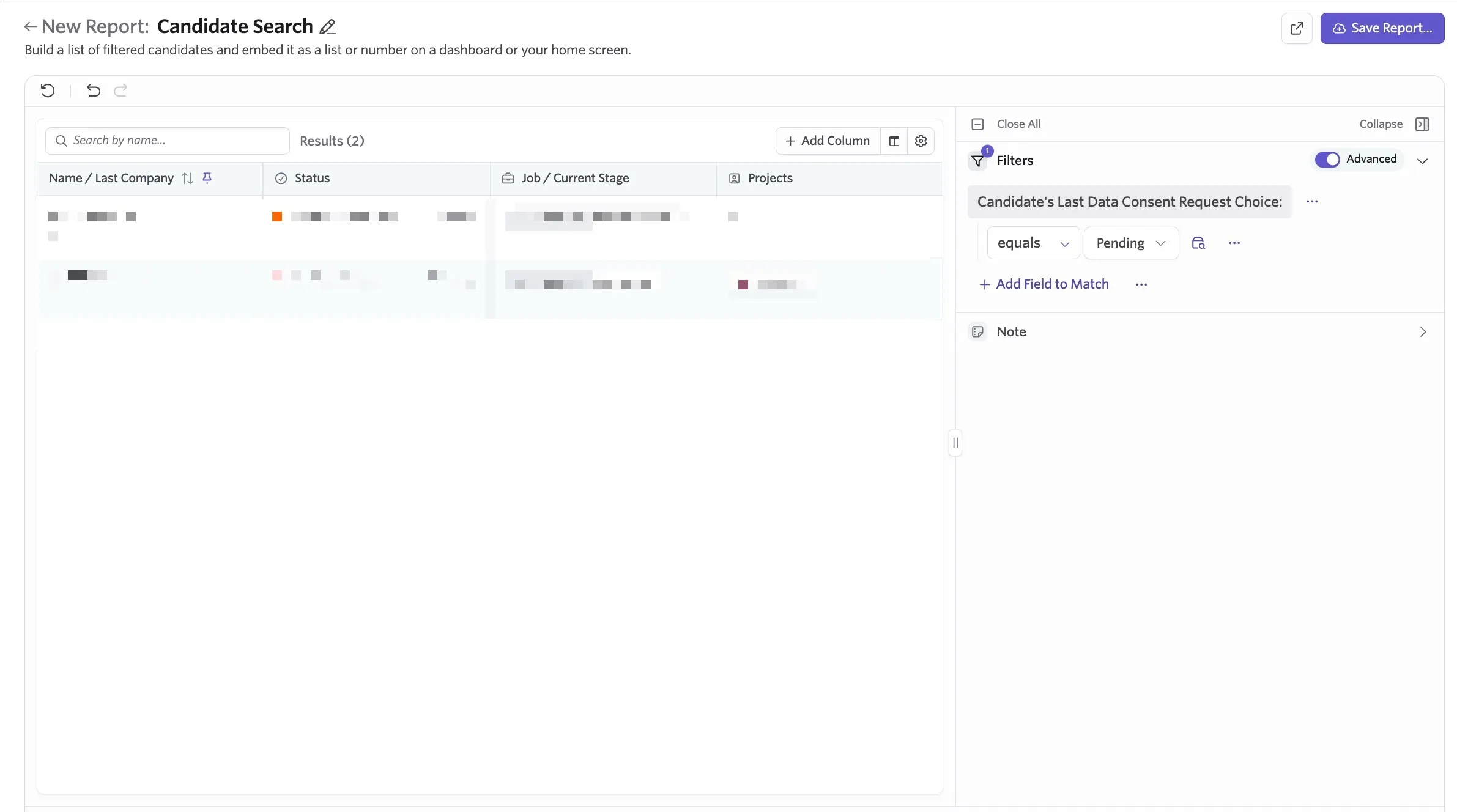
Below is a candidate search or candidate list report filtering for candidates who have the Last Data Consent Request Choice field set to Pending.
Reporting on Consent Extension Requests
Other reporting fields you can use to either filter results when reporting or show on a custom list report include Last Data Consent Request Sent At, Last Automated Consent Extension Request Sent At and Next Automated Consent Extension Request Scheduled At.
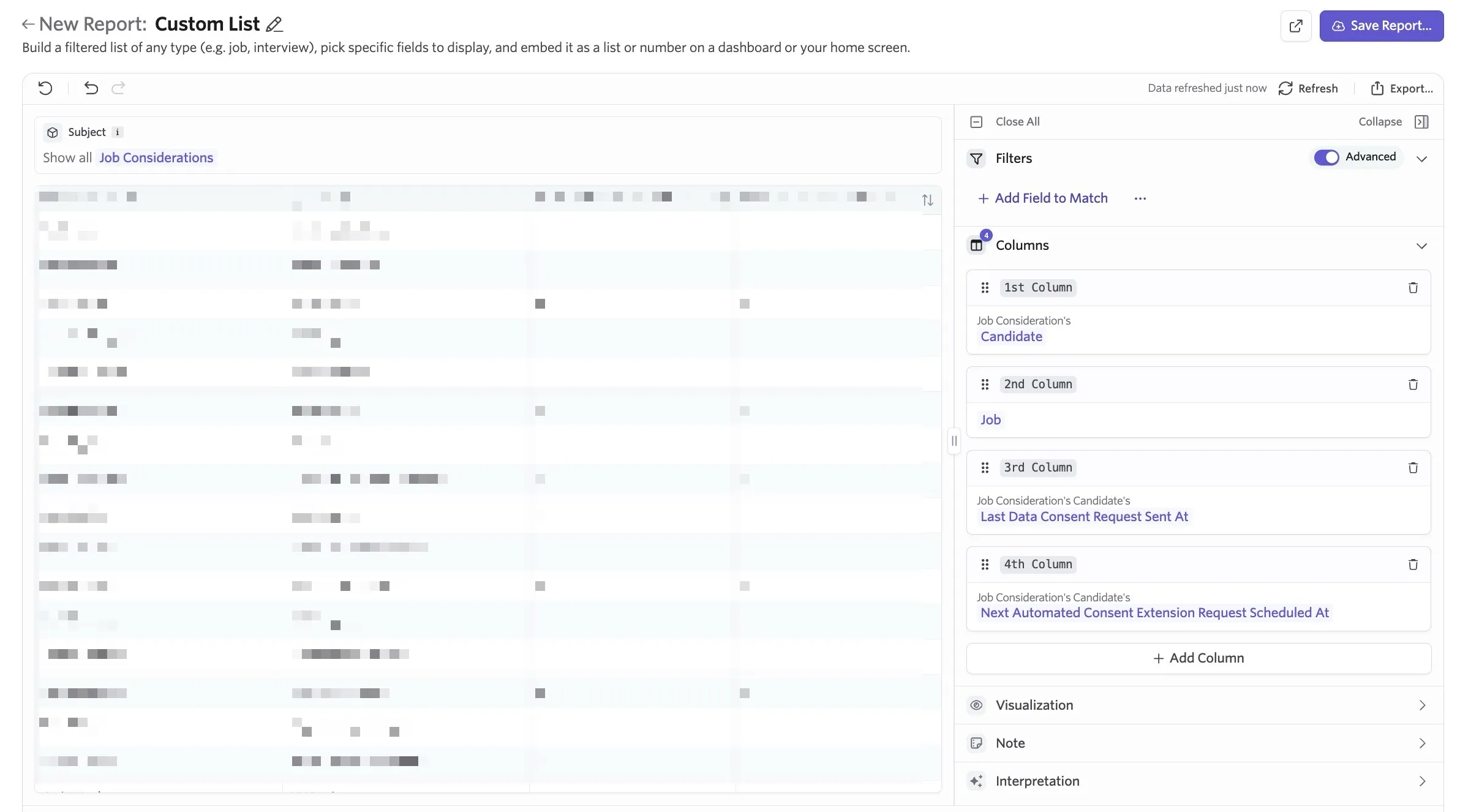
You can use these to show when the last consent extension request email was sent and when the next one is due to be sent respectively. Below is a custom list report listing the following fields as columns:
Job Consideration's Candidate
Job Consideration's Job
Job Consideration's Candidates Last Data Consent Request Sent At
Next Automated consent Extension Request Scheduled At
Reporting based on applied data compliance rule
Want to also filter, group by or display the data compliance rule being applied to the candidate or lead? You can use the Inactivity Based Data Retention Rule (covers both Inactive Lead and Inactive Applicant rules) and Consent Based Data Retention Rule fields when building reports.
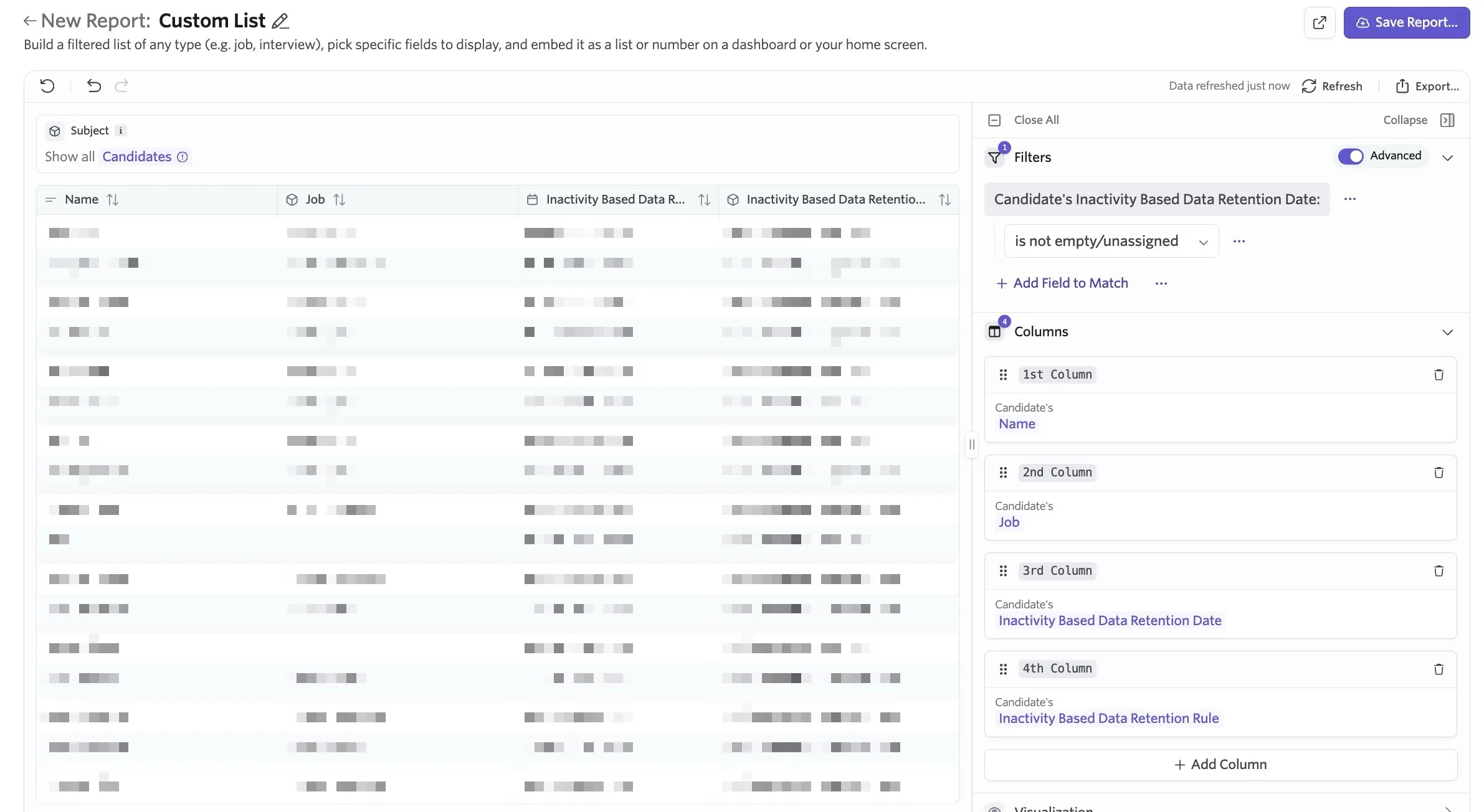
You can use this to filter or show the specific data retention rule that is being applied to a candidate. For example, below is a custom list report with the Candidate subject, filtered to show all candidates that have an inactivity based retention date assigned. The report is set to show the following columns.
Candidate's Name
Candidate's Job Consideration's Job
Candidate's Inactivity Based Data Retention Date
Candidate's Inactivity Based Data Retention Rule
Reporting on data consent overrides
For more on overriding data consent dates, check out Data Privacy and Compliance
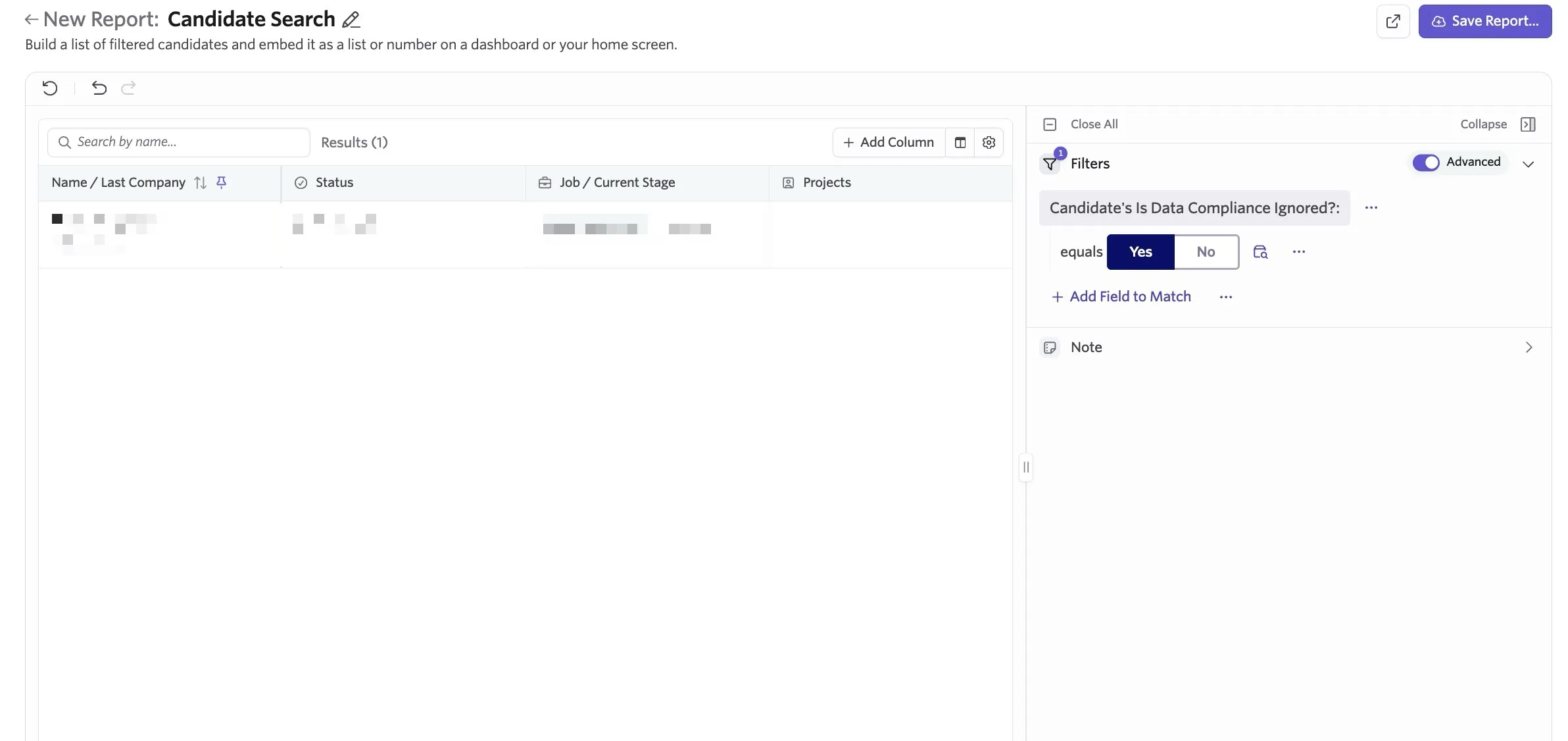
If you have overridden consent dates or overridden and ignored data retention rules for candidates completely, you can use the Data Compliance Override Date, Data Compliance Override Reason and Is Data Compliance Ignored? fields to filter, group and show on your reports as needed.
Below is an export candidate search or list that filters for candidates who have the Is Data Compliance Ignored? field set to Yes.