Reporting on Candidate Fraud Status and Signals
Overview
You can report on a candidate's fraud status and also any signals detected. The following fields are available for reporting on candidate fraud:
Fields | Definition |
|---|---|
Fraud Status | The fraud review status for candidates flagged for fraud. |
Fraud Signals | The specific fraud signals triggered for this candidate across all fraud checks. |
For more on enabling candidate fraud detection, check out Candidate Fraud Detection Overview & Admin Settings. For more on running the candidate fraud detection tool on a candidate's profile and reviewing results, review Running Candidate Fraud Detection Checks & Reviewing Fraud Signals.
Example reports for candidate fraud
Below you can find some examples of reports you can run using the above fields. When reporting on candidate fraud signals, we would usually recommend using the Candidate subject.
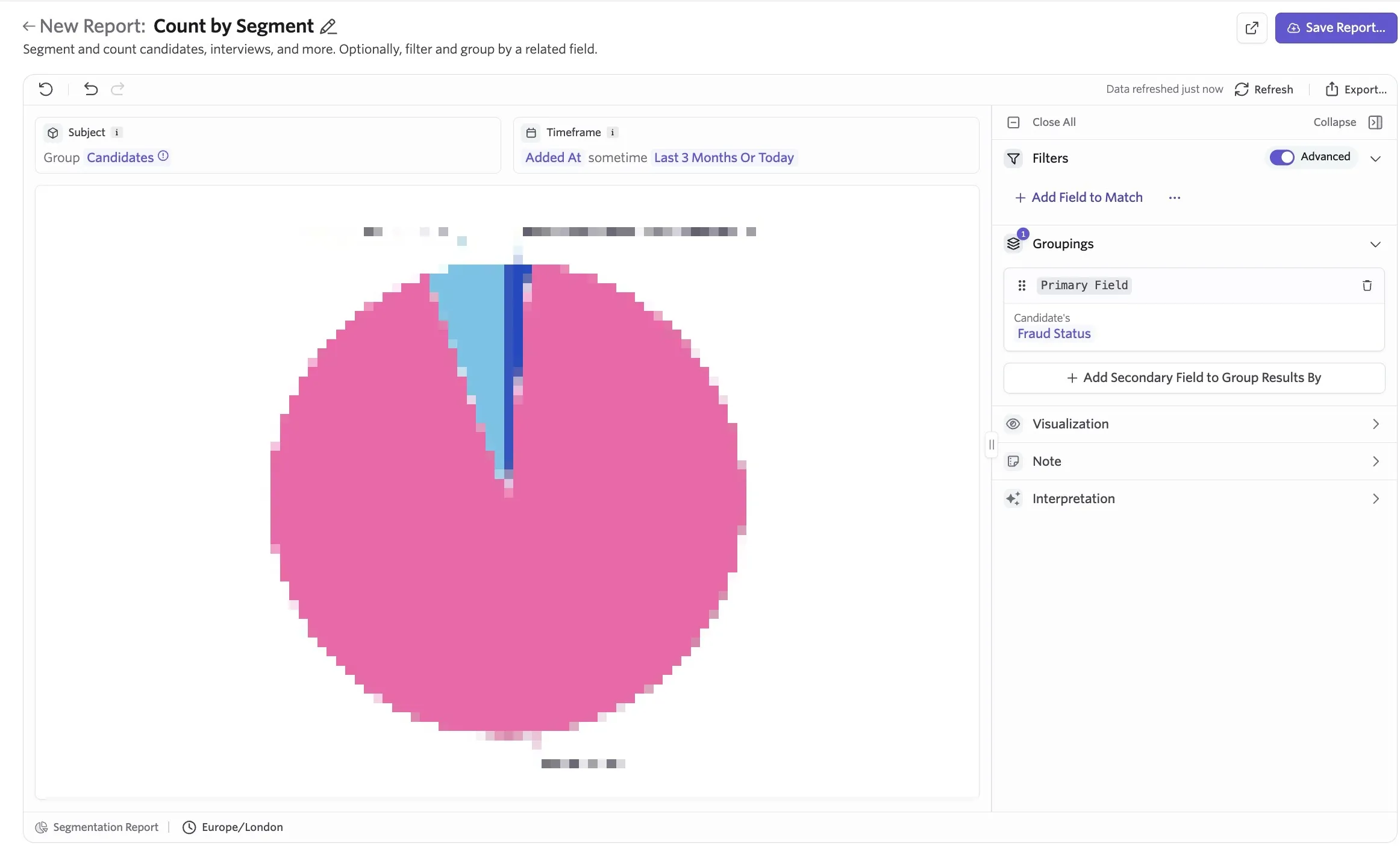
Segmentation report covering candidate fraud status across applications
Report Type: Segmentation
Subject: Candidates
Timeframe: Added At [determine your chosen timeframe here]
Filters: You can filter by job, department, etc here.
Groupings: Candidate Fraud Status
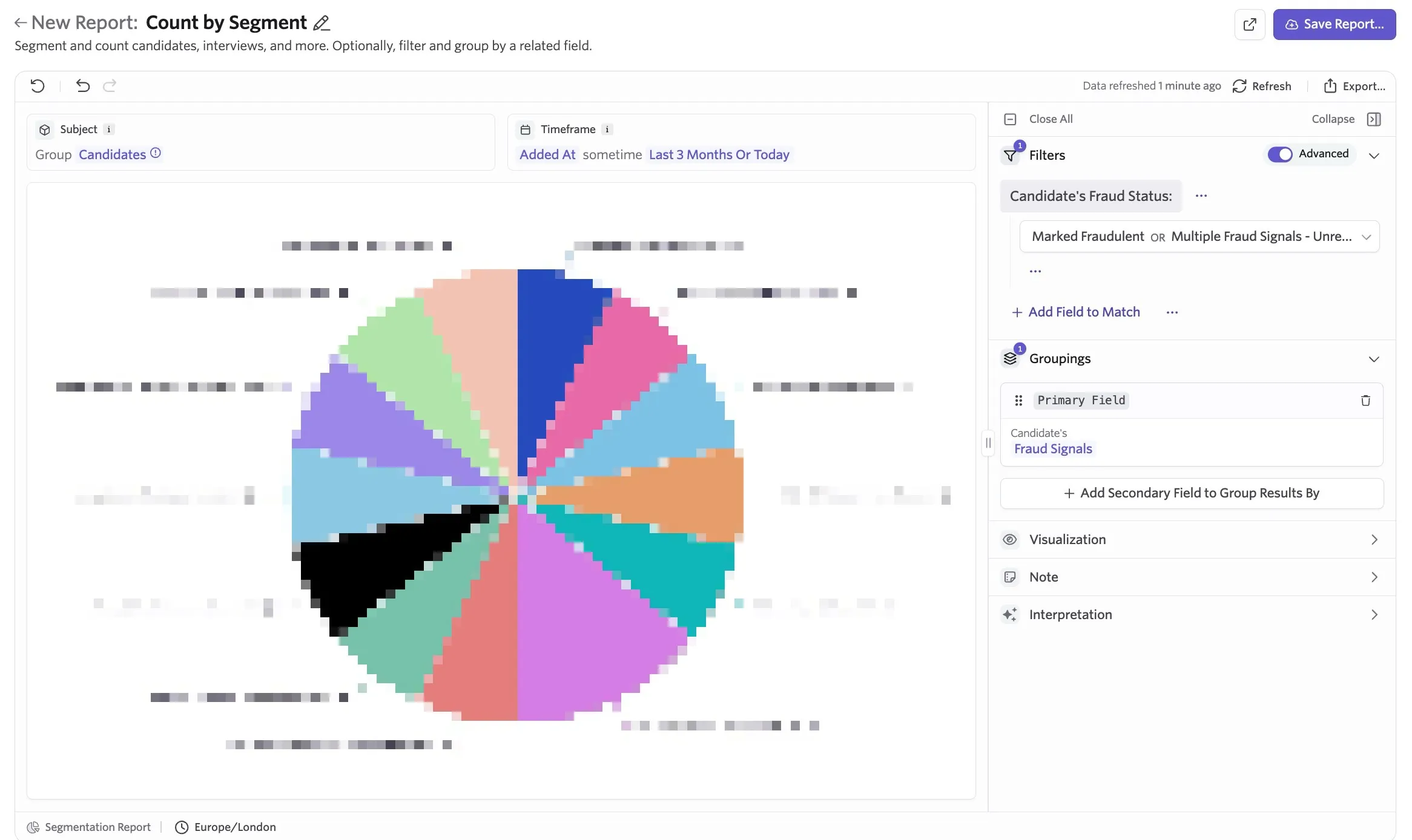
Most common candidate fraud signals for candidates who have been flagged as fraudulent
Report Type: Segmentation
Subject: Candidates
Timeframe: Added At [determine your chosen timeframe here]
Filters: Candidate Fraud Status = Marked Fraudulent or Multiple Fraud Signals - Unreviewed (to include any flagged candidates who are yet to be checked)
Groupings: Candidate Fraud Signals
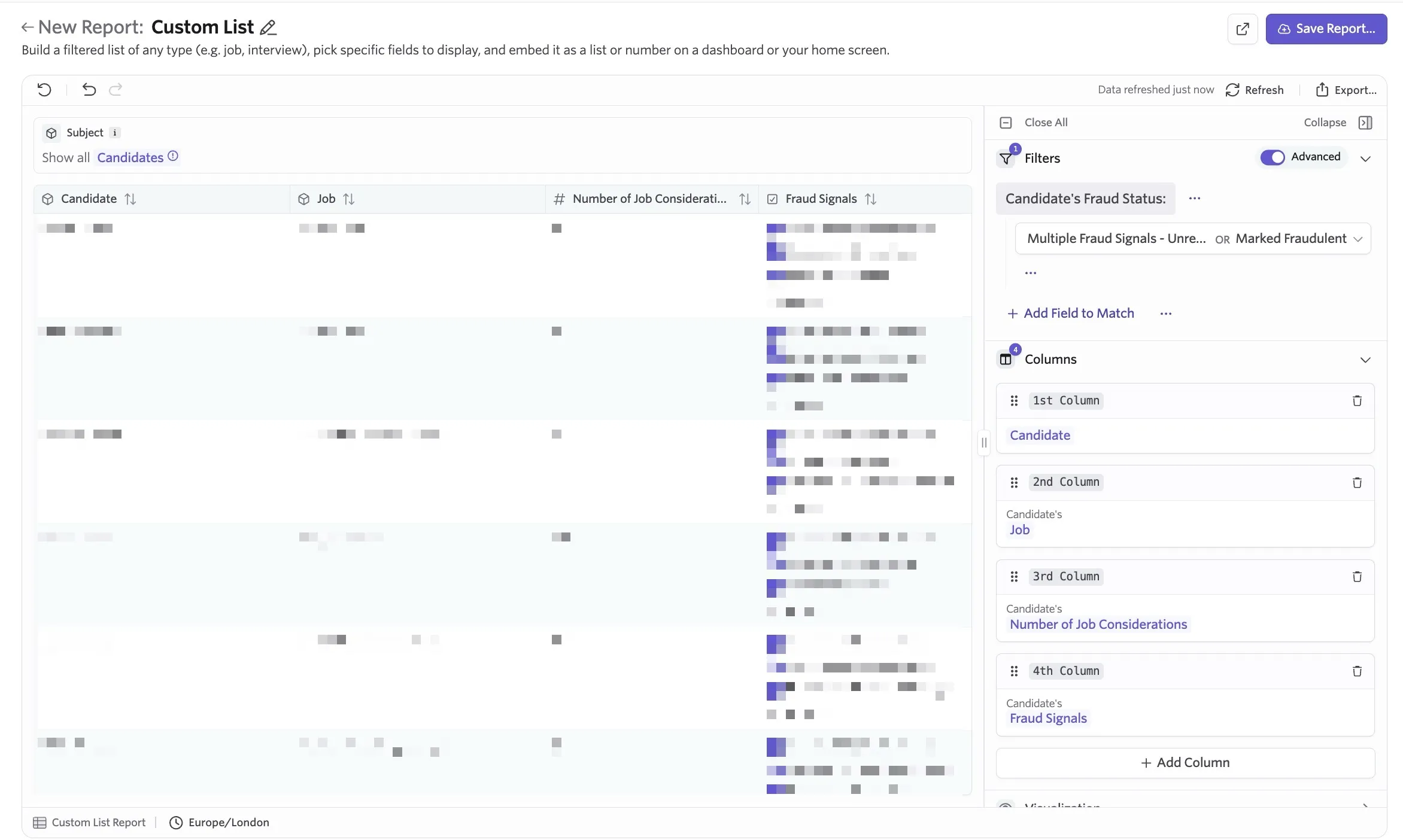
Create an exportable list of flagged candidates including the fraud signals
Report Type: Custom List
Subject: Candidates
Filters: Candidate Fraud Status = Marked Fraudulent or Multiple Fraud Signals - Unreviewed (to include any flagged candidates who are yet to be checked)
Columns: Any candidate information you'd like to include but ensure that Candidate Fraud Signals is included as a column.
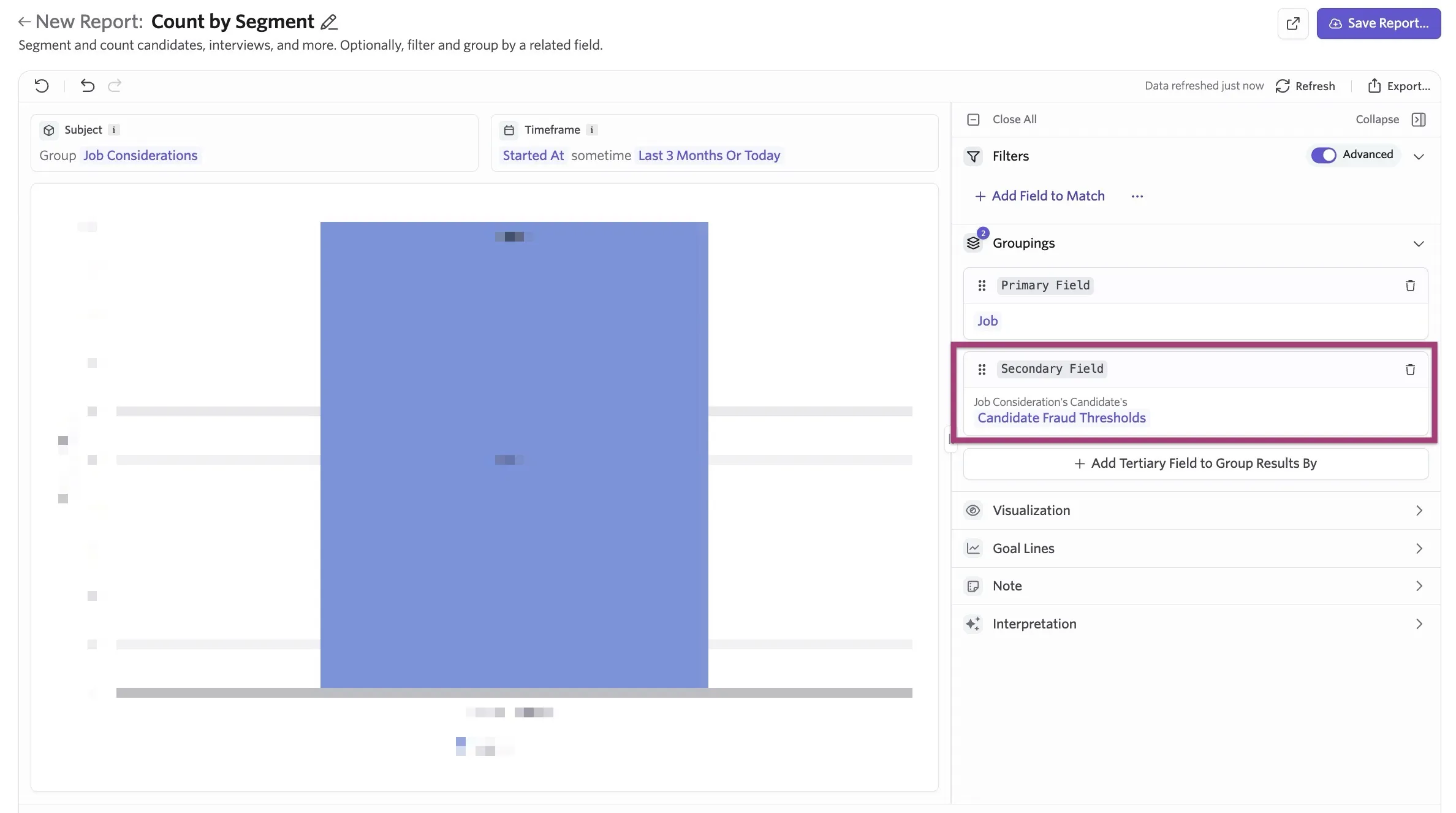
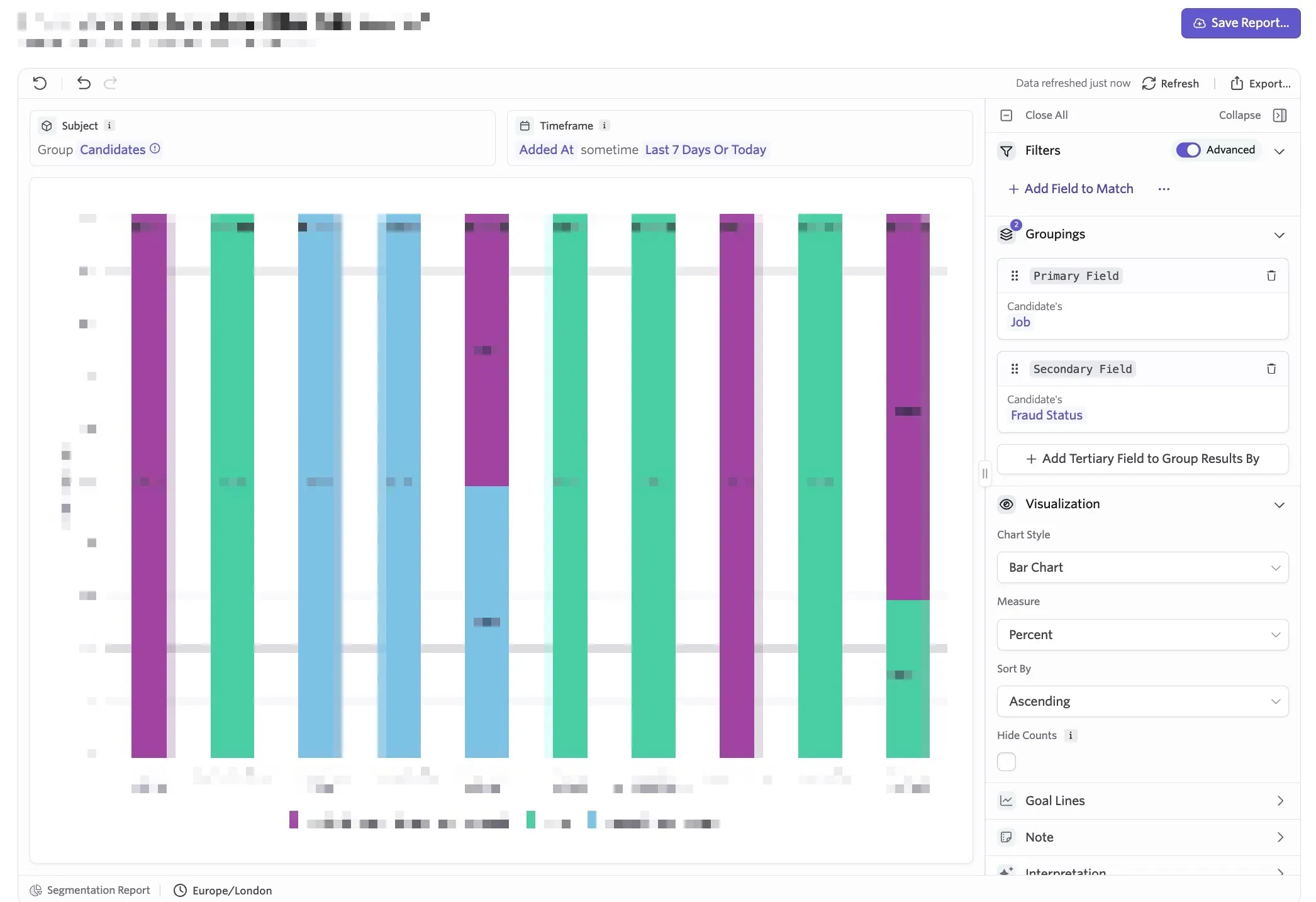
Candidate fraud flag rate, grouped by the job the job consideration is for
Report Type: Segmentation
Subject: Candidates
Timeframe: Added At [determine your chosen timeframe here]
Groupings: Candidate's Job and Candidate's Fraud Status
Using calculated fields to create custom fraud risk ratings or thresholds
Prerequisites: Only Organization Admins can create calculated fields.
Calculated fields are available on the Legacy Plus, Plus and Enterprise plans.
Foundations | Legacy Plus | Plus | Enterprise |
|---|---|---|---|
❌ | ✅ | ✅ | ✅ |
For more on calculated fields in general, check out Calculated Fields
If you'd like to configure your own custom fraud risk thresholds, you can create a calculated field to configure buckets to categorize fraud signals. To do this:
- Navigate to Admin > Data Management > Calculated Fields
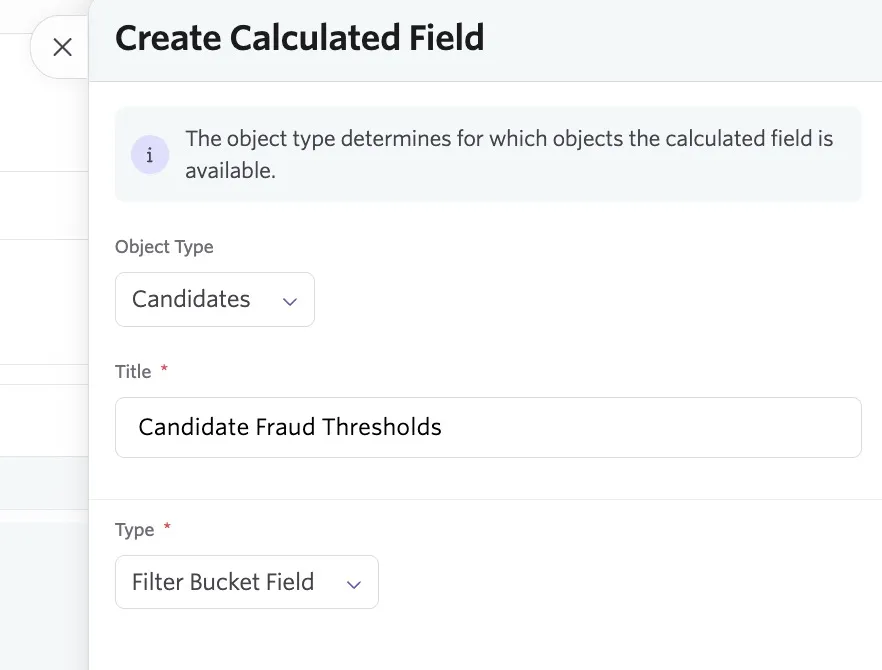
- Click + New , add a title and create the calculated field with the following settings before clicking Create:
- Object Type: Candidates
- Type: Filter Bucket Field
- Click + Add Bucket to create a new bucket. Title each bucket to set the threshold names (for example High Risk)
- Within each bucket, set your criteria that, when matched will add the candidate to this bucket
- To bucket candidates based on fraud signals, click + Add Field to Match, then select the candidate fraud signals that, when flagged, will add the candidate to this bucket.
- Any fraud signals that are not assigned to a specific bucket will result in the candidate being added to the Other bucket
- Click Save to save your custom field
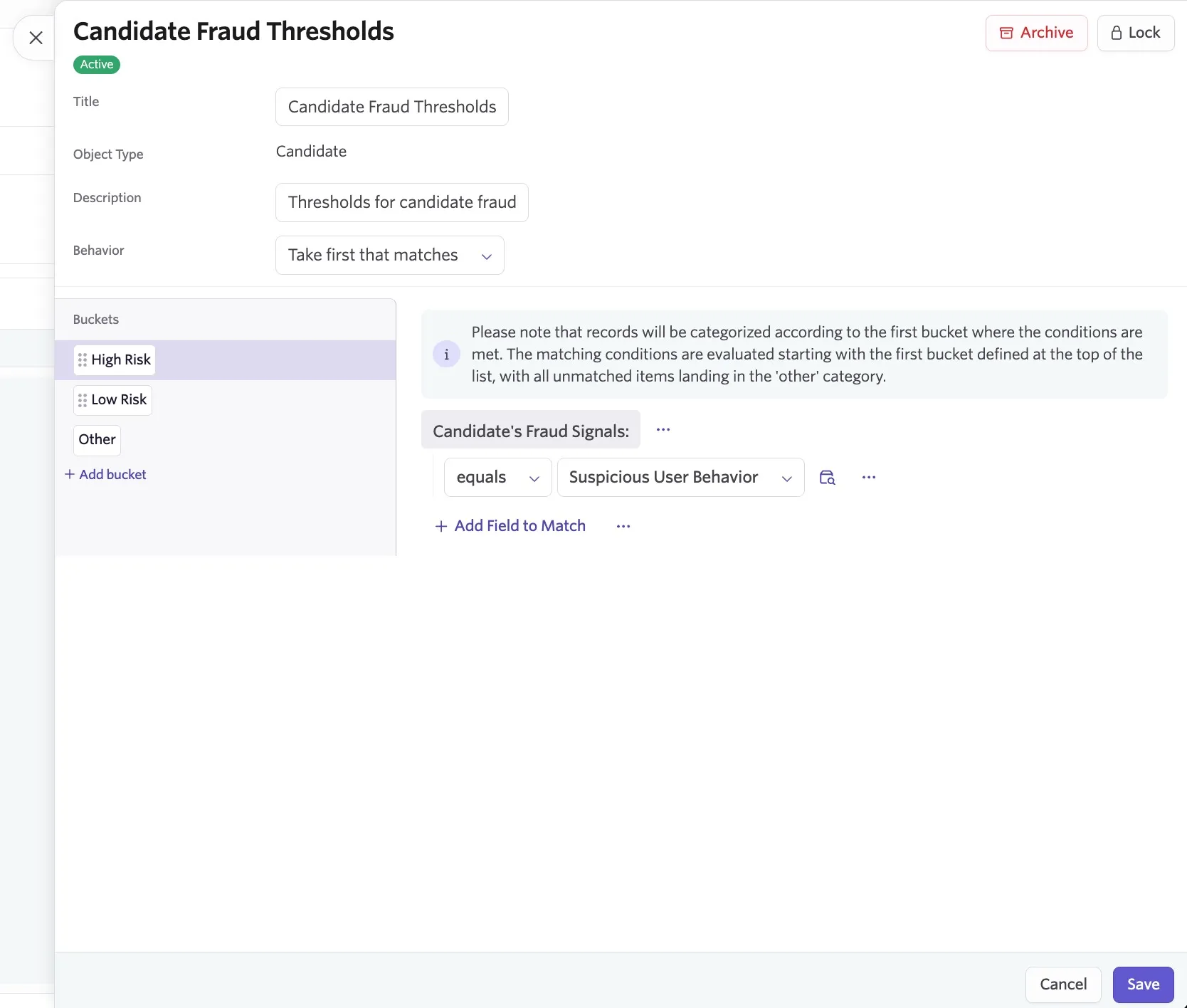
Once created, your calculated field can be used to filter or group report results.