Pebl (formerly Velocity Global)
Pebl helps you hire, pay, and manage your dream team everywhere. This integration is free for all Pebl clients, and Pebl's Integrations team walks you through the configuration from start to finish.
Permissions & access
The Pebl integration is available on Foundations, Plus, Enterprise, and Legacy Plus plans.
Foundations | Legacy Plus | Plus | Enterprise |
|---|---|---|---|
✅ | ✅ | ✅ | ✅ |
You must be an Organization Admin and have a Pebl account to configure this integration.
Connecting the integration
For technical support, reach out to [email protected] and let them know you'd like to configure the Ashby integration. They'll put you in contact with a Solutions Engineer who can assist you throughout the setup process, offer guidance, and provide you with any additional resources that you need.
Visit Pebl's Ashby - Pebl Integration support guide for the full details to connect and use the integration.
- Navigate to Admin > Integrations and search for Pebl.
- Select the + Create API key for Pebl button.
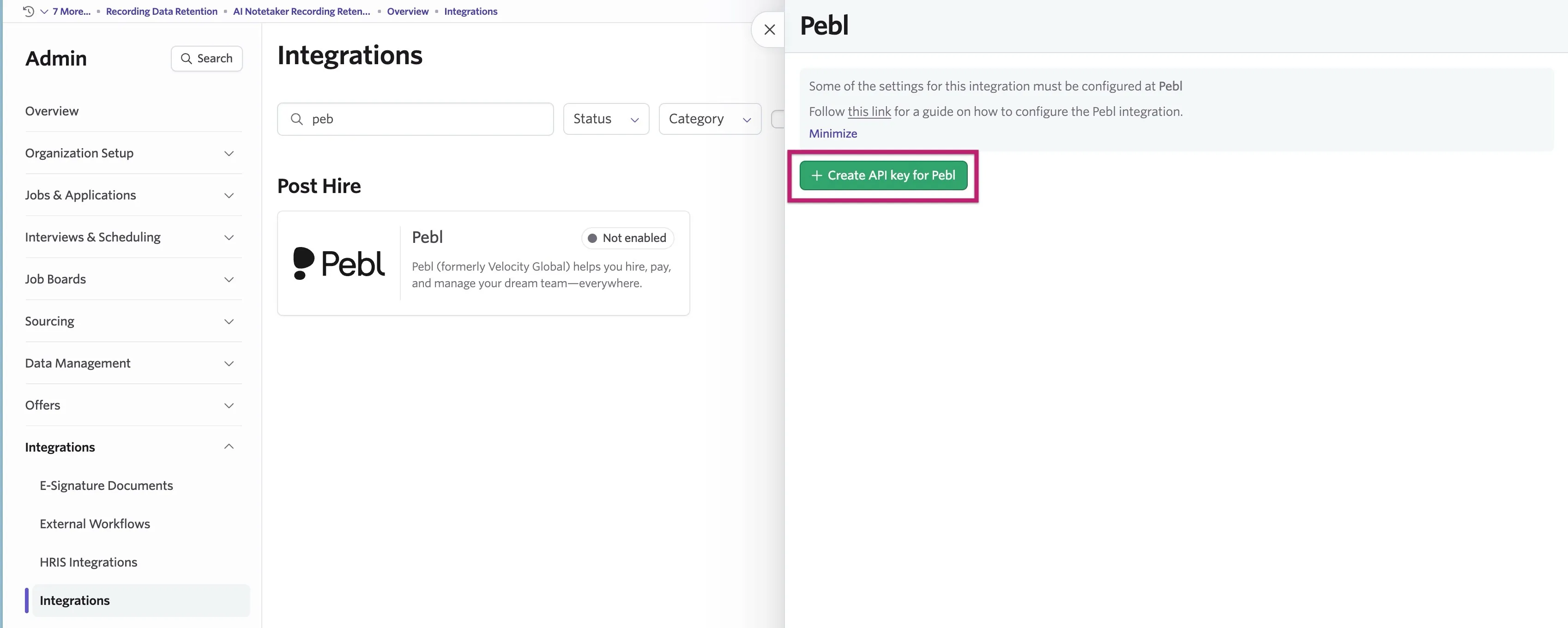
Copy the API key and store it in a secure place. You need this to complete the integration setup in Pebl.
- Create a webhook by navigating to Admin > Integrations > Webhooks.
- Click + New and fill out the following fields:
- Webhook Type: Select Offer Created from the dropdown
- Request URL: Enter the proxy URL with its client configuration ID provided by Pebl's Integrations team.
- Secret Token (Optional Field): This makes sure the Webhook events are triggered genuinely from Ashby's platform, and not from any malicious outside user.
- Create a candidate custom field by navigating to Admin > Organization Setup > Custom Fields > Candidate.
- Click + New to create a new custom field and fill out the following fields:
- Title: Hire with Pebl
- Field Type: Yes/No
See Custom Fields for more information.
Once you complete setting up your integration between Pebl and Ashby, let them know at [email protected].