Integrations
Job Board
Naukri
8 min
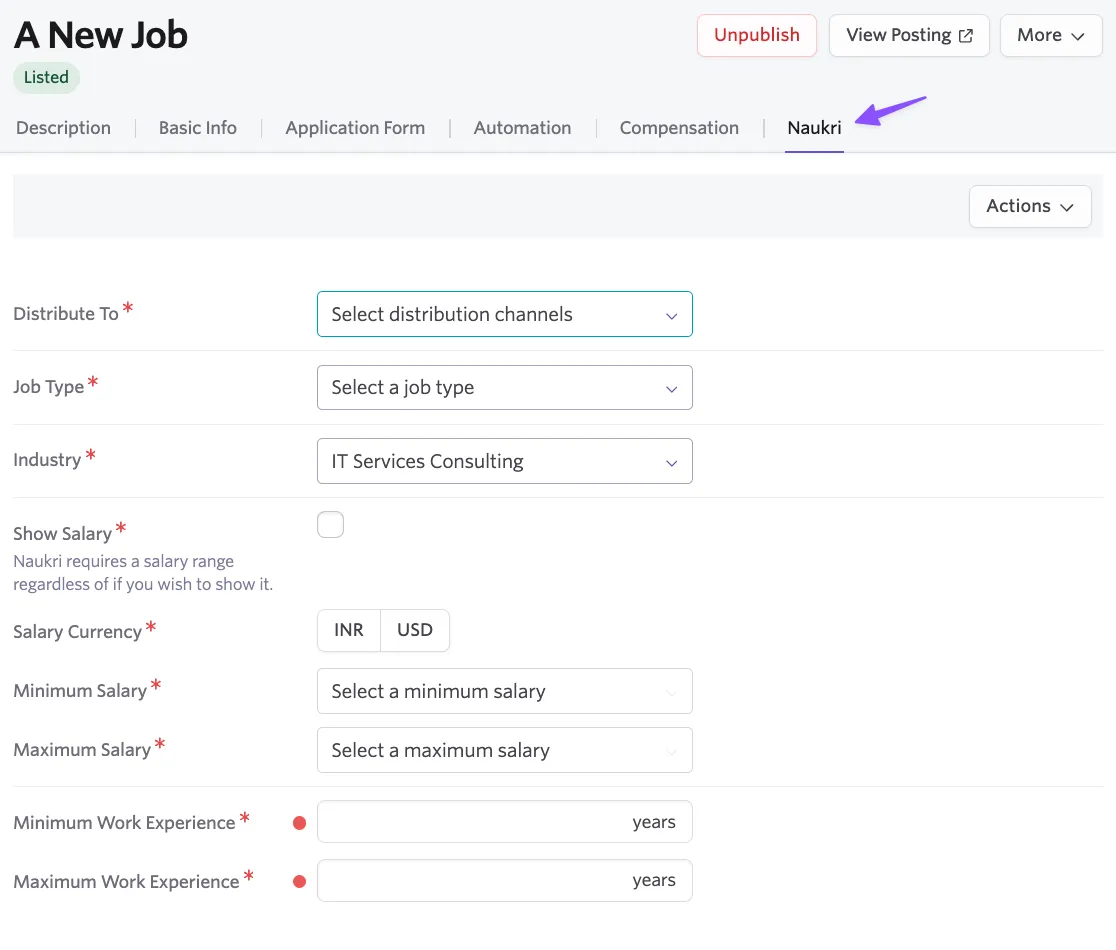
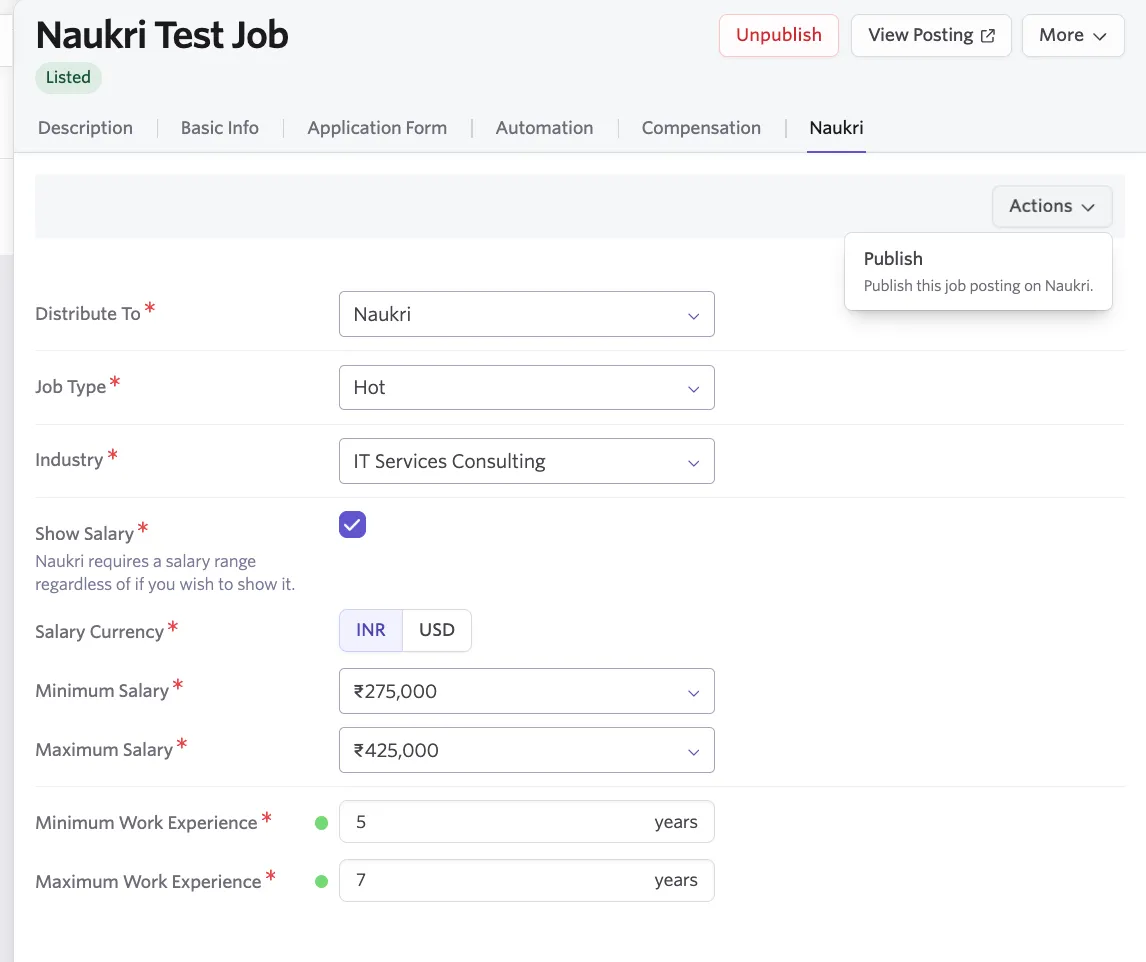
the naukri integration in ashby allows you to post jobs seamlessly on naukri, one of india's leading job portals this guide will walk you through the setup and usage of the integration access to this integration is available to all ashby customers naukri requires a subscription to post jobs naukri overview enabling the integration before enabling the integration, please get in touch with your naukri point of contact to request your team’s api key log in to ashby navigate to admin and search for naukri click on the https //app ashbyhq com/admin/integrations/marketplace/naukri click enable enter the api key provided by the naukri team optionally, add a default industry that will apply to all naukri job postings this setting can be overridden at the job posting level the integration is now enabled create a job template with naukri configuration see for more details on creating job templates this optional step will save your team time on configuring naukri required fields navigate to jobs admin > job templates click create new template on the job posting, click the naukri tab optionally, predefined naukri required fields distribute to job type industry show salary (yes/no) currency (inr/usd) minimum and maximum salary minimum and maximum work experience salary and experience have range limitations defined by naukri these are built into these fields and can not be adjusted cleanshot 2025 03 19 at 20 04 26\@2x png posting a job to naukri navigate to jobs admin > jobs click create job and select your template the naukri specific fields will be automatically pre filled to publish a job to naukri, go to actions > publish naukri post job png faq why did my job fail to post to naukri? naukri enforces several posting constraints via their api common reasons a job may fail include missing or invalid fields required fields like location, experience range, or job role must be present and correctly formatted salary format issues salary must be numeric and fall within valid inr ranges avoid using currency symbols or text unapproved company profile your company must be approved by naukri to post via api unsupported functional area or role only specific roles/categories from naukri's taxonomy are accepted refer to the https //developers zwayam com/amplify for a full list of field requirements and constraints can i post remote jobs to naukri? naukri’s api does not currently support a dedicated "remote" flag if the role is remote friendly consider adding "(remote)" to the job title or description set a major city as the primary location and clarify remote expectations in the job details how long does it take for a job to appear on naukri? jobs typically go live within 10–15 minutes however, delays may occur if manual review is triggered (e g , flagged content) your company is under verification naukri is experiencing high api traffic is there a limit on the number of jobs i can post? yes your naukri subscription may include a cap on active job postings if you exceed this limit, new posts may fail contact your naukri account manager for quota details can i edit jobs after posting? yes, jobs can be updated in ashby and changes will sync to naukri however some fields (e g , job type or location) may not be editable via api after initial posting substantial changes may trigger reposting or reset the job’s visibility date