Namely
Connect Namely to your Ashby account to automatically import hired candidates to Namely.
Integration Overview
This integration enables you to push hired candidates’ data into Namely to kick off the new employee onboarding process. Video instructions are linked at the bottom of this document.
Sync custom fields | Sync offer letters | Sync file uploads | One or two-way sync | Notes |
|---|---|---|---|---|
✔ | ❌ | ❌ | One-way sync from Ashby to Namely. | When candidates are pushed to Namely, they are added to Namely's draft onboarding feature, before adding the candidate as an Employee. |
Connect Namely with Ashby
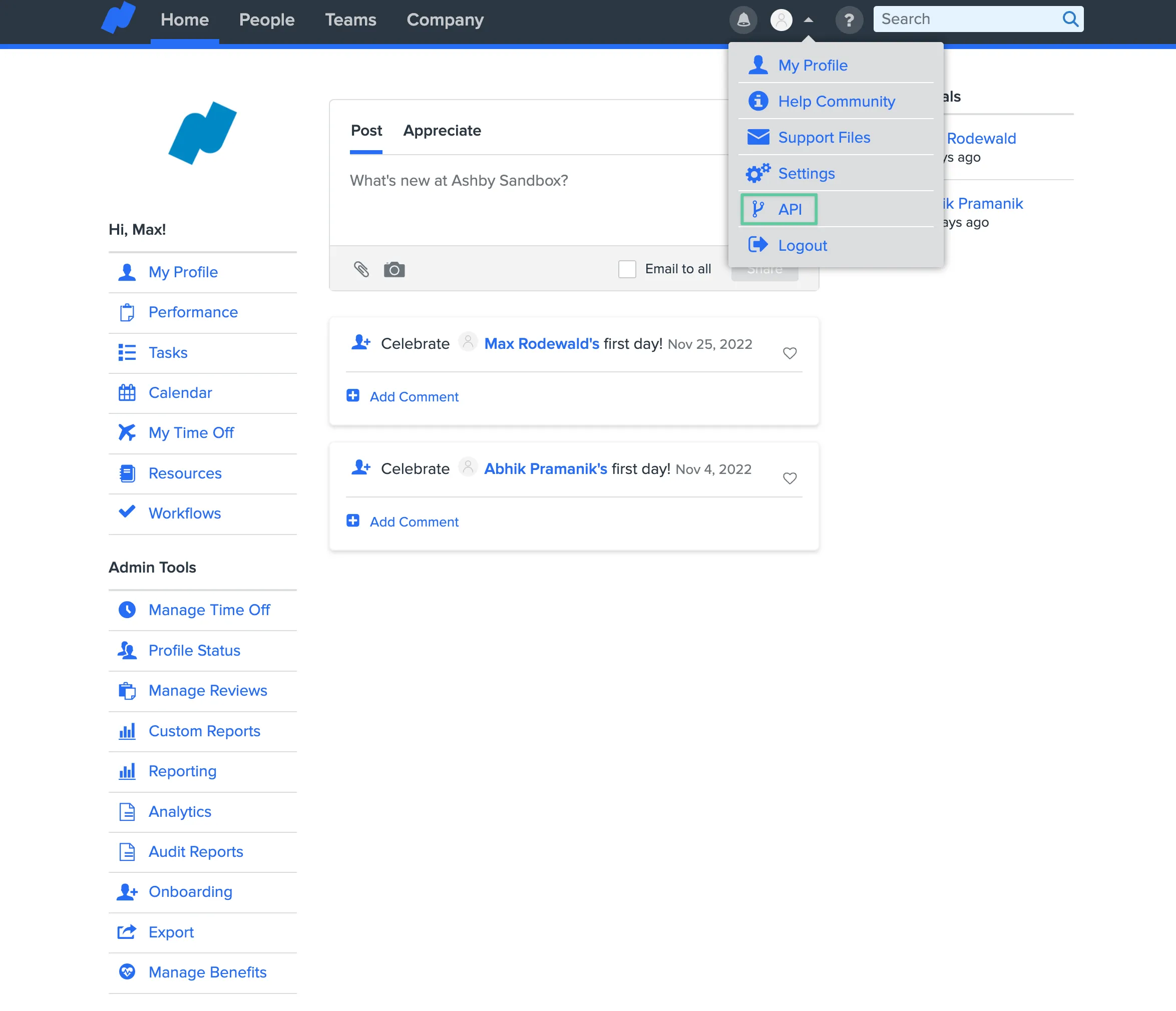
Log into your Namely account and click on your profile in the top right corner. From the dropdown menu that opens after clicking on your profile, click on API.
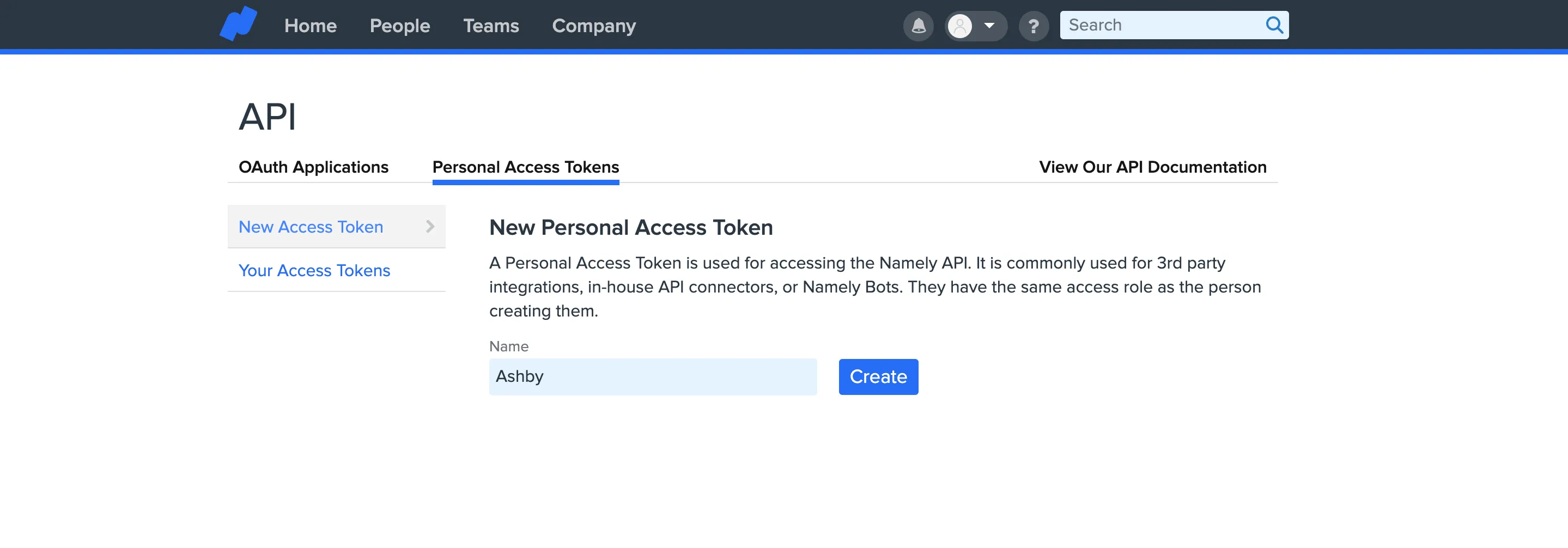
Click on Personal Access Tokens. On this page you’ll be able to create a new API key. Name the key Ashby and copy it.
Ashby Setup
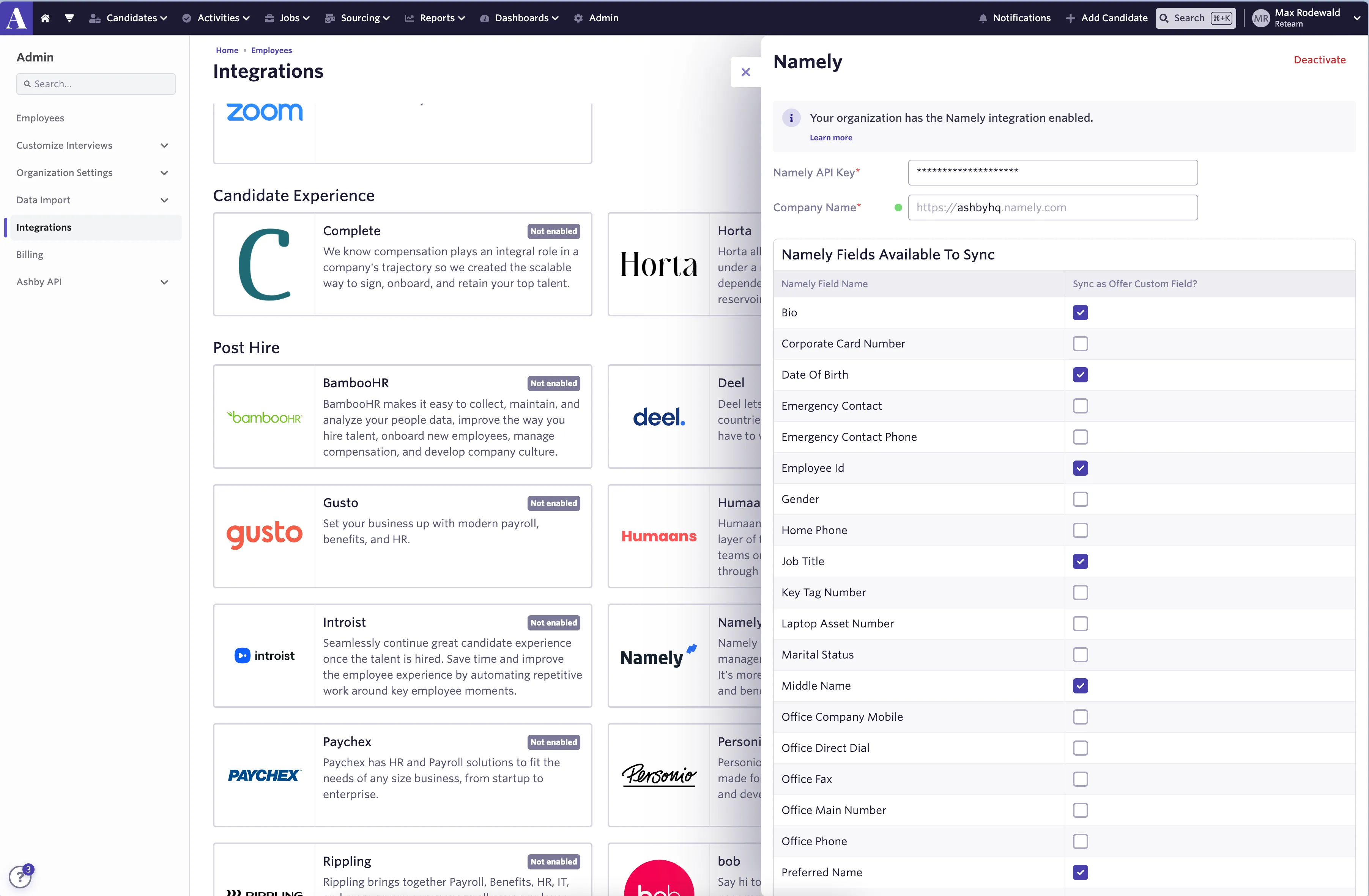
Navigate to Ashby and select Admin. Next, click Integrations on the left panel of the screen. Select Namely and click Enable Namely.
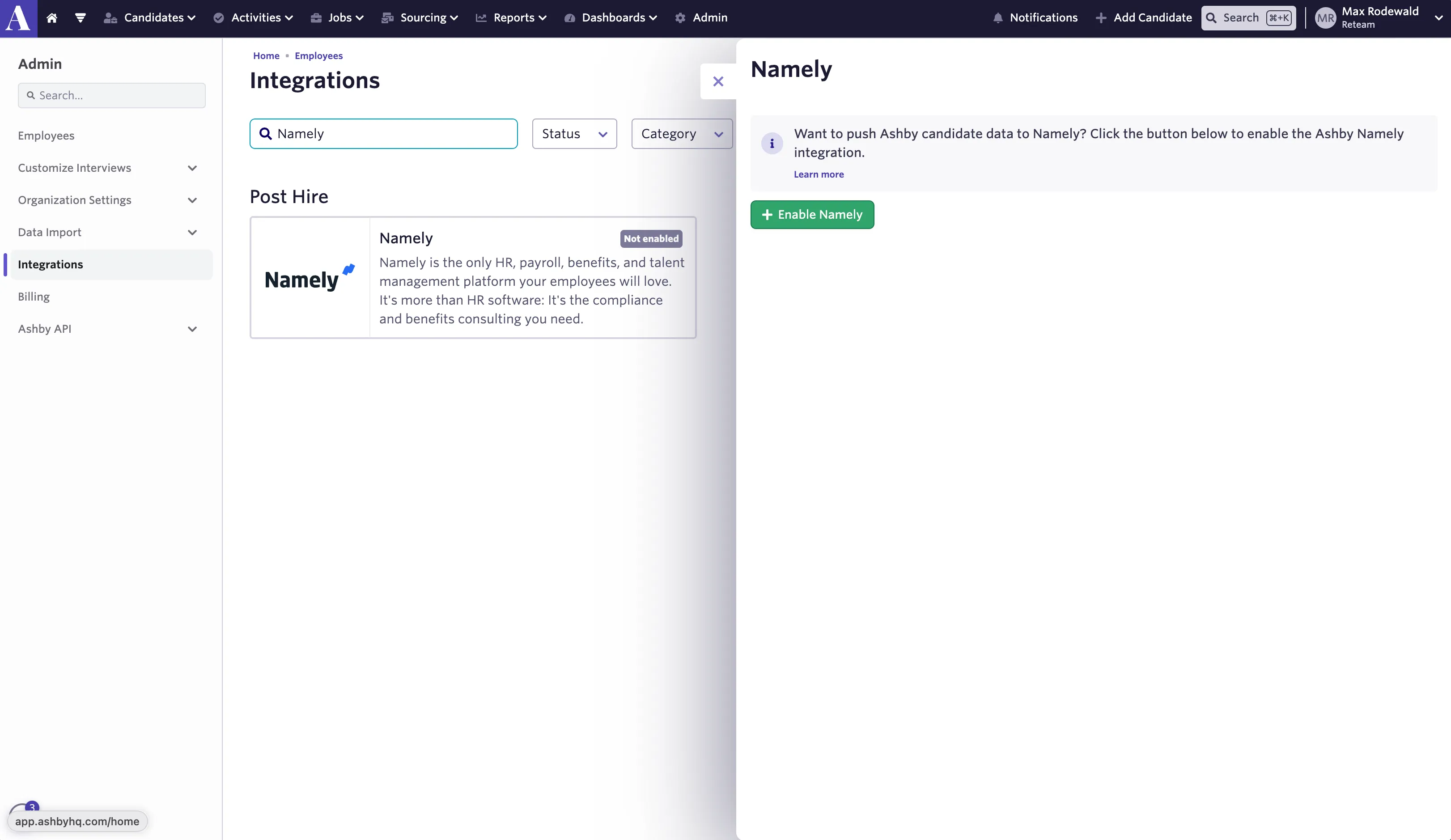
Paste the Namely API Key that you copied from your Namely account into the Namely API Key section in the Ashby app.
Fill in the Company Name field in the Ashby app. Make sure that this is an exact match with the spelling that you use for your Namely account (e.g. https://:companyname.namely.com/.
Push Candidate Data to Namely
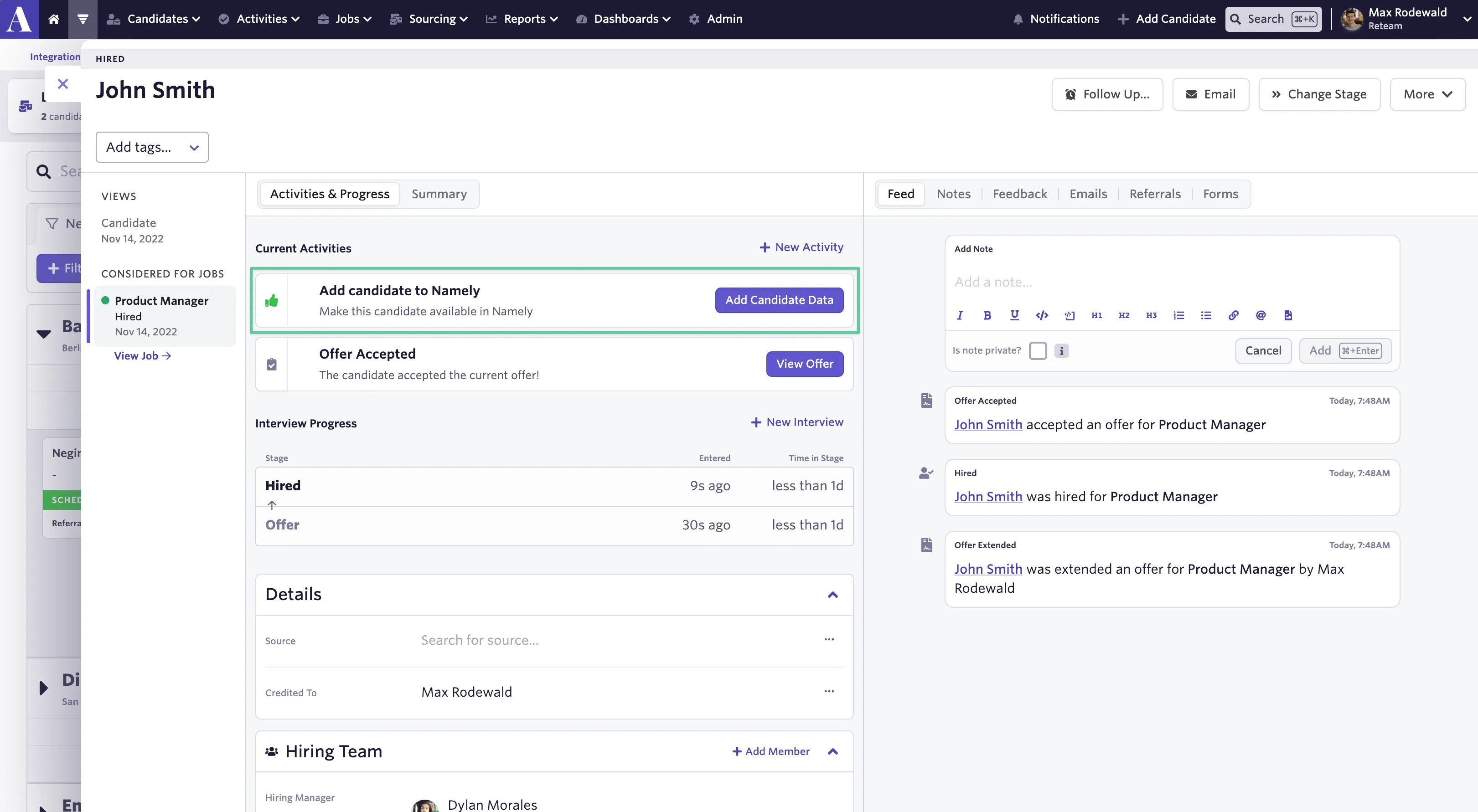
When a candidate accepts an offer, you will see an option to add the candidate to Namely. In the Current Activities section of the candidate profile, click on Add Candidate Data in the Add candidate to Namely activity. A new Employee will be created in Namely and the latest offer data will be pushed into your Namely account.
When pushing a candidate from Ashby to Namely, the following candidate details will be included by default:
- Name
- Email address*
- Phone number
- Salary
- Start Date
- LinkedIn profile
*Namely requires employees have both a work and personal email set when their profile is created in Namely. If you don’t opt to sync a candidate’s Work Email as a custom field, the work email field will default to the candidate’s personal email.
You also have the option to sync additional Namely fields as Offer custom fields. These values will be sent to Namely if included in the candidate's offer form. After selecting additional Offer custom fields to sync, it may take up to one hour for them to show up in Offer forms. You can read more about these fields at Custom Fields . Please be aware that custom fields are not available on the Foundations plan.
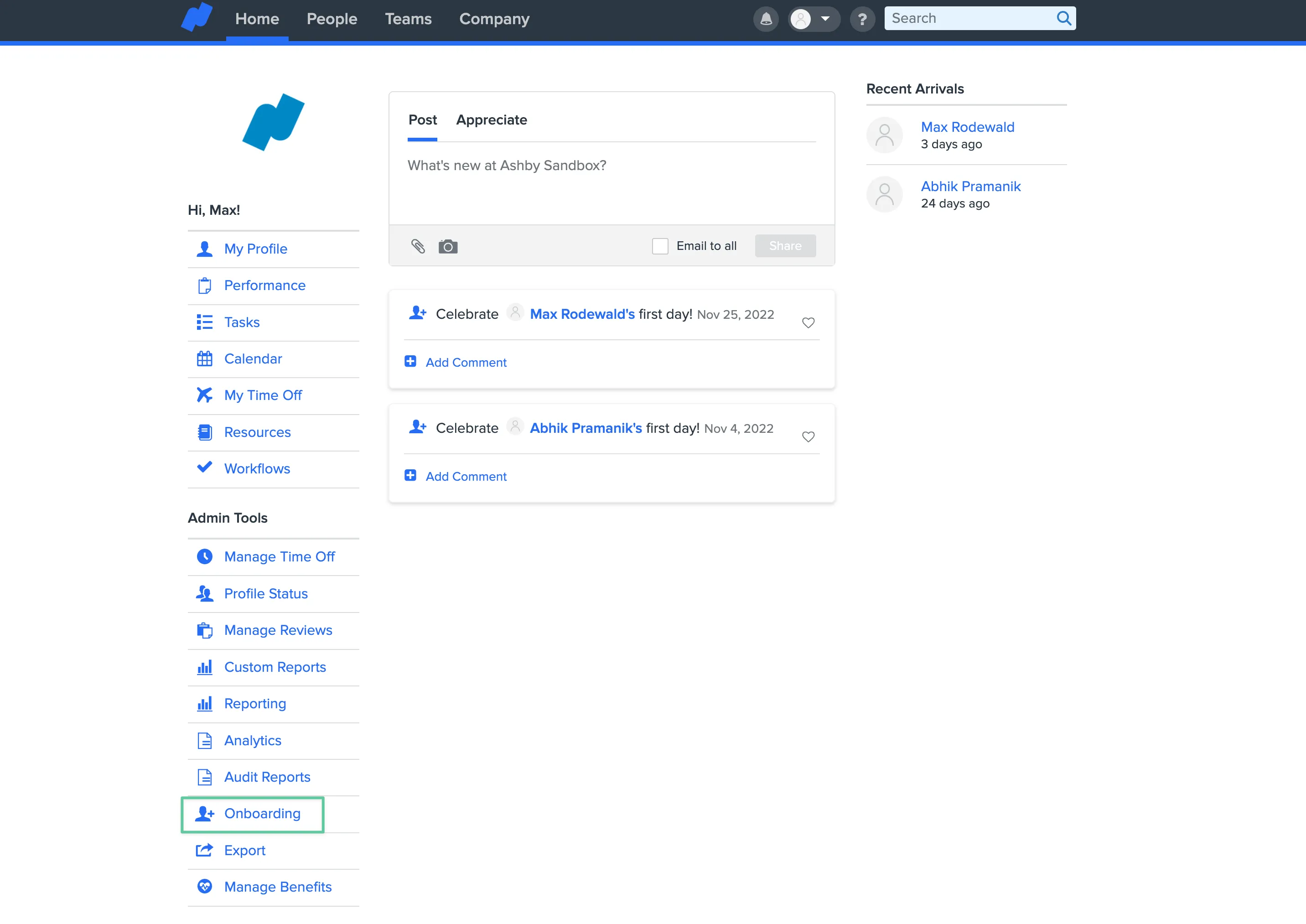
Candidates pushed from Ashby to Namely will be created in Namely as Draft Onboarding Sessions. Ensure that the Onboarding feature is enabled in your Namely account before pushing hired employees to your account.
To view candidates pushed to Namely as Draft Onboarding sessions, click on the Onboarding link on the home page under the Admin tools section (highlighted below).
Video Instructions
For a Namely integration video walkthrough, please refer here: