Kula
Kula is a recruitment automation platform that lets you proactively reach out and engage with top talent everywhere. With Kula, you have complete control over your talent pipeline.
Create an Ashby API Key for the Kula Integration
You'll need to create an Ashby API Key to configure the Ashby / Kula integration. Follow the steps below to generate the key.
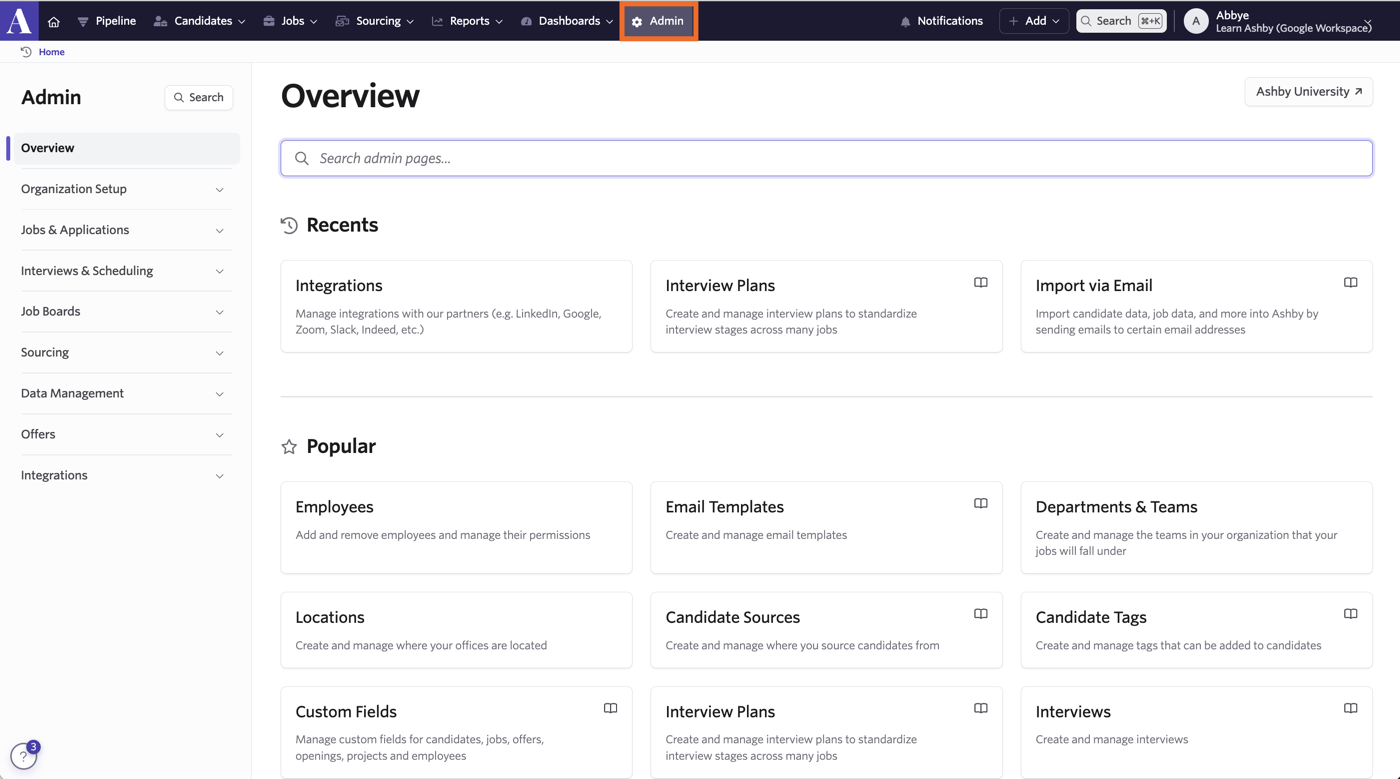
- Sign in to Ashby and click Admin in the top navigation bar.
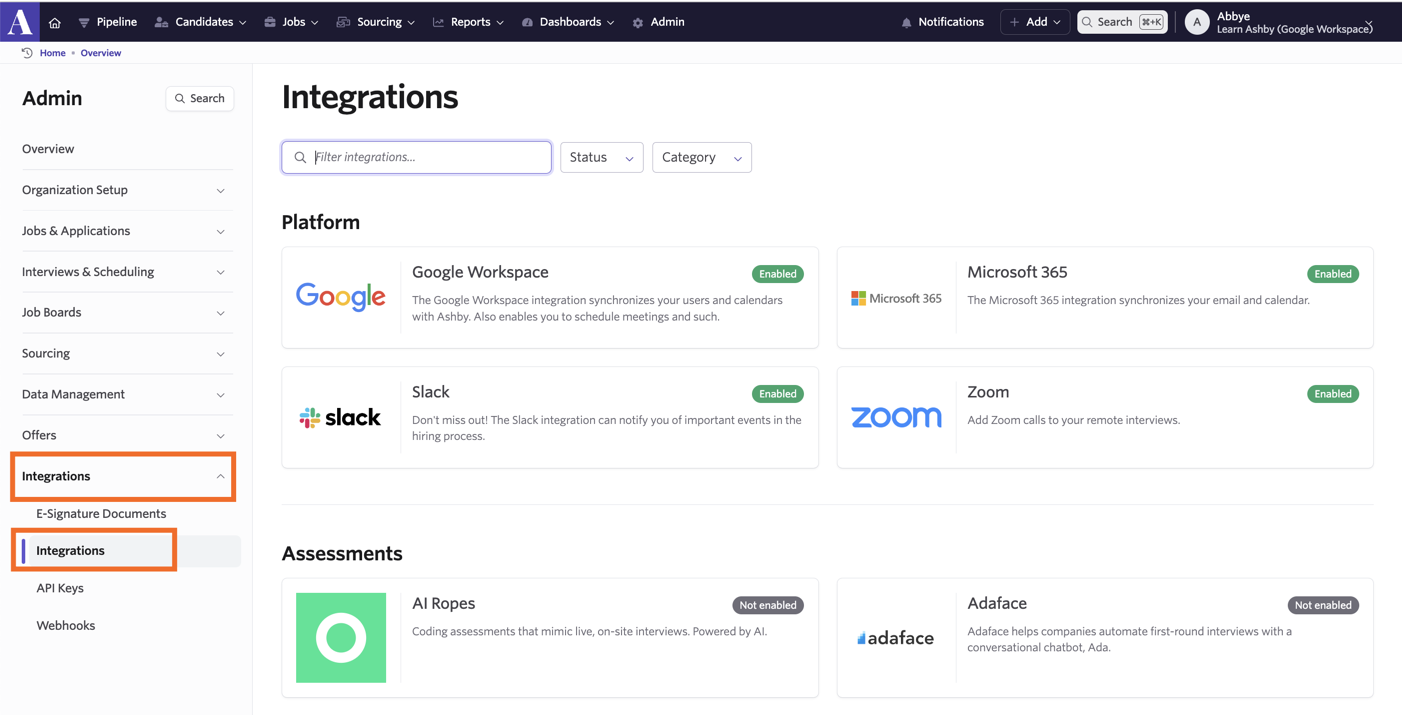
- Next, click Integrations on the left panel of the screen. Then click Integrations to be taken to the Integrations Marketplace.
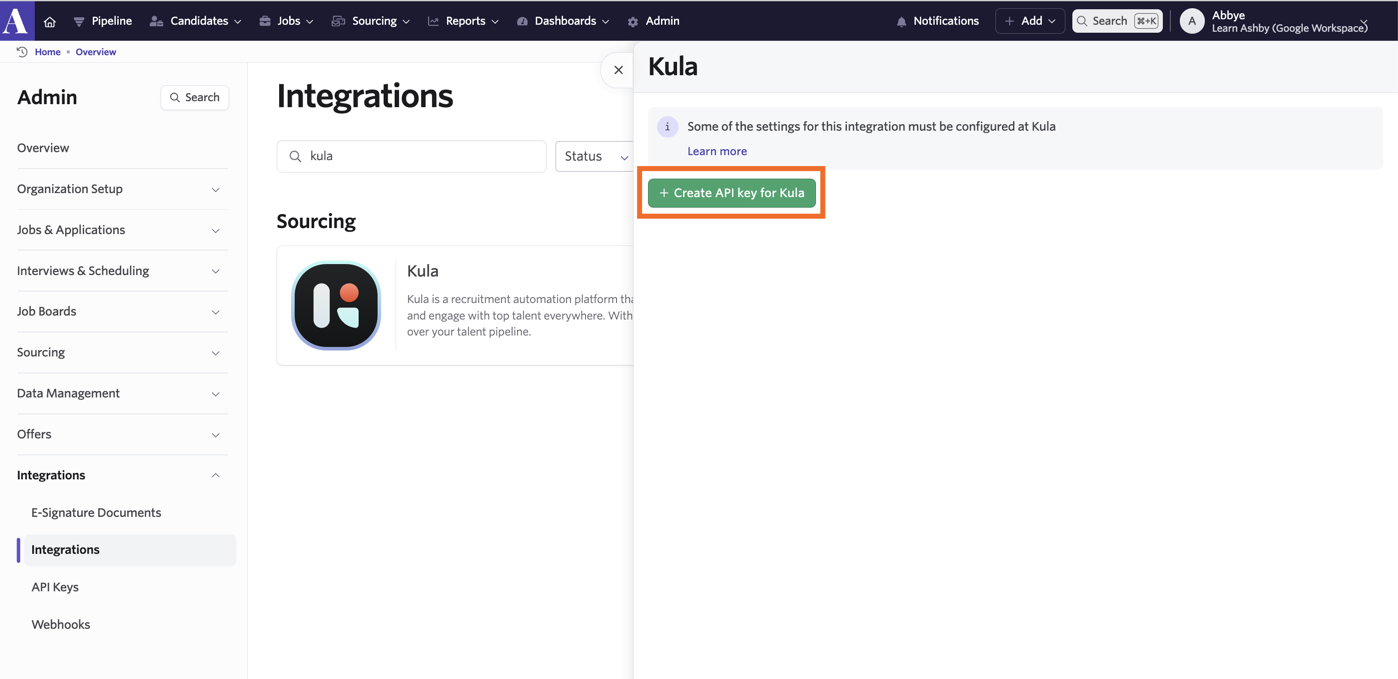
- Select the integration and click +Create API Key for Kula. Copy the value provided. You could also save the key somewhere secure for future reference.
When the Ashby API Key is created, it will be shown only once. Please store this API Key in a secure location accessible only to authorized persons.
This key will be needed in later steps when you configure the integration on Kula.
Create a Kula Candidate Source
To ensure the applications exported from Kula are tagged with source, “Kula” creates a new source type Integration, and a new Kula source under it.

Please take a look at the Source Types and Sources guide for more information on how to create a source and source type.
On Kula
Once you've completed the above steps on Ashby, complete the following steps on your Kula account.
- Navigate to the Settings page via the side menu > Under the Organization tab -> Click the Integrations section
- Click on the Setup toggle
- In the Add Integration modal, input the Ashby API Key created earlier
Once the Ashby integration is added, the Ashby records may take some time to be imported into Kula.
Ashby/Kula Stage Mapping
On the Settings page, under the Organization -> Integrations tab, click Configure.
You should now see the ATS - Kula Mapping & Kula - ATS Mapping tables.
Please verify that the mappings are correct for your organization or adjust accordingly.
If your Ashby account is not using any custom stages, the default mappings provided by Kula should work out of the box in most cases.
Ashby Integration Features
The following features will be activated once you have enabled the Ashby integration with Kula.
Kula Flows
When creating a Kula Flow, you may link it to an Ashby job via the Applicant Tracking System dropdown.
Only open jobs will be listed in the selection.
Whenever a candidate is added to this Kula Flow, Kula will create a new Ashby application against the linked Ashby job. If the corresponding candidate does not already exist on Ashby, one will be created.
If you click the Ashby icon, you will be redirected to the corresponding candidate on Ashby.
Bi-directional Sync of Candidate Stages
Changes to the candidate stage on Kula will be synced with the Ashby application (and vice versa) based on the Kula/ATS stage mapping (as configured during integration setup).
For example, when you move a candidate to the Interested stage on Kula, the candidate will also move to the corresponding stage on Ashby.
The candidate’s stage is also updated in Ashby.
Candidate Referral
When referring a candidate using Circles, you may select an Ashby job to refer the candidate to. This will create an Ashby application (and the corresponding candidate, if one does not already exist) against the selected job.
Notes Sync
When a note is added to a candidate on Kula, a corresponding note will be added to the candidate on Ashby (only if one already exists)
When a candidate is created on Ashby (by Kula via Kula Flows or candidate referral), existing notes on the Kula candidate will be added to the Ashby candidate accordingly
Private notes on Kula will not be synced to Ashby
Conversations Sync
Whenever a conversation message with a candidate is logged on Kula (e.g., Kula Flow messages & replies), a corresponding note will be added to the candidate on Ashby (only if one already exists).
When a candidate is created on Ashby (e.g., via Kula Flow or candidate referral), existing conversations with the Kula candidate will be added to the Ashby candidate accordingly.
Resume sync
When a resume is uploaded to a candidate on Kula, a corresponding resume will be added to the candidate's current application on Ashby (only if Kula created it)
Kula will not attach the resume if one already exists on the application, whether or not Kula uploaded it