Internal Job Board
When you enable the internal job board option, admins and hiring managers can post roles on a job board that only your employees can access. Employees need to log in to Ashby to access the job board.
Permissions & access
Permissions:
- You must be an Organization Admin to enable the internal job board and adjust the display settings.
- You must be logged in to Ashby to view your organization's internal job board.
Internal job boards are available on Legacy Plus, Plus, and Enterprise plans:
Foundations | Legacy Plus | Plus | Enterprise |
|---|---|---|---|
❌ | ✅ | ✅ | ✅ |
Enabling the internal job board
You can enable the internal job board option on the Internal Job Board page in Admin > Job Boards. Once enabled, click the Copy URL button to copy the link to your internal job board. You can then share this link with your employees so they can log in and view internal roles.
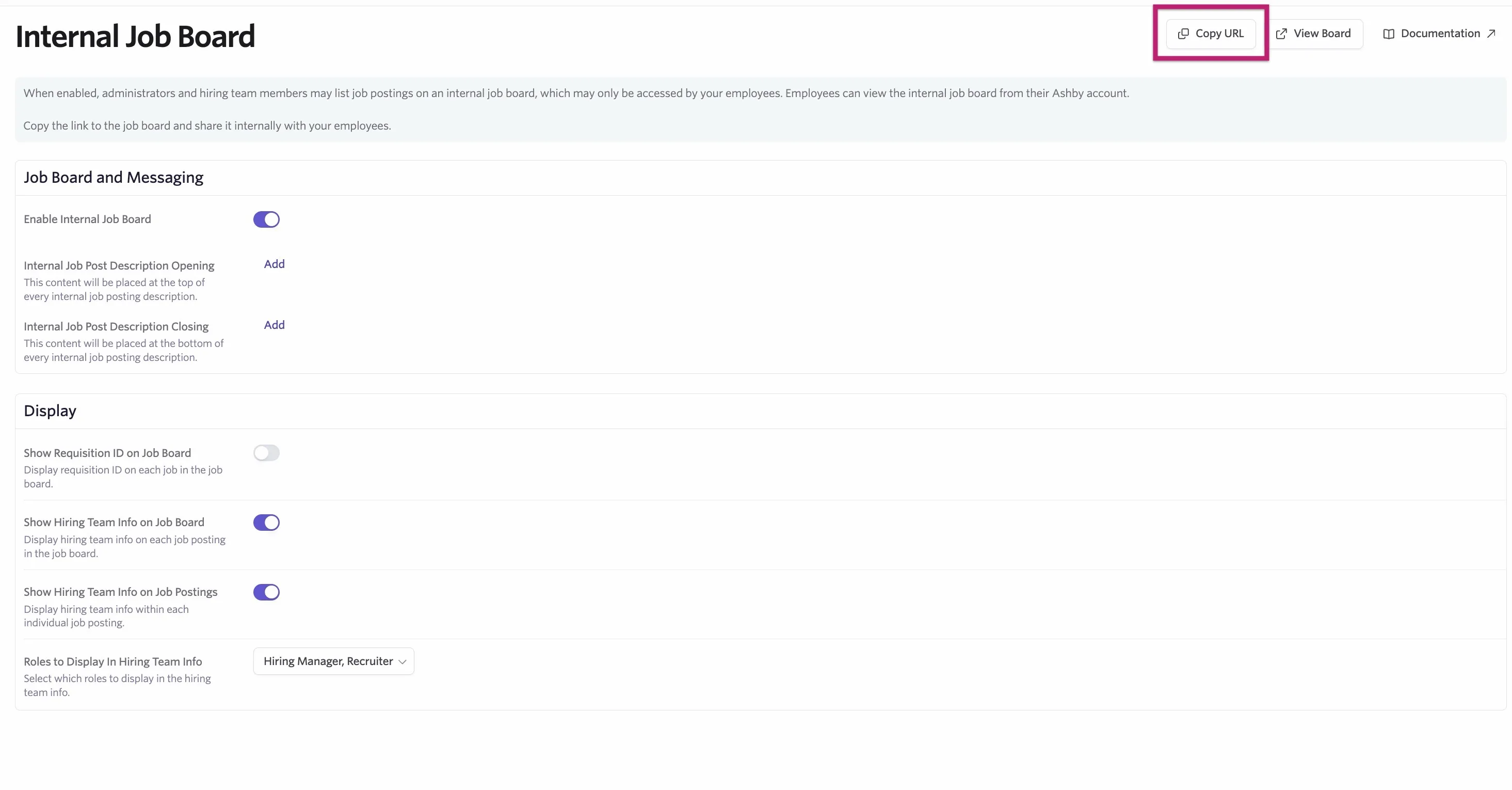
You can also set your job board and messaging settings including:
- Internal Job Post Description Opening: This content will be placed at the top of every internal job posting description.
- Internal Job Post Description Closing: This content will be placed at the bottom of every internal job posting description.
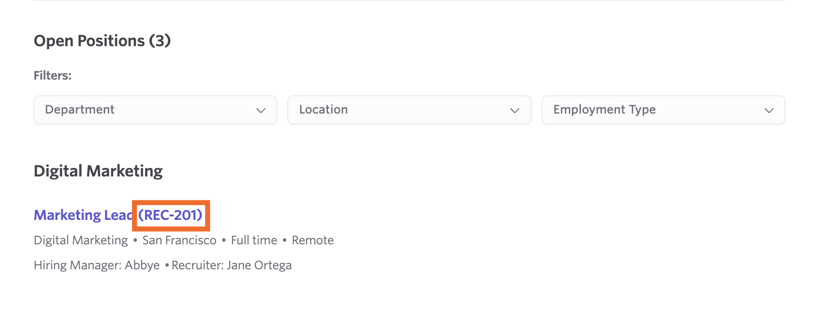
- Show Requisition ID on Job Board: Display requisition ID on each job in the job board.
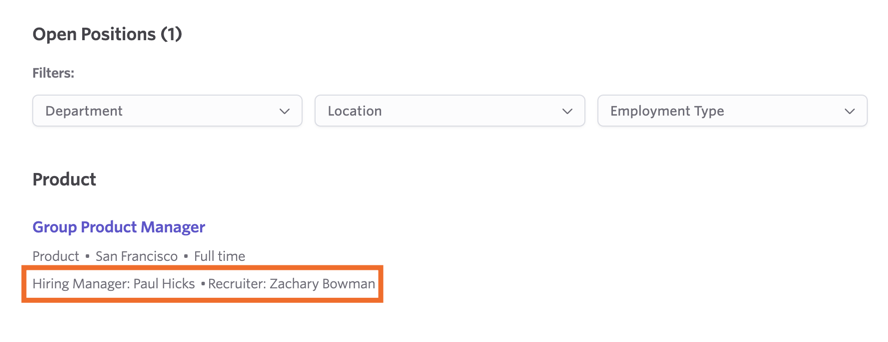
- Show Hiring Team Info on Job Board: Display hiring team info on each job posting in the job board.
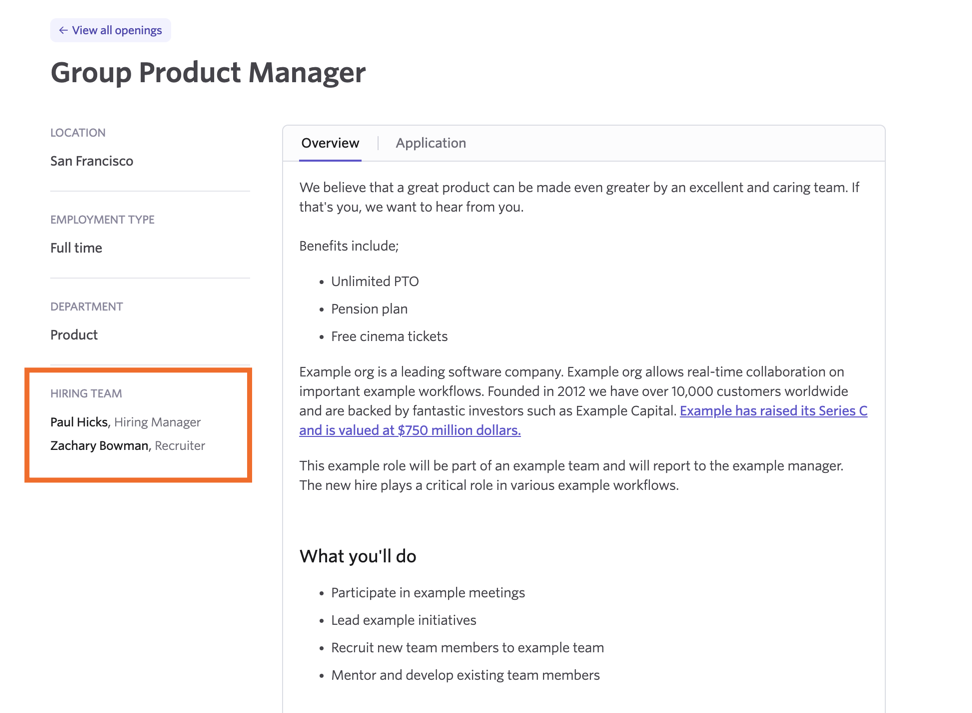
- Show Hiring Team Info on Job Postings: Display hiring team info within each individual job posting.
- Roles to Display in Hiring Team Info: Select which roles to display in the hiring team info. You can choose to display the hiring manager, recruiter, recruiting coordinator and/or the sourcer.
Posting a job internally
For more on job postings, check out Job Postings.
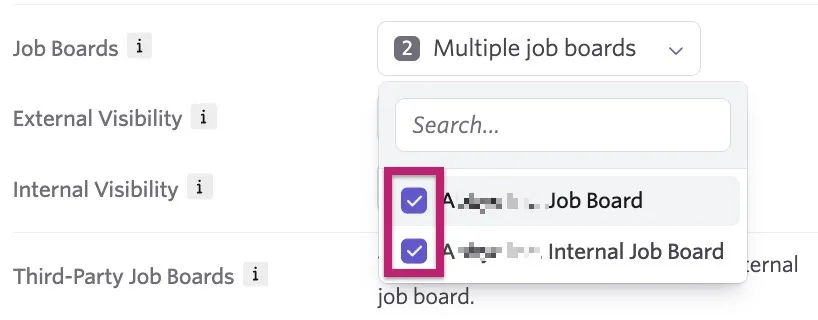
When creating your job posting for the role in question, click the Job Boards drop-down menu in the Basic Info tab. From here, you can post your job to your external job board, your internal job board, or both using the checkbox beside each option.
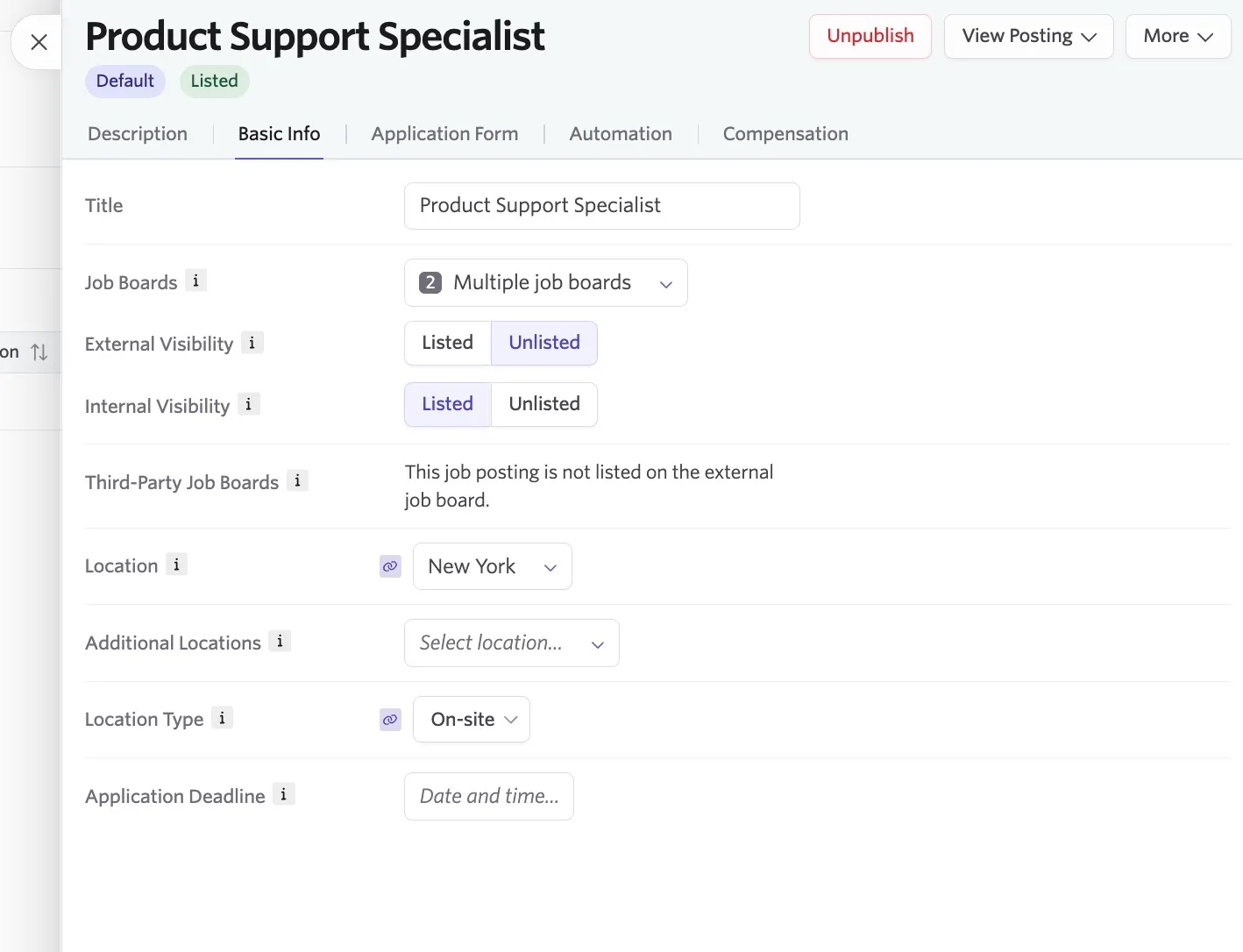
You can then determine the visibility for both your external and internal job boards: Listed: The job posting is listed directly on the specified job board. Unlisted: The job posting is only accessible via a direct link.
Accessing the internal job board
Employees can access the internal job board via the copied and shared link or from their Home page once you enable the internal job board option.

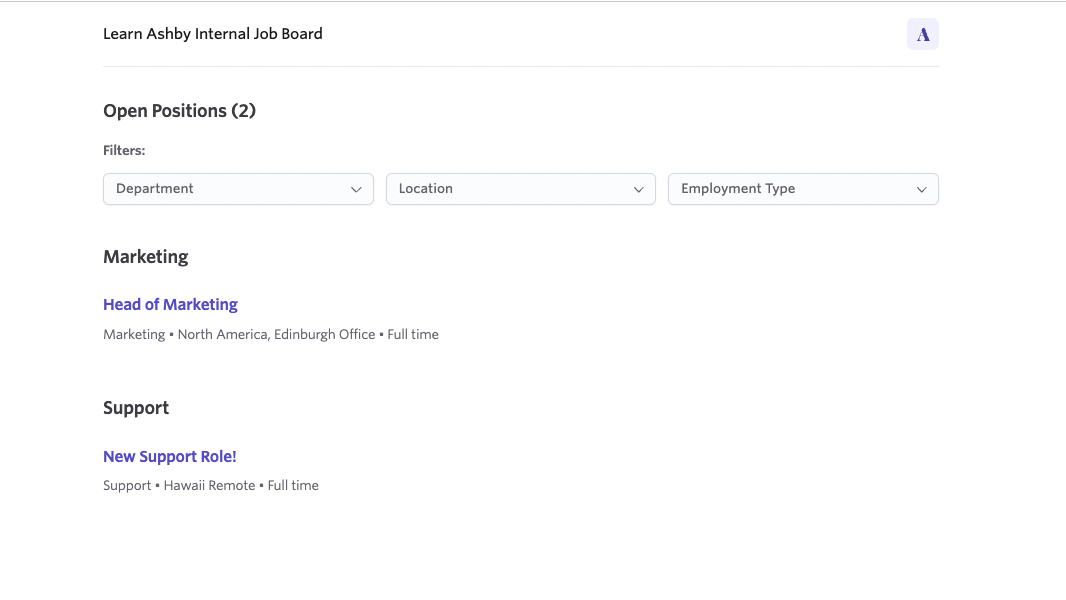
The internal job board has a similar layout to the external job board, but Ashby does not display logos set up on the Theme (Job Board) page. Ashby shows job post description opening and closing text configured in your internal job board settings. You can still filter jobs by Department, Location, and Employment Type.
FAQs
Why is my job posting showing as Unlisted?
This is usually because the List on External Job Board or List on Internal Job Board toggles are set to Unlisted for the job posting. Navigate to the job posting, then to the Basic Info tab and ensure that the appropriate toggles are set as Listed.
Can employees without Ashby access view the internal job board?
No, employees need to log in to view the internal job board.
How can I identify an internal candidate or application from the internal job board?
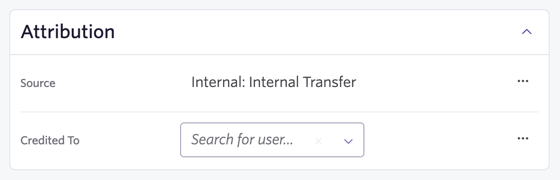
A candidate who applies from a posting listed on your internal job board has their source listed as Internal: Internal Transfer. You can filter for candidates with this source when doing a candidate search, or check the source listed in the Attribution section of the candidate's profile.
Can agency users access the internal job board?
No, agency users cannot access the internal job board from their home page. Ashby also prevents them from directly visiting the internal job board URL and direct internal job posting URLs.
Can applicants be added to a different stage in the interview plan if they apply via the internal job board?
No, Ashby adds candidates who apply via your internal job board to the Application Review stage.