How do I make offer emails private?
This guide covers how to ensure sensitive emails sent at the Offer and Hired stages are only visible to the users who need to see that information.
Setting a note or email as private
Ashby automatically marks all emails as private once a candidate moves to the Offer stage. Only users with Organization Admin access or Elevated Access - Admin Private access can view private emails and notes or allocate or revoke a private status.
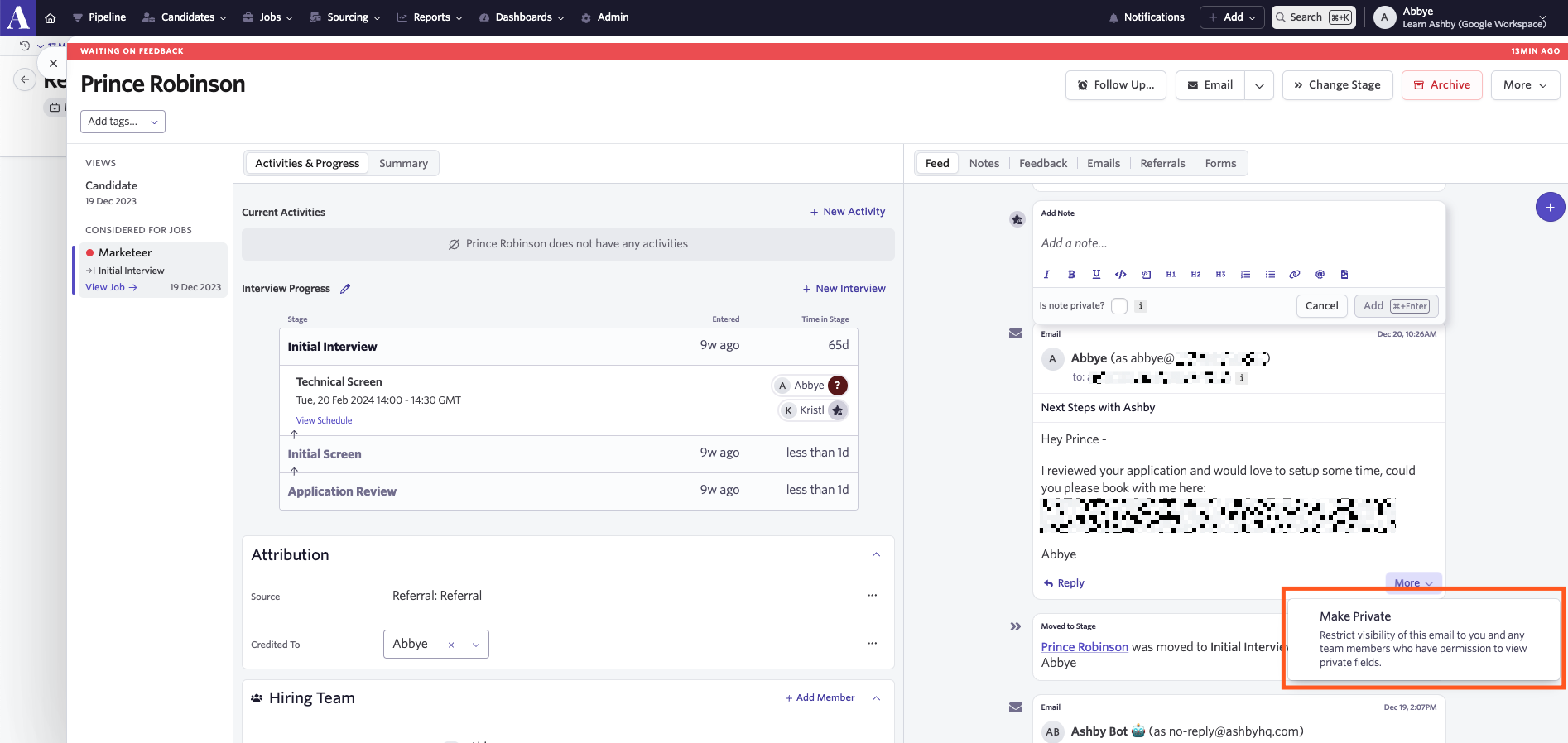
For emails sent in other stages that have sensitive information, you can manually mark notes and emails as private by doing the following:
- Click More on the note or email in question within the candidate's feed.
- Select Make Private.
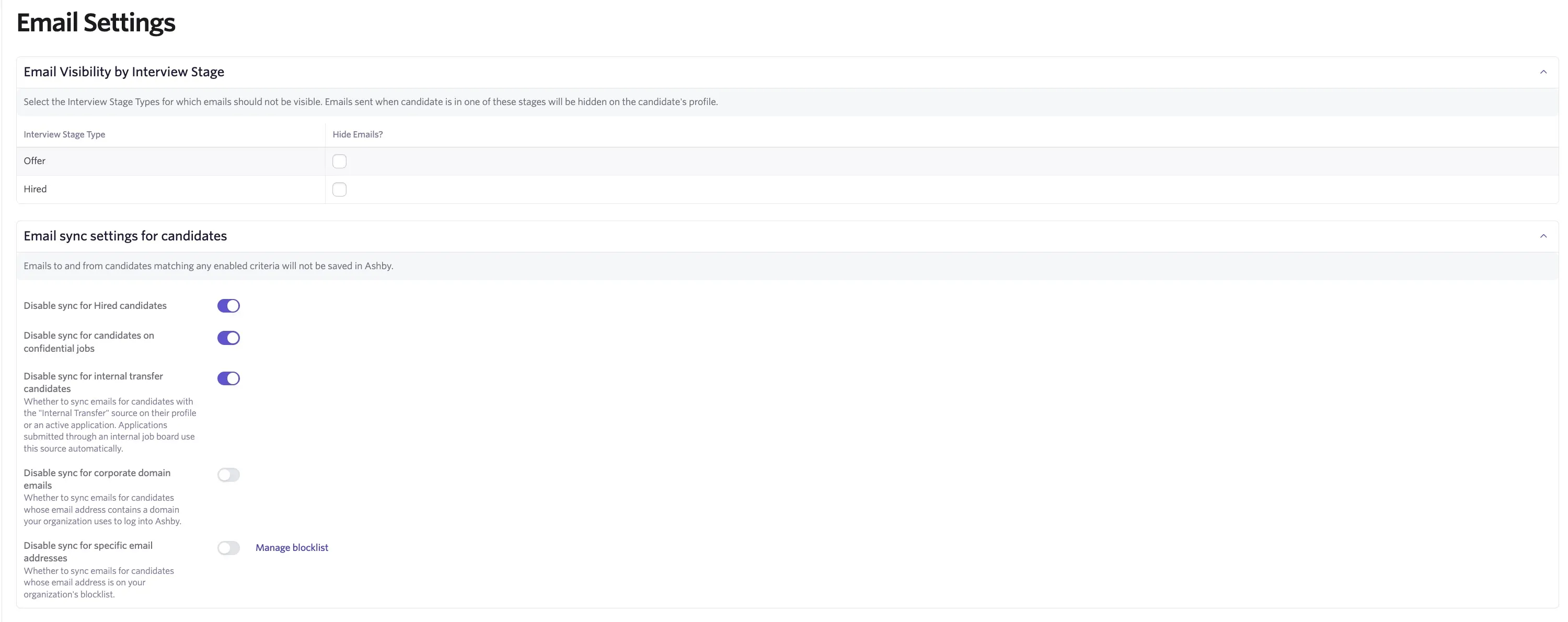
Email visibility settings
You can opt to hide emails sent to and from candidates in the Offer and Hired stages in Admin > Organization Setup > Email Settings. You can also choose to disable the email sync for hired candidates completely and skip the email sync for candidates on confidential jobs. For more information on email visibility, see Visibility Options for UsersVisibility Options for Users.