How can I ask for and add reference feedback in Ashby?
While we don’t have a specific tool to ask for references in Ashby, here is a guide covering how you can ask for reference information and record reference checks.
Using Questionnaires to request reference information from a candidate
To request reference contact information from a candidate, you can opt to create a Questionnaire. We have more on setting these up at Questionnaires
Ensure you have an email template in place here with a substitution token for Questionnaire Link - otherwise you will not be able to set up the automation options.
You can opt to either add a questionnaire activity to your interview plan to automatically prompt you to send out the questionnaire or set up automation within the questionnaire setup itself.
Add a Questionnaire activity to your interview plan
To add a Questionnaire activity to your interview profile, head into your job, then click Interview Plan on the left-hand sidebar. Find the stage where you plan to check the candidate’s references, then click Add Activity To… then Add Activity and Questionnaire. Select the reference questionnaire and determine the email template you’d like to use to send out the request.
When creating the activity, you will also have the option to add automation, so the questionnaire is sent out as soon as the candidate is moved to the specified stage.
Set up Questionnaire automation
You can also automate the sending of a questionnaire with our new automation option. This can done on the Automation tab within the reference survey itself. More on automating questionnaires at Automated Activities.
We would recommend this option if you’d like to send out the questionnaire for any candidate who meets the criteria set, rather than setting it up on each job’s interview plan.
Sending a one-off reference request from the candidate profile
To send the questionnaire out to the candidate on a one-off basis, you can do this on the candidate’s profile under More and Create Questionnaire Request.
You will have the option to just generate a questionnaire request and link, or to generate the link and email it out to the candidate.
Submitted reference checks via a feedback form within Ashby
Once you’ve received the reference information from the candidate, we recommend scheduling any meetings outside of Ashby.
If you’re asking specific questions or getting specific information from the reference, we recommend setting up a new feedback form specifically for reference checks. You can read more about setting up feedback forms at Feedback Forms and Interviews.
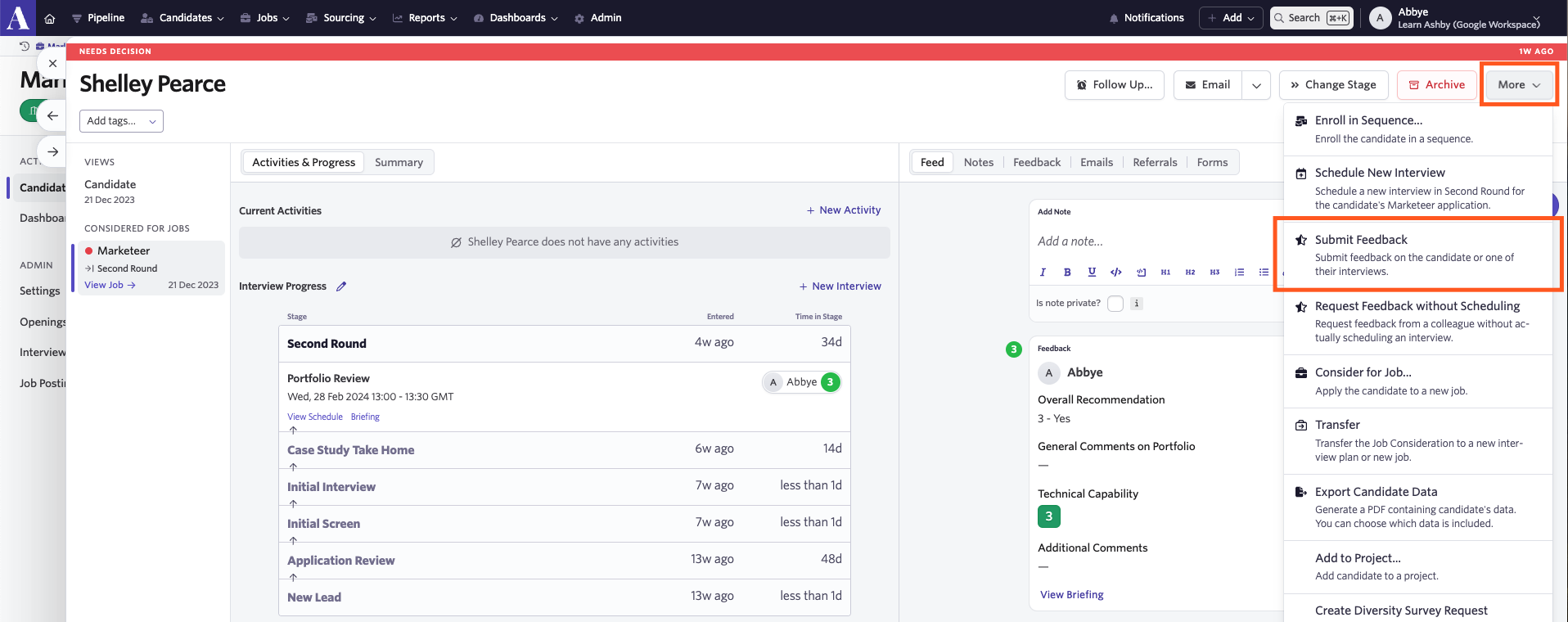
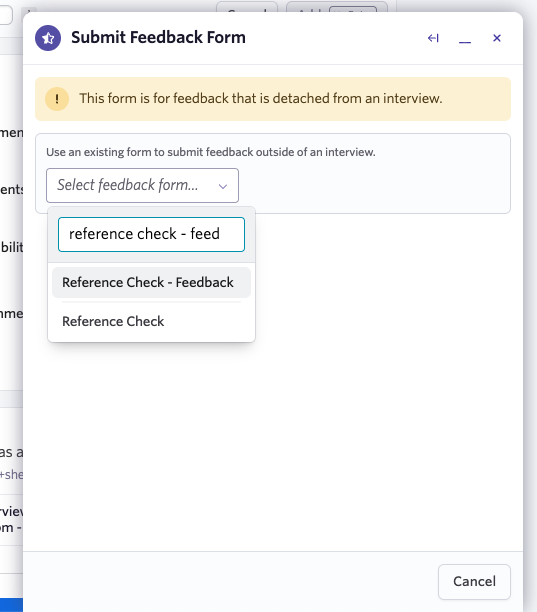
To add any information or feedback from the reference, head to the candidate’s profile and click the More button in the top-right corner, then choose Submit Feedback from the drop-down. You can then select your reference-specific feedback form and fill out the fields needed, then submit it.