Certn
This guide will walk you through integrating your Certn account with Ashby, allowing you to send background check requests as assessments in your interview plans.
Integration Overview
🔗 Certn is a global leader in AI-powered background checks for enterprises. This integration enables you to send Certn background check requests as assessments within Ashby. Video instructions are available here.
Connect Certn with Ashby
1. Log into your Certn account, go to your Team Settings, and click General. If you don’t have a Webhook Secret, click Generate New. The Webhook Secret will be copied and added into the integration settings within Ashby in Step 5.
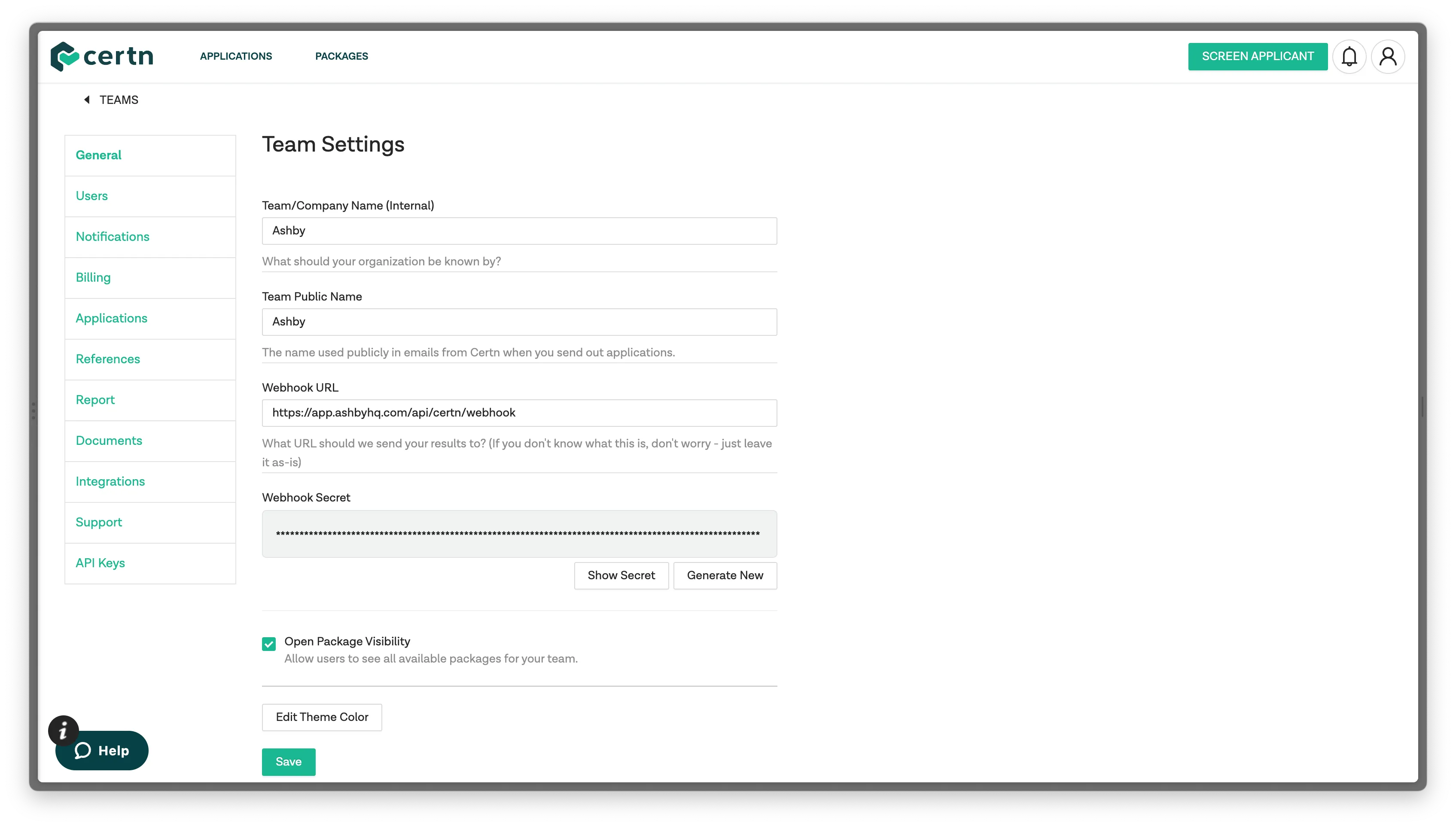
2: Still in General in your Certn Team Settings, paste the following value into the Webhook URL field: https://app.ashbyhq.com/api/certn/webhook. Click the green Save button at the bottom of the page to ensure all information you’ve added is retained after leaving the page.
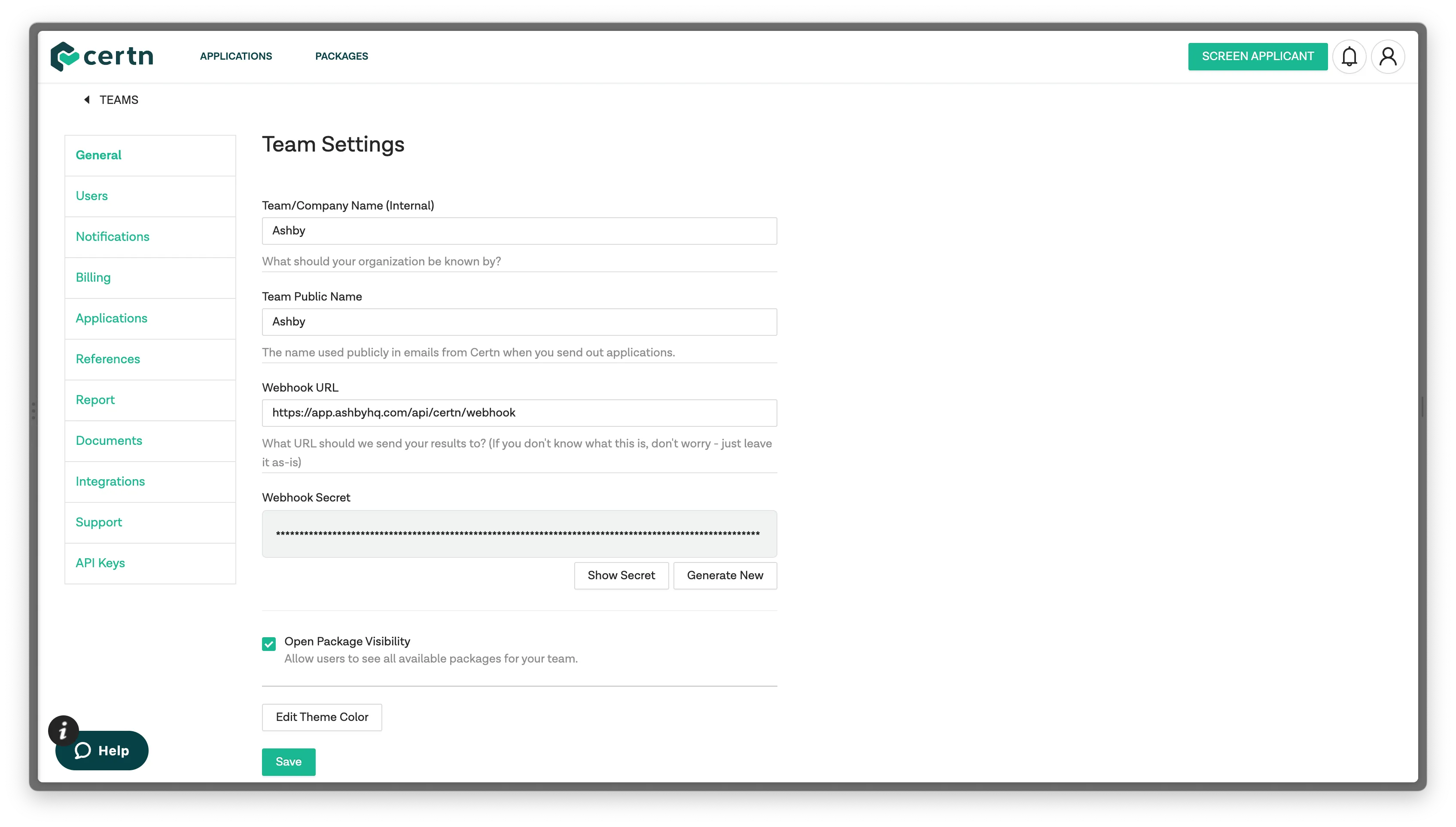
3. In your Certn Team Settings, select API Keys. Next, click ADD API KEY. Copy the API Key that is generated, as this will also be added in to the integration settings within Ashby.
Ashby Setup
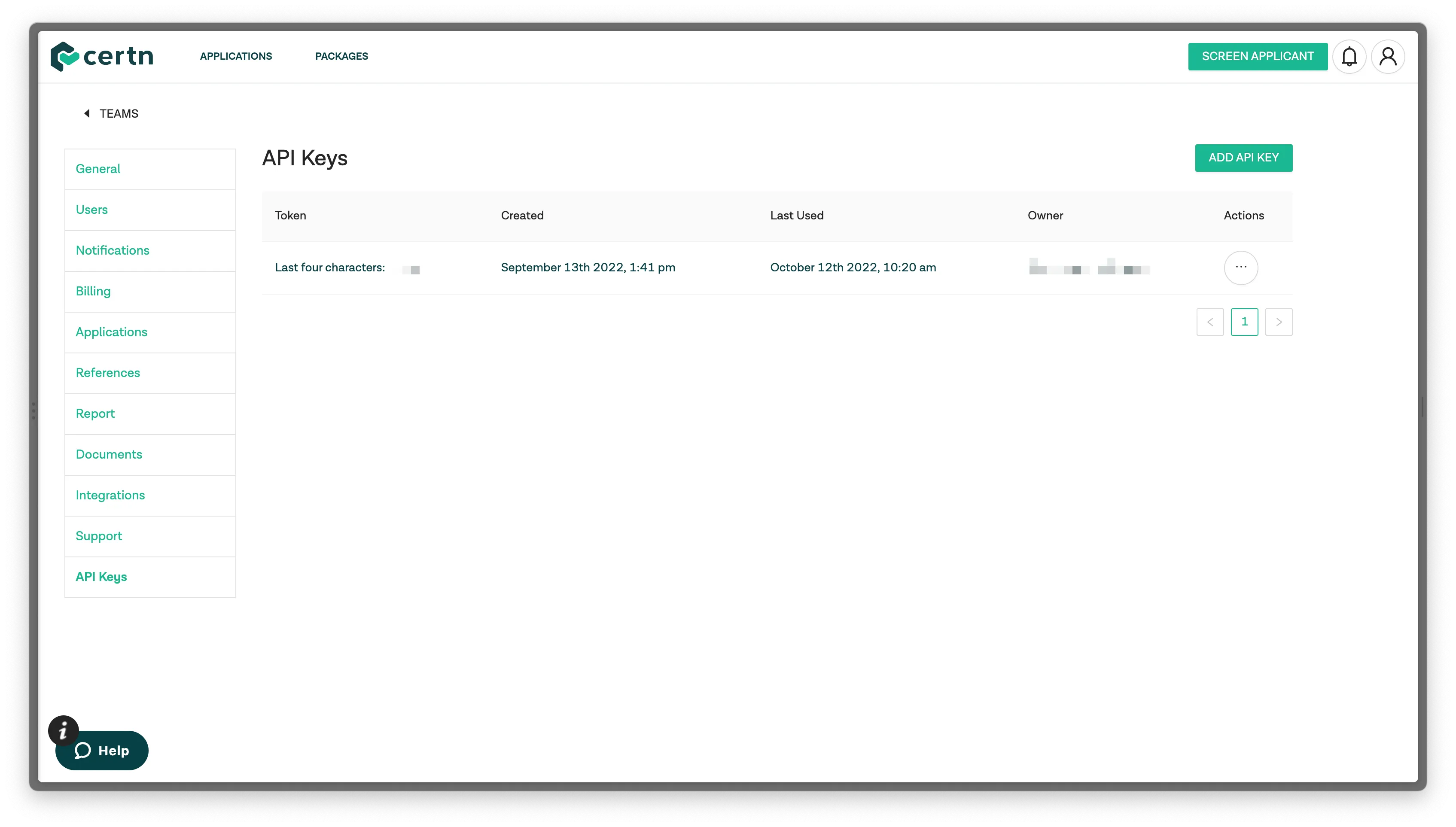
4: Navigate to Ashby and select Admin. Next, click Integrations on the left panel of the screen. Select Certn and click Enable Certn.
5: In the Certn API key field, paste in the API key that you copied from your Certn account’s Settings under the API Keys section.
Head back into Certn and copy the Webhook Secret that you generated in Step 1 in your Certn account’s Settings page (in the General section). Paste this into the Certn Webhook Secret field in the Certn integration settings.
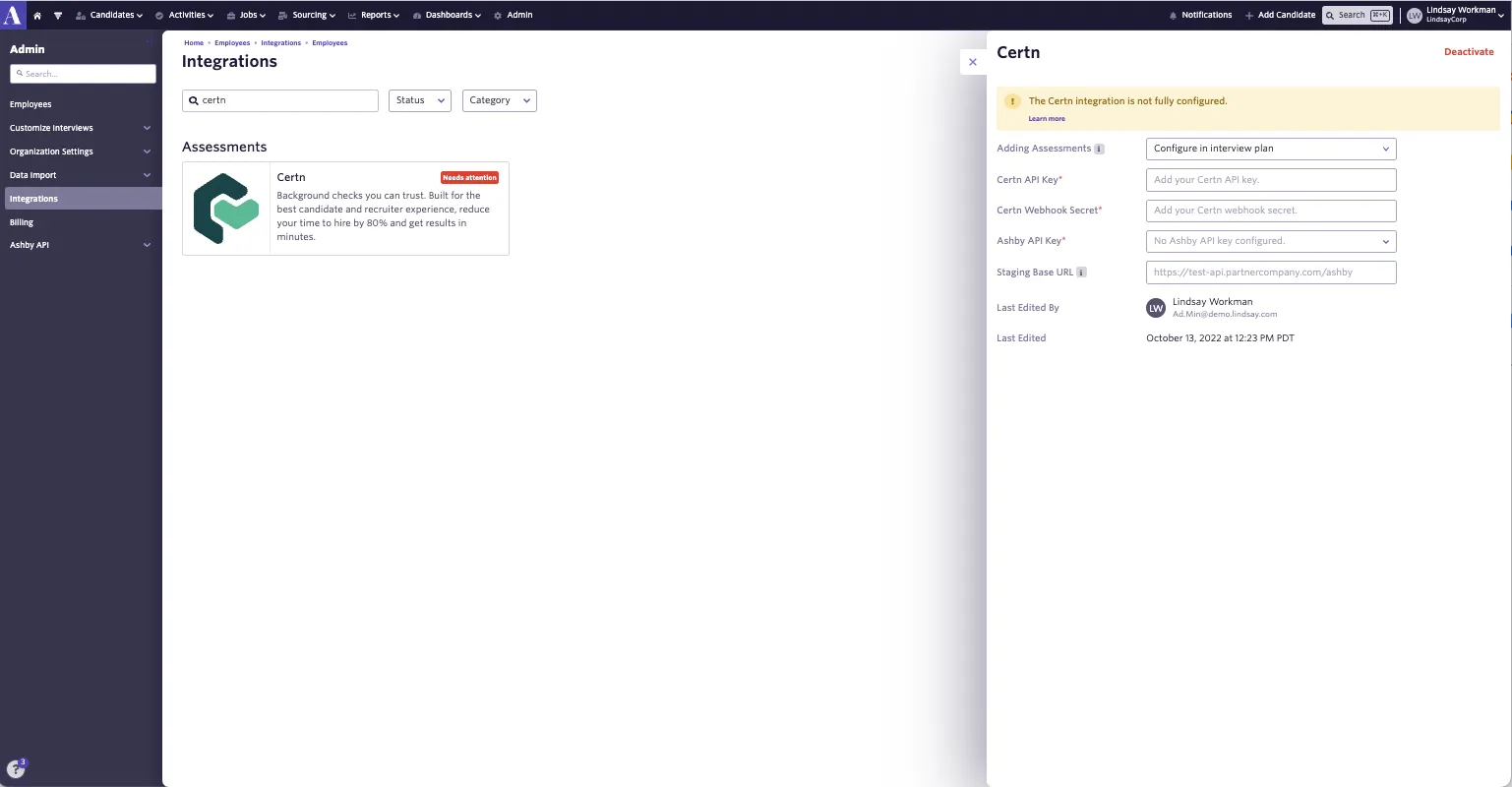
6: Next, using the Adding Assessments drop-down, you can configure when you would like assessments or background check activities to be added to the candidate’s profile. There are three available options:
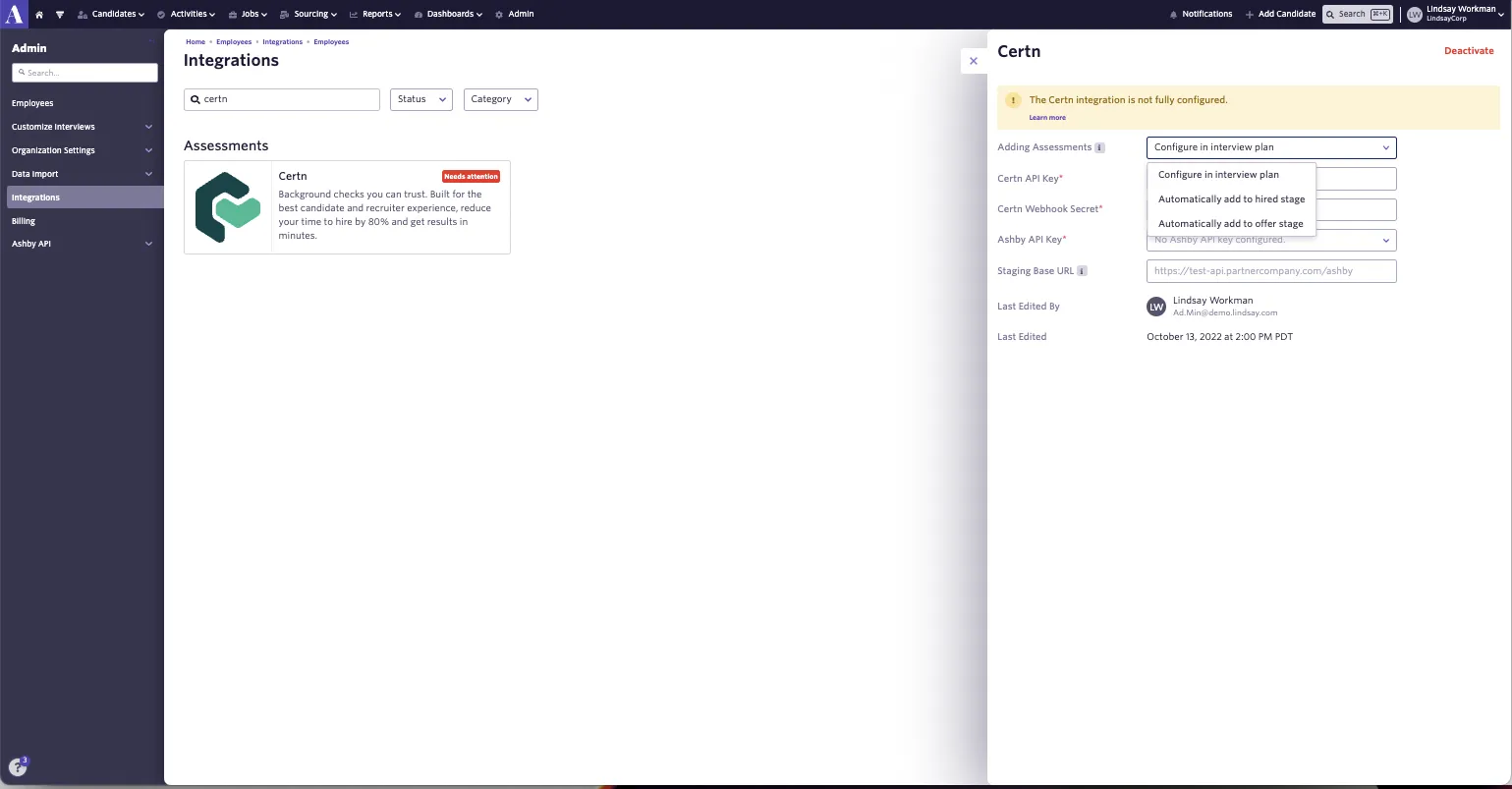
- Configure in interview plan - this means that for each interview plan, you can configure Certn background checks at a specific stage.
- Automatically add to hired stage - this means that whenever a candidate is added to the hired stage for all jobs in your Ashby account, a Certn background check will automatically be added to their candidate profile.
- Automatically add to offer stage - this means that whenever a candidate is added to the offer stage for all jobs in your Ashby account, a Certn background check will automatically be added to their candidate profile.
7: Generate an Ashby API key. Our guide on this can be found at How do I generate an API key? Please ensure your Ashby API key has Write access to the Candidates set of endpoints, as this contains the assessment.update endpoint, which will be used to send data back to Ashby about the assessment.
8: In the Ashby API key drop-down on the Certn integration settings page in Ashby’s Integrations Marketplace, select your newly created API key.
You can now start sending Certn background check requests as assessments in your Ashby interview plans.