Can I disable my Ashby job board?
This guide covers how to disable your Ashby-hosted job board if you have a custom-built job board.
Permissions and prerequisites:
- To disable the Ashby-hosted job board, a user must have Organization Admin access.
- You should have a custom-built job board in place prior to disabling your Ashby job board.
Disabling your Ashby-hosted job board
If you have a custom-built job board and don't want your jobs.ashbyhq.com job board to be accessible, you have the option to disable it. To do this:
- Navigate to Admin > Job Boards > Theme (Job Board).
- Check the Disable Ashby-hosted jobs page checkbox.
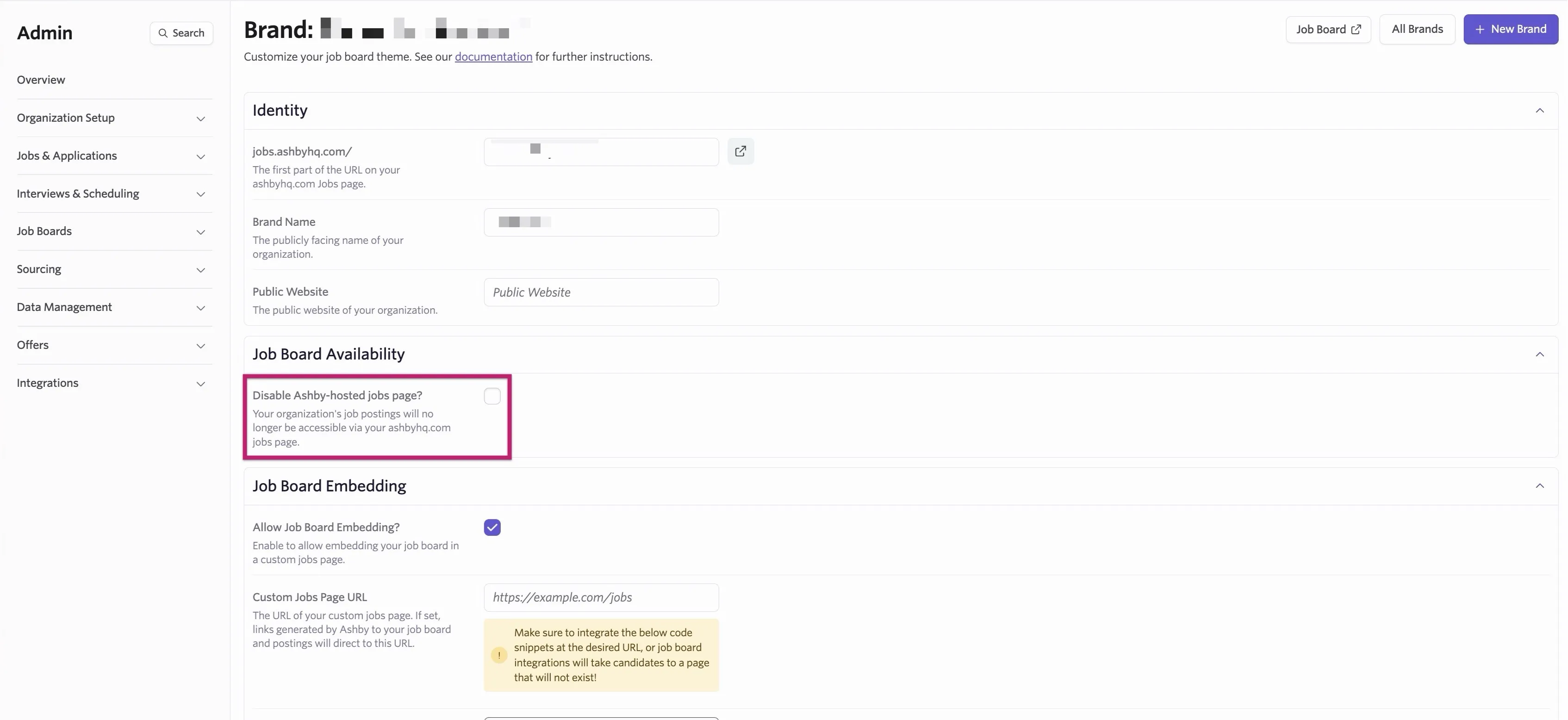
If you opt to disable your job board, then your board and job postings are no longer accessible via jobs.ashbyhq.com or via the unauthenticated job posting API. Job postings are still accessible via the authenticated job posting API. It can take a few minutes for your job board to become inaccessible.
Adding your custom-built page URL
To ensure that any referral links generated also point to your fully custom careers page (more on referrals at Referrals and Referral Links), you can set your custom job page URL by doing the following:
- Navigate to Admin > Job Boards > Theme (Job Board).
- Under Job Board Embedding, check the Allow Job Board Embedding? checkbox.
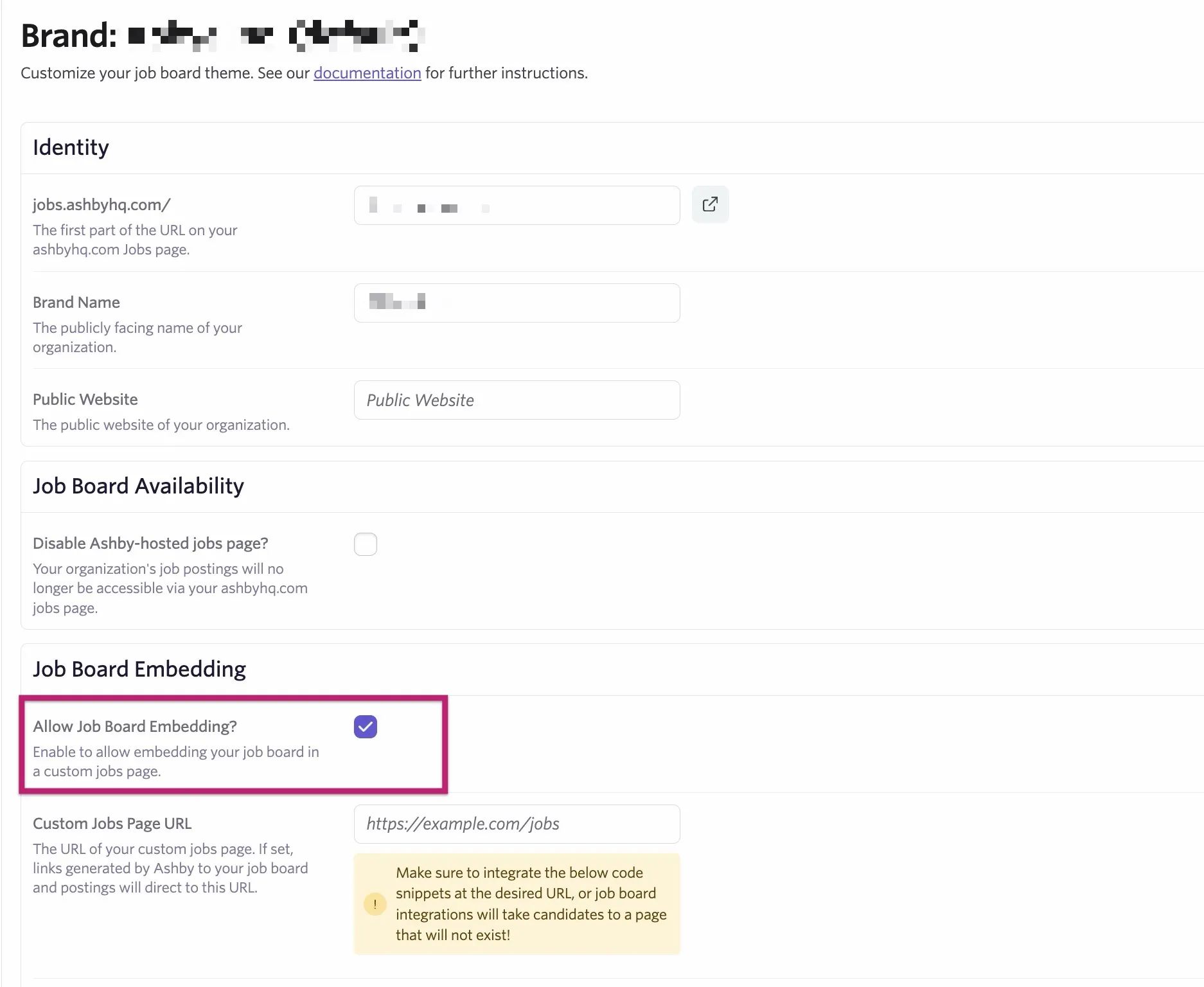
- Once Allow Job Board Embedding? is checked, you're prompted to add your custom-built job page URL.
Adding your custom page link here updates both each user's referral link and specific job referral links that are generated with your custom job page URL. The referral link contains a UTM source that you can then configure to carry over to your postings for those following referral links. You can opt to get the Ashby job posting ID from the job-specific referral link URL to then redirect to the corresponding post on your custom careers page as needed.