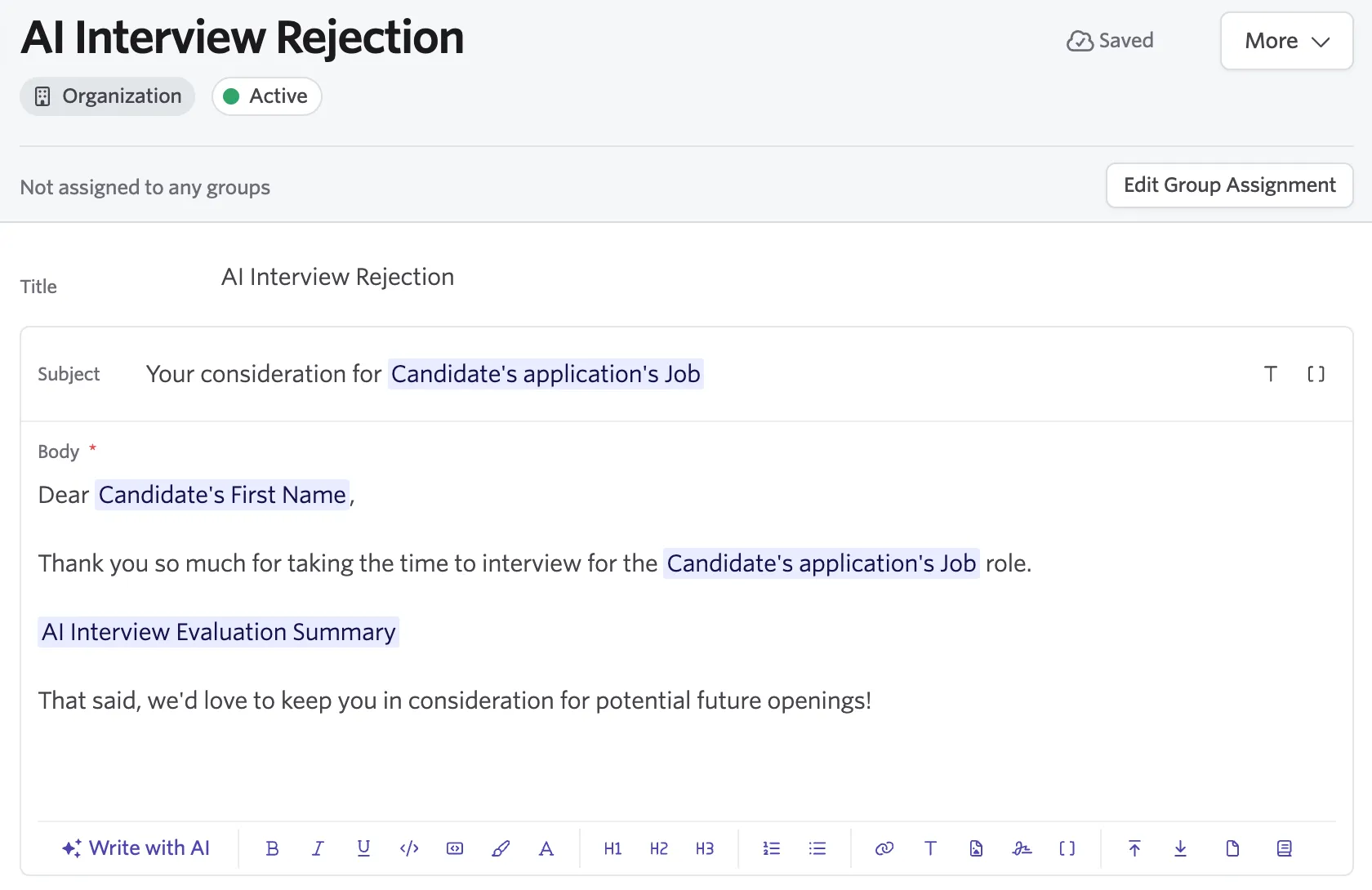
AI Interviewer Email and SMS Templates and Substitution Tokens
When you purchase AI Interviewer, ready-made email and SMS templates are populated into your Ashby instance to ensure you have the right communications in place to quickly get started. These communications contain Substitution Tokens to ensure required information is present, and messages accurately reflect the role and candidate being interviewed. They can be adjusted as-needed to fit your organization's voice, brand, and desired candidate experience. This article explains what communications templates come with AI Interviewer for email, SMS, and other messaging modalities and the unique substitution tokens that accompany them.
Available AI Interviewer templates
Three email templates are automatically available with AI Interviewer:
Template | When it sends | Key token |
|---|---|---|
AI Interview Invitation | When a candidate is first invited to the AI interview (manually or via automation). | AI Interviewer Link — the URL to the interview prep area. Must be present or validation will block the template. |
AI Interview Reminder | Automated follow-up sent to candidates who haven't started or completed their interview. | AI Interviewer Link — must be present or validation will block the template. |
AI Interview Available | AI Interview Available is sent when an AI Interviewer is unpaused. It lets candidates know who opened their interview link and saw the "paused" screen that the interview is available again and provides a link. | AI Interviewer Link — must be present or validation will block the template. |
To view or edit these templates, navigate to Admin > Organization Setup > Email Templates and search for it in the list by name. The names should match the table above, unless they have been changed by your organization. The name is internal-only and will not be seen by candidates.
You can also edit the template directly when configuring AI Interviewer settings, as covered in the AI Interviewer Settings Guide.
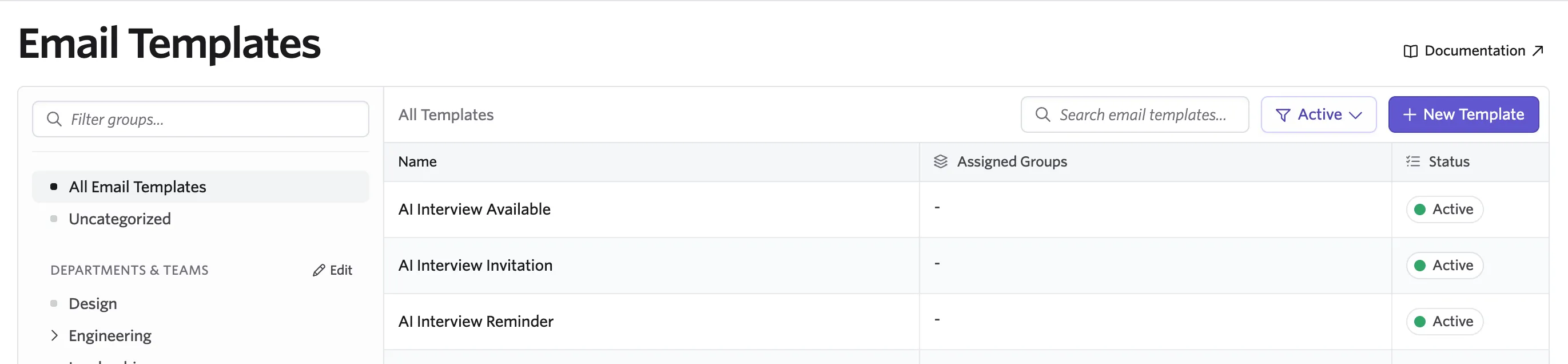
For more detail on creating and editing email templates, seeEmail Template Creation and Management.
SMS and Whatsapp
If your organization has SMS and/or Whatsapp enabled in Candidate Texting settings, you can also send AI interview invitations and reminders via these methods. SMS and Whatsapp templates are shorter and include the AI Interviewer Link inline. When both an email template and an SMS template are configured, both channels send in parallel — you don't need to choose one or the other.
SMS invitations are especially effective for high-volume roles where candidates may not check email frequently. The invitation link works identically regardless of channel.
You can view and edit the standard SMS and Whatsapp messages by navigating to Admin > Organization Setup > Candidate Texting Templates and selecting the corresponding tab.
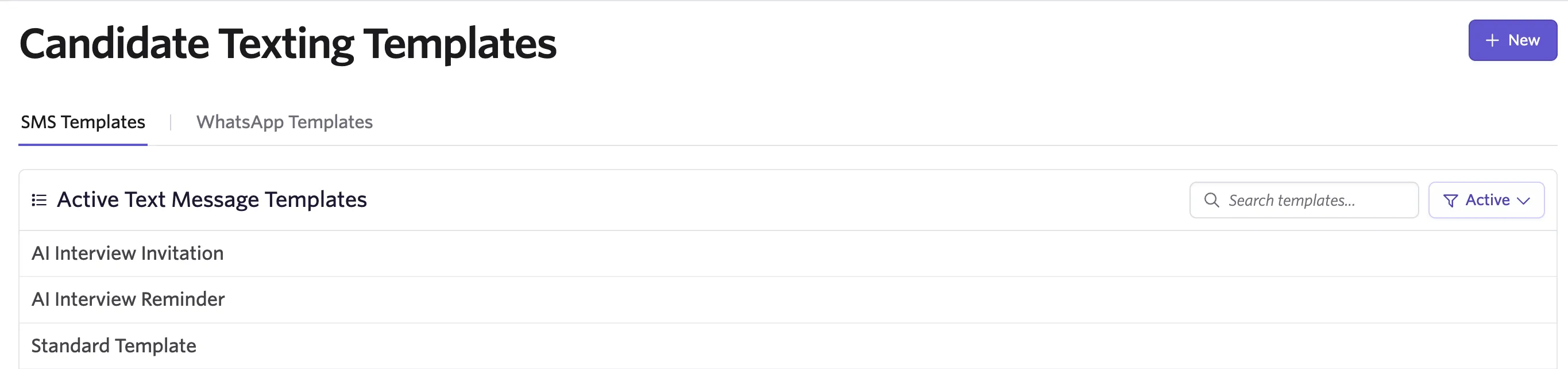
You can learn more about setting up these features in Candidate Texting or WhatsApp.
Template substitution tokens
Three substitution tokens are specific to AI Interviewing. They appear in the token picker of Ashby's standard email template editor once AI Interviewer is enabled for your organization, and are inserted the same way as any other token. Two link tokens are also available in SMS and WhatsApp templates.
Token | What it inserts | Where you'd use it |
|---|---|---|
AI Interviewer Link | A candidate-specific link to the AI interview prep area, where the candidate reviews what to expect and starts the interview. | Invitation and reminder templates. Required — templates without it fail validation. |
AI Interviewer Decline Link | A candidate-specific link to the same interview page with the decline flow open, so the candidate can opt out instead of completing the interview. | Invitation and reminder templates, alongside the AI Interviewer Link, when you want to give candidates an explicit way to opt out. |
AI Interview Evaluation Summary | An AI-generated, candidate-facing summary (1–2 sentences) of how the candidate performed in their most recent AI interview. | Use it in post-interview emails — rejections, advancement notices, and status updates — where you want to give the candidate specific, personalized context. Only available in email templates. |
See Substitution Tokens to learn more.
AI Interviewer Link
This is the core token for the AI interview flow. It resolves to a unique, candidate-specific URL that opens the interview prep area, where the candidate can review the instructions, check their device setup, and begin. The same link works across email, SMS, and WhatsApp, and it stays valid until the candidate completes or declines the interview.
Invitation and reminder templates are validated to ensure they contain the AI Interviewer Link token. If you remove it, the template will fail validation and messages won't send.
AI Interviewer Decline Link
This token gives candidates a clear way to opt out. It resolves to the candidate's interview page with the decline flow open. The candidate selects a reason and can add a short note.
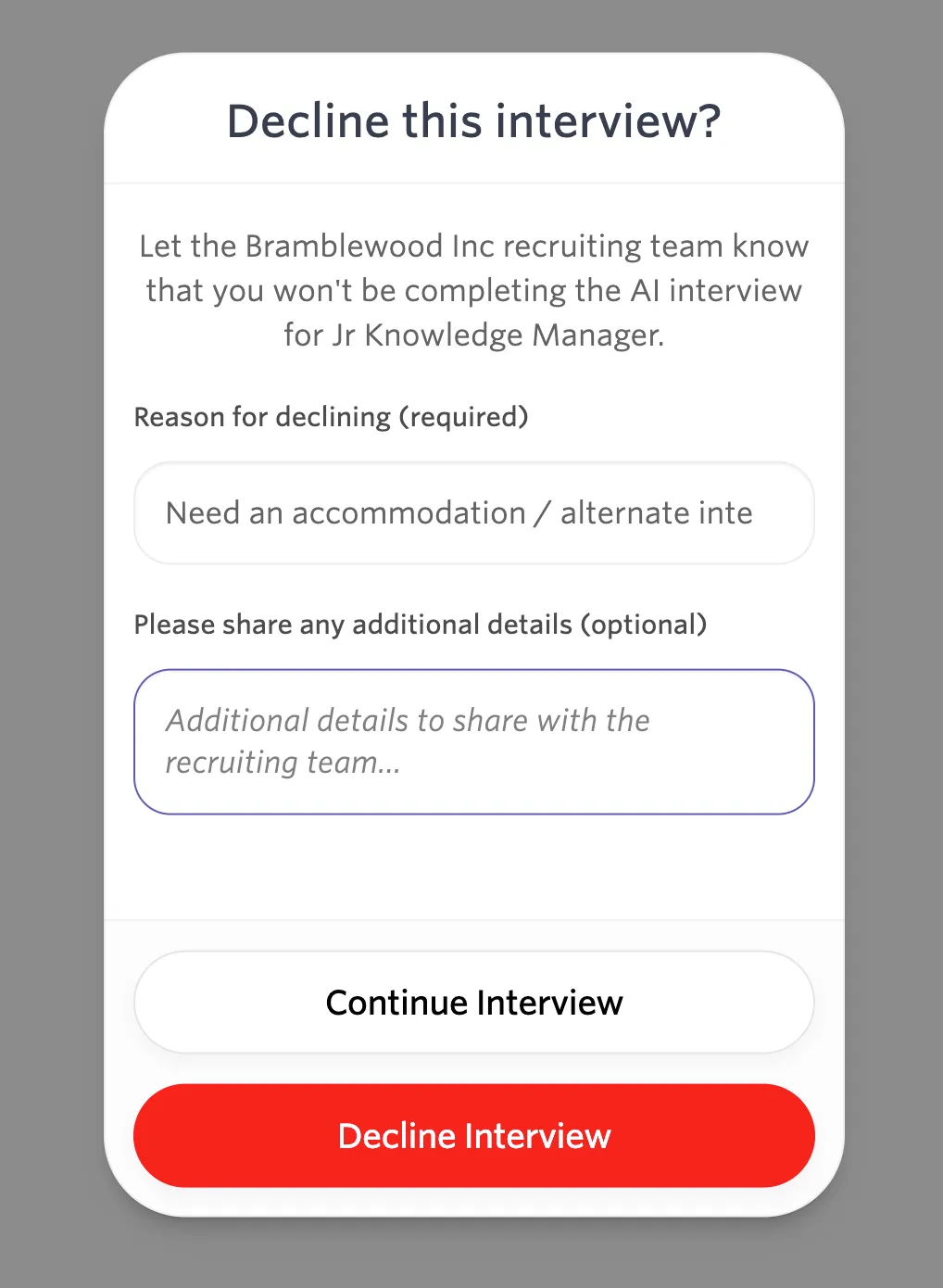
Offering a visible decline option keeps your funnel data clean. Candidates who opt out are captured with a reason instead of silently aging into your reminder cadence — and "need an accommodation" surfaces candidates you may want to route to a live interview instead.
Declines are recorded on the candidate's application: the activity feed logs the decline, and the interview's status changes to Declined. Declined At and Decline Reason are both available as fields in Analytics, so you can report on how often and why candidates opt out.
The decline link only works before the candidate starts the interview. Once they've begun, the decline page tells them their interview is already underway. Ashby's built-in invitation template already includes this token in a closing line — "If you'd rather not move forward, decline" — so you only need to add it manually if you're writing a template from scratch.
AI Interview Evaluation Summary
The token requires a completed AI interview with an evaluation. If the candidate has no evaluation on their application, the token can't generate and the email won't send — so use it in templates that only go to candidates who have finished an interview.
This is an AI-generated token, not a static field. When you send the email, Ashby reads the candidate's most recent AI interview evaluation and writes a short, candidate-facing summary of how they did — grounded only in the evaluation.
The generated text adapts to the tone of the email:
- In a rejection, it includes at least one concrete, job-relevant gap so the candidate gets useful feedback.
- In an email that advances the candidate or extends an offer, it uses strengths only. In a neutral status update, it gives a balanced mix.
It never restates the hiring decision or next steps — the rest of your email should cover that — and it matches the language the template is written in.
Like other AI-generated tokens, the summary is drafted when you compose the email and can be reviewed and edited before sending. It is deliberately constrained to concrete, job-relevant skills and experiences and will not reference personal characteristics or "culture fit."
A good use case for this token is to copy the standard rejection email and create an AI Interviewer version with the evaluation summary token added.