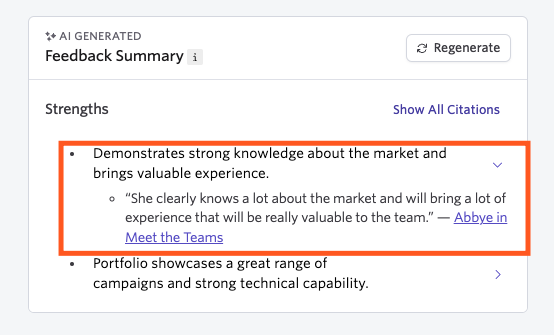
AI-Generated Feedback Summaries
You can now generate an AI-powered summary of all the feedback for a given job consideration on a candidate’s profile. The summary will take into account all feedback left for the job consideration.
You can opt-in to use AI features in the Early Access section of Admin.
AI-Generated feedback summaries can be generated on the Foundations, Legacy Plus Plus and Enterprise plans:
Foundations | Legacy Plus | Plus | Enterprise |
|---|---|---|---|
✅ | ✅ | ✅ | ✅ |
Overview
Where can I see or generate a feedback summary?
You can generate and view feedback summaries in three places:
- Your debrief briefings On the All Feedback tab.
- Any interview briefings (depending on your feedback settings, your interviewers may not be able to see all points on the summary without submitting their feedback or at all, more on this at Visibility Options)
- On the candidate’s profile: Click on the Feedback tab of the feed to view the feedback summary.


If you opt to regenerate a feedback summary in one of these places, it will replace the summary in all three areas.
How do I generate a feedback summary?
To generate a feedback summary, head to the candidate’s profile, an interview briefing or a debrief briefing. Click on the Feedback tab of their feed if on the candidate profile, or the All Feedback tab of the interview or debrief. Click the Generate with AI button to create your feedback summary for this candidate’s job consideration.
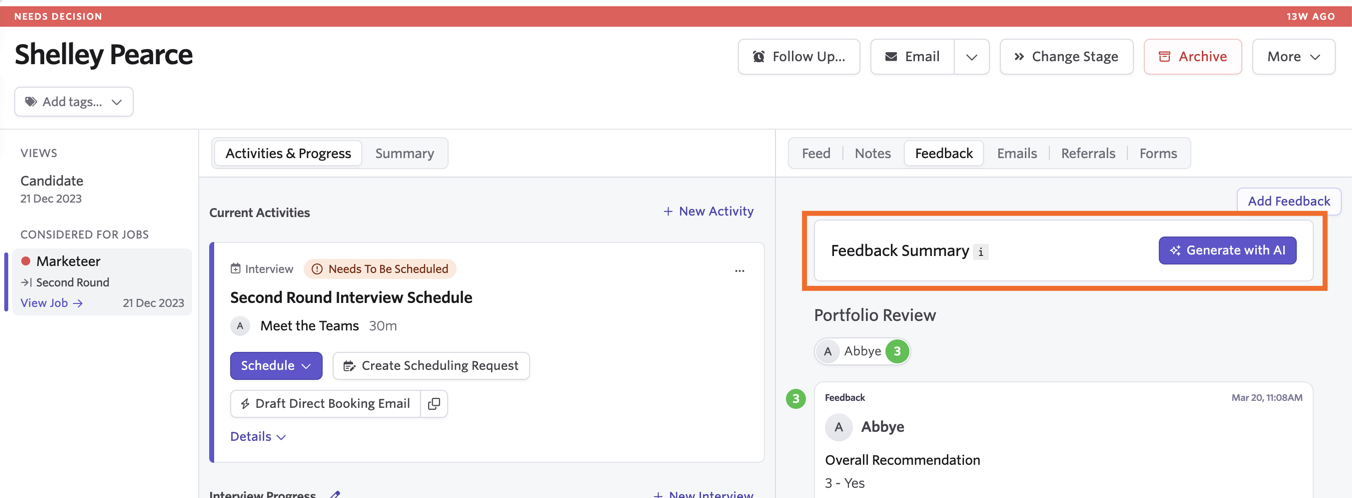
Once the feedback summary has been generated, you can hit Regenerate to generate the summary again if needed.
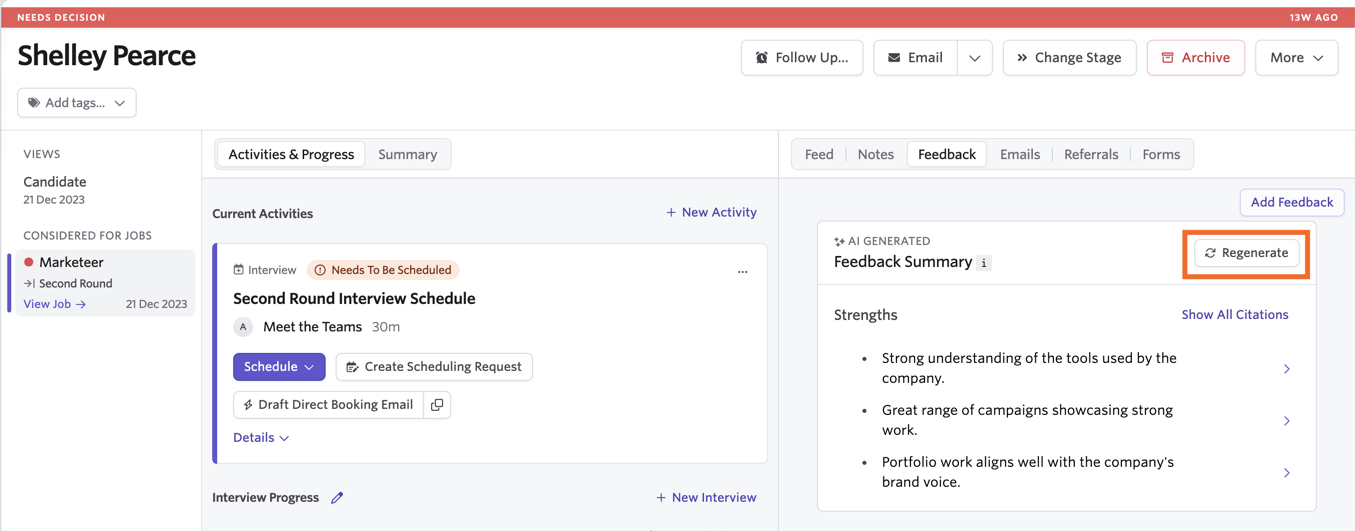
You can click Show All Citations to view the original feedback the summary points were generated from.