Zinc
This guide will walk you through integrating your Zinc account with Ashby, allowing you to send background check requests as assessments in your interview plans.
Integration Overview
This integration enables you to send Zinc background check requests as assessments within Ashby.
Connect Zinc with Ashby
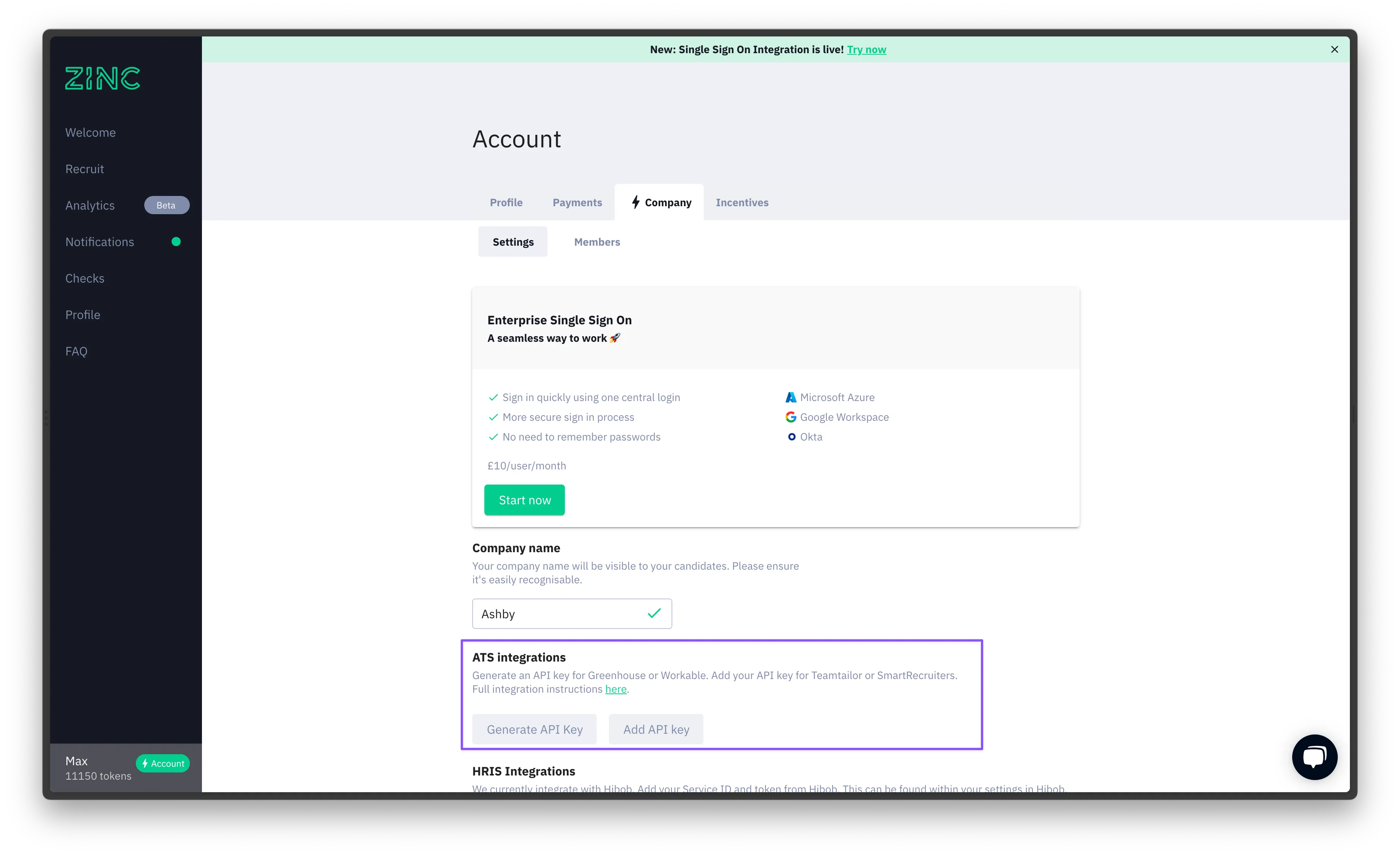
Log into your Zinc account, go to your Settings by clicking on your name in the bottom lefthand corner. Click on the Company tab and scroll down to the ATS Integrations section. Click on Generate API Key and copy the value provided.
Ashby Setup
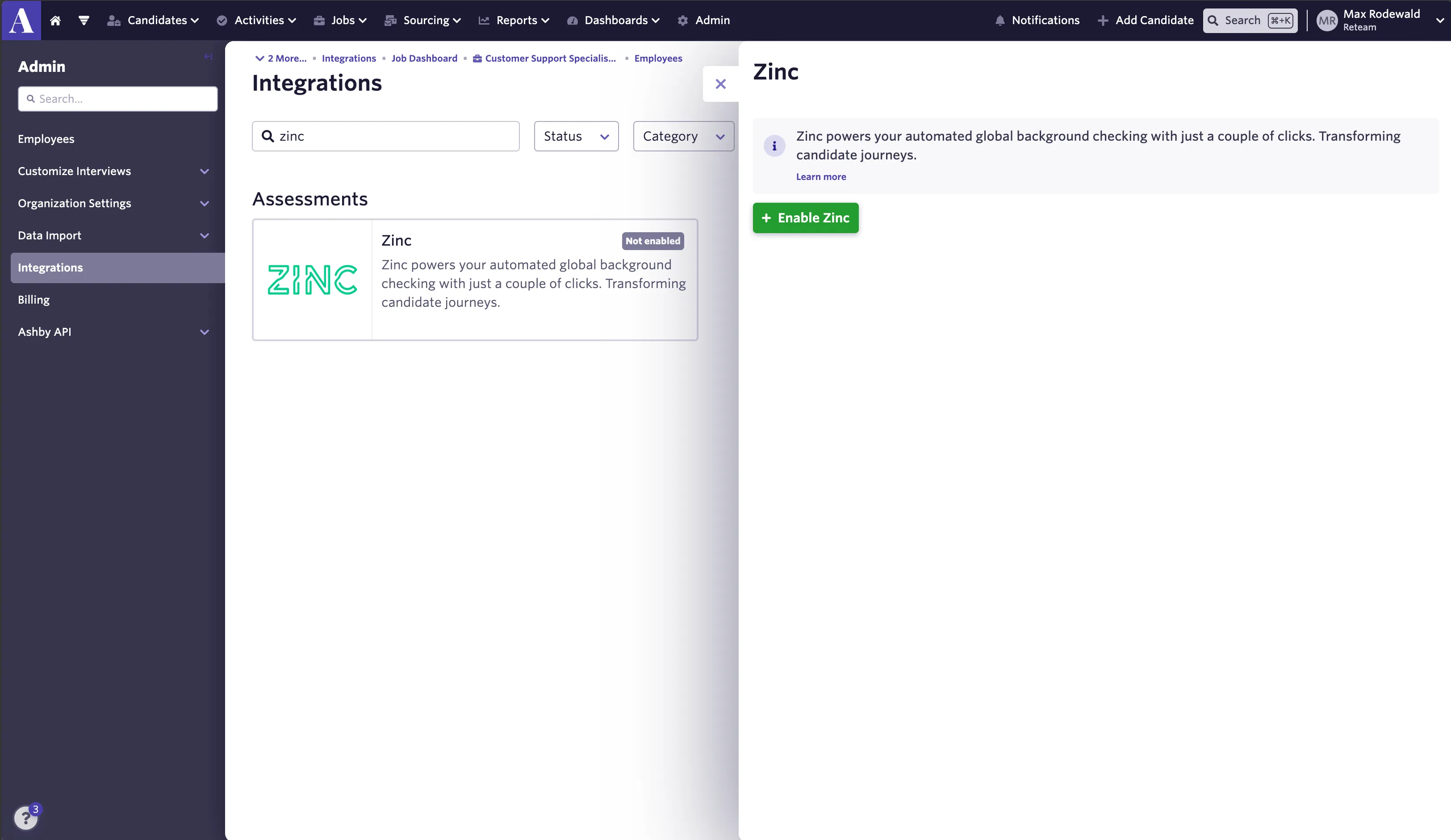
1: Navigate to Ashby and select Admin. Next, click Integrations, then Integrations on the left panel of the screen. Open the Zinc tile and click Enable Zinc.
2: Paste the Zinc API key that you copied from your Zinc account into the Zinc API Key section in the Ashby app.
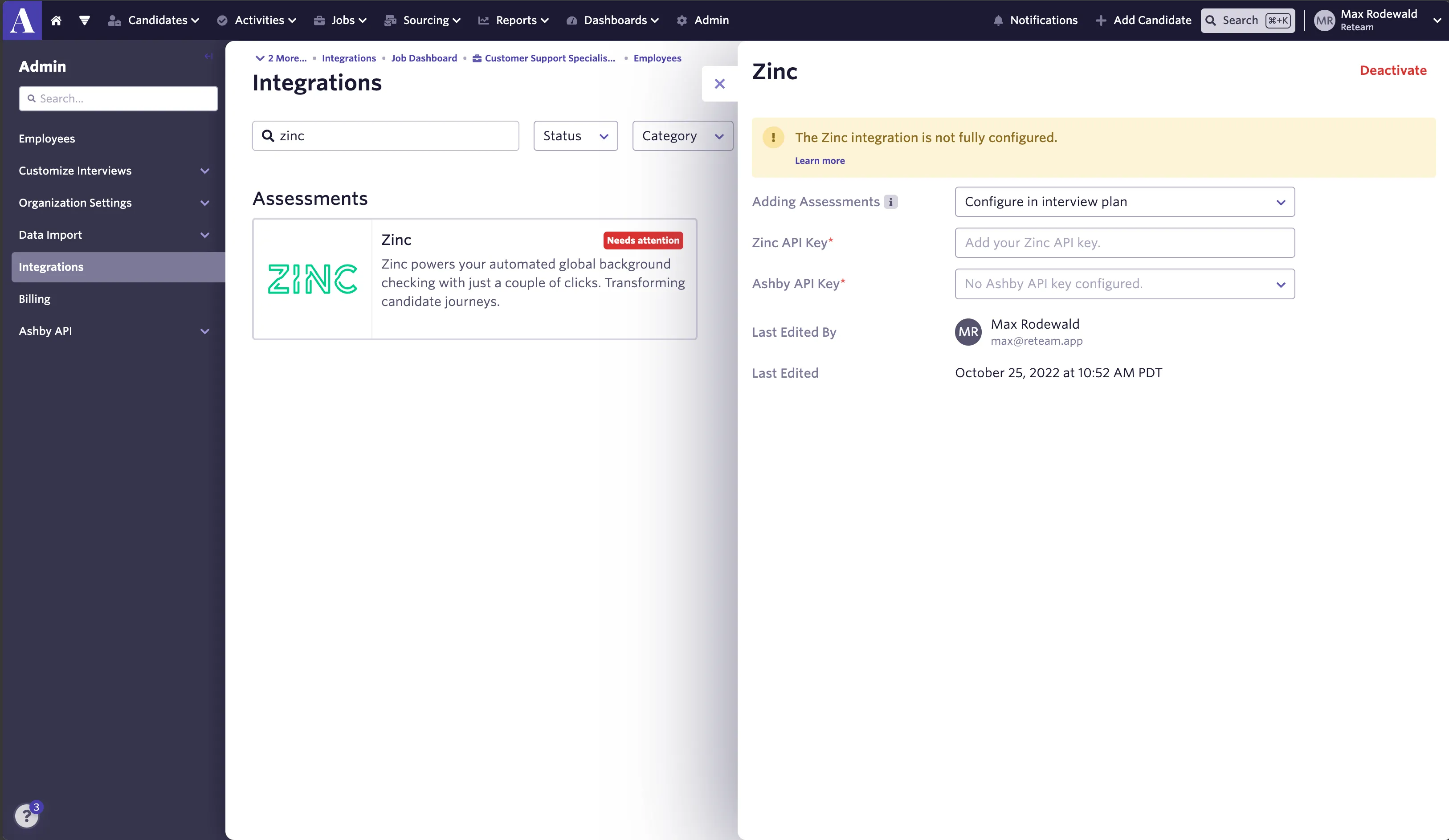
3: Select Ashby API Key and create a new API key. You won’t need to copy the Ashby API Key.
4: Adding assessments. There are three available options:
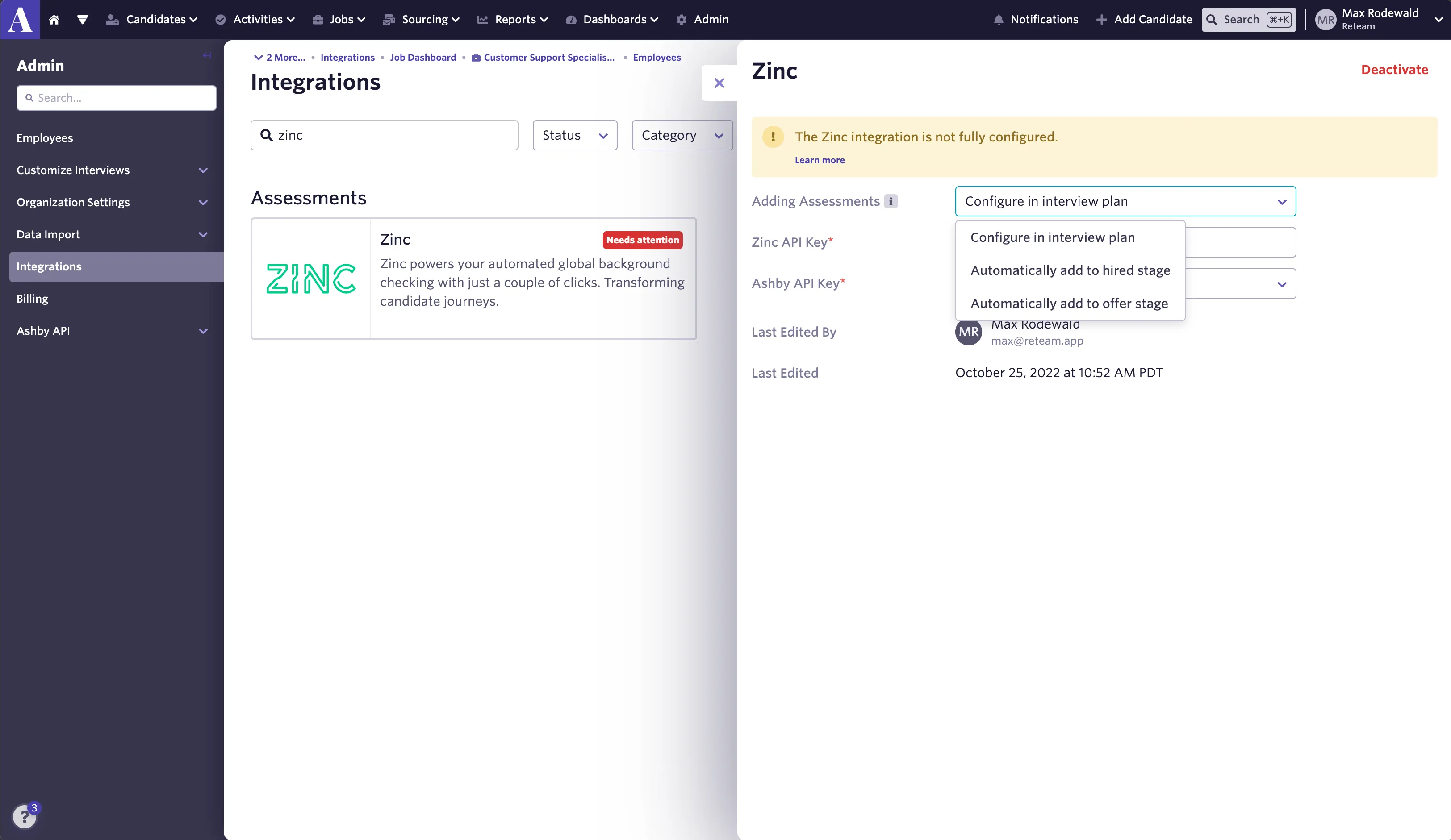
- Configure in interview plan - this means that for each interview plan, you can configure Zinc background checks at a specific stage.
- Automatically add to hired stage - this means that for whenever a candidate is added to the hired stage for all jobs in your Ashby account, a Zinc background check will automatically be added to their candidate profile.
- Automatically add to offer stage - this means that for whenever a candidate is added to the offer stage for all jobs in your Ashby account, a Zinc background check will automatically be added to their candidate profile.
You can now start sending Zinc background check requests as assessments in your Ashby interview plans
Video Instructions
For a Zinc integration video walkthrough, please refer here: