YC Work at a Startup
3 min
Learn how to integrate Ashby and Work at a Startup.
Work at a Startup Integration Overview
Ashby integrates with Y Combinator's Work at a Startup to enable exporting jobs and candidates between the two services.
Export Jobs from Ashby to WaaS
The first integration between Ashby and WaaS is the ability to export your jobs from Ashby to WaaS as postings. To set this up, you'll need your Ashby Job board URL and at least 1 active job on your job board.
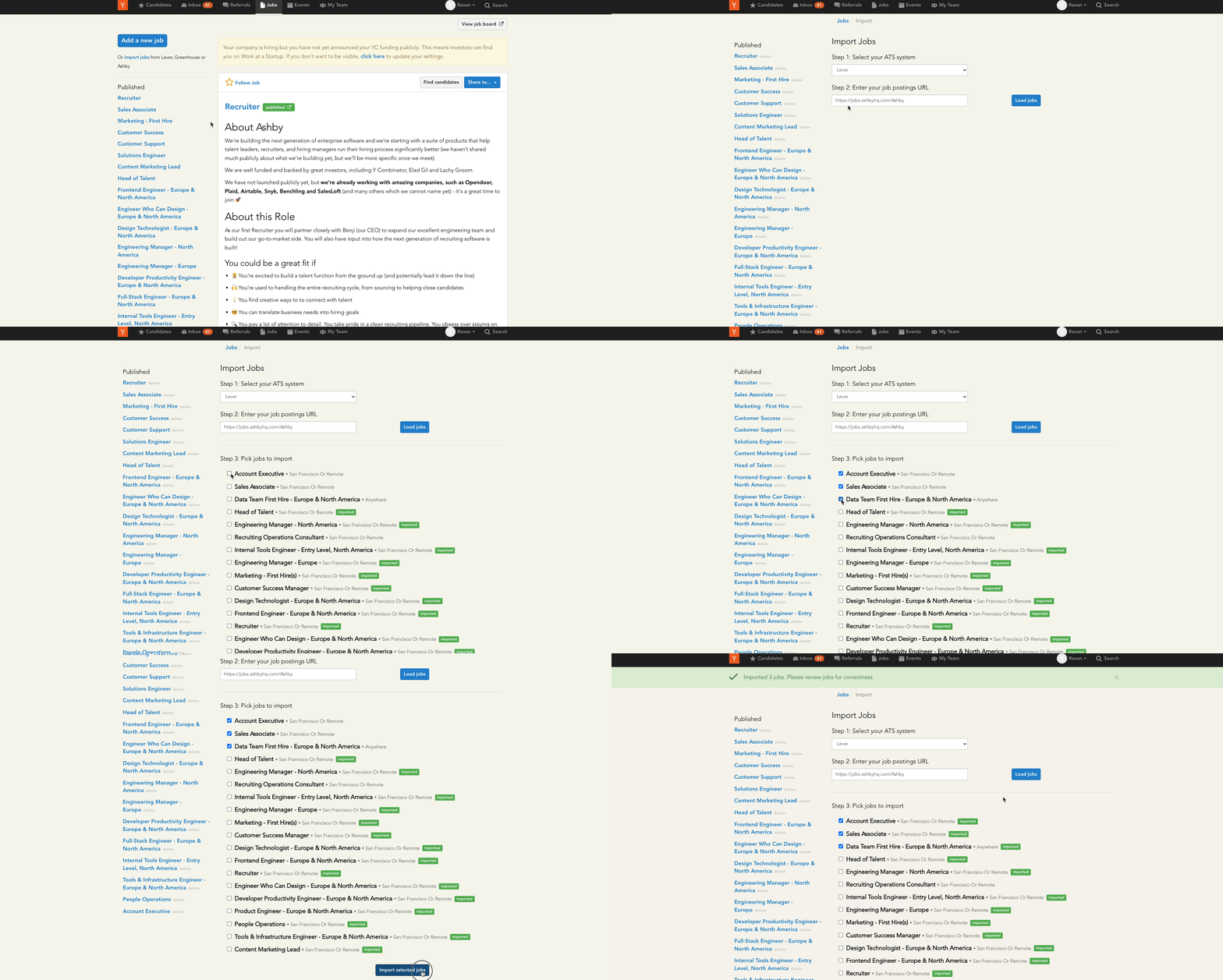
- Select Ashby as your ATS system and input your Ashby job board URL (i.e., jobs.ashbyhq.com/[company])
- Click Load Jobs
- Once your jobs are loaded, select the ones you'd like added to WaaS and click Import Selected Jobs
Export Candidates from WaaS to Ashby
The second integration supported by Ashby and WaaS is the ability to export candidates from Work at a Startup to Ashby. To set this up, you'll need to create an API Key.
- Setup an Ashby API Key on the API Keys page in Admin; select Y Combinator Work at a Startup as the Integration Partner.
- Visit https://bookface.ycombinator.com/workatastartup/ats and input the API Key, then click Save
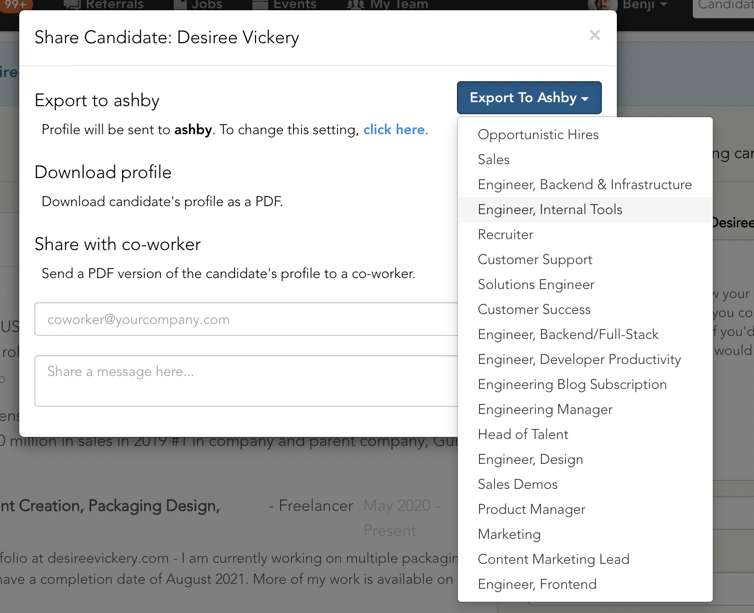
- Once saved, you can export individual candidates to Ashby from their WaaS profile by clicking the Export button, then selecting the job to add them to. Exported candidates will enter Ashby in the New Lead stage.