Woody
This guide explains how to integrate WoodyJobs with Ashby.
WoodyJobs is a niche job board focused on creative Product, Design, and Tech roles. It reaches 8,000+ Product Designers and other creative professionals across SaaS, Fintech, Gaming, and related industries. Ashby customers can use the WoodyJobs integration to distribute jobs directly to this audience from within their ATS.
Connecting the integration
Users must be an Organizational Admin to set up this integration.
- Navigate to Admin > Integrations and search for the Woody integration.
- Click + Enable Woody.
If you need assistance with connecting the Woody integration in their tool, you can reach out to their support team at https://www.woodyjobs.com/contact.
Using the integration
This integration allows you to post up to two jobs for free per month on WoodyJobs. Additional posts are a paid feature. See WoodyJobs pricing for more details.
When creating or editing a job posting in Ashby, navigate to the Basic Info tab. Under the Third-Party Job Boards section, Woody appears as an option.
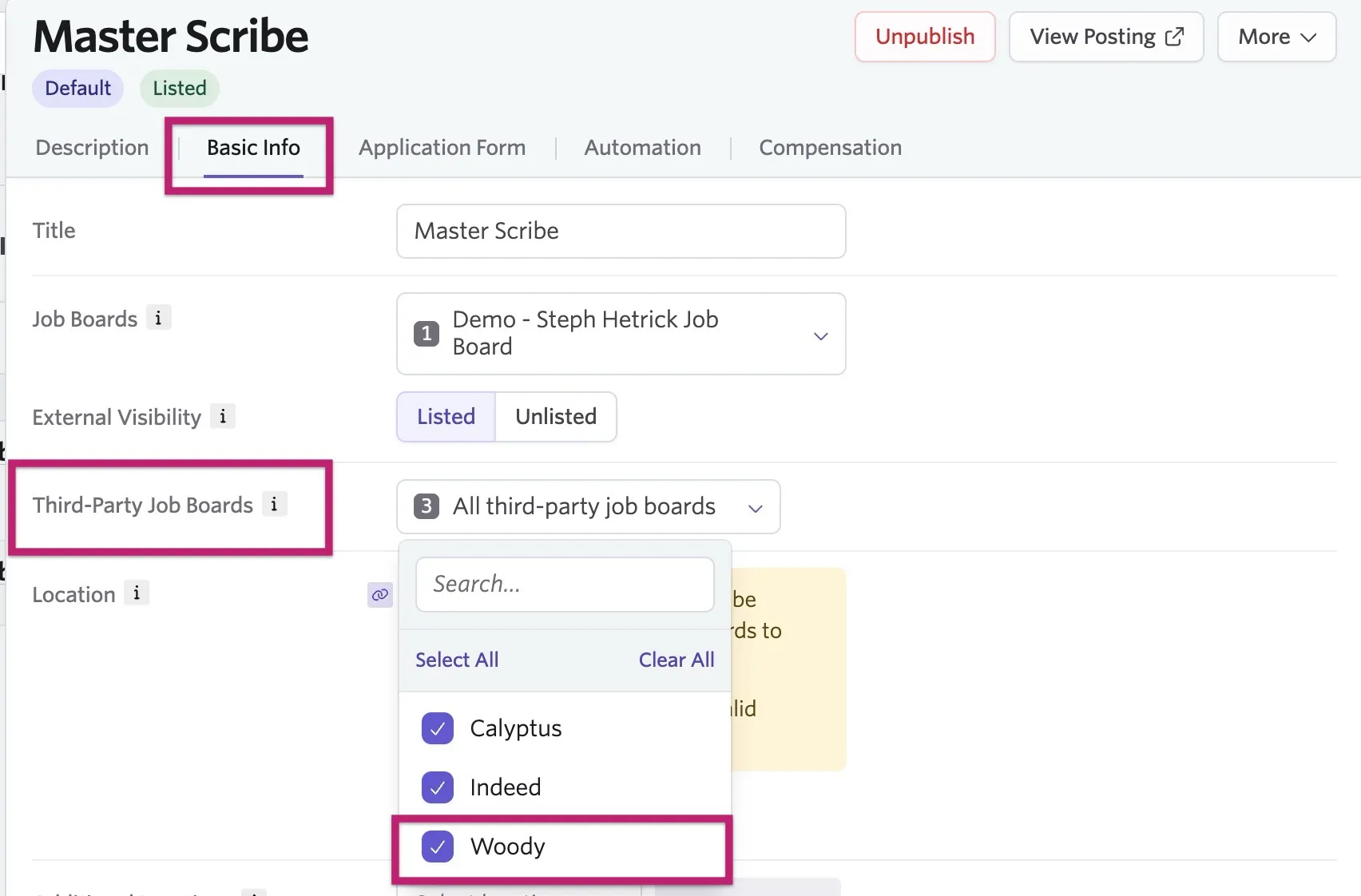
Once submitted, WoodyJobs manually reviews each listing before publishing to ensure it's relevant to their audience. Approved jobs are shared across their social channels, partner communities, and weekly job alert.
You are now ready to use the Ashby <> Woody integration! For more information on WoodyJobs, view their Ashby ATS x WoodyJobs Integration article.