What's the difference between interview plans and interviews?
To automate areas of your interview process, we recommend setting up interview plans, interviews and schedule activities. These three tools work together to set up your candidate pipeline, structure the interview and feedback process and prompt you when a candidate needs scheduling.
Overview
An interview plan sets up the pipeline of your interview process, so you can add in or amend the stages a candidate will go through from when they are added as a lead through to when they are hired. These can be set up in Interview Plans. Only one interview plan can be assigned to a job at a time.
The interview tool allows you to set up templates that include a briefing for interviewers and assign a feedback form for them to complete post-interview. They can be configured in Interviews.
Interview Plans
For an overview on how interview plans work, check out Interview Plans
Interview plans determine the stages your candidates will pass through when interviewing with your team. Interview plans are created in Admin, then assigned to jobs. All jobs require an interview plan. You can see the stages of your interview plan displayed in the Candidate Pipeline section of the role it’s assigned to.
Viewing an interview plan setup
Here’s an example of an interview plan:
You can see that it’s split into three sections; Lead, Active and Completed.
Lead: These stages are used for sourced candidates, both when finding suitable candidates and when reaching out to them to gauge their interest. Please note that the New Lead, Reached Out and Replied stages cannot be removed from an interview plan.
Active: These are stages that reflect your hiring process from when an application is received, right up to an offer being extended.
Completed: These are your stages that show the application result - either Archived (or rejected), or Hired.
Viewing an interview plan on a job
When you click into a job, you can see these stages laid out in the Candidate Pipeline tab. You can click on the stage sections at the top of the Candidate Pipeline view to view your leads within the Leads section, and view candidates in Application Review, your Active stages and those who are in the Offer stage. Hired and Archived candidates are also accessible via the Hired and Archived buttons.
When clicking on an option, you’ll be able to see the stages you’ve set up. In Active for example, you can see each of the interview stages that were added to your interview plan and then the candidates listed in each stage.


If you have multiple interview plans, we’d recommend setting up a grouped interview plan. This will allow you to categorize interview stages to allow for easy reporting in the future. You can find information on configuring this at What is a grouped interview plan?What is a grouped interview plan?.
Interviews
For more information on setting up interviews, check out Feedback Forms and Interviews
Interviews allow you to create interview instructions for your interviewers and assign feedback forms for them to fill out once the interview has been completed. These templates are used when setting up schedule activities and using the Add shared interview option.
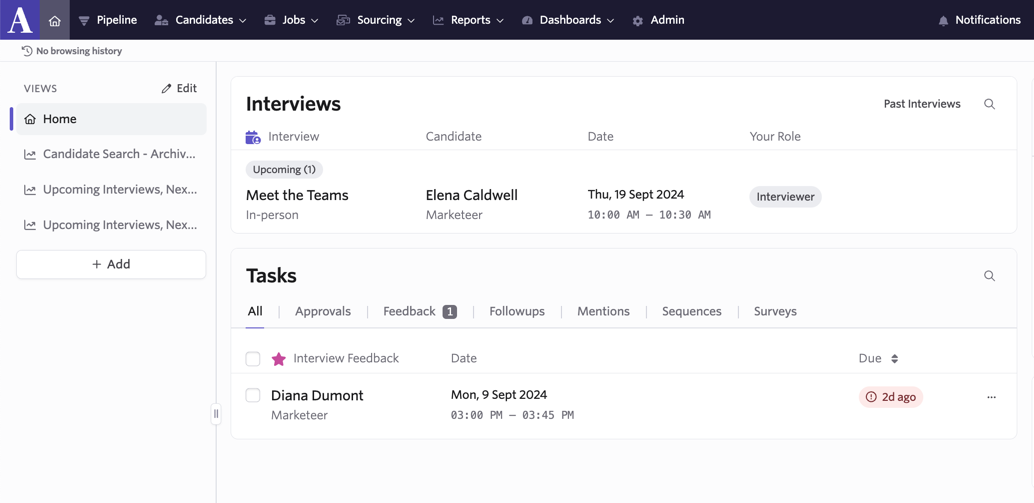
Once an interview is scheduled, the interviewer will see the upcoming interview on their home page.
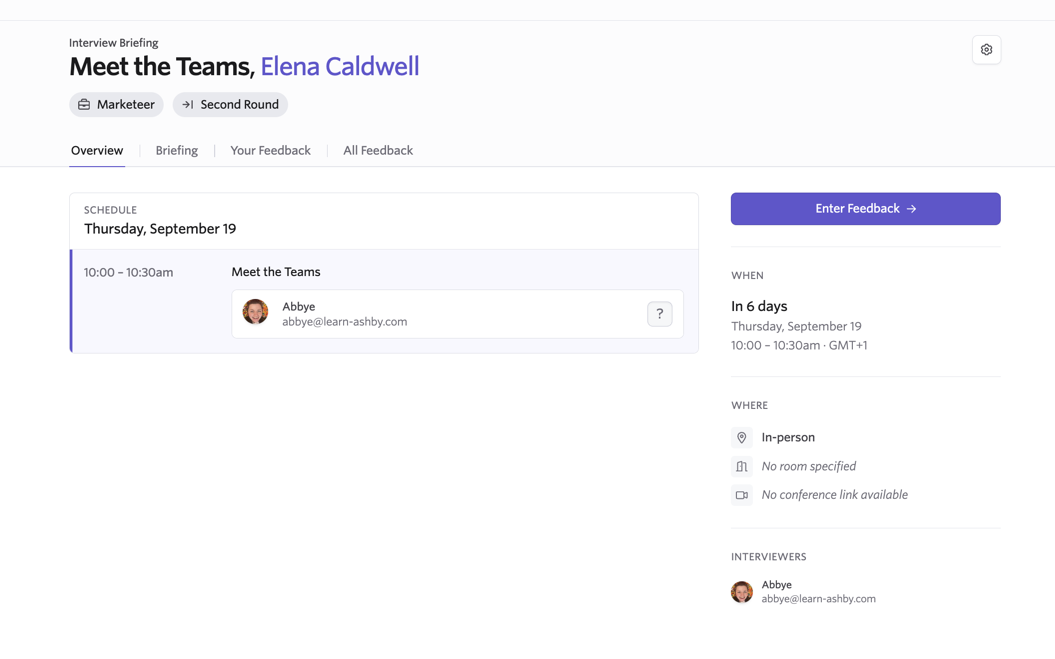
They can click on the interview to see the date and time of the interview, the briefing, the feedback form to be completed and any previous feedback (account settings permitting). Once the interview is completed, they will see a task on their home page to fill out the feedback form assigned.
Schedule Activities
For more on setting up schedule activities, check out Setting up Schedule Interview Activities.
Schedule Interview Activities can be set up on the Interview Plan of a job or job template. When adding a schedule interview activity to your interview plan, once a candidate is moved to the stage with that activity, you’ll be prompted to schedule them in for an interview.
When adding the activity to your interview plan, you can assign interviewers, assign an interview that you created in Interviews, and configure your settings in advance. As such, once you receive the activity prompt for a candidate when they move from stage to stage, you can email out a direct booking or candidate availability link, or book them in manually from that prompt.