What is a grouped interview plan?
If you are using multiple different interview plans, you can use this feature to bucket your interview stages across plans into a common set of stages for reporting.
Grouped interview plans are one of the most powerful ways to bring consistency, clarity, and scalability to your hiring process. When used well, they create a standard backbone for interviews across teams and improve data quality, reduce manual work, enable better forecasting, and help teams to deliver a more predictable candidate experience.
Grouped interview plan overview
If you are using multiple different interview plans, you can set up a grouped interview plan to bucket your interview stages into a common set of stages for reporting.
Why should I set up a grouped interview plan?
A strong Grouped Interview Plan helps with creating the following:
- A standardized framework that reduces one-off customization
- Clean, comparable data through consistent stage and activity mapping
- Scalable interview structures that don’t require ongoing adjustments
- Structured data capture that powers accurate, repeatable reporting
- A repeatable setup process that supports hiring growth without redesigning interview flows
Because the grouped interview plan defines your company’s reporting structure, stability at this layer is essential. Grouped interview plans are built for long-term consistency, not continuous adjustment.
The grouped interview plan also plays a critical role in how you configure conditions across Ashby. Features like Candidate Experience SurveysCandidate Experience Surveys, Alerts, and other automated workflows rely on stage groups fields to trigger consistently at the right moment in the process. Without a grouped interview plan, you would need to align conditions across multiple stage names, creating unnecessary complexity and increasing the chances of misconfiguration. With a grouped interview plan, these triggers become seamless and reliable.
The Grouped Interview Plan sits at the top of a hierarchy that other pieces map into:
- The Grouped Interview Plan defines the stage groups.
- Interview Plans map their stages into those stage groups.
- Activities sit on stages inside Interview Plans and power automation.
How to configure a grouped interview plan
Adding stages to your grouped interview plan
To add stages to your grouped interview plan:
- Navigate to Admin, then select Data Management from the left sidebar, then Grouped Interview Plan
- Check the Enable Group Interview Plan? checkbox.
- To add the high-level interview plan stages to the Lead, Active and Completed sections, scroll to the section in question, type the new stage name into the field to the left of the + Add button, then click + Add.
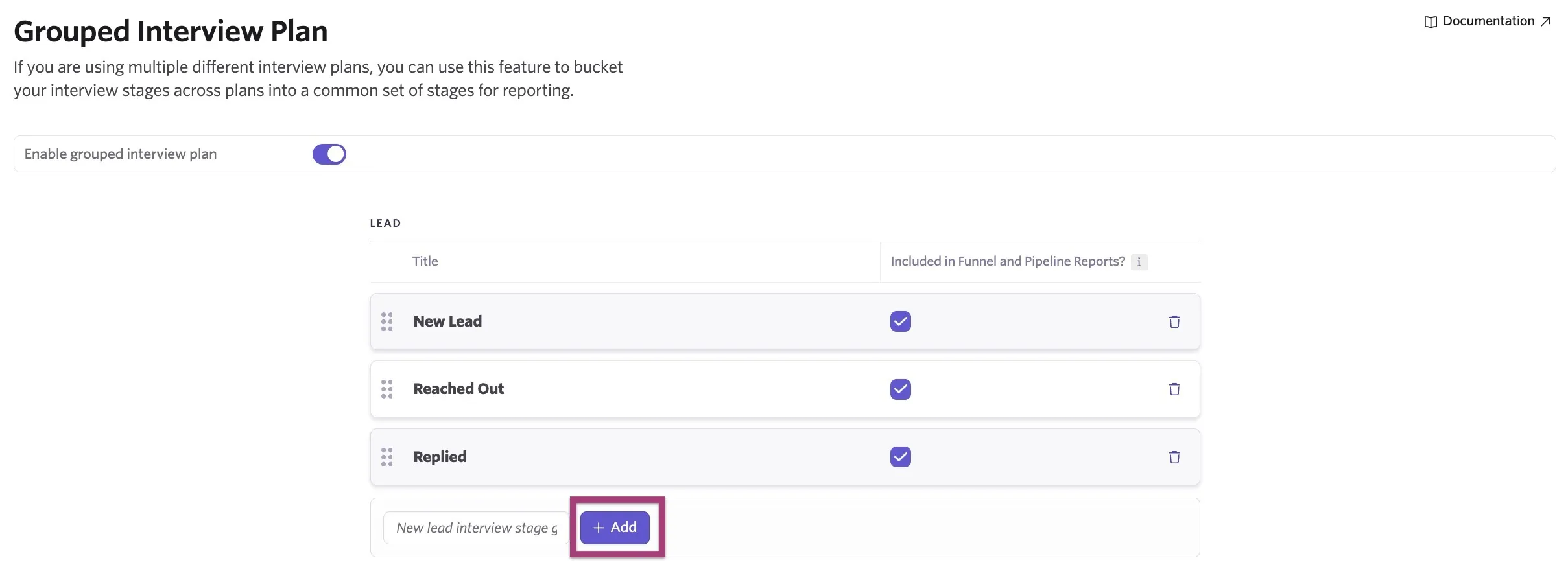
Any changes you make will be saved automatically.
Deleting stages from your grouped interview plan
To delete a stage from your grouped interview plan, click on the trash can icon to the right of the stage in question.
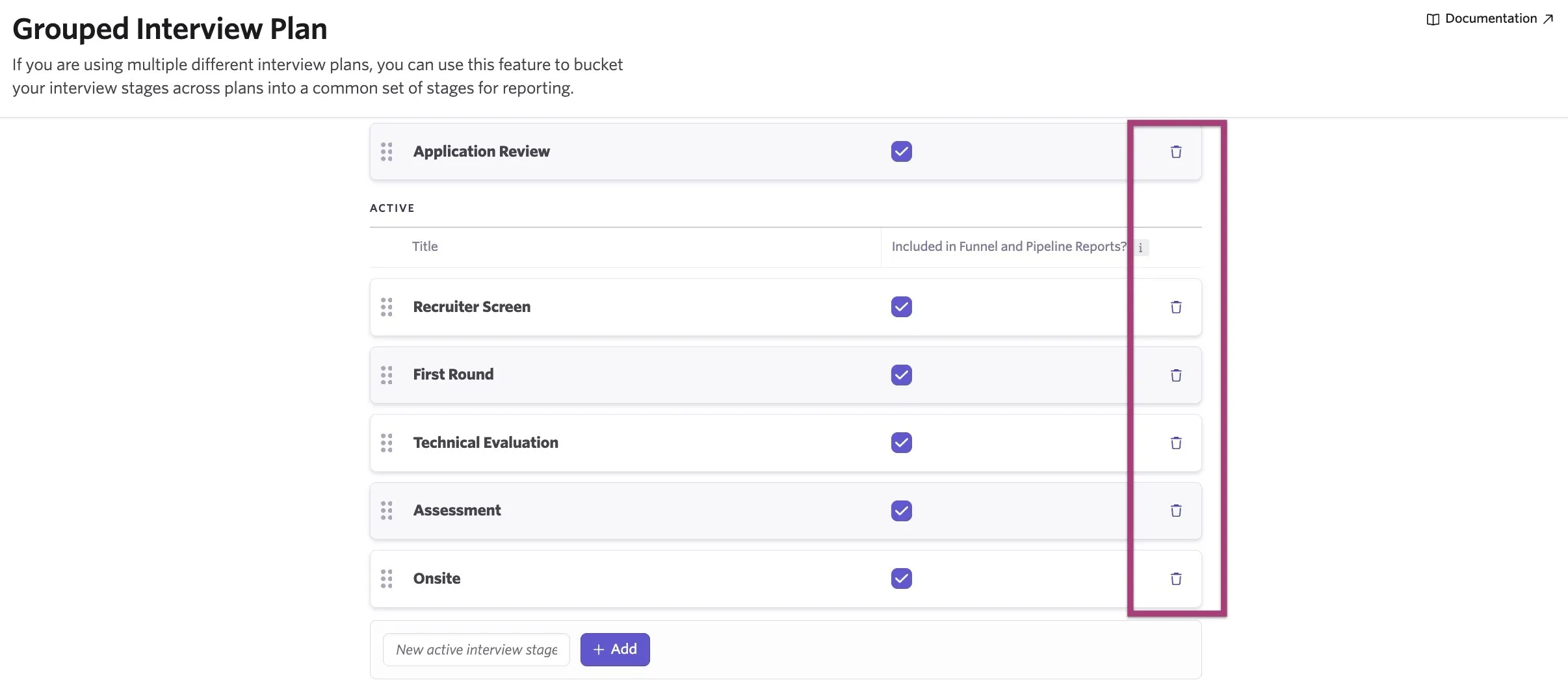
If the stage you're trying to delete is mapped to your interview plans, you will be given a choice: either you can remove the grouped stage group mapping from those interview plan stages or select a different grouped stage to map your interview plan stage to.
Map plan stages to grouped interview plan
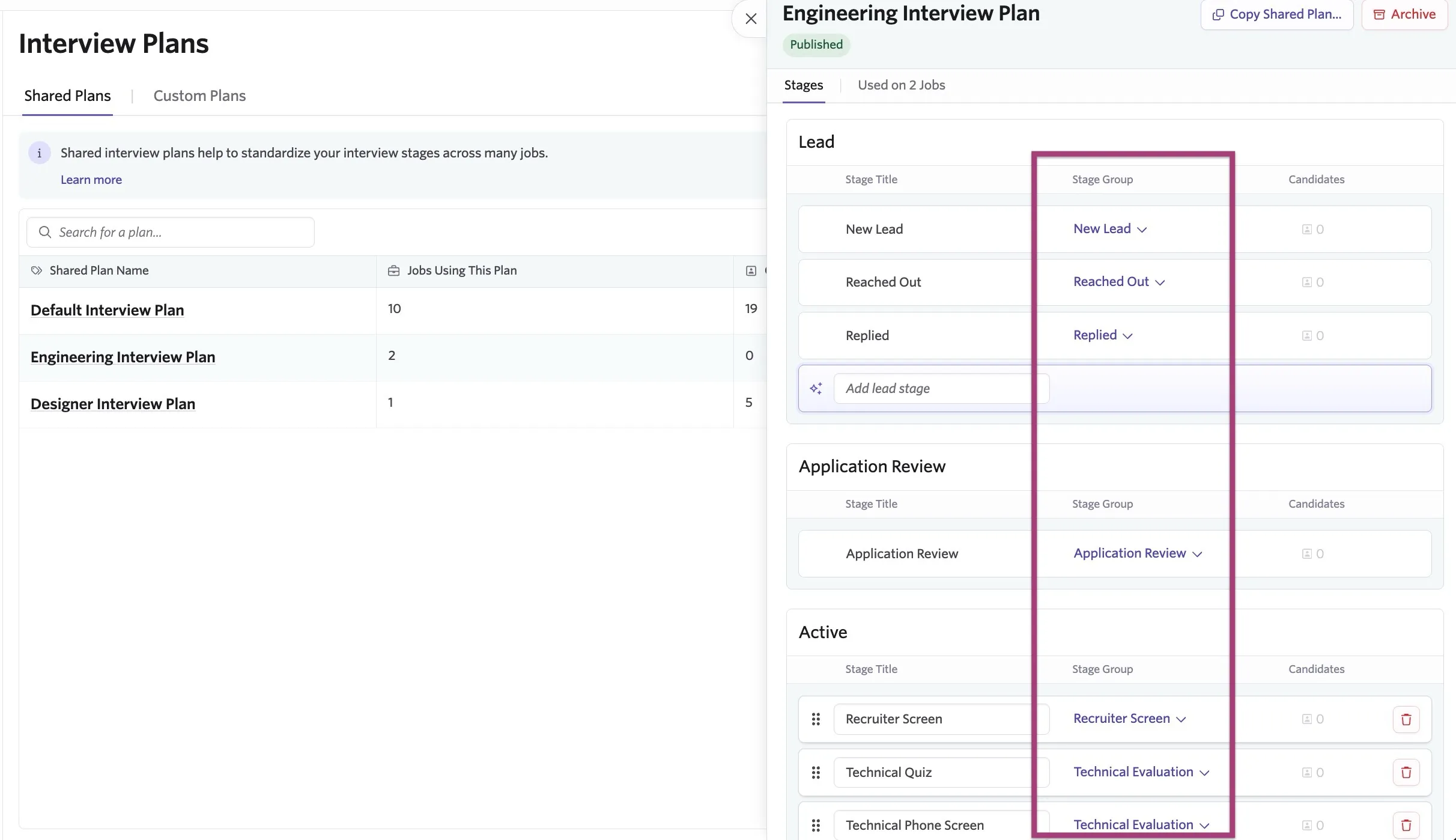
Once your grouped plan is configured, you can map the stages within each of your interview plans to the corresponding stages in your grouped plan. To map stages:
- Navigate to Admin, then Interviews & Scheduling in the left-hand sidebar, then Interview Plans.
- Select an interview plan to map
- Use the Stage Group drop-down menus to select the grouped interview plan stage you'd like to map your interview plan stage to.
Grouping Stages when reporting
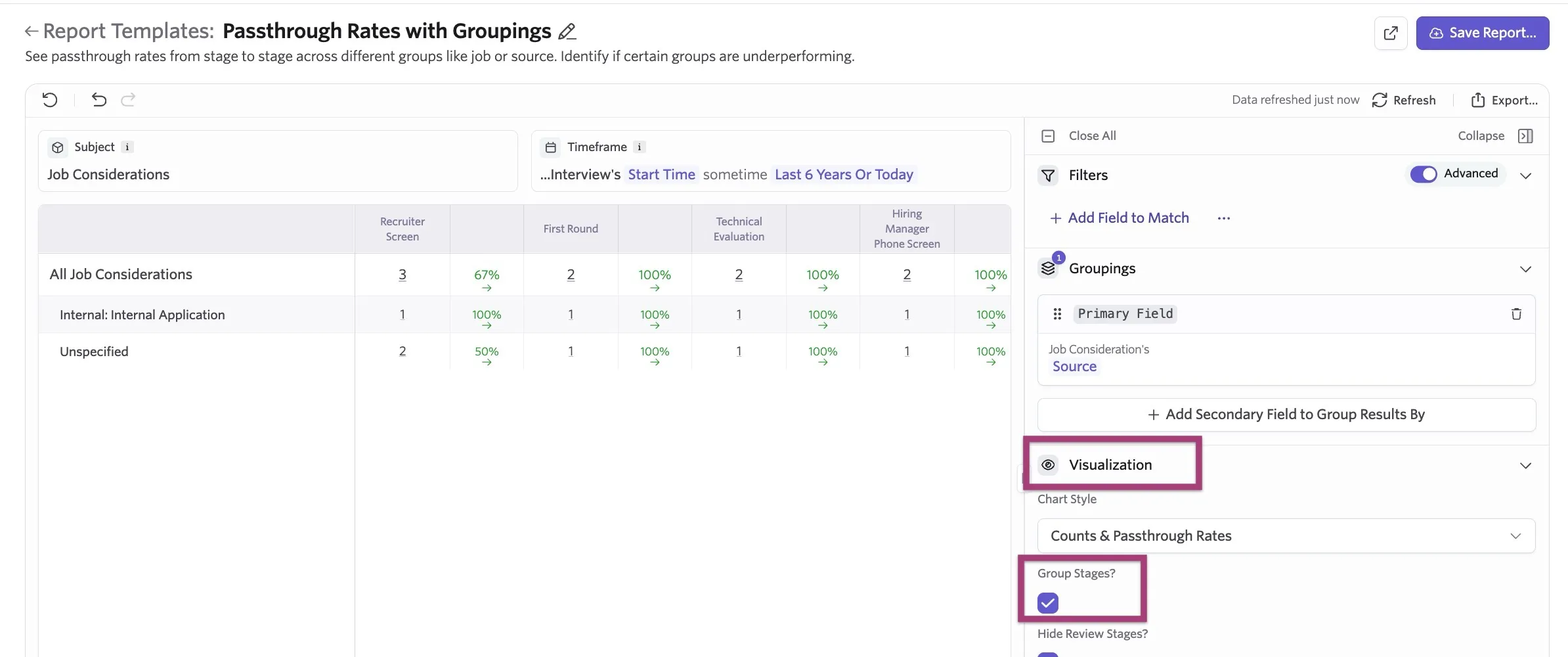
When creating a report relating to your interview pipeline, you will see the checkbox option to Group Stages?
Checking this box will use your grouped interview plan stages, bucketing your individual interview plans and showing a streamline version of the report. If you are using the new report builder, this is in the Vizualization section of the report builder.