Wellfound (formerly AngelList Talent)
The Wellfound integration allows you to seamlessly export jobs from Ashby into Wellfound. You can then import candidates who apply to those jobs in Wellfound back into Ashby. After you set up the integration, new job postings sync twice a day every 12 hours.
Permissions & access
You must be an Organization Admin to configure this integration.
The Wellfound integration is available on Foundations, Plus, Enterprise, and Legacy Plus plans.
Foundations | Legacy Plus | Plus | Enterprise |
|---|---|---|---|
✅ | ✅ | ✅ | ✅ |
Connecting the integration
Get started in your Wellfound account and follow their How do I connect Ashby ATS? guide.
In Ashby:
- Navigate to Admin > Integrations and search for Wellfound.
- Select the + Create API key for Wellfound button.
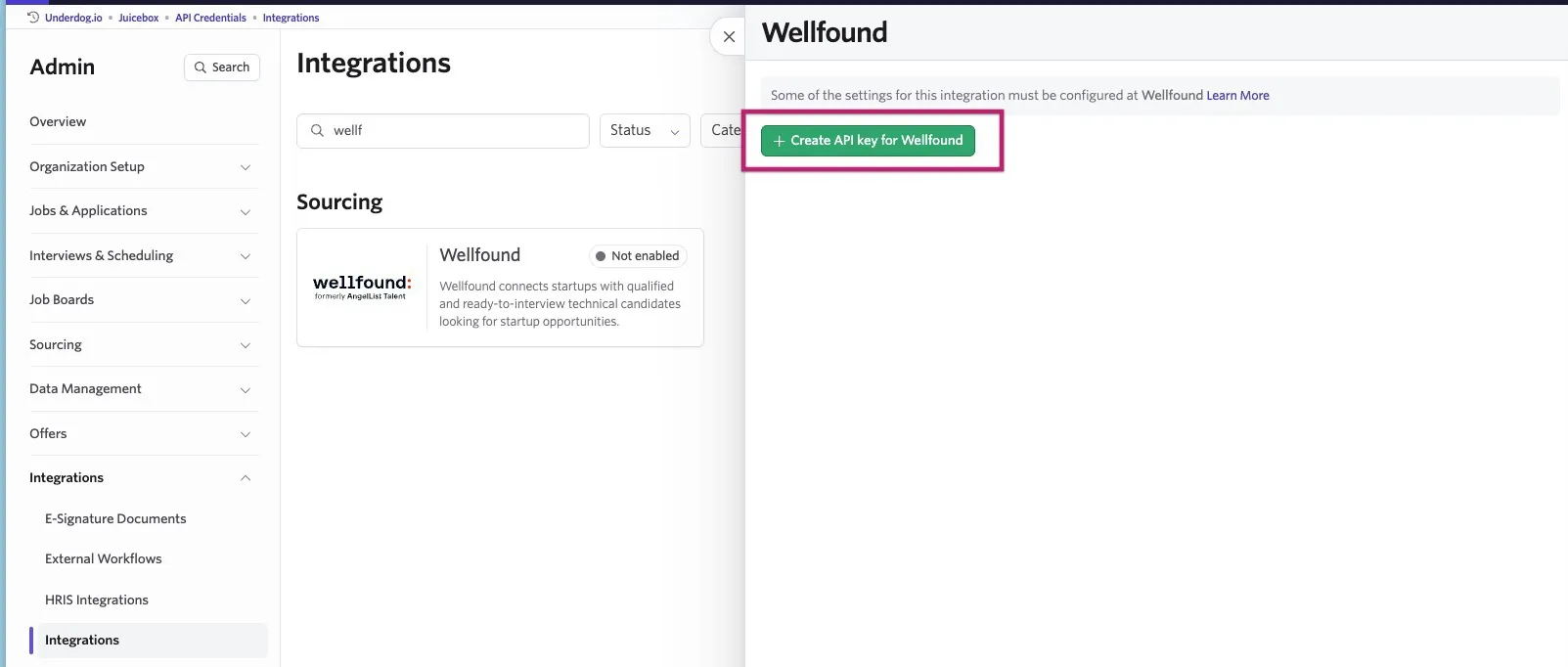
Copy the API key and store it in a secure place. You need this to complete the integration setup in Wellfound.
FAQs
A candidate exported from Wellfound suddenly has tags on their profile, why?
Wellfound assigns tags to a candidate when exporting them to Ashby. There can be a window of time between the candidate being added to Ashby and the tags being added to the candidate. As such, a candidate with no tags can later have tags added to them. There isn't currently a way to disable this option.
Why are all candidates that apply through Wellfound being credited to one person?
Wellfound's integration automatically credits inbound applicants to the administrator who set up the integration, per their documentation on candidate attribution in Ashby ATS.