Understanding & Reporting on Interview Stage Transitions
This article covers the Interview Stage Transitions reporting subject, including available fields for filtering and grouping, and common reporting examples.
When building reports in Ashby, one of the subjects available is Interview Stage Transitions.
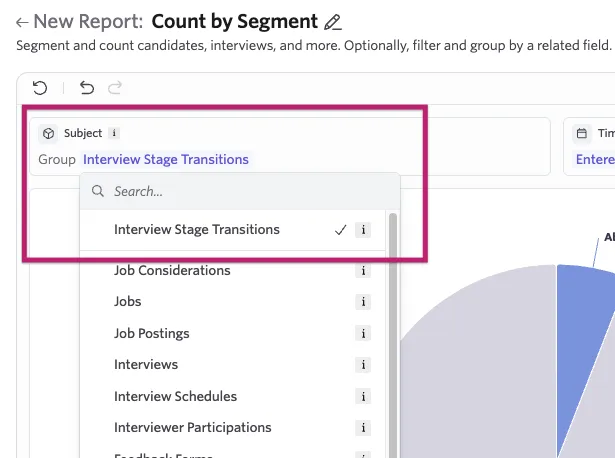
When a candidate's application moves from stage to stage, Ashby records the transition: which stage they are leaving, which stage they are entering, when they entered the stage, and when they left. Using the Interview Stage Transition subject, you can create report based on these and other captured details regarding the stage transition.
Fields available for filtering
When building a report, you can add filters using the option within the panel on the right side.
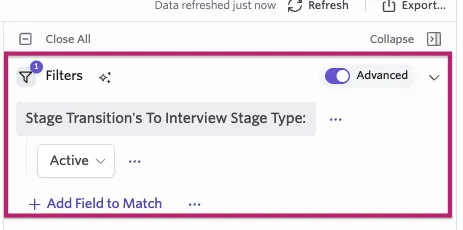
The following fields are available as filters on any Interview Stage Transitions report.
Field | Description |
|---|---|
From Interview Stage Name | The title of the interview stage transferred from. |
From Interview Stage Type | The type of interview stage transferred from: Lead, Application Review, Active, Archived, or Hired. |
From Interview Stage Group | The stage group transferred from. Requires Stage Groups to be enabled. |
To Interview Stage Name | The title of the interview stage transferred to. |
To Interview Stage Type | The type of interview stage transferred to: Lead, Application Review, Active, Archived, or Hired. |
To Interview Stage Group | The stage group transferred to. Requires Stage Groups to be enabled. |
Outcome | The outcome of this stage change. Possible values: Moved Forward, Rejected by Org, Rejected by Candidate, Rejected - Other. |
Entered At | Point in time at which the stage was entered. |
Left At | Point in time at which the stage was left. |
Days in Stage | Number of full days within the stage. |
Archive Reason | When the destination stage is an archived stage, this represents the archive reason. |
Stage Changed By | The user who actioned the stage transition for the candidate's job consideration. Available on full product plans only. |
Fields available for grouping
Grouping by a field is available when building a Segmentation or Count Over Time report on the Interview Stage Transitions subject. It is not available on Custom List reports, which use Columns instead.
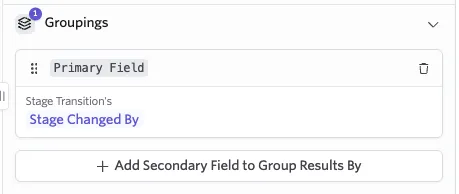
The following fields are available as groupings on any Interview Stage Transitions segmentation or count over time report.
Field | Description |
|---|---|
From Interview Stage Name | The title of the interview stage transferred from. |
From Interview Stage Type | The type of interview stage transferred from: Lead, Application Review, Active, Archived, or Hired. |
From Interview Stage Group | The stage group transferred from. Requires Stage Groups to be enabled. |
To Interview Stage Name | The title of the interview stage transferred to. |
To Interview Stage Type | The type of interview stage transferred to: Lead, Application Review, Active, Archived, or Hired. |
To Interview Stage Group | The stage group transferred to. Requires Stage Groups to be enabled. |
Outcome | The outcome of this stage change. Possible values: Moved Forward, Rejected by Org, Rejected by Candidate, Rejected - Other. |
Archive Reason | When the destination stage is an archived stage, this represents the archive reason. |
Stage Changed By | The user who actioned the stage transition for the candidate's job consideration. Available on full product plans only. |
Entered At, Left At, and Days in Stage are available for filtering only — they cannot be used as group-by dimensions.
Stage Groups and report grouping are two separate features.
Stage Groups are an admin configuration that maps individual interview stages into a common set of stages across jobs (see Utilizing Stage GroupsUtilizing Stage Groups). When Stage Groups are enabled, the From Interview Stage Group and To Interview Stage Group fields become available for both filtering and grouping in reports.
Report grouping is a separate feature in Segmentation and Count Over Time reports that lets you break down results by any available field — for example, grouping by Stage Changed By to see which team members are actioning stage transitions. This is independent of whether Stage Groups are enabled.
Examining interview stage transition details
When you open a candidate profile in Ashby, you can see their interview stage progress.
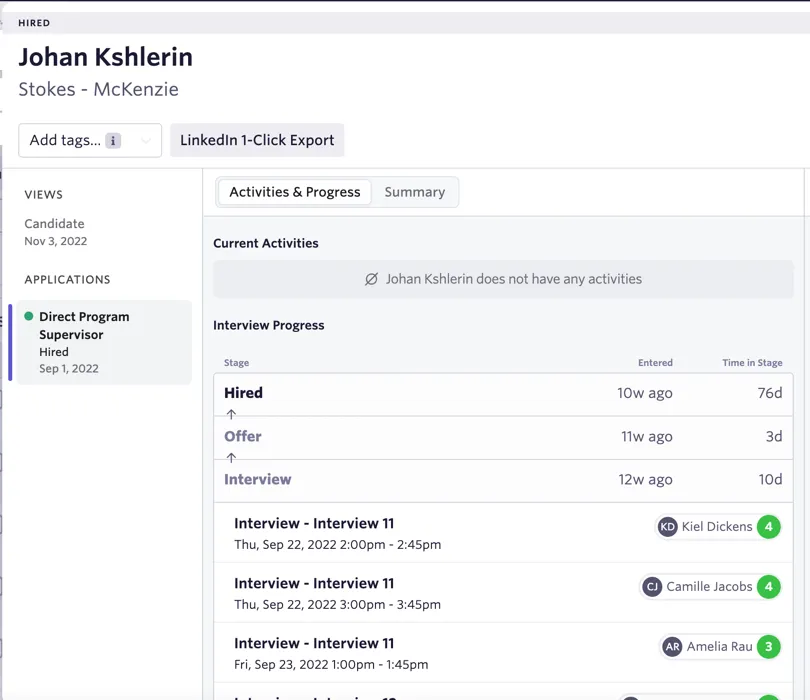
This gives you details about the stage, the timing of the stage, scheduled interviews, and feedback. The stage progress shown in the profile view is one way to view the interview stage transition details you can report on.
To build a Custom Reportscustom list report for a candidate, you can pull up the records of individual stage transitions. Each row and timestamp in the report corresponds to the profile view transitions above.
Example: stage outcomes over time
A common reporting need is to examine the outcome of activity from a specific stage group of interest. In this example, we report on the outcome of the recruiter screen stage group over time.
The pattern is to use the Entered At field with the From Stage Group, which results in examining the destination (the next stage, rejection, or being hired) at the time of the decision.

In this Count Over Time report, we have excluded all applications still in the recruiter screen stage with a NOT filter condition. This ensures we examine only candidates that have entered and exited the stage of interest.