Underdog
4 min
Underdog.io integrates with Ashby, allowing you to export candidates from Underdog.io directly into your Ashby instance. Check out Underdog’s Help Center for more information.
Permissions & access
To install this integration, your company needs to be a customer of both Underdog.io and Ashby, and you need Organization Admin access within Ashby.
The Underdog.io integration is available on all plans:
Foundations | Legacy Plus | Plus | Enterprise |
|---|---|---|---|
✅ | ✅ | ✅ | ✅ |
Connecting the Integration
In Ashby:
- Navigate to Admin > Integrations and search for Underdog.io.
- Select the + Create API key for Underdog.io button.
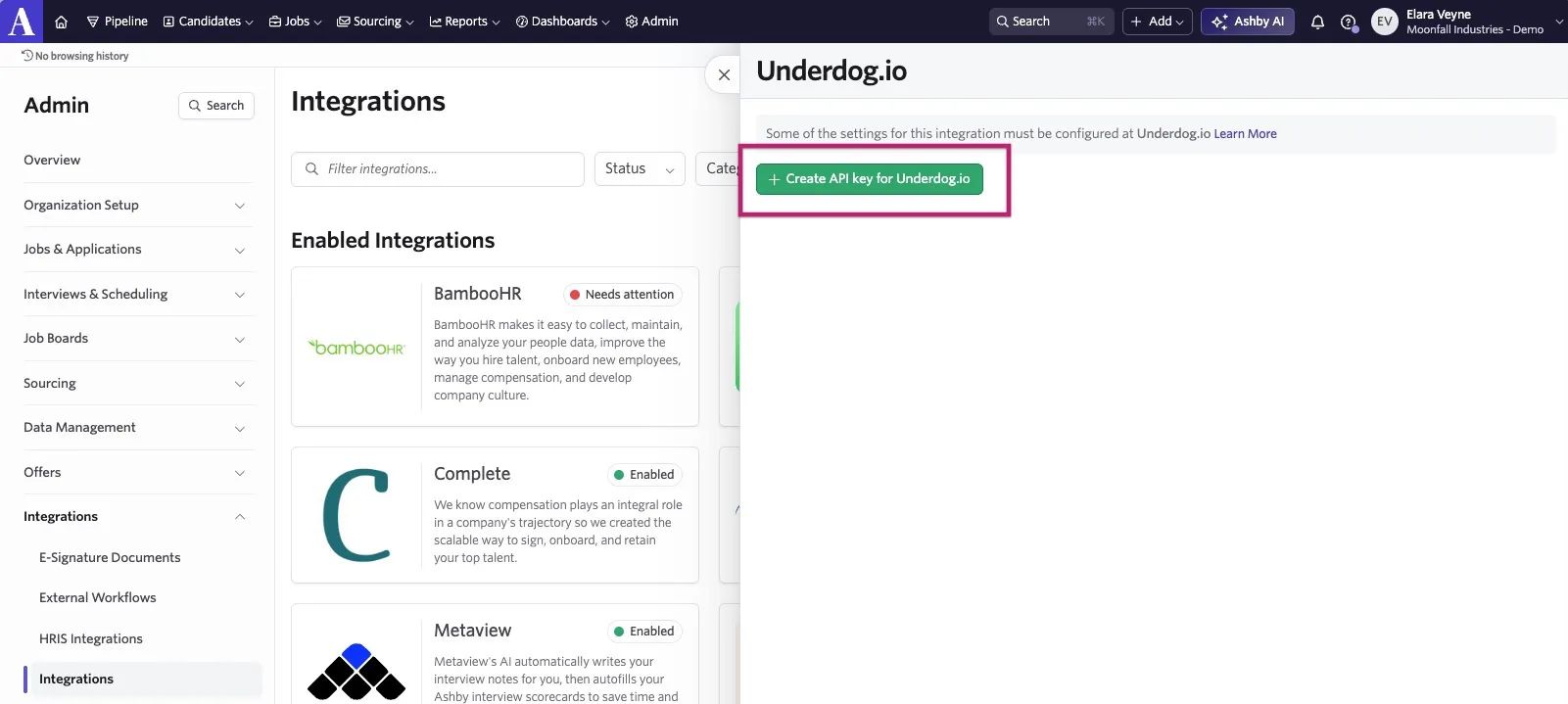
Before closing that page, copy your new API Key to your clipboard or save it locally until you're ready to add it to your Underdog.io account.
- Open the Underdog.io dashboard, click Settings in the top nav, and navigate to the Integrations page. Click the Add button next to Ashby and paste your API Key into the modal.
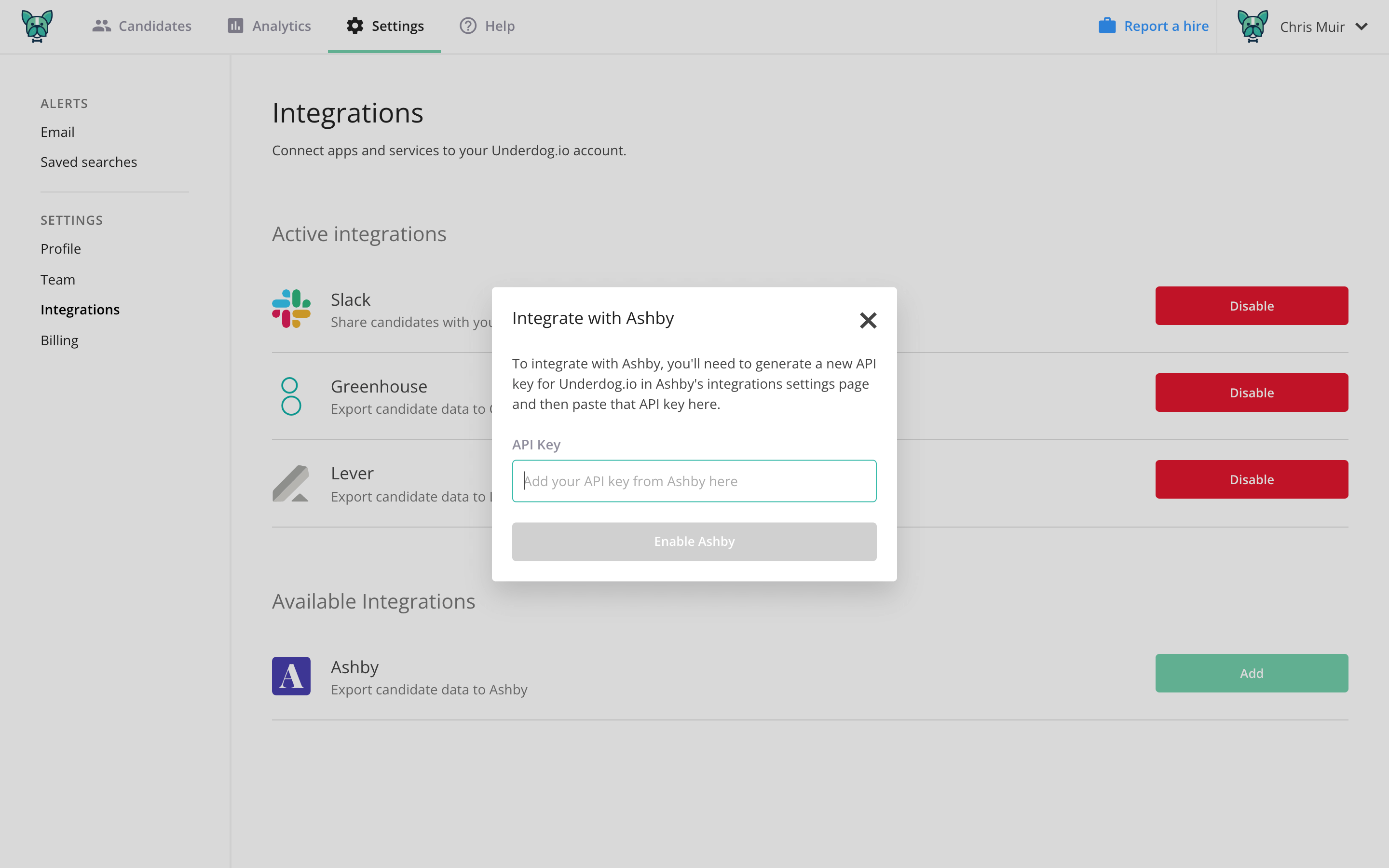
You can now export any active candidates from Underdog.io into Ashby.
Email [email protected] if you have questions about their Ashby integration.