The English Quiz
5 min
Use this guide to set up the integration between The English Quiz and Ashby. Log in to The English Quiz and view their Ashby integration documentation for more information.
Permissions & Prerequsites
You need to have an Ashby and The English Quiz account.
Users must be an Organizational Admin to set up this integration.
Connecting the integration
- Log in to your The English Quiz account.
- Go to Company > Profile and select the Integrations tab.
- Click Enable.

- Copy The English Quiz API Key by clicking the clipboard icon.

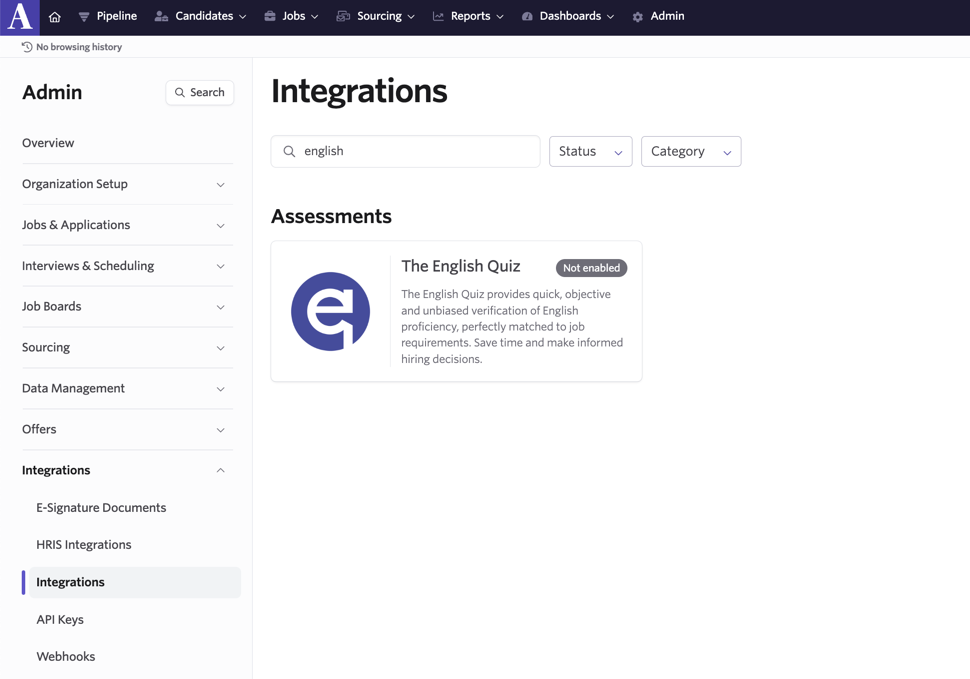
- In Ashby, navigate to Admin > Integrations > Integrations.
- Search for or find The English Quiz integration tile and click on it to open the integration settings.
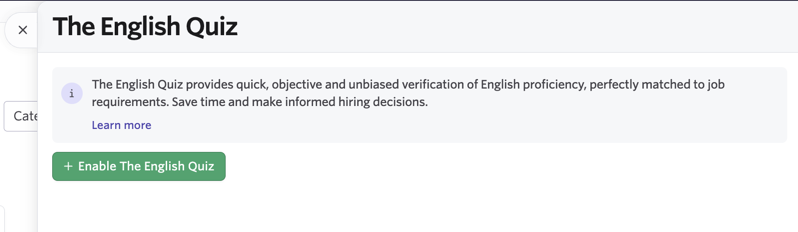
- Click + Enable The English Quiz.
- Add your API key from The English Quiz into the The English Quiz API Key field.
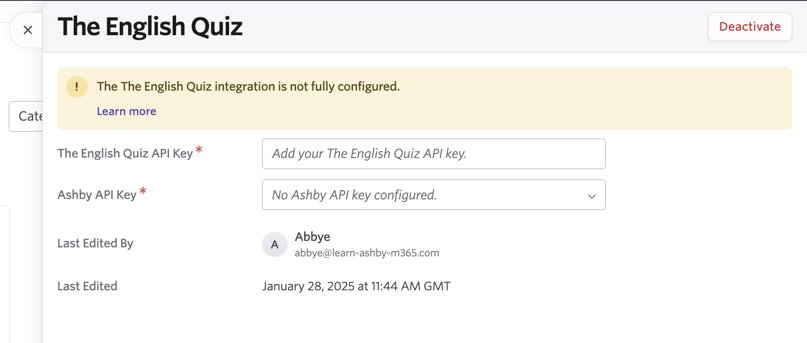
- Create a new Ashby API key in the Ashby API Key field.

- Copy the generated Ashby API key.
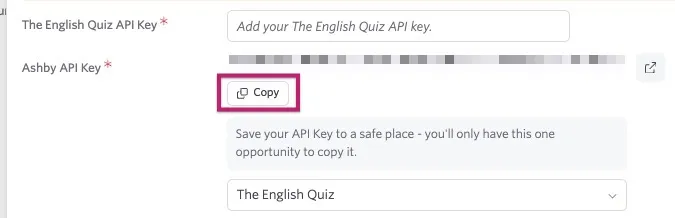
- Paste the Ashby API key into The English Quiz Ashby integration.

- Click Save.
The English Quiz is now ready to use in Ashby.
Using the Integration
- In a candidate's profile, click New Activity > Assessment.
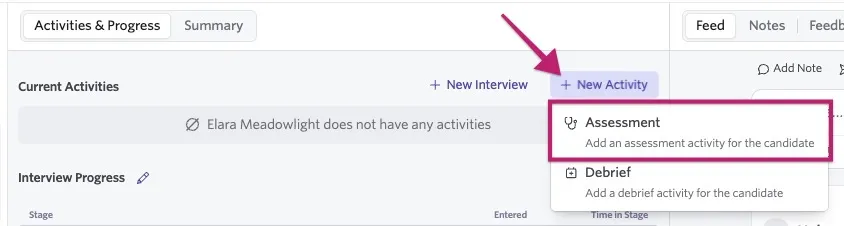
- Select The English Quiz.
- Select the English assessment you'd like to use from the dropdown.
- In the candidate record, click Start Assessment.
- You can modify the test selection.
- Click Start to send the invitation to your candidate.
The English Quiz assessment now appears in your candidate's record. The test shows as in progress until it has been completed and scored. When the assessment is complete and scored, the results automatically appear in the candidate's record. Click Show Grade Report to view the complete results and download a PDF.
