Testlify
Testlify’s unique AI-powered assessment technology is a proven solution against high employee turnover rates. Get rid of the manual tasks in your hiring process and automate laborious processes from ‘Apply’ to ‘Hire’. A fun, engaging, and quick assessment process ensures minimal drop-off rates throughout your recruitment process. Experience unprecedented control of your hiring funnel through deep business intelligence.
Prerequisites
You’ll need Ashby Org Admin access to enable the integration.
Connect Testlify with Ashby
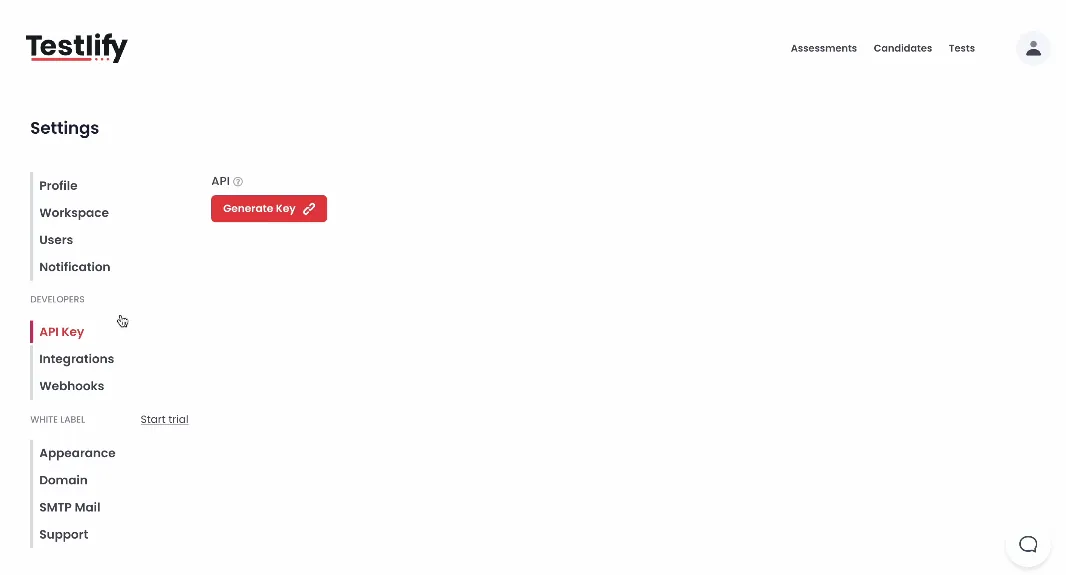
- In your Testlify dashboard, go to your profile > Settings > API Key.
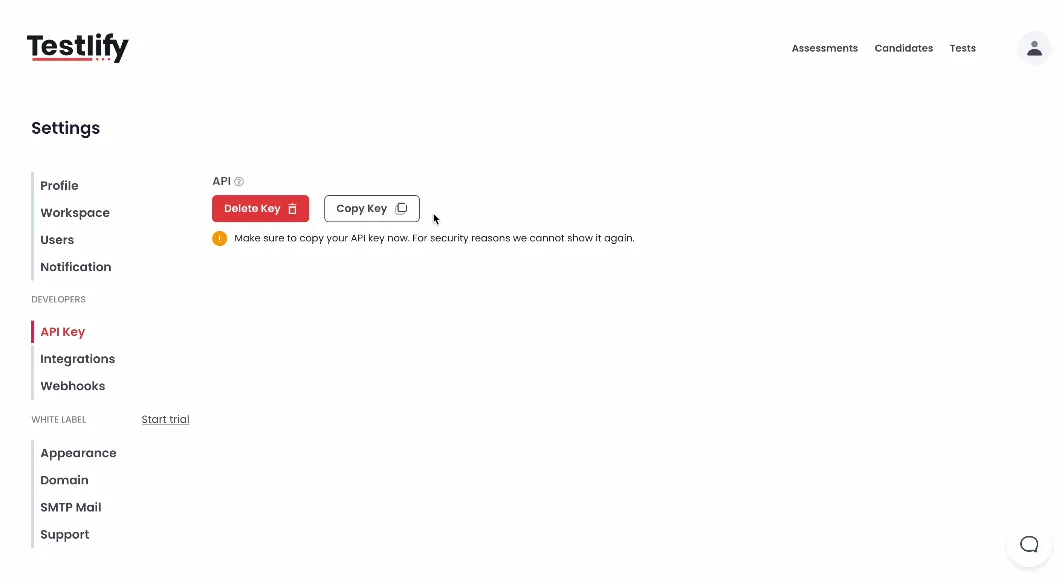
- Click on Generate Key and then copy the API key generated.
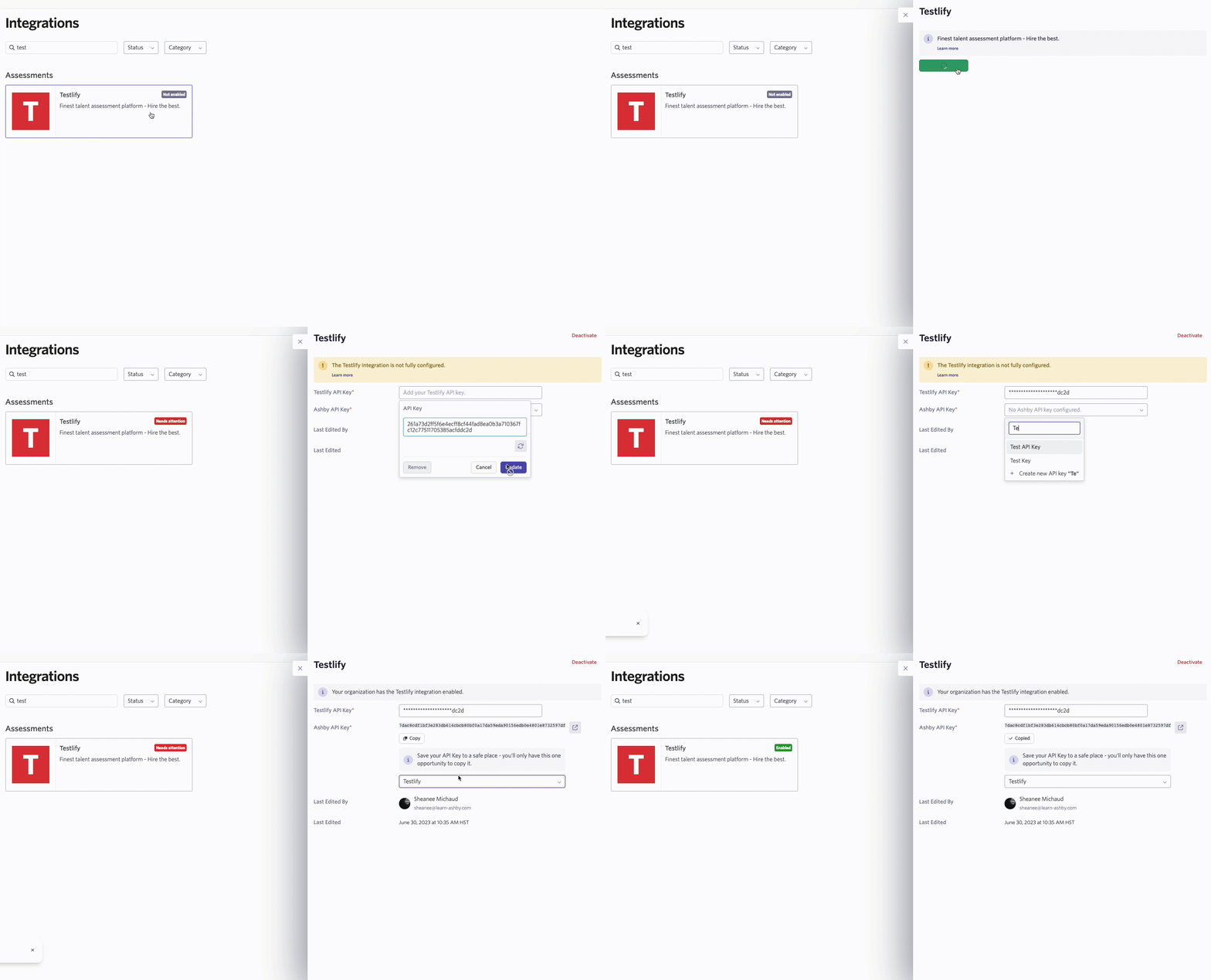
- Head over to the Testlify integration page in the Ashby Marketplace. Click on the +Enable Testlify button and paste the Testlify API key you generated in Testlify in the Testlify API Key field.
- In the Ashby API Key field, type in the name you’d like to set for your Ashby API key. Then, copy this key.
- Head back over to your Testify dashboard, navigating to your profile > Settings > Integrations.
- Choose the Ashby tile and paste the API key copied from Ashby.
That's it! Testlify is now integrated with Ashby
Using the Integration
Assessments can be initiated directly on the candidate’s profile page or added as an activity to an interview plan stage.
- To initiate an assessment directly on the candidate’s profile page
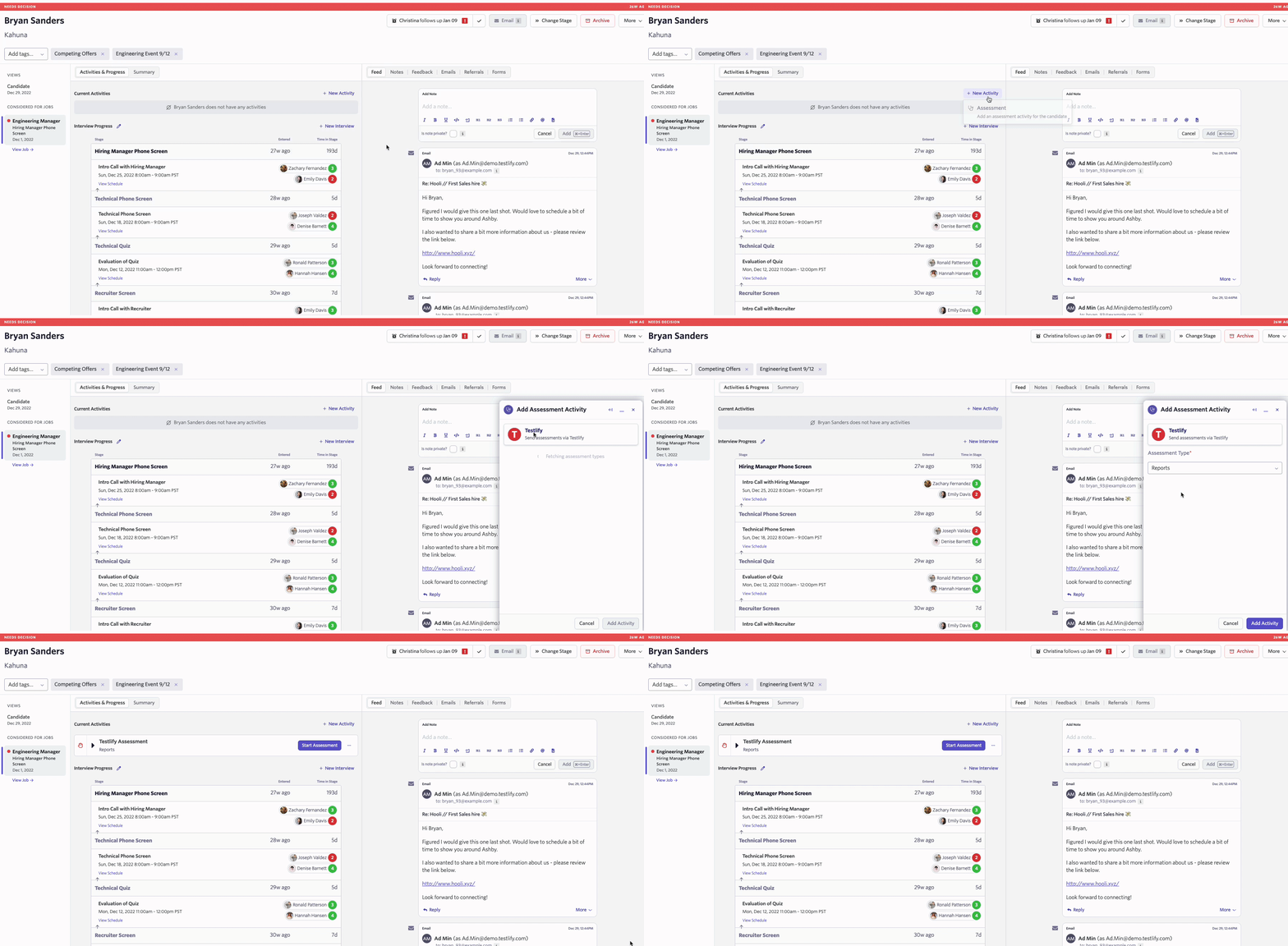
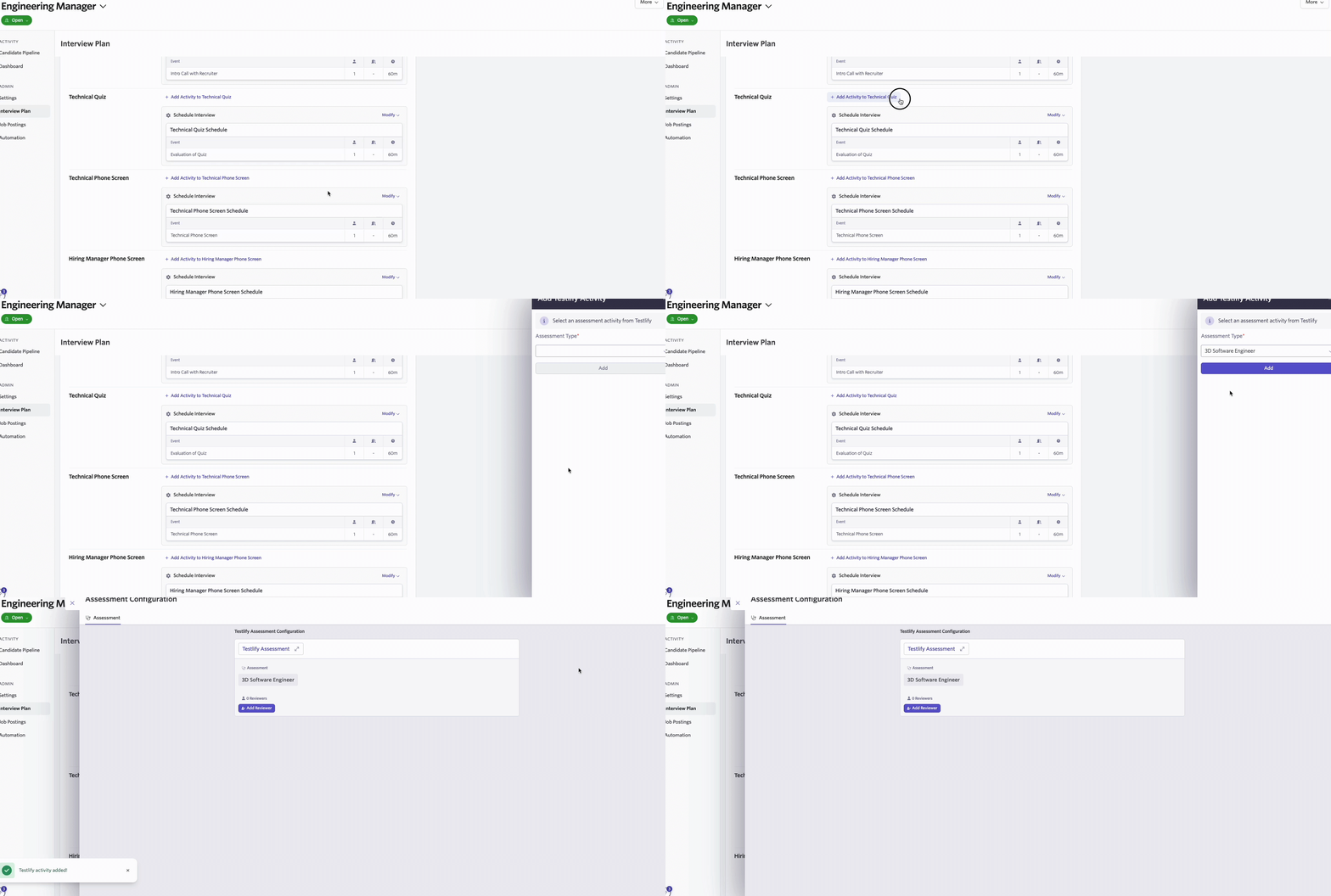
- To add an assessment as an activity to the interview plan
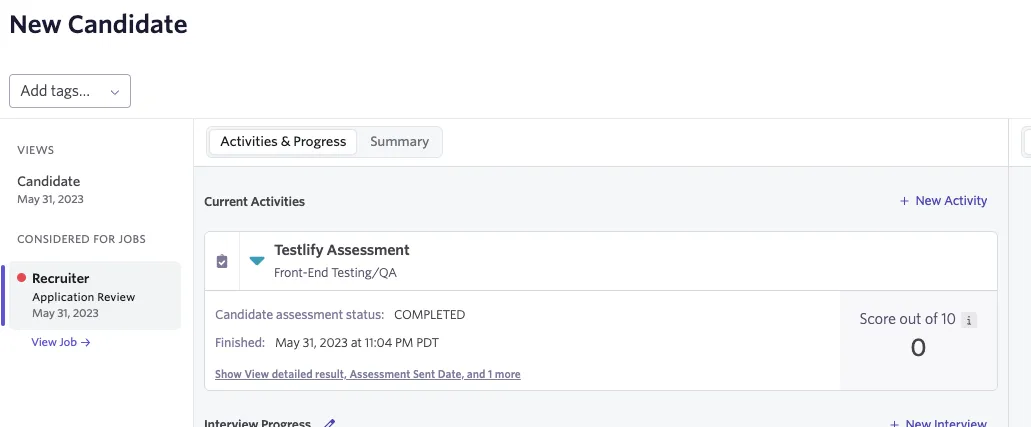
After an assessment is started, you can view the candidate’s progress and assessment results directly on the candidate’s profile.
Video Walkthrough
Additional Information
For more information, head over to Testlify’s article on integrating with Ashby. If you have any questions or feedback about the integration, please reach out to our team at [email protected].