Siit
3 min
Connect Siit to your Ashby account to automatically sync your hired candidates to Siit.
Integration Overview
This integration enables you to push hired candidates’ data into Siit to kick off the new employee onboarding process.
Ashby Setup
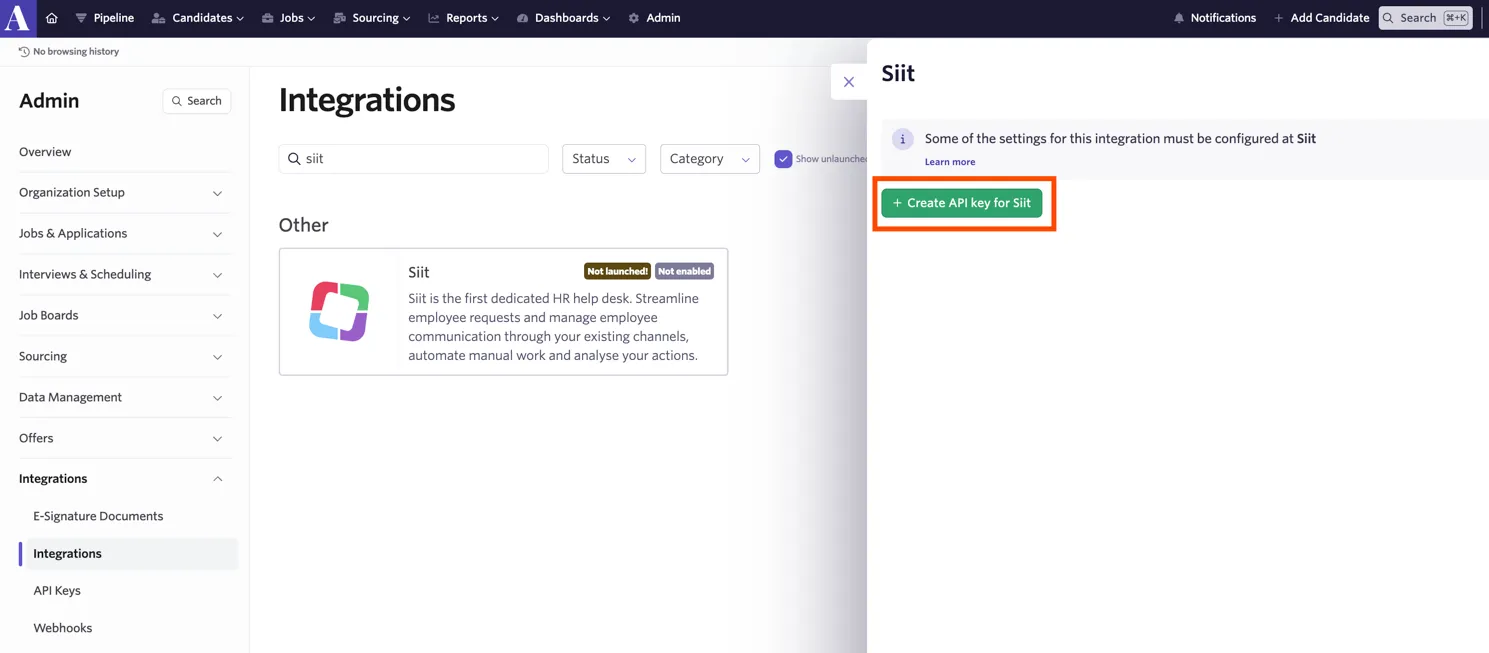
Navigate to Ashby and select Admin. Next, click Integrations on the left panel of the screen. Select Siit and click + Create API key for Siit.
Connect Siit with Ashby
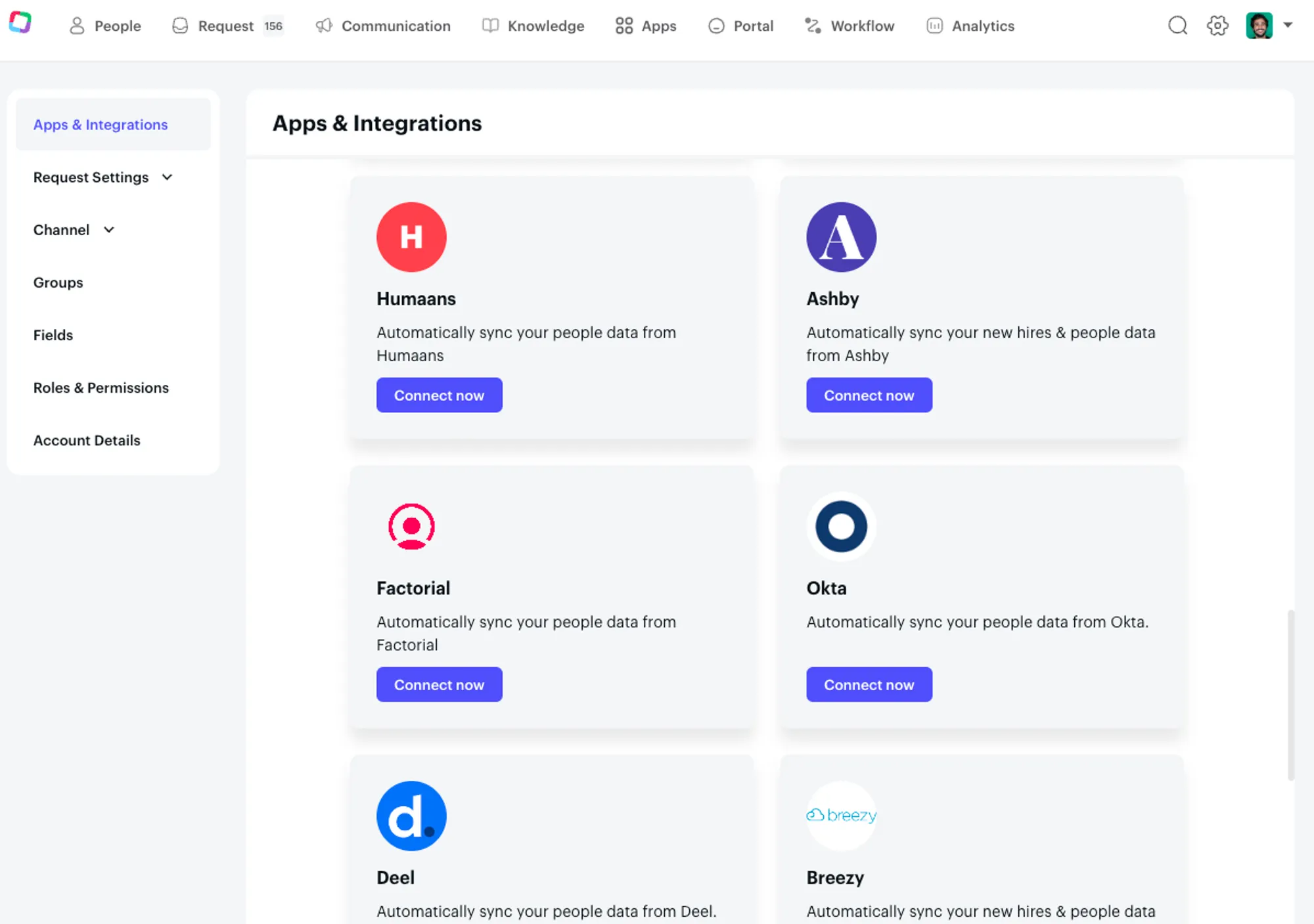
Log into your Siit account and click on Apps & Integration and select Ashby. Click the link that says Connect now
You can now start pushing new hires into Siit