Sequoia
This guide will walk you through integrating your Sequoia account with Ashby, allowing you to create customized offers for your candidates.
Integration Overview
This integration enables you to connect candidates with an interactive offer experience uniquely tailored to the role and rewards package while staying aligned to the company's compensation philosophy.
Ashby Setup
Navigate to Ashby and select Admin. Next, click Integrations on the left panel of the screen. Select Sequoia and click Create API key for Sequoia.
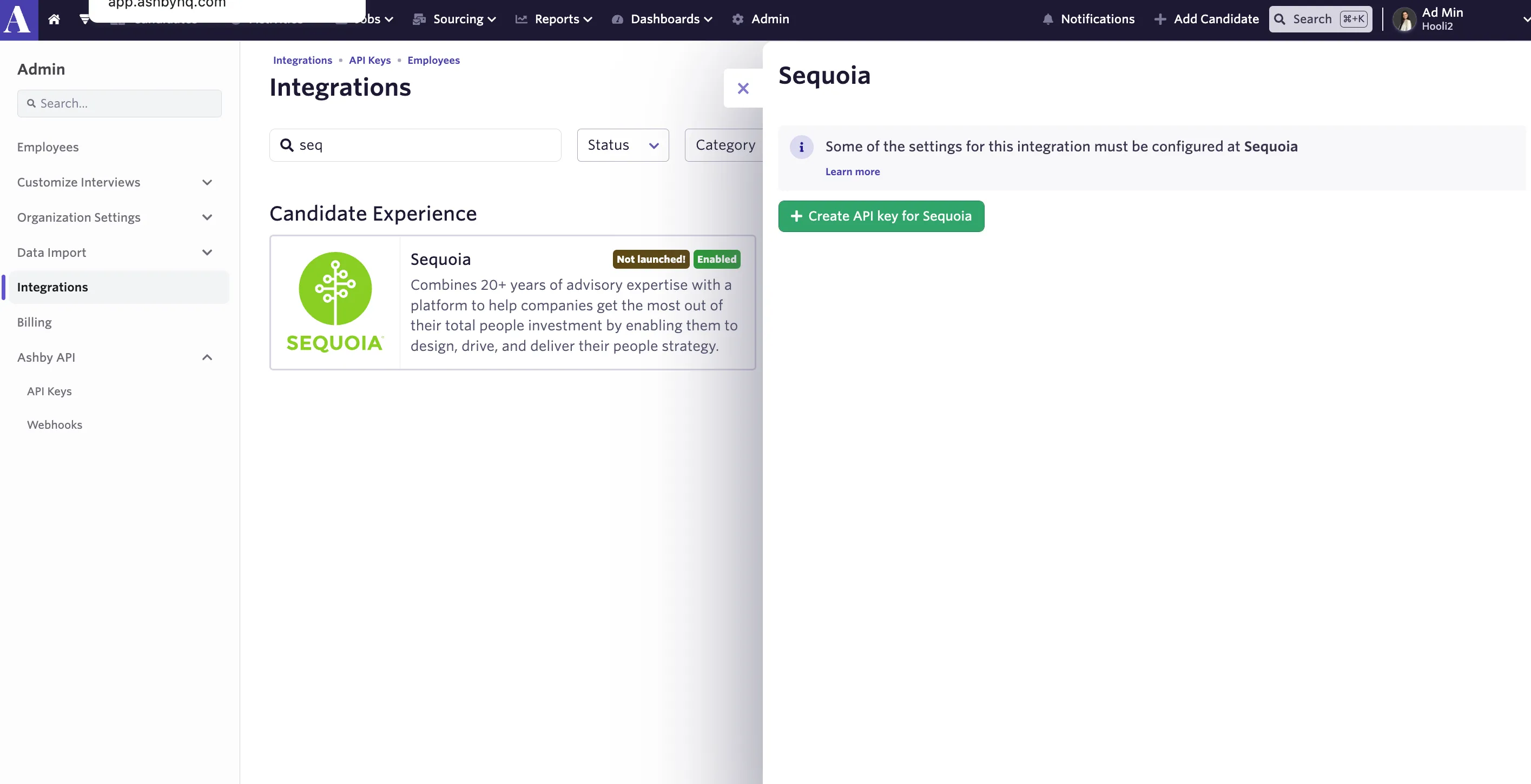
Select Ashby API Key and create a new API key. Copy the Ashby API Key.
Connect Sequoia with Ashby
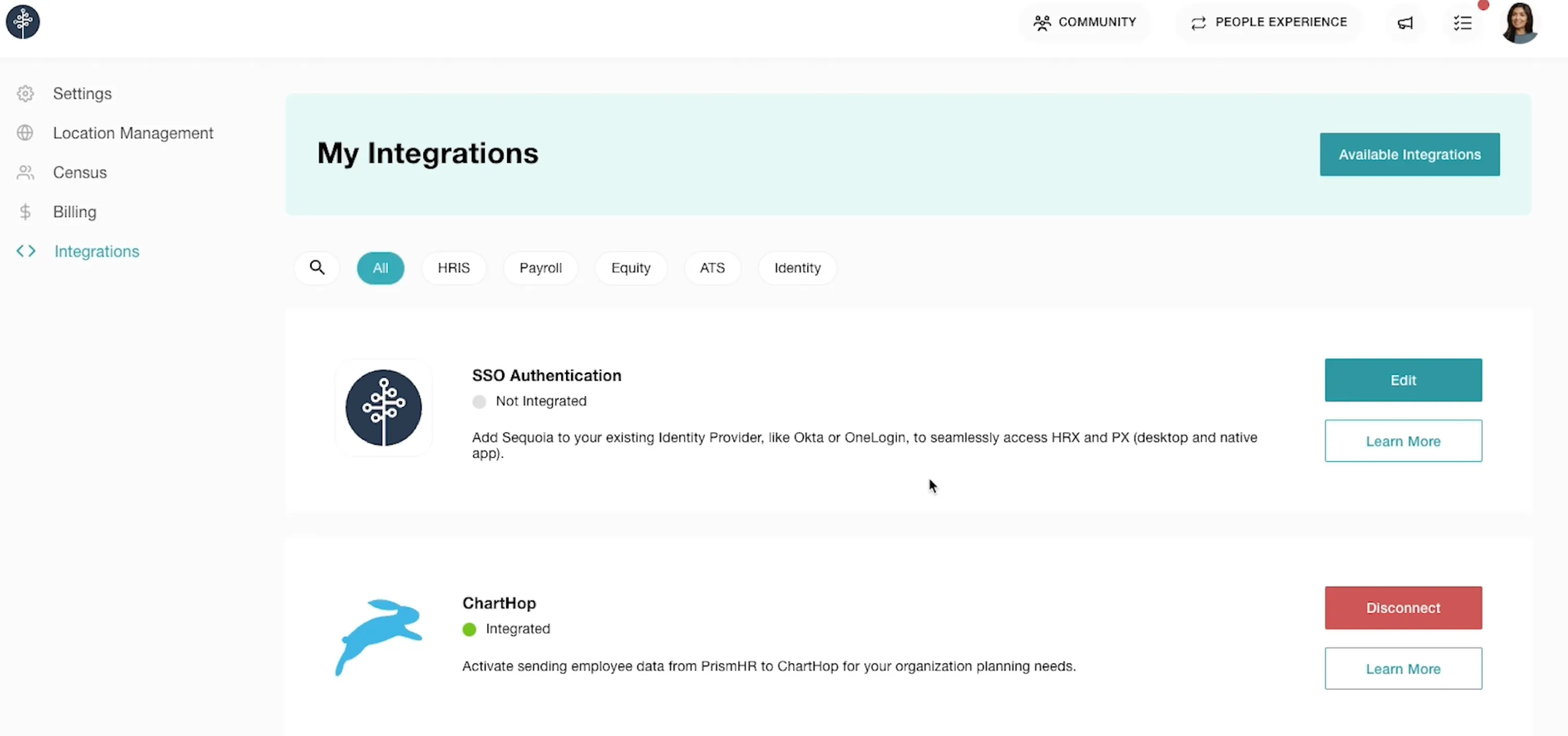
Log into your Sequoia account. Under Icon > Settings > Integrations, click Available Integrations.
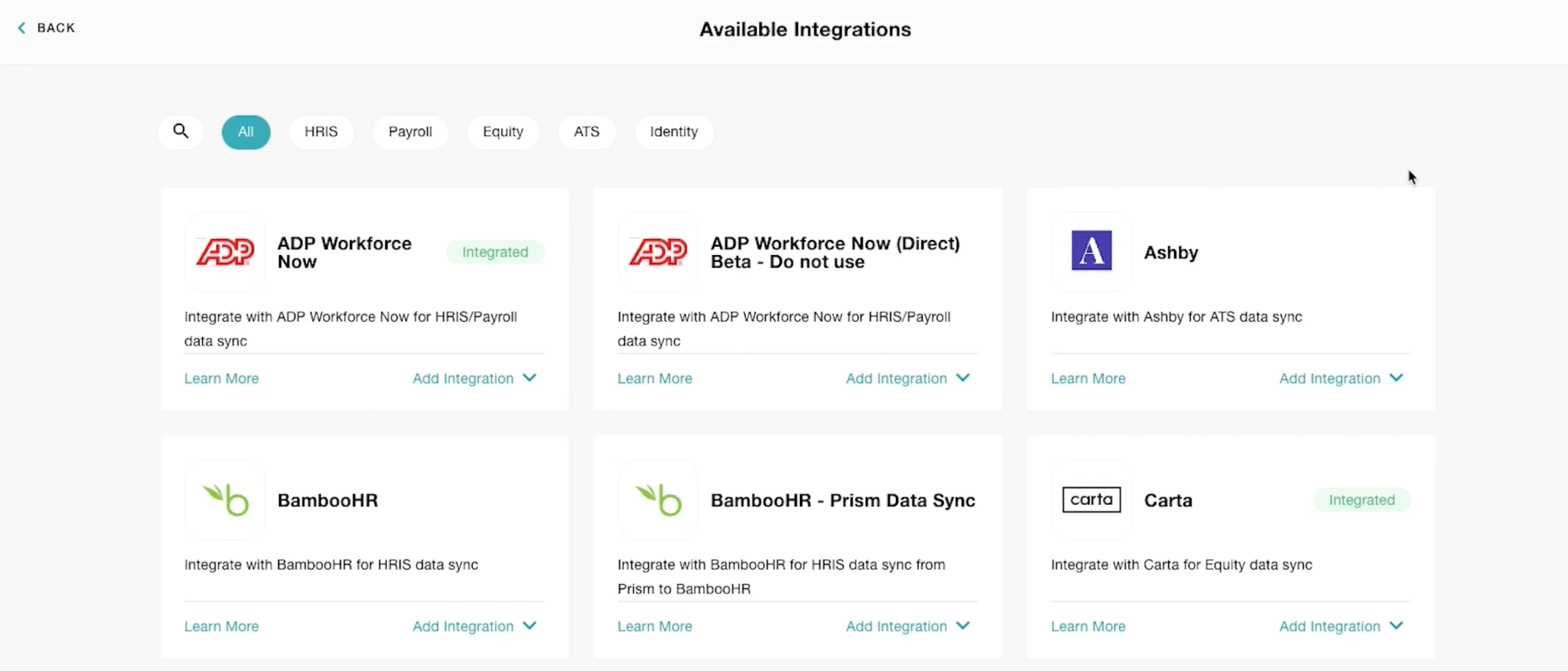
Search for Ashby and click Add Integration.
In a short activation flow, you’ll be asked to review and agree to Sequoia’s Terms & Conditions.
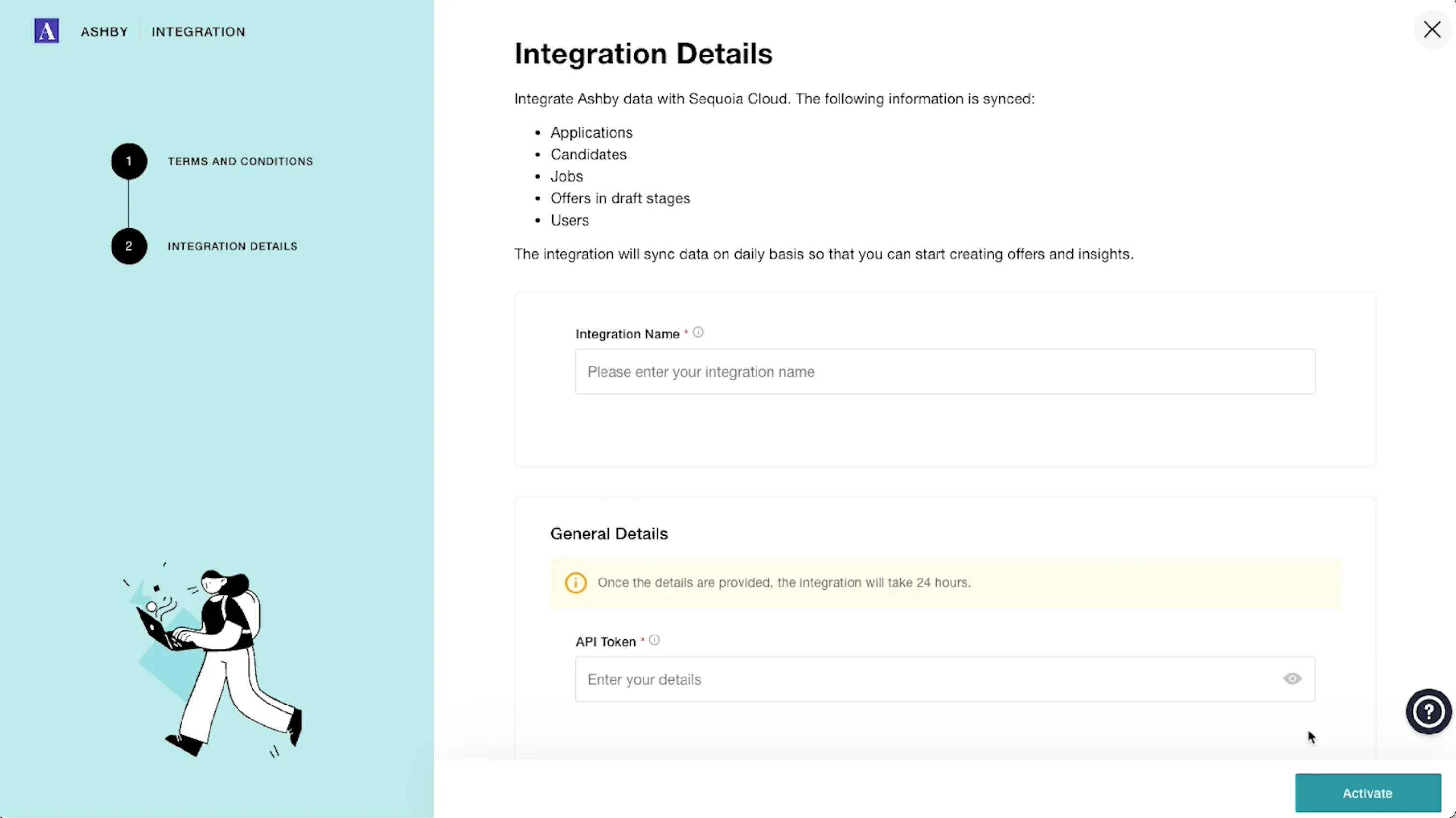
Complete basic integration details needed by Sequoia. You’ll need to paste the Ashby API Key that you copied from your Ashby account into the API Token in the Sequoia app.
Using the integration
After the integration is enabled, the following information is provided to Sequoia:
- Applications
- Candidates
- Jobs
- Offers in draft stages
- Users
Once a candidate accepts their offer via Sequoia’s offer letters (or in Ashby directly), the Hired status in Ashby will trigger the pre-boarding process for Sequoia One. This includes pre-filling some of the candidate’s information directly into the pre-boarding form.