SeekOut
SeekOut connects with Ashby through two integration options. Use Export to send candidate profiles from SeekOut to Ashby, or use Rediscovery to search Ashby candidate data in SeekOut and enrich it with additional profile information.
Prerequisites Before setting up Rediscovery, contact your SeekOut Customer Success Manager or SeekOut Support to coordinate the integration. Your Ashby login and your SeekOut login must both use the same email address when setting up the integration.
Permissions & access
The SeekOut integration is available on Foundations, Plus, Enterprise, and Legacy Plus plans.
Foundations | Legacy Plus | Plus | Enterprise |
|---|---|---|---|
✅ | ✅ | ✅ | ✅ |
You must be an Organization Admin to set up this integration.
Integration options
Option | What it does | Setup guide |
|---|---|---|
Export | Sends candidate profiles from SeekOut to Ashby as prospects or attaches them to an existing job. | |
Rediscovery | Mirrors Ashby candidate data in SeekOut for search and filtering. SeekOut enriches the data with social links, work history, and education, then uses the connection to keep the data updated. |
Each option has a separate setup flow and provides different capabilities. Review SeekOut's Ashby integration overview before choosing an option.
Connecting the integration
Create an API key
- Navigate to Admin > Integrations and search for the SeekOut integration tile.
- Select the + Create API key for SeekOut button.
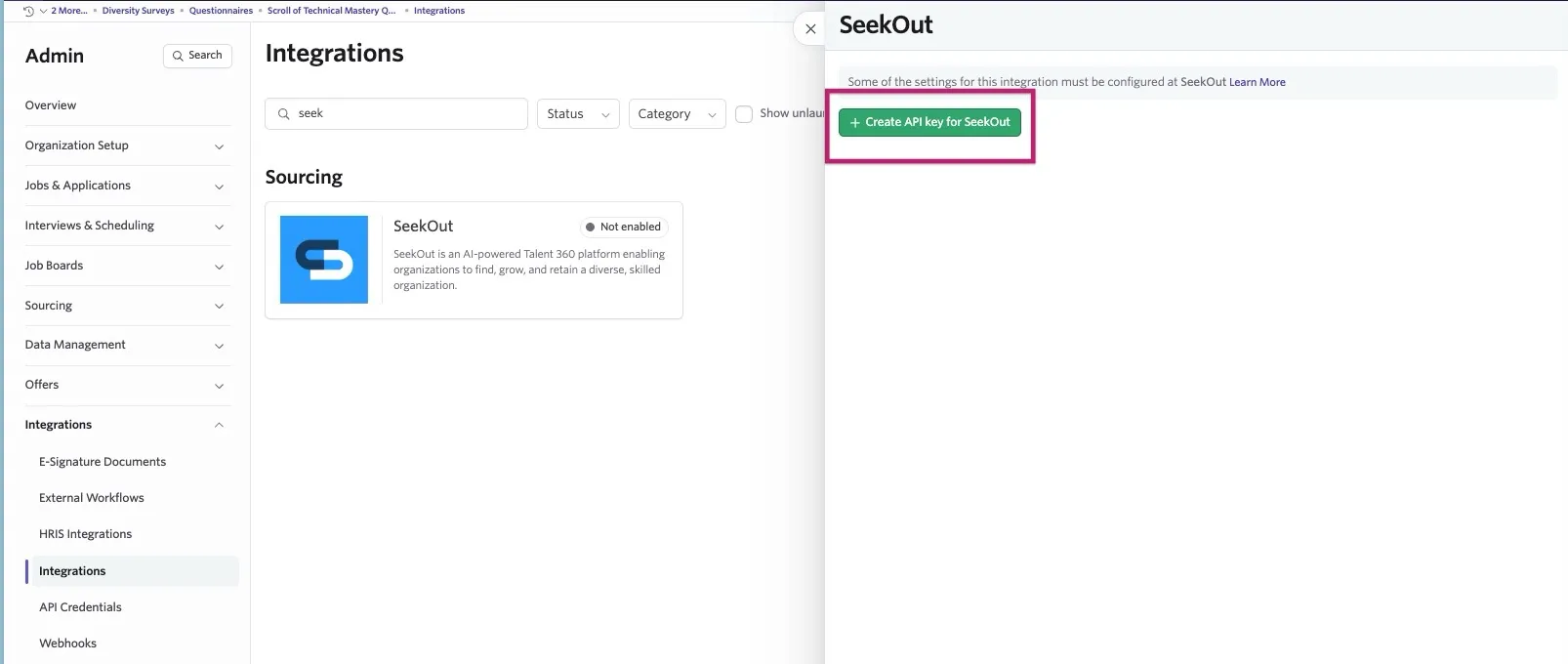
Copy the API key and store it in a secure place. You need this to complete the integration setup in SeekOut.
Add webhooks for Rediscovery
You only need to do these steps if you are using SeekOut's Rediscovery feature.
Rediscovery also requires Ashby webhooks. SeekOut provides the Request URL and Secret Token required to create them.
- In Ashby, navigate to Admin > Integrations > Webhooks.
- Select + New.
- Select the Webhook Type. See below for a list of all the webhook types needed for SeekOut's Rediscovery.
- Enter the Request URL and Secret Token provided by your SeekOut Integration Consultant.
- Create webhooks for these webhook types:
- Application Submitted
- Application Updated
- Candidate Deleted
- Candidate Merged
- Candidate Stage Change
- Job Created
- Job Posting Deleted
- Job Posting Published
- Job Posting Unpublished
- Job Posting Updated
- Job Updated
Finish setup in SeekOut
After you create the Ashby API key, complete the connection in SeekOut:
- For Export, follow SeekOut's Ashby Export setup steps.
- For Rediscovery, follow SeekOut's Ashby Rediscovery setup steps.
When setup succeeds, SeekOut displays Ashby with a green check mark on the Integrations page.
FAQs
Why does a candidate exported from SeekOut have a dummy email?
An email address is required when adding candidates to Ashby. If a candidate does not have an email associated with their SeekOut profile, SeekOut gives you the option to Generate dummy email addresses. When selected, SeekOut adds the candidate to Ashby using a fake email address as a placeholder.
The dummy address is not valid for contacting the candidate. Replace it with a verified email address before sending outreach.
Will SeekOut export candidates that already exist in Ashby?
SeekOut prevents duplicate records by not transmitting profiles that have already been successfully exported. Exported profiles contain a confirmation icon and the Applicant Tracking System (ATS) name. Check the Include previously exported candidate(s) box if you're exporting the same candidates to your ATS again.