Scheduling & Interviews: An Introduction
This guide provides an overview of the different tools available for scheduling in Ashby and how they work together to support an excellent candidate experience.
Initial setup
Before setting up your interview plans and interviews, we recommend setting up a shared calendar and reviewing our meeting hours guide.
What is a shared calendar?What is a shared calendar?
Meeting HoursMeeting hours
Interview plans: Creating your pipeline
The Interview Plans section of Ashby allows you to set up the stages that candidates go through when considered for a role.
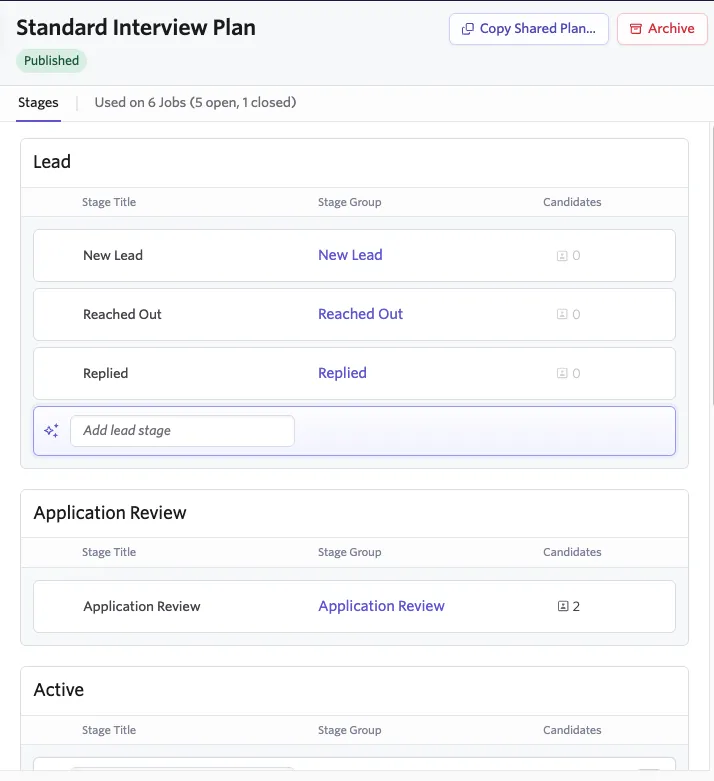
The plan is split into various stages:
- Lead: The stages used to gauge a sourced candidate's interest.
- Application Review: Used when a candidate's application is under review.
- Active: These are the interview stages the candidate goes through before being archived (rejected) or receiving an offer.
- Offer: This can be configured with the various stages a candidate must go through once it has been determined that you'd like to extend an offer, such as background checks, references, or offer submission.
- Completed: The result of the candidate's application — either Archived or Hired.
You specify the interview plan when creating a job. For more, see Creating & Opening Jobs.
For more on creating interview plans, see Interview PlansInterview plans.
Interviews: Adding a briefing and assigning a feedback form
Interviews allow you to provide:
- Instructions: Information added in this tab shows as a briefing to your interviewers when they are on a panel.
- Feedback form: Assign the form that interviewers use to submit their feedback after the interview.

You can select your interview type when scheduling within each stage of your interview plan — either when scheduling a one-off interview on a candidate's profile, or when setting up schedule interview activities to automate your scheduling process.
When the interview is scheduled, interviewers can click the interview on their home page to view the briefing and feedback form within the interview details.

Feedback forms are created in the Feedback Forms section. For more on setting up feedback forms, see Feedback Forms and InterviewsFeedback forms and interviews and What are ‘Shared’ Interviews, Application Forms, and Feedback Forms?What are 'Shared' interviews, application forms, and feedback forms?
Schedule interview activities: Automating elements of your process
Schedule interview activities can be set up within each stage of your job's interview plan.
These activities allow you to select an interview type, interviewers, and set the interview's settings in advance. When a candidate is moved to the stage that contains this activity, Ashby automatically adds a scheduling prompt to their profile.
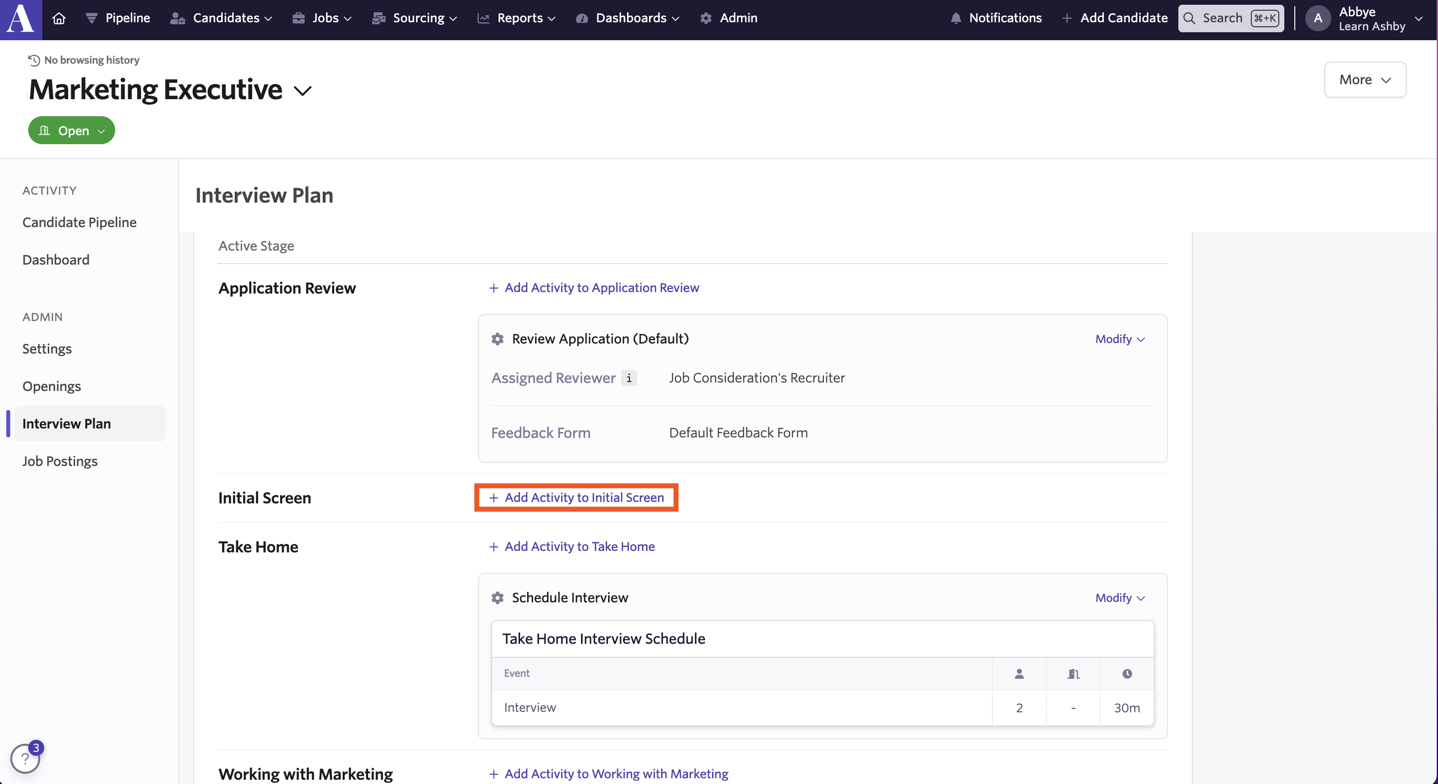
Based on the activity's settings, a direct booking link with the panel's availability can also be generated automatically to send to the candidate. You can also send a candidate availability link.
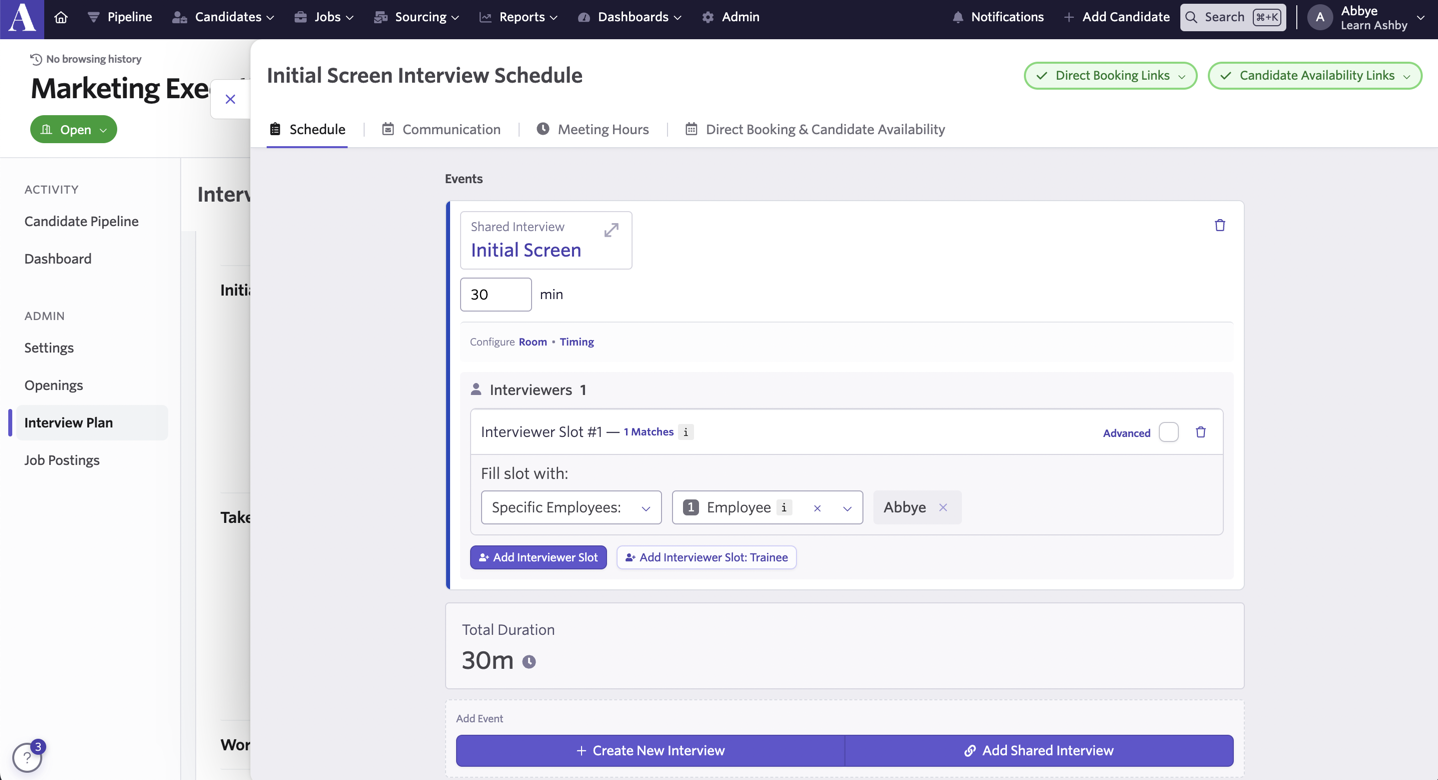
What is a direct booking link?
A direct booking link gives the candidate the interviewing panel's availability so they can schedule their interview directly.
What is a candidate availability link?
A candidate availability link is sent to the candidate so they can enter their own availability for an interview. The interview is then scheduled manually based on the slots the candidate provides.
This is commonly used for multi-event interviews (like an onsite with multiple interviews testing different skills).
For more on creating activities, see Setting up Schedule Interview ActivitiesSetting up schedule interview activities and Assigning InterviewersInterviewers: Assigning, rescheduling, and setting interviewer limits.
For more on scheduling links, see Direct Booking & Candidate Availability Links .
Grouped interview plan: Reporting on your pipelines
If you have multiple interview plans, we recommend setting up a Grouped Interview Plan to group the stages within your interview plans together when reporting on your pipeline.
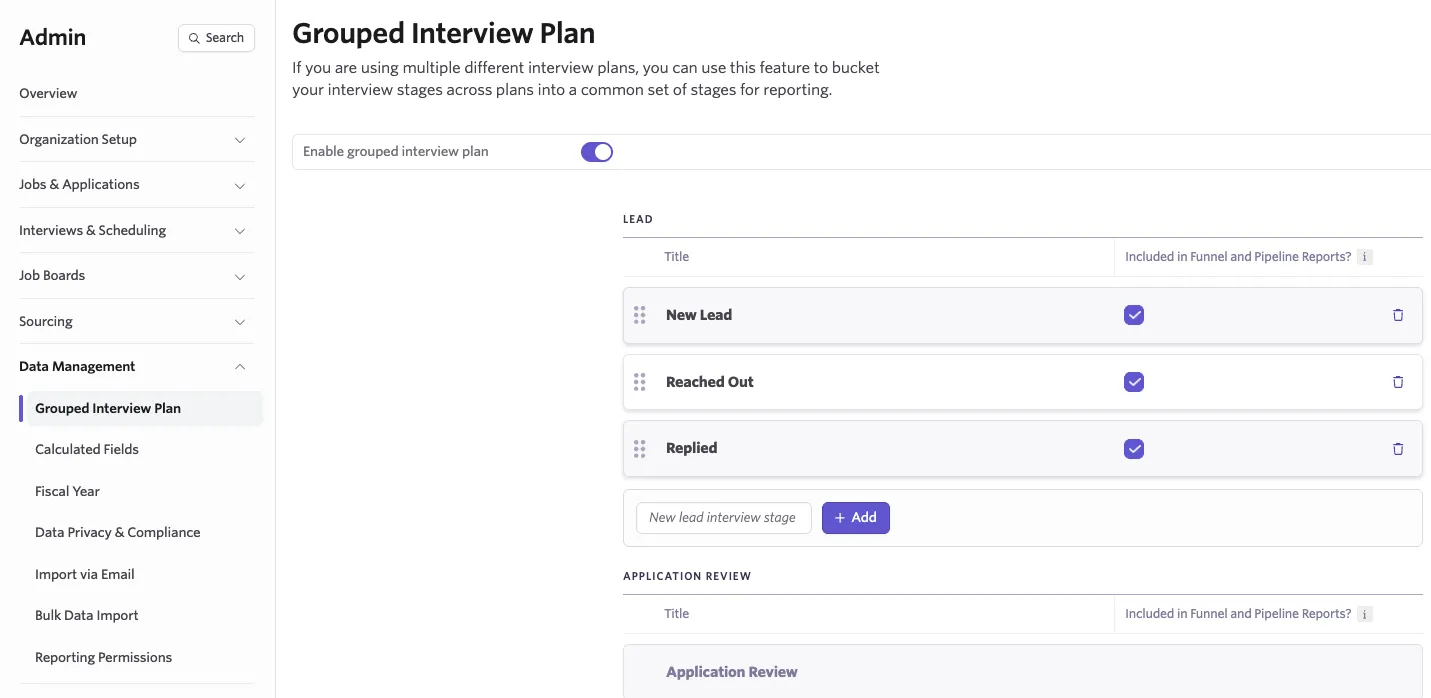
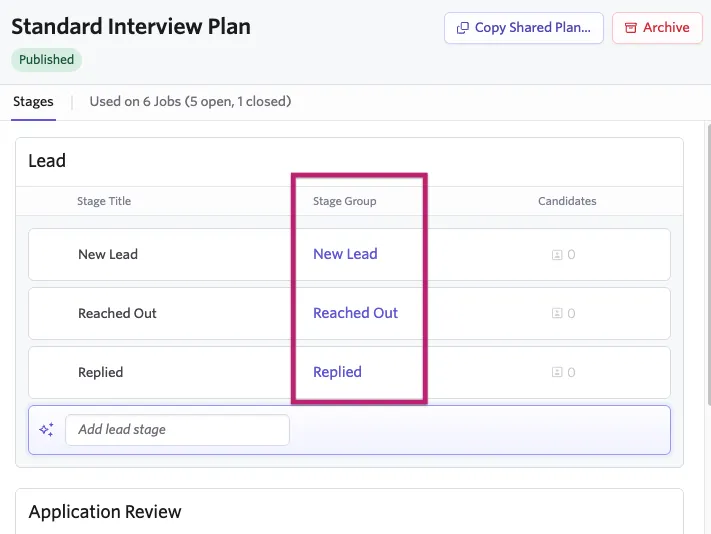
The grouped interview plan allows you to set overarching stages that the stages within your separate interview plans can be mapped to. For example, a Screening stage in your grouped interview plan could cover Initial Screen, Recruiter Screening, and Hiring Manager Screen stages across three different interview plans.
Once your grouped interview plan is in place, head back to your interview plans and map their stages to the grouped interview plan stages you've created.
When creating a report relating to your interview pipeline, you see the checkbox option Group Stages?. Checking this box uses your grouped interview plan stages, grouping your individual interview plans and keeping your reports organized.

For more on setting up a grouped interview plan, see What is a grouped interview plan?What is a grouped interview plan?