Resend Workflow Step Notifications
4 min
You can resend a workflow step notification to assignees to provide a gentle reminder for outstanding tasks. You can resend workflow step notifications for the following step types:
- Task
- Survey
- Approval
- Assessment
Ashby's People Ops module is currently available through restricted early access. The following documentation is provided for design partners participating in that program.
Resending a notification for a single workflow step
To resend a workflow step notification:
- Navigate to Tasks
- Click on the title of the step to open up the task details
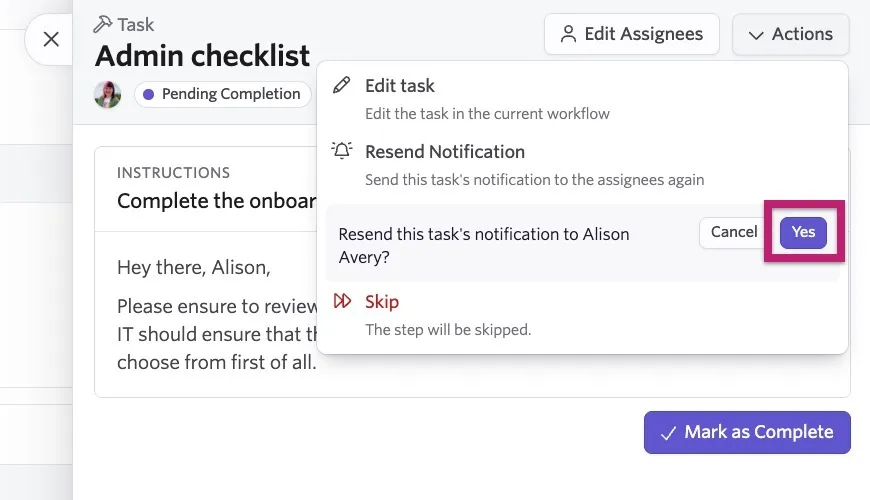
- Click Actions, then Resend Notification
- Review the notification recipient listed, then click Yes to confirm and resend the task notification.
Resend an email in an Email workflow step
If you need to resend an email in an Email workflow step:
- Navigate to Tasks
- Click on the title of the email step to open up the task details.
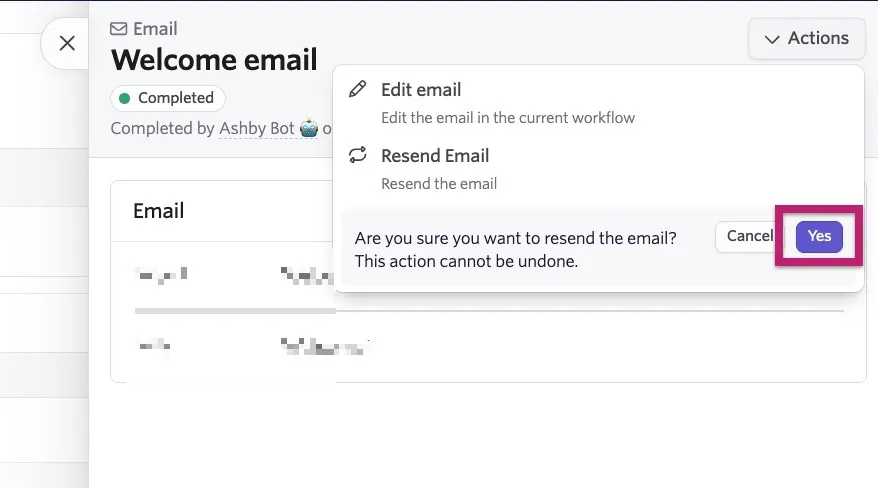
- Click Actions, then Resend Email.
- Click Yes to confirm and resend the email.
Resending workflow step notifications in bulk
You can also resend step notifications in bulk. To do this:
- Navigate to Tasks.
- Check the checkboxes on the left-hand side of the tasks in question.

- Click Resend X Notifications, then Confirm.
